Saunier Duval smart home integration, free and open source
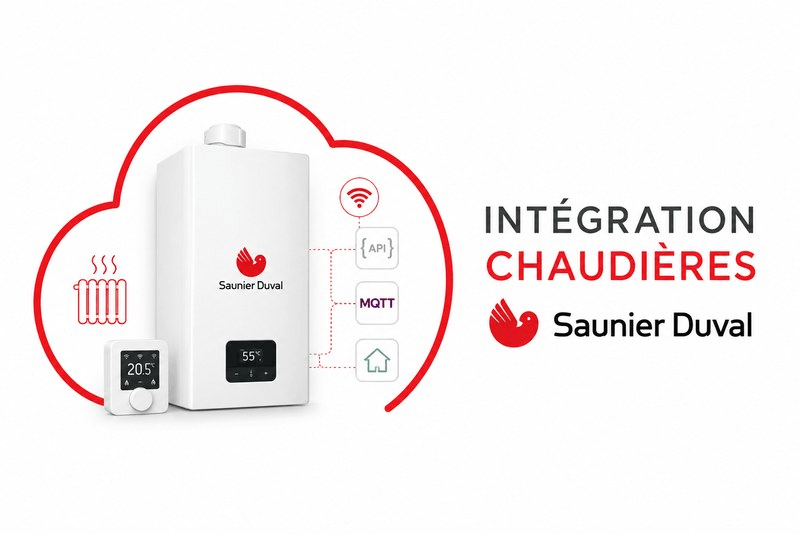
Control your Saunier Duval boiler through your MiGo / MiGo Link account.
Published by PhilippeMA
- Devices
- Version 1.0.2
- Requires Gladys >=4.86.0
- ★ 0
This integration connects your Saunier Duval boiler to Gladys Assistant: temperatures, setpoints, heating modes and domestic hot water become Gladys devices, usable in your scenes and your charts.
It goes through the Saunier Duval cloud, the one behind the MiGo / MiGo Link mobile application. These boilers have no local API: everything travels over the Internet, so your gateway has to be online.
What you need
- A Saunier Duval boiler connected through a MiGo or MiGo Link gateway (or a MiPro Sense / Exacontrol connected control behind a gateway).
- The account you already use in the mobile application: same email address, same password.
- The country the account was created in.
Nothing to install on the boiler, no API key to request.
Setup
- In Gladys, open Integrations → Install an integration and install Saunier Duval.
- Open the integration configuration screen and fill in:
- Email: the address of your MiGo / MiGo Link account;
- Password: of the same account. Gladys stores it encrypted and never sends it back to the browser;
- Country of the account: the country the account was created in. This matters: an account created in France cannot log in through another country, and the login would be refused without further explanation;
- Refresh interval: how often, in seconds, the boiler is read. 300 s (5 minutes) is a good setting — a boiler is a slow system, and the Saunier Duval platform limits the number of calls;
- Default override duration: the duration every zone starts from. You then set it per zone, see "Changing a temperature" below.
- Click Test the connection. The message tells you how many installations were found on your account.
- Open the Devices tab of the integration: your devices are already listed. Pick the ones you want to create in Gladys.
The devices created
For each installation, the integration creates:
| Device | What it exposes |
|---|---|
| Boiler | Outdoor temperature (current and 24 h average), heating water pressure, current activity (heating, hot water, standby), number of fault codes and their detail |
| Zone (one per heating zone) | Room temperature, humidity (if your thermostat measures it), target temperature, mode, override duration, and whether it is heating right now |
| Circuit (one per hydraulic circuit) | Flow temperature actually produced, flow setpoint computed by the heating curve, circuit state |
| Hot water | Water temperature, setpoint, mode, a Boost button, and whether the boiler is heating the water |
Zones carry the name you gave them in the boiler ("Living room", "Upstairs"…). A zone declared inactive in the boiler is skipped: it reports nothing.
Water pressure is the value worth watching: below ~1 bar the installation needs a top-up. A Gladys scene can warn you.
Changing a temperature
The value shown in the "Target temperature" field is the one you edit: the manual temperature, the one the Saunier Duval application displays — or the temporary override temperature while an override is running.
Deliberately not the boiler's "demand of the moment": that one drops to 0 as soon as the heating has nothing to do (a scheduled zone outside its slots, summer mode), and an input box pre-filled with 0 would be of no use.
The boiler has no single setpoint register: what gets written depends on the mode the zone runs in.
- Zone on a schedule ("Auto"): changing the temperature starts a temporary override. The new setpoint applies for the duration you chose, then the schedule takes over again. This is exactly what the mobile application does when you turn the dial on a scheduled zone: your schedule is never overwritten.
- Zone in manual mode: the setpoint is written for good, until you change it again.
- Zone switched off: the command is refused with a clear message. Change the mode of the zone first.
Override duration
Every zone carries an "Override duration" control, adjustable from 30 minutes to 24 hours, like the application. Set it before changing the temperature: that is the duration the next override will use.
It is expressed in minutes rather than hours, for a precise reason: the Gladys slider steps by one unit, so hours would put every half-hour out of reach. In minutes, every value of the application stays reachable. A value that does not fall on a step is brought back to the nearest half-hour (100 minutes → 1 h 30), exactly as the boiler does.
This control does not talk to the boiler: the platform only accepts the duration when the override starts, alongside the temperature. It is therefore a setting of the integration, which Gladys stores and which is read back after a restart. A zone starts from the value of the configuration screen.
Mode mapping
| Gladys mode | Heating zone | Hot water |
|---|---|---|
| Off | Off | Off |
| Heating | Manual (or "Day" on MiPro / Exacontrol controls) | Manual / "Day" |
| Auto | Scheduled | Scheduled |
These are the only three modes offered, on the heating zone as on the hot water: the same ones the Saunier Duval application shows, in the same order. Gladys knows other values — "Cooling" for a thermostat, "Eco", "Away", "Boost" for a water heater — but the integration declares to it the modes your boiler actually accepts, so those buttons do not appear.
The wording differs between the two, though, and that is not up to the integration: each category has its own vocabulary in Gladys. They are the same three notions.
| Saunier Duval application | Heating zone (Gladys) | Hot water (Gladys) |
|---|---|---|
| Manual | Heating | Manual |
| Schedule | Auto | Schedule |
| Heating off | Off | Off |
On older controls the "Set back" mode (permanent heating at the reduced temperature) reads as "Heating" too — Gladys has no value that matches it exactly.
Hot water boost
The Boost asks the boiler to heat the tank right now, outside of the schedule. The boiler clears it by itself once the tank is hot: Gladys will show it back as off at the next refresh.
On Gladys versions older than the #2815 fix, the greyed button of the pair shows the opposite of the real state ("Boost active" while the boost is off). The clickable one is correct. This is a display bug of the Gladys core, not of the integration: updating Gladys fixes it.
Things to know
- Display delay. After a command, Gladys shows the requested value right away, then replaces it with the one the boiler confirms on the next cycle. Needing one or two refreshes to see the real effect is normal.
- Rate limiting. The Saunier Duval platform limits the number of requests, and you share it with the mobile application. A refresh cycle costs one single request per installation: every published value comes from the same answer. The list of installations, the gateway state and the fault codes are read separately, every 30 minutes only — which is why a gateway that just went offline can take up to half an hour to be reported as such. Do not lower the interval without a reason: 60 seconds is the allowed minimum, 300 seconds the recommended setting.
- One account. The integration reads every installation attached to the account. If you have several, each one produces its own set of devices, prefixed with its name.
- Unofficial API. Saunier Duval neither documents nor supports this API: it is the one its mobile application uses, and it can change without notice. This integration is not affiliated with, nor endorsed by, Saunier Duval or the Vaillant Group.
After an update of the integration
An already-created device does not change by itself. The Discovery tab shows an Update button on the devices whose structure moved, and that button is what re-applies everything: new features, units, and the list of offered modes.
One case to know about: Gladys detects a "changed structure" by comparing the features, their units and their bounds — not the list of modes. If an update of the integration only changes the offered modes, no Update button appears and the device keeps its old list. Delete the device and create it again from the Discovery tab: there is no other way.
Troubleshooting
- "Login refused": check the email, the password and above all the country of the account. Check as well that these credentials work in the mobile application.
- No installation found: the account has no boiler attached, or the gateway was paired with another account.
- Frozen values: the gateway is probably offline. Check it in the mobile application; the integration can only read what the platform knows.
- Detailed diagnosis: set the
LOG_LEVELenvironment variable of the integration todebugto see every call in the container logs.
Configuration settings
These are the settings Saunier Duval asks for in its configuration screen in Gladys.
| Setting | Type | Required | Description |
|---|---|---|---|
| Getting started | section | No | Use the email and password of the MiGo or MiGo Link account you already use in the mobile application. Your boiler must be connected through a MiGo or MiGo Link gateway: everything goes through the Saunier Duval cloud, there is no local access. |
string | Yes | Email address of your MiGo / MiGo Link account. | |
| Password | secret | Yes | Password of your MiGo / MiGo Link account. Stored encrypted by Gladys and never sent back to the browser. |
| Country of the account | select | Yes | The country you registered your account in. An account created in France cannot log in through another country. |
| Refresh interval (s) | number | No | How often the boiler is read, in seconds. The Saunier Duval platform is rate limited: keep a comfortable interval, a boiler is a slow system. |
| Default override duration (h) | number | No | When a zone follows its schedule, changing its temperature starts a temporary override, after which the schedule takes over again. This is the duration a zone starts from: each zone then carries its own "Override duration" control, from 30 minutes to 24 hours in 30-minute steps. Half-hours only. |
How to install Saunier Duval in Gladys
- In Gladys, open Integrations: Saunier Duval appears in the catalog, next to the native integrations, with a community badge.
- Click Install. Gladys pulls the Docker image (
ghcr.io/philippema/gladys-vaillant-saunierduval:1.0.2), starts it in a sandbox isolated from the core, and generates the integration's interface (devices, discovery and configuration). - Open the Configuration screen of the integration, fill in the settings, and save.
- You can also install it directly from its repository URL: https://github.com/PhilippeMA/gladys-Vaillant-SaunierDuval.
Saunier Duval requires Gladys >=4.86.0. The catalog inside Gladys refreshes every hour, so a new version becomes available at most one hour after its release.
Not running Gladys yet? It is free and open source: follow the installation guide to get started.
About external integrations
Saunier Duval is an external integration: a community integration packaged as a Docker container and published on GitHub, that Gladys installs in one click and runs in a sandbox isolated from its core. It is published and maintained by PhilippeMA, not by the Gladys core team.
- Browse all integrations, native and community
- Build and publish your own external integration
- Source code on GitHub — source of this documentation