RESOL smart home integration, free and open source
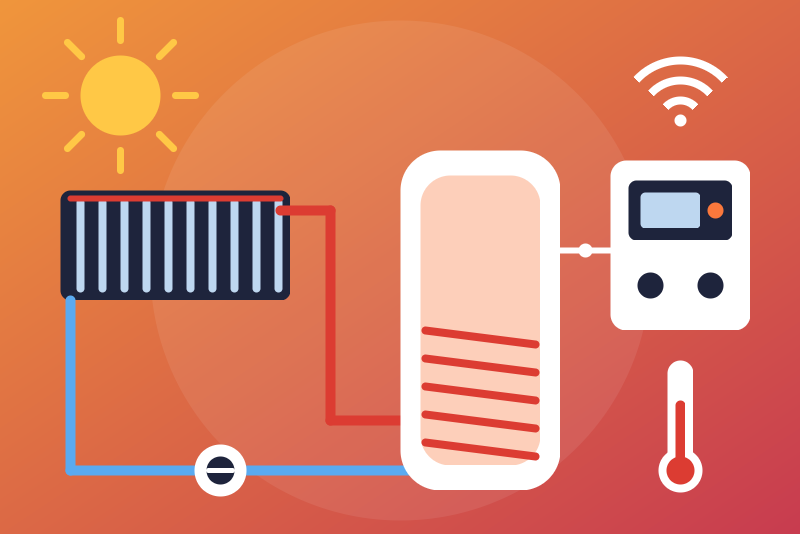
Unofficial: RESOL solar and heating controllers via KM2, DL2, DL3, read-only.
Published by LM1LC3N7
- Devices
- Version 0.1.1
- Requires Gladys >=5.1.0
- ★ 0
Unofficial integration, not affiliated with RESOL. It reads your RESOL solar and heating controllers (DeltaSol and the other devices of the VBus) through the local HTTP API of a KM2, DL2, DL2Plus or DL3 on your network. Read-only: it never changes a setting. No cloud: VBus.net is never contacted.
Never tested with a real device: built from the API as the Home Assistant integration hass-Deltasol-KM2 uses it and from the documentation of the DLx format. Feedback welcome.
Supported devices
- KM2 and DL2Plus: the user name and the password of the web interface are needed;
- DL2 and DL3: a password only if the data logger does not let a guest read the live data; a filter defined on the data logger may be used;
- KM1 (old) and VBus/LAN or VBus/USB adapters: not directly. They
work through the
json-live-data-serverof resol-vbus, which presents itself as a DL2 (port 3333, no password).
What you get
One device per controller or module on the VBus (named after it, e.g.
RESOL DeltaSol MX [Regler]), with the values the data logger announces,
under the names of its VBus specification file (VSF), in its language
(keep the VSF up to date):
- temperatures (°C; an open sensor line, 888.8 °C, or a short circuit, -888.8 °C, is never published);
- pressures (bar);
- pump speeds (%), flows (l/h), powers (W), irradiance (W/m²)…: the unit is in the name;
- lifetime counters ("lifetime" in the name): heat quantities (kWh), operating hours (h; the operating seconds of some controllers are turned into hours) and total volumes (l, m³);
- counters of a period (today, week, month, year, previous week...): plain sensors, which go back to 0 normally; settings in hours or seconds (a rise time, a mixer runtime...) and maximum volumes are plain sensors too;
- a heat quantity split by the controller in Wh, kWh and MWh fields is published once, put back together in kWh (or not at all when the controller also gives the total); when a field other than the one of the largest unit reads 1000 or more in its unit, it is no piece but the same counter in another unit: each field is then published apart.
Values without a unit (error masks, versions, dates, times of day) are not published. Heat quantities are heat, not electricity: they never go to the Gladys energy monitoring (they would be counted as electricity there).
Configuration
- Give the KM2 / DL2 / DL3 a fixed address in your router.
- In Gladys, install the integration and fill in:
- Address: its IP address; add a port only if it is not 80 (
:3333for the json-live-data-server).https://is refused: this integration only speaks plain HTTP (the password would leave unprotected where you expect HTTPS); - User name: the one of the web interface (
adminby default); - Password: the one of the web interface (see above);
- Filter (DL2 / DL3, optional): the id of a filter of the data logger;
- Reading interval: 60 s by default (60 to 900).
- Address: its IP address; add a port only if it is not 80 (
- Click Test the connection, then create the devices from the Discover tab.
How it reads
Each read first asks the identity of the device
(get_resol_device_information: product and serial number), then the live
data: on a KM2 or a DL2Plus, a JSON-RPC log-in with the user name and the
password then dataGetCurrentData; on a DL2 or a DL3, /dlx/download/live
(the data logger takes the user name and the password in the address of the
request: that is its API). One read at a time, never faster than the
interval: not on the test button, not on Discovery, not on a reconnection,
not after a restart of the container (it waits the interval plus a minute
after the last read). A new address, user name or password is read at once.
- User name or password refused (HTTP 401 or 403 to the log-in or to the live data, or an error to the JSON-RPC log-in other than a protocol error): reads stop until new credentials are saved or Test the connection is clicked (one try per click); when no password is set, the status says the device asks for one. An unreachable device, no answer, an unexpected answer, a 401 / 403 to the device information (no credential goes with it), a JSON-RPC protocol error, an unknown filter or a KM2 without a password is no refusal: new try after 1 min, then up to every 15 min.
- Identity: the values only go to the devices of the serial number read in the same read. Another serial number at the same address has its own devices.
- Frozen values: a VBus packet whose time stamp has not moved for 15 min
(the controller no longer sends it) is no longer published, also after a
restart of the integration (the time stamps are kept in
/data); the status says so. - A value the device marks as missing (an empty text) is never published as 0.
Lifetime counters
A heat quantity, an hour counter or a total volume only goes up. Each counter goes through a guard:
- 0, a missing value or a text is never published;
- a drop (a reset, a controller replaced) or a jump (more than 200 kW on average plus 2 kWh for the heat, more than one hour per hour plus 2 h for the hours, more than 20 m³ per hour plus 100 l for the volumes) since the last value is held: the last accepted value is sent again, the status shows it, and time never confirms it (the guard counts the time elapsed in the integration: a clock corrected while it runs changes nothing; at its restart it starts again from the time of the system, and a date saved in the future is brought back to now);
- if it is right, click Accept the held counter twice (the first click lists, the second, 3 s to 5 min later, accepts exactly what was listed). Accepted, the value is the new floor: a value below it is held again. Saving the configuration accepts nothing.
For the controllers and modules the resol-vbus VSF describes, the kind of each
counter (lifetime, of a period, a setting) comes from a table built from its
English, German and French names: it does not depend on the language of the
data logger. The table is searched as resol-vbus does, address masks included:
a packet template of the VSF often covers several addresses (the heat quantity
modules HQM #0 to #15 of a DeltaSol MX, 0x7E30 to 0x7E3F, share one). For a
packet no template of the VSF covers, the names are read word by word (also
Wmz1_ValueToday_Wh); a counter of a period whose name is not recognized (the
words for "today", "yesterday", "week", "month", "year" and the previous ones
in English, French, German, Italian, Dutch and Spanish) is taken as a lifetime
counter: its return to 0 is then held, never published as a drop.
Privacy and security
The password is kept by Gladys in its database, never shown again, sent only
to the device on your network. It is never written to the logs, to /data
nor in a status. After a refusal, /data keeps an 8-bit salted fingerprint
(to tell after a restart whether the form changed), erased by the next
successful read. The connection is plain HTTP on your network, as the web
interface of the device.
Limits
- One KM2 / DL2 / DL3 per integration.
- No command (read-only).
- The names of the values are those of the VSF of the device: neither translated nor guessed.
Configuration settings
These are the settings RESOL asks for in its configuration screen in Gladys.
| Setting | Type | Required | Description |
|---|---|---|---|
| RESOL KM2 / DL2 / DL3 | section | No | Unofficial connector, not affiliated with RESOL. It reads your RESOL solar and heating controllers (DeltaSol and the others on the VBus) through the local HTTP API of a KM2, DL2, DL2Plus or DL3 on your network, every 60 s by default: temperatures, pump speeds, operating hours, heat quantities, pressures, flows. One device per controller or module on the VBus, with the names of its VBus specification file (VSF). No cloud: VBus.net is never contacted. Read-only: it never changes a setting. A KM1 or a VBus/LAN adapter works only through the resol-vbus json-live-data-server. Never tested with a real device. |
| Address of the KM2 / DL2 / DL3 | string | Yes | The IP address of the KM2, DL2, DL2Plus or DL3 on your network (shown by your router), with a port only if it is not 80 (3333 for the resol-vbus json-live-data-server). Preferably give it a fixed address in your router. |
| User name | string | No | The user name of the web interface of the device ("admin" when left empty). It is never written to the logs nor shown in a status. |
| Password | secret | No | The password of the web interface of the device: needed for a KM2 or a DL2Plus; for a DL2 or a DL3, only if it does not let a guest read the live data (leave empty for the json-live-data-server). Kept by Gladys in its database, never shown again, sent only to the device on your network. |
| Filter (DL2 / DL3, optional) | string | No | The id of a filter defined on the DL2 or DL3, to read only its values. Leave empty to read everything. Ignored by a KM2 and a DL2Plus. |
| Reading interval (seconds) | number | No | How often the device is read, from 60 to 900 seconds. Never faster, except right after you save a new address, user name or password. |
How to install RESOL in Gladys
- In Gladys, open Integrations: RESOL appears in the catalog, next to the native integrations, with a community badge.
- Click Install. Gladys pulls the Docker image (
ghcr.io/lm1lc3n7/gladys-resol:0.1.1), starts it in a sandbox isolated from the core, and generates the integration's interface (devices, discovery and configuration). - Open the Configuration screen of the integration, fill in the settings, and save.
- You can also install it directly from its repository URL: https://github.com/LM1LC3N7/gladys-resol.
RESOL requires Gladys >=5.1.0. The catalog inside Gladys refreshes every hour, so a new version becomes available at most one hour after its release.
Not running Gladys yet? It is free and open source: follow the installation guide to get started.
About external integrations
RESOL is an external integration: a community integration packaged as a Docker container and published on GitHub, that Gladys installs in one click and runs in a sandbox isolated from its core. It is published and maintained by LM1LC3N7, not by the Gladys core team.
- Browse all integrations, native and community
- Build and publish your own external integration
- Source code on GitHub — source of this documentation