Pushsafer smart home integration, free and open source
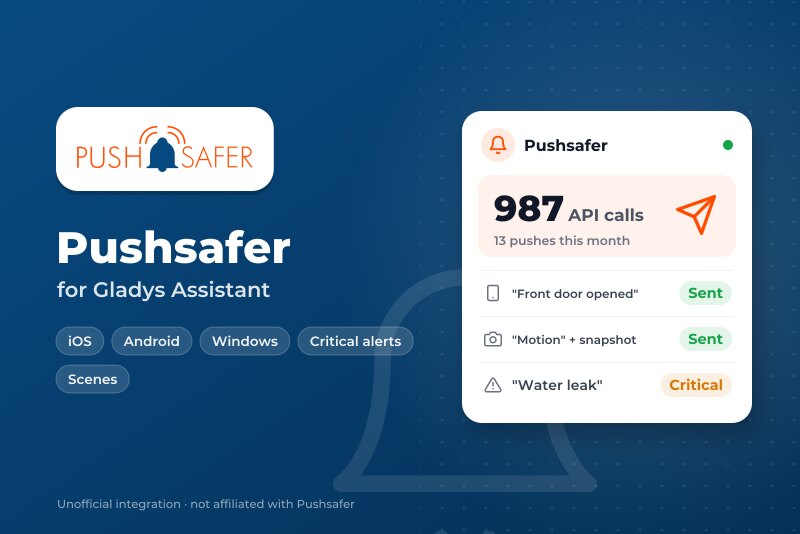
Gladys notifications as Pushsafer pushes, with images, priority, scenes and widgets.
Published by William-De71
- Messaging
- Version 0.1.0
- Requires Gladys >=5.3.0
- ★ 0
Overview
This integration sends the notifications of Gladys as Pushsafer pushes, to the phones, tablets and computers where the Pushsafer app is installed (iOS, Android, Windows, browsers). Each user of Gladys chooses their device or device group; the administrator enters the private key of the Pushsafer account once for the house.
It also brings:
- the look of the notifications: title, icon, sound, vibration, priority (up to the critical alerts of iOS) and time to live;
- the camera snapshots attached by Gladys, shown in the notification;
- two scene triggers: push not sent, API calls low;
- one scene action: send a push to any device or group, with its own title, priority, sound, icon, color, link and repetition until read;
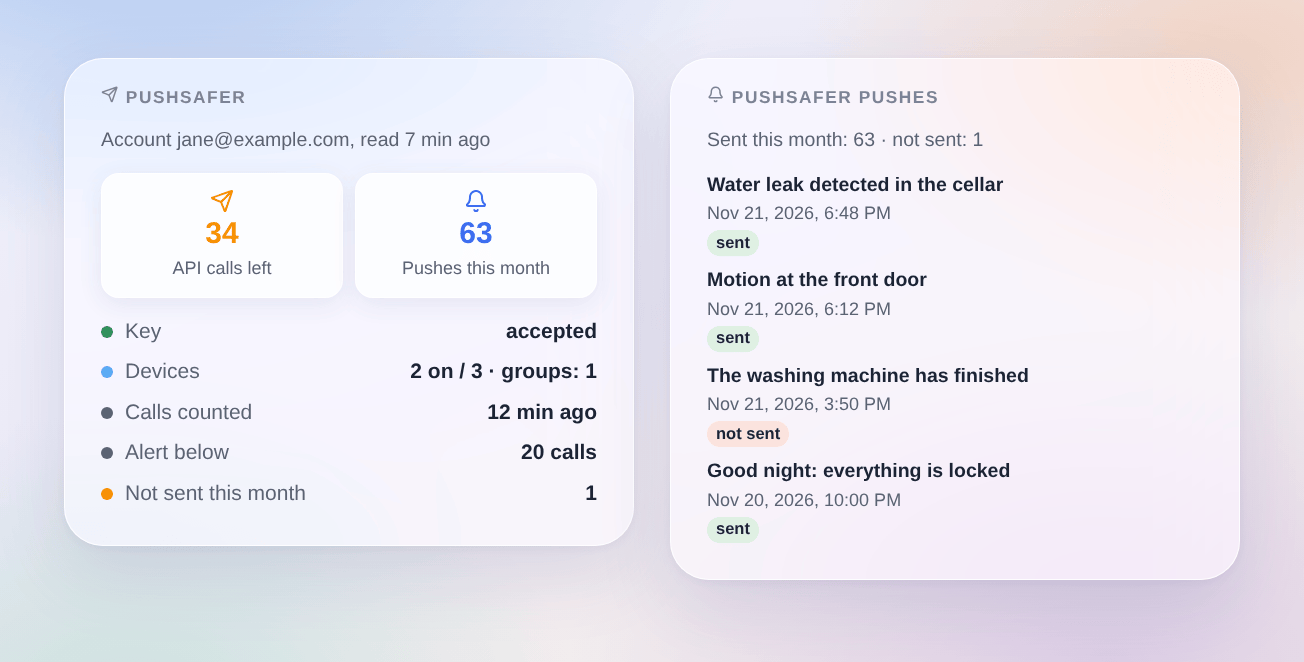
- two dashboard widgets: the Pushsafer account and the last pushes.
Transport: cloud. The texts and the images go through the Pushsafer API
(www.pushsafer.com), then through the notification services of Apple,
Google or Microsoft.
Prerequisites
- Gladys Assistant 5.3.0 or later.
- A Pushsafer account (free registration on pushsafer.com) and the Pushsafer app on each device that should receive the notifications.
- API calls: each push to one device uses one API call (a push to 3 devices uses 3). A small free quota comes with each device; then 1,000 calls cost 0.99 EUR, bought in the Pushsafer dashboard.
Configuration
- In Gladys, open Integrations → Pushsafer → Configuration.
- Copy the Private Key shown in the Pushsafer dashboard (or an alias key) into the configuration.
- Enter the username or e-mail of the Pushsafer account: optional to send, it lets the integration check the key and list the devices.
- Choose the look of the notifications if you wish, and save.
- Click Test the connection: it lists the devices and groups with their IDs. Send a test push checks the whole chain.
- Each user opens the My account block of the same screen and enters
their device or group:
afor all the devices, a device ID (52), several IDs (52|65) or a group (gs12).
| Field | Use |
|---|---|
| Private key | The Private Key of the dashboard, or an alias key, stored encrypted |
| Username or e-mail | Optional: to check the key and list the devices and groups |
| Title | Above each notification (Gladys by default) |
| Icon | 1 to 181 (1 = the Pushsafer bell); empty = the default icon |
| Sound | 0 = silent, 1 to 62; empty = the sound of the device |
| Vibration | Short, medium, long (iOS and Android); empty = the setting of the device |
| Priority | Lowest to highest; high and highest go through Do Not Disturb |
| Delete after (minutes) | The Pushsafer app deletes the message after this time; 0 = never |
| Low API calls alert | Below this number of API calls left, "API calls low" fires once (20 by default) |
The icons and sounds are listed on the API page of Pushsafer.
Usage
Notifications
Every Gladys notification addressed to a user who entered a device leaves as a push: alarms, "Send a message" scene actions, the answers of Gladys. An image attached to the message (a camera snapshot) is shown in the notification.
The priority highest goes through Do Not Disturb; on iOS, it becomes a critical alert when it is allowed for the Pushsafer app (Settings → Notifications → Pushsafer). Keep it for the alarms.
Scene triggers
| Trigger | When it fires | Variables |
|---|---|---|
| Push not sent | The first failure of a notification, then again only after a push went through (never loops) | reason, HTTP status, error, device |
| API calls low | The API calls left went below the threshold; again only after a top-up above it | API calls left, threshold |
Pushsafer only tells the API calls left when a push is sent: the integration knows them after the first push.
Scene actions
- Send a Pushsafer push: a device or group, a text (scene variables allowed) and, if you wish, a title, a priority, a sound, an icon, an icon color, a link, a time to live, and a repetition every N seconds until the push is opened in the app (each repetition uses one API call). Returns the IDs of the messages and the API calls left.
Scene examples
- When the water leak sensor detects water → send a Pushsafer push to the
group
gs12with the priority highest, the sound 25 (sirens) and a repetition every 60 seconds until read. - When the API calls are low → send an e-mail to the administrator: "Only {{triggerEvent.data.api_calls_left}} Pushsafer API calls left".
- When a push is not sent → send the alert through another channel (SMS,
e-mail) with
{{triggerEvent.data.reason}}.
Dashboard widgets
- Pushsafer: API calls left (orange near the threshold, red below), the pushes of the month, the state of the key, the devices and groups, the threshold and the last failure.
- Pushsafer pushes: the last pushes of Gladys, sent or not; tap one to read it whole, with its device and the reason of a failure.
Troubleshooting
- "Pushsafer refuses the key": copy the Private Key again from the dashboard, and check the username or e-mail of the account.
- "Device refused": the ID does not belong to the account, or the device was deleted; "Test the connection" lists the valid IDs.
- "No API calls left": buy API calls in the Pushsafer dashboard.
- The push arrives without sound: the priority "low" or "lowest", the sound 0, or Do Not Disturb with the priority "normal".
- A push arrived twice: when Pushsafer does not answer, the integration tries once more, and the first try had sometimes gone through.
- Logs: Integrations → Pushsafer → Supervision tab. The private key never appears.
Configuration settings
These are the settings Pushsafer asks for in its configuration screen in Gladys.
| Setting | Type | Required | Description |
|---|---|---|---|
| Pushsafer account | section | No | Create an account on pushsafer.com and install the Pushsafer app on your phones, tablets or computers (iOS, Android, Windows, browsers), then copy the Private Key shown in the dashboard. Each push to one device uses one API call: a small free quota comes with each device, then 1,000 calls cost 0.99 EUR. Each user then chooses their device in the "My account" block below. |
| Private key | secret | Yes | The Private Key of the dashboard, or an alias key. Stored encrypted and never shown again. |
| Username or e-mail | string | No | Of the Pushsafer account. Optional for sending, needed to check the key and to list the devices and groups. |
| Look of the notifications | section | No | Used for every notification of Gladys. Leave a field empty to keep the setting of each device. The scene action "Send a Pushsafer push" can change them push by push. Icons (1 to 181) and sounds (0 = silent, 1 to 62) are listed on the API page of Pushsafer. |
| Title | string | No | Above the text of each notification. |
| Icon | number | No | Number of the icon, from 1 (the Pushsafer bell) to 181. |
| Sound | number | No | 0 = silent, 1 to 62 = a sound of Pushsafer. Empty: the sound of the device. |
| Vibration | select | No | iOS and Android only. Empty: the setting of the device. |
| Priority | select | Yes | High and highest go through Do Not Disturb (Time Sensitive and Critical Alerts on iOS, if allowed for the app). |
| Delete after (minutes) | number | No | The Pushsafer app deletes the message after this time. 0: never. |
| API calls | section | No | Pushsafer tells the API calls left with each push: the integration shows them in its widget and fires the "API calls low" scene trigger below this threshold. |
| Low API calls alert | number | No | Below this number of API calls left, the scene trigger fires once. |
How to install Pushsafer in Gladys
- In Gladys, open Integrations: Pushsafer appears in the catalog, next to the native integrations, with a community badge.
- Click Install. Gladys pulls the Docker image (
ghcr.io/william-de71/gladys-pushsafer:0.1.0), starts it in a sandbox isolated from the core, and generates the integration's interface (devices, discovery and configuration). - Open the Configuration screen of the integration, fill in the settings, and save.
- You can also install it directly from its repository URL: https://github.com/William-De71/gladys-pushsafer.
Pushsafer requires Gladys >=5.3.0. The catalog inside Gladys refreshes every hour, so a new version becomes available at most one hour after its release.
Not running Gladys yet? It is free and open source: follow the installation guide to get started.
About external integrations
Pushsafer is an external integration: a community integration packaged as a Docker container and published on GitHub, that Gladys installs in one click and runs in a sandbox isolated from its core. It is published and maintained by William-De71, not by the Gladys core team.
- Browse all integrations, native and community
- Build and publish your own external integration
- Source code on GitHub — source of this documentation