Pushover smart home integration, free and open source
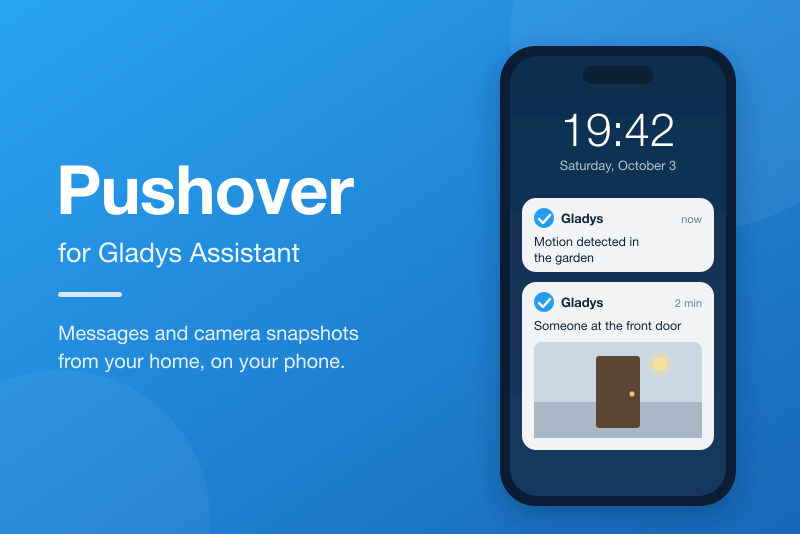
Get Gladys messages and notifications on your phone through Pushover.
Published by cicoub13
- Messaging
- Version 0.1.5
- Requires Gladys >=4.86.0
- ★ 0
Requires Gladys 4.86 or later.
Get the messages of Gladys on your phone, tablet or computer with Pushover: the notifications of your scenes, the images of your cameras, and every message Gladys sends you.
Pushover becomes a messaging channel of Gladys, like Telegram: each Gladys user links their own Pushover account to it, and only receives the messages meant for them. The channel is send-only: you cannot reply to Gladys from Pushover.
Requirements
- A Pushover account for each person who should receive the messages.
- The Pushover app installed and logged in on each device that should receive them (Android, iPhone, iPad, desktop). After a 30-day free trial, the app is a one-time purchase per platform.
- Sending is free up to 10,000 messages a month, for the whole Pushover account that owns the application created below.
Configuration (administrator)
- Log in to pushover.net, then open Create an Application/API Token.
- Give it a name, Gladys for instance: it is the title of the notifications. You can also give it an icon, shown with each notification. Accept the terms, then click Create Application.
- Copy the token shown under API Token/Key: 30 letters and digits.
- In Gladys, open the configuration screen of the Pushover integration, paste the token into Application API token, then save.
The connection status then shows, for instance, Connected to Pushover: 9996 of 10000 messages left this month.; otherwise it shows one of the messages
described in "Troubleshooting" below.
Receiving the messages (each user)
Each Gladys user, administrator or not, enters their own Pushover account in the My account block of the integration configuration screen:
| Field | Description |
|---|---|
| User key | The key shown under Your User Key, at the top of pushover.net once logged in: 30 letters and digits. A Pushover group key works too: every member of the group then gets the messages. |
| Devices, comma-separated (optional) | The names of your Pushover devices that should get the messages, for instance iphone,ipad. Their names are listed on pushover.net. Leave empty to get the messages on all your devices. |
Click Save. To stop receiving anything, click Delete my values.
A user who did not enter a key gets nothing on Pushover, which is expected: they still get the messages in the Gladys conversation.
Sending messages
In a scene, use the Send Message action, or Send a camera image to attach a camera capture to the notification. Pick the recipient user, then, in Send through, All configured services or Pushover alone.
The other messages Gladys sends to a user also go through Pushover as soon as they entered their key.
What reaches your phone:
- the text of the message, up to 1,024 characters. A longer text is shortened and ends with "…";
- the camera image, attached to the notification. An image sent without text comes with the text "📷";
- the name and icon of the Pushover application created by the administrator, as the title of the notification.
The sound and the quiet hours are set in the Pushover app itself.
Troubleshooting
The connection status of the configuration screen reports the problems that
affect every user. A message that could not be delivered is noted in the logs
of the integration (Message not delivered: …), with the reason.
"Enter the Pushover application token in the integration settings." Fill in Application API token (see "Configuration").
"The application token does not look right: it is 30 letters and digits, shown on your application page on pushover.net." The token entered does not have the shape of a Pushover token. Copy it again from your application page, without spaces: make sure you did not paste your user key instead.
"Pushover refused the application token. Check it in the integration settings." The token has the right shape, but Pushover does not know it: the application was deleted, or the token belongs to another application. No message is sent until you save a valid token.
"The monthly Pushover message limit is reached. It resets on the 1st of the month." The Pushover account owning the application sent its 10,000 messages of the month, all applications included. Reduce the number of messages your scenes send, or buy more capacity from Pushover. Gladys stops asking Pushover until the quota resets.
"Pushover cannot be reached. Check the Internet access of the Gladys machine.", "Pushover did not answer in time. Try again later.", "Pushover is having trouble (HTTP …). Try again later." Gladys could not reach Pushover: Internet outage, or a Pushover incident (see its status page). Messages sent meanwhile are lost. The status turns back to "connected" with the first message sent successfully.
"Unexpected answer instead of Pushover: check the Internet access of the Gladys machine (proxy, captive portal)." Another page answered instead of Pushover: a captive portal or a proxy filters the Internet access.
In the logs of the integration, for one message:
The Pushover user key in "My account" does not look right: the user key entered in My account does not have the shape of a Pushover key. Enter it again.Pushover refused the user key, or the account has no active device: the key does not exist, or no device is active on that Pushover account. Open the Pushover app on your phone to activate it. The same key is not tried again for 10 minutes; a corrected key is used right away.Invalid Pushover device name(s) in "My account": a device name contains a forbidden character. A device name is at most 25 characters: letters, digits,-and_.Pushover refused the message (…): Pushover refused the message, for the reason given in parentheses.
I get nothing, and the logs show no error. Check that your key is saved in My account, that the scene sends the message to your user and through Pushover or all services, and that the Pushover app is logged in on your phone. During your Pushover quiet hours, messages arrive silently.
Privacy
- The application token and the user keys are stored by Gladys as secrets: they are never shown again in the interface.
- The text of the messages and the camera images go through the Pushover servers, which delete them once delivered to your devices. See the Pushover privacy policy.
- The integration only talks to Gladys and to the Pushover API
(
api.pushover.net).
Configuration settings
These are the settings Pushover asks for in its configuration screen in Gladys.
| Setting | Type | Required | Description |
|---|---|---|---|
| Create a Pushover application | section | No | Gladys sends its messages through an application registered on your Pushover account. Create one (free, name it Gladys for instance), then paste its API token below. Each Gladys user then enters their own Pushover user key in the "My account" block. |
| Application API token | secret | Yes |
How to install Pushover in Gladys
- In Gladys, open Integrations: Pushover appears in the catalog, next to the native integrations, with a community badge.
- Click Install. Gladys pulls the Docker image (
ghcr.io/cicoub13/gladys-pushover:0.1.5), starts it in a sandbox isolated from the core, and generates the integration's interface (devices, discovery and configuration). - Open the Configuration screen of the integration, fill in the settings, and save.
- You can also install it directly from its repository URL: https://github.com/cicoub13/gladys-pushover.
Pushover requires Gladys >=4.86.0. The catalog inside Gladys refreshes every hour, so a new version becomes available at most one hour after its release.
Not running Gladys yet? It is free and open source: follow the installation guide to get started.
About external integrations
Pushover is an external integration: a community integration packaged as a Docker container and published on GitHub, that Gladys installs in one click and runs in a sandbox isolated from its core. It is published and maintained by cicoub13, not by the Gladys core team.
- Browse all integrations, native and community
- Build and publish your own external integration
- Source code on GitHub — source of this documentation