Pure Energie smart home integration, free and open source
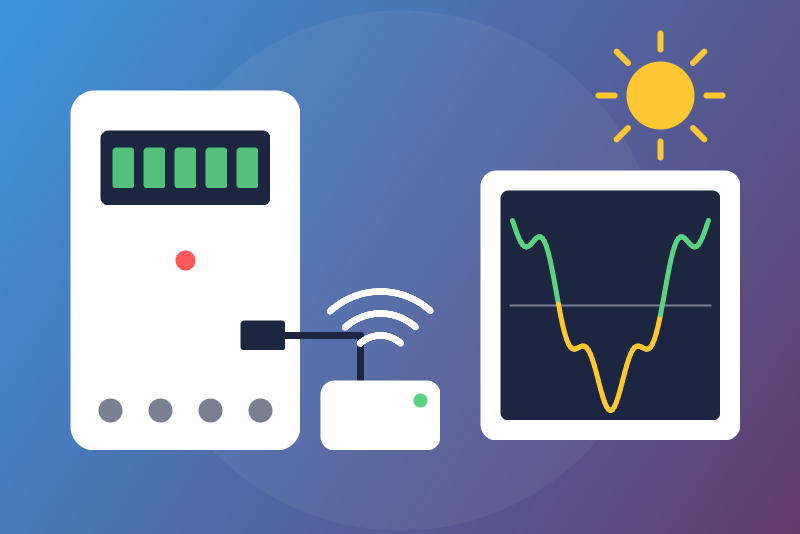
Unofficial: Pure Energie (NET2GRID) meter reader on your network: power and indexes.
Published by LM1LC3N7
- Devices
- Version 0.1.2
- Requires Gladys >=5.1.0
- ★ 0
Unofficial integration, not affiliated with Pure Energie nor NET2GRID. It reads the energy meter reader of Pure Energie (a NET2GRID SmartBridge, such as the SBWF3102, plugged on the P1 port of your electricity meter) through its local HTTP API: no cloud, no account, no key, nothing sent to the device but read requests (GET), one read every 30 seconds at most.
Never tested with a real device: it was built from the Python library gridnet (the one the Pure Energie integration of Home Assistant uses). Feedback welcome.
What you get
One device, named after the model and the end of the id of the meter reader
(Pure Energie SBWF3102 3795):
| Feature | Kind |
|---|---|
| Power | energy sensor, W |
| Consumption index | energy index, kWh |
| Injection index (kWh) | plain sensor |
- The power is signed: below 0 while your home injects (solar panels).
- The consumption index feeds the Gladys energy monitoring: Gladys derives the consumption and its cost from it. It is published once a minute at most and checked first: a value of 0 is never sent; any drop, even of 1 Wh, or a jump larger than your home could have drawn (the "highest plausible power" of the configuration, 100 kW by default, over the time since the last value) is held back (the last accepted value is sent again) and shown in the integration status. If it is right (a new meter), click Accept the held index twice (see Buttons). Saving the configuration never accepts it.
- The injection is never in the energy monitoring (it would be billed as consumption): a plain sensor, never sent at 0.
- An index given in another unit than Wh or kWh, or without a unit, is not sent (the status says so): an index is never guessed.
- Gas is not read.
Fresh values only
The meter reader dates its values. A read whose date and values have not
moved since the read before sends nothing: an old value is never sent as a
new one, not after a restart of the integration nor after a restart of
Gladys either (this mark is kept in /data for the 8 meter readers whose
values changed most recently: at the 9th, the oldest mark is forgotten, and a
reader that comes back frozen after a restart may then be published once; also
when the clock of Gladys restarts behind it). When nothing has moved
for 2 hours, the status says so. Without a date, a fingerprint of the
values stands for it.
Identity
The device is keyed by the id the meter reader gives on its /info page
(84df:0c11:9999:3795, kept as its hex digits). Every read asks for the id
before and after the values: if another id answers in between, or if the id
cannot be read, nothing from that read is published. If another meter reader
answers at the address, it gets its own device (create it in Discover); the
old device keeps its history.
Setup
- Find the IP address of the meter reader in your router, and preferably give it a fixed address there.
- In Gladys, open the integration, enter this address and save.
- In the Discover tab, create the device.
Buttons
- Test the connection: reads the meter reader once when a read is due (never more than one every 30 seconds), otherwise tells the last read: its id, the power, the consumption and injection indexes.
- Accept the held index, in two clicks. The first click shows the index held back and takes nothing. The second click, a few seconds to 5 minutes later, takes what the first showed, only if the held value has not changed since (beyond what the meter may have measured meanwhile). A jump is counted at once as consumption; a drop bills nothing.
When something goes wrong
- Unreachable or wrong answer: new try after 30 seconds, then doubled up to 10 minutes.
- The device asks to wait (429) or fails (5xx): reads paused from 1 minute to 6 hours, also after a restart.
- The state file in
/datacannot be read: it is left as it is (never written over) and the status says so; a held index or the date of the last values may then be forgotten.
Privacy
Everything stays on your network. The integration only sends GET requests to the address you entered.
Configuration settings
These are the settings Pure Energie asks for in its configuration screen in Gladys.
| Setting | Type | Required | Description |
|---|---|---|---|
| Pure Energie meter reader | section | No | Unofficial connector, not affiliated with Pure Energie nor NET2GRID. It reads the energy meter reader of Pure Energie (a NET2GRID SmartBridge, plugged on the P1 port of the electricity meter) through its local HTTP API, without any cloud nor key: the power every 30 seconds (signed: below 0 while you inject), the consumption index once a minute for the Gladys energy monitoring, and the injection index as a plain sensor. Read-only. Gas is not read. Never tested with a real device. |
| Meter reader address | string | Yes | The IP address of the meter reader on your network (shown by your router), with a port only if it is not 80. Preferably give it a fixed address in your router; if it changes, enter the new one: the device keeps its history (it is keyed by the id of the meter reader). |
| Highest plausible power of the home (kW) | number | No | The guard of the consumption index holds back a rise larger than this power over the time since the last value (100 kW by default). |
How to install Pure Energie in Gladys
- In Gladys, open Integrations: Pure Energie appears in the catalog, next to the native integrations, with a community badge.
- Click Install. Gladys pulls the Docker image (
ghcr.io/lm1lc3n7/gladys-pure-energie:0.1.2), starts it in a sandbox isolated from the core, and generates the integration's interface (devices, discovery and configuration). - Open the Configuration screen of the integration, fill in the settings, and save.
- You can also install it directly from its repository URL: https://github.com/LM1LC3N7/gladys-pure-energie.
Pure Energie requires Gladys >=5.1.0. The catalog inside Gladys refreshes every hour, so a new version becomes available at most one hour after its release.
Not running Gladys yet? It is free and open source: follow the installation guide to get started.
About external integrations
Pure Energie is an external integration: a community integration packaged as a Docker container and published on GitHub, that Gladys installs in one click and runs in a sandbox isolated from its core. It is published and maintained by LM1LC3N7, not by the Gladys core team.
- Browse all integrations, native and community
- Build and publish your own external integration
- Source code on GitHub — source of this documentation