Prix carburants smart home integration, free and open source
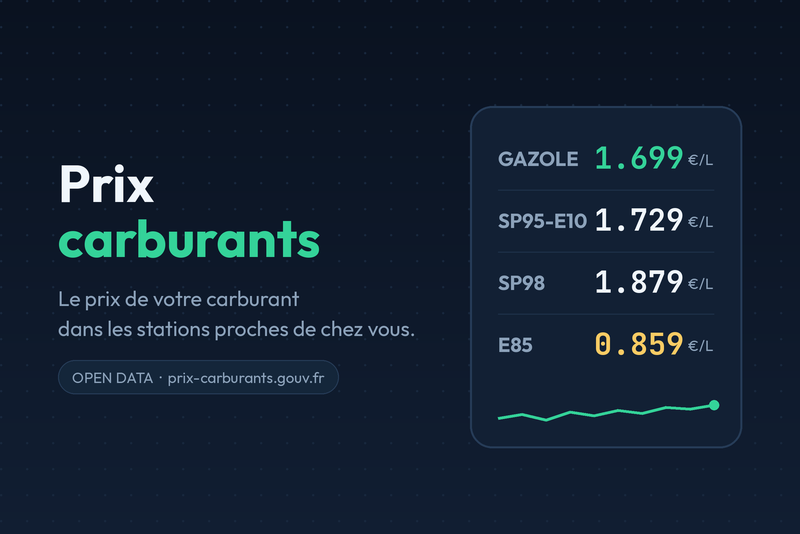
Follow the price of your fuel at the petrol stations near you, from official open data.
Published by prohand
- Devices
- Version 2.5.1
- Requires Gladys >=5.2.0
- ★ 1
Follow the price of the fuel you use at the petrol stations near you, right inside Gladys: one device per station, a price history, and scenes that can warn you when filling up becomes worth it.
Data comes from official open data. No account, no API key, no subscription.
| Country | Source |
|---|---|
| France | prix-carburants.gouv.fr (Etalab licence) |
More countries can be added in future versions: the integration is built around one "provider" per country.
What you get
For every station you add, a device with two read-only features:
- Price — the price per litre of the chosen fuel, in euros. History is kept, so Gladys charts the price over time.
- Last price update — when the station declared that price, shown as
06/08/2026 à 07:12in the station's own local time. The national feed refreshes about every 10 minutes, but a given station does not change its prices every day: this date tells you how old the price above really is. It is read per station and per fuel, so the diesel and the SP98 of the same station each carry their own date.
The address, the brand and the GPS coordinates of the station are stored in
the device parameters. The distance is not: when it is measured from your
house, storing it next to the station would give your house away. It is shown
on the dashboard cards instead. (On a device created by an earlier version, the
distance it was given is erased: the distance_km parameter stays, empty.)
The "Prix carburants - Mise à jour des données" device
Besides the stations, the Discover tab offers one single device, shared by the whole integration, with one feature:
- Dernière lecture des données — the date and time, as
08/08/2026 à 21:00, of the last successful read of the open data feed by the integration. The device and its feature are named in French, like the data source they report on. The time is on the French clock (Europe/Paris), whatever clock the container runs on; an install elsewhere can set theTZenvironment variable of the container to its own zone (America/Martinique).
This is not the same information as a station's "Last price update": that one tells you when the station moved its prices (a week ago is perfectly normal), this one tells you whether the integration can still reach the national API. A date that starts ageing while your refresh interval is one hour means the data source stopped answering.
The device is optional: leave it out and the integration behaves exactly the same. Added, it is updated at the end of every refresh pass, and stays empty until a first read has succeeded.
A device is named after the brand of the station and its city, e.g.
Total Access - Oullins-Pierre-Bénite - SP98. The national price feed does not
publish that brand, so it is read from a reference dataset of the same
information system; a station that reference dataset does not know keeps a name
built from its street.
When two stations of the same brand share a city, their street is added to the
name so you can tell them apart: TotalEnergies - 33 Av. Médéric - Noisy-le-Grand - Diesel. In the rare case where even the street is the same
(both sides of a motorway rest area), the national id of the station is appended.
Devices already created keep the name they were given: rename them in
Devices, or delete and re-add them from the Discover tab to get the
detailed name (their price history is lost in the process).
Configuration
- Open the Configuration tab of the integration.
- Pick your country (France for now).
- Fill in your postal code (5 digits in France, e.g.
35000). Stations are searched around it. - Set the search radius:
0keeps only the stations of the postal code itself,10km widens the search to the neighbouring towns. A postal code with no petrol station of its own is fine: the search is centred on your town anyway, so the pumps of the next one show up. - Tick the fuel type(s) you care about: Diesel, SP95, SP98, E10, E85, LPG.
- Save.
The Preview the nearby stations button immediately shows what the search returns, with the current prices — handy to tune the postal code or the radius before adding anything.
Adding stations
Open the Discover tab: the stations found appear there, one entry per station and per selected fuel ("TotalEnergies - Rennes - Diesel", "TotalEnergies - Rennes - SP98"…). Click Add to Gladys on the ones you want to follow. Add one, several, or all of them.
Only the combinations that really exist are offered: a station that does not sell LPG never shows up in the LPG list.
Once added, the station publishes its price straight away, then at every refresh (once an hour by default). The pace is the Refresh interval of the Configuration tab: the integration runs its own timer, so the device shows no polling option on the Gladys side. The Refresh the prices now button forces a read without waiting.
Removing stations
In the Devices tab of the integration, click Delete on the device. The integration stops polling it immediately. The station stays visible in the Discover tab as long as it matches your search, so you can add it back later.
Removing one fuel of a station does not affect the others: "Rennes - Diesel" and "Rennes - SP98" are two independent devices.
Changing the fuel later
A Gladys device keeps the features it was created with. The fuel is therefore part of the device identity: ticking an extra fuel in the configuration makes new entries appear in the Discover tab, and your existing devices keep working untouched. Delete the ones you no longer need.
The dashboard widgets
Beyond the devices, the integration provides two cards you can drop on a dashboard (Edit, then New widget, and pick the card in the list, under "Prix carburants").
"Cheapest around me"
The card answers three questions at once: where to fill up, is this a good day, and how much will it cost.
- Heading: the fuel and the area —
Diesel · within 10 km of my home(orof 35000when Gladys does not know where the house is). When Gladys holds several houses, the heading names the one in use (Diesel · within 10 km of Seaside). - Three tiles: the cheapest price, the average of the stations found, and
the 7-day trend in cents (green when it drops, red when it climbs). The
tile is there from day one and shows
—until a real week of history exists. - The read time:
Prices read on 19/09/2026 at 10:30, because a price is only as good as the moment it was read. - The 30-day curve of the cheapest price of the area.
- The ranking of the stations with their price and the day the station
declared it (
today,yest.,06/08) — not to be confused with the read time above: a station may not have moved its prices in a week. The row is kept short so it stays readable on a phone: the date is reduced to the day, the€/Lunit already shown by the tiles above is not repeated on every row, and a long station name is shortened around what tells it from the others — the town is kept whole and the brand is shortened to its root (Total Access - Lyon 7e), never below the name of the chain itself (Carrefour, notCarre.). As soon as several stations of the ranking are in the SAME town, that town stops telling them apart on its own, so each of those rows shows its street: "Lyon" written three times says where the area is, not where the pump is. The town stays behind the street whenever the row can hold both, and the street is then shortened to its name —Total - Garnier, Lyon,Total - Gerland, Lyon— sinceAv.andRue deare what every other street carries too. When even that does not fit, or when shortening two streets would make two rows read the same, the town goes and the street is shown as whole as the row allows (Total - Av. Tony Garnier,Carrefour - Peupliers). Two stations of the same street keep their house number (Carrefour - 12 Ailes,Carrefour - 85 Ailes), and two stations declared at the very same address end on the last digits of their station code (Carrefour - Ailes ·001,Carrefour - Ailes ·002). The full name, the full address and the full timestamp are still on the device page and on the "My station" card. - A button to the official map (prix-carburants.gouv.fr).
The list of stations around you is searched again at most every five minutes, whatever the number of dashboards showing the card; the prices of the stations you added are the ones of the last refresh, and the Refresh the prices now button starts a new search.
Four settings: the fuel, how many stations are shown (3, 5 or 8), the
scope — around the house or postal code (like the Discover tab, as the "Measure
distances from" setting says; not the phone's position) or my stations only (the ones you added) — and the
station name length, from 24 characters (the default, what a phone holds
next to the price and its date) up to 40. Gladys does not tell the integration
how wide the screen is, so pick the widest your screens show without cutting
the date: at 40, Carrefour - Rue des Peupliers, Cusset is written whole.
Where the curve comes from
The open data feed publishes the prices of the moment, not yesterday's: nobody
stores "the cheapest price of your area". So the integration samples it itself,
at most once an hour, and keeps 30 days in /data.
- The curve is shown from day one and fills itself afterwards. It always ends on the price just read, so the axis never runs past today; it grows leftwards until it covers thirty days after a month.
- Sampling continues while nobody is watching the dashboard: the refresh loop takes over, from the moment the card exists somewhere (an install with no widget pays nothing).
- The 7-day trend does wait for a real week of history: showing "0 ct" on the first day would be a lie.
- Changing the postal code, the radius or the house ("Which house" field) starts a new curve, since it is no longer the same area.
- If
/datais not writable, everything keeps working: only the curve starts over after a restart. The integration logs say so once, as a warning ("Price history cannot be written").
"My station"
The detail of one station you follow, picked in the card settings:
- one price tile for your fuels (the ones ticked in the configuration, four at most, the device's first). The "Fuels shown" setting can also keep only the device's fuel, or show every fuel of the station;
- the fuel of the picked station always comes first, even on a day the feed publishes no price for it: the tile then keeps the last price Gladys holds, in orange, and a row says why ("Out of stock", "No price published today");
- a fuel of yours the station sells but has run out of keeps its tile too, in orange with the last price Gladys holds when you added its device, and a row says since when. Only a fuel the station does not sell gets no tile;
- the brand (only when the station name does not already say it), the address, the distance and the date of the last price update;
- a Directions button and a Refresh button.
The "Details" setting set to Compact keeps the prices and the date of the last update only: no brand, no address, no distance, no Directions button.
Prices are shown with the three decimals of the pump
price (1.699 €/L). The tiles used to be bound to the Gladys device for the
fuels you track, which updated them live but displayed 1.7: Gladys rounds a
device value shown in a tile. The exact price is worth more — the card follows
the refresh loop, so it updates within seconds anyway.
Where the distances start
From your Gladys house by default. The integration asks Gladys for its
coordinates (Settings → Houses, address field): the matching box is shown at
install time as an authorization, the coordinates only centre the search and
compute the distances, and they are displayed nowhere.
- House located →
2.3 km from home(or2.3 km from Seasidewhen Gladys holds several houses), and the search is centred on it. - House not located, or the setting "Measure distances from: the postal
code" →
2.3 km from 35000, measured from the centre of the postal code area.
If Gladys holds several houses, pick the one you want in the "Which house" list of the configuration. Left empty, the first located house is used — not necessarily the one you are at: both cards show its name so you can check, and "Preview the stations" names the house in use. A house name typed in this field before version 2.4 keeps working until you pick one in the list.
Each "Cheapest around me" card can also name its own house (setting "House" of the card): one card per house, each ranking the stations around its house, while the configuration keeps its own. The house needs coordinates in Gladys (Settings → Houses).
The "My station" card is the exception: it measures from the house nearest to the station and names it, so a station near your second home shows its distance from that home.
The postal code stays required either way: it is what queries the national dataset.
The integration needs Gladys 5.2 or newer: the widgets and the scenes came with 5.1, the house lists with 5.2. On an older Gladys it simply does not show up in the store. Gladys 5.2 also lays the price tiles out in a balanced grid: three prices stay side by side even on a narrow card, instead of two half-width tiles and a full-width one below.
Scene ideas
- Get a notification when the diesel price of your station drops below a threshold.
- Compare two stations on the dashboard before driving out to fill up.
- Track the monthly average price thanks to the history.
Scene triggers
The integration adds three triggers to the Integrations category of the scene editor (Gladys 5.1 or newer). They show up on their own: nothing to configure on the integration side.
| Trigger | Fires when |
|---|---|
| A fuel price changed | a station you follow declared a new price (filters: station, fuel, up or down) |
| The cheapest station changed | another of your stations is now the cheapest for a fuel (you need to follow at least two of them) |
| The open data feed became unreachable | every station of a refresh failed, or the feed answers again |
Each trigger passes information on to your actions: the station name, the city, the fuel, the new price, the previous price and the difference. A notification then reads "Diesel is now 1.659 EUR at Station du Centre (-0.040)".
A filter left empty means "any": with no station picked, the trigger reacts to every station you follow.
Two things worth knowing:
- a price that did not move fires nothing, even though the integration refreshes every hour: only a real change is sent;
- after a container restart, the first refresh is a baseline and fires nothing.
For a plain threshold ("warn me below 1.70"), do not use these triggers: the Gladys Device state change trigger on the station's price feature already does exactly that.
Scene actions
In the same Integrations category, the integration adds three actions a scene can run.
| Action | What it does |
|---|---|
| Refresh the fuel prices | reads the feed now, so the rest of the scene works on a fresh price |
| Find the cheapest station | compares your stations for one fuel and returns the cheapest one |
| Prepare a price summary | the same comparison as one line of text, ready to send |
What an action returns is reusable in the next steps of the scene (price, station name, city, address, distance, date of the price…).
An example scene, every morning at 7am:
- Find the cheapest station (fuel: Diesel, read the prices before comparing: yes);
- Condition on variables: continue only if the
foundresult is true; - Send Message: "Cheapest fill-up: {{ station name }} at {{ price }}".
Or, in one step: Prepare a price summary, then send the text it returns.
Worth knowing: "Find the cheapest station" never fails the scene when you
follow no station for that fuel — it answers found = false, and it is up to
you to test that result.
Troubleshooting
No station in the Discover tab. Check the postal code (5 digits in France) and raise the search radius. The Preview the nearby stations button shows the exact error message.
A refresh failed once and worked on the next try. Every request to the open data APIs is retried once, a second later, when the server answers "too many requests" or a server error, or does not answer at all. Only a failure that persists reaches the logs and the buttons.
The price stopped updating. A station can temporarily disappear from the national feed (roadworks, closure). The last known price stays displayed; the integration logs list the missing stations.
An empty price. The station is not declaring that fuel right now. The integration keeps the last known value instead of leaving a hole in the chart.
A station out of stock. When the station declares a temporary rupture it does sell that fuel, it simply has none left. The device stays offered in the Discover tab, the last known price stays displayed, and the "Last price update" feature reads "En rupture depuis le 18/09/2026 à 08:09" until the fuel is back. The Preview the nearby stations button then writes "SP98: out of stock", and keeps "SP98: not sold" for a fuel the station really does not sell (no pump, or a definitive rupture).
The feed sometimes says nothing at all about a fuel — the station lifted its rupture but has not typed its price back yet. The integration then looks at the last 30 days of price history: a fuel the station priced in that window is shown as "out of stock" (the "Last price update" feature simply reads "En rupture"), not as "not sold".
The SP95 of a station is missing while its SP98 is there. That station does not sell SP95, and it is not a bug: many brands (TotalEnergies in particular) replaced it with E10 (SP95-E10). Tick E10 in the configuration and the station comes back in the Discover tab. The Preview the nearby stations button spells it out station by station: "SP95: not sold".
Limited number of stations. The Maximum number of stations setting bounds the discovery list (20 by default, 50 max). In a dense city, lower it and shrink the radius.
One particular station is missing. The list keeps the NEAREST stations, up to that maximum: in a city, twenty of them fit in a couple of kilometres, so a station 5 km away is left out even with a 10 km radius. Raise Maximum number of stations rather than the radius. A station that does not sell the fuel you ticked is not offered either, since the device would have nothing to publish — a station merely out of stock stays offered.
Data and licence
The French data is published by the Ministry of the Economy under the Etalab open licence. The integration queries the "flux instantané" dataset and only fetches the stations around your postal code. When that dataset knows no station in your postal code, the position of your town is read from the Base Adresse Nationale, the official French address service — the postal code is the only thing sent to it.
Configuration settings
These are the settings Prix carburants asks for in its configuration screen in Gladys.
| Setting | Type | Required | Description |
|---|---|---|---|
| How it works | section | No | Choose your country, your postal code and the fuel you use, then open the Discover tab: the petrol stations around you appear there with their current price. Add the ones you want to follow, delete them when you no longer need them. Data comes from the official open data, no account and no API key needed. |
| Country | select | Yes | Country whose open data is queried. More countries will be added in future versions. |
| Postal code | string | Yes | Stations are searched around this postal code. In France, 5 digits. |
| Measure distances from | select | No | Your Gladys house is used when it has coordinates (the integration asks Gladys for them, and shows them nowhere). Otherwise the centre of the postal code area is used. |
| Which house | select | No | Only useful if Gladys holds several houses: the one distances start from. Left empty, the first house that has coordinates is used. |
| Search radius (km) | number | No | Also look for stations around the postal code. 0 keeps only the stations of the postal code itself. |
| Fuel type | multi_select | Yes | One device is offered per station AND per selected fuel, so you can follow several fuels at the same station. A station only appears for the fuels it actually sells: many stations (TotalEnergies in particular) replaced SP95 with E10 (SP95-E10), so tick E10 if the SP95 of your station is nowhere to be found. |
| Maximum number of stations | number | No | How many stations the Discover tab may list. Lower it in a dense city, raise it in the countryside. |
| Refresh interval (s) | number | No | How often the price of each added station is refreshed. The French feed is updated about every 10 minutes; once an hour is plenty. |
How to install Prix carburants in Gladys
- In Gladys, open Integrations: Prix carburants appears in the catalog, next to the native integrations, with a community badge.
- Click Install. Gladys pulls the Docker image (
ghcr.io/prohand/gladys-prixcarburants:2.5.1), starts it in a sandbox isolated from the core, and generates the integration's interface (devices, discovery and configuration). - Open the Configuration screen of the integration, fill in the settings, and save.
- You can also install it directly from its repository URL: https://github.com/prohand/gladys-prixcarburants.
Prix carburants requires Gladys >=5.2.0. The catalog inside Gladys refreshes every hour, so a new version becomes available at most one hour after its release.
Not running Gladys yet? It is free and open source: follow the installation guide to get started.
About external integrations
Prix carburants is an external integration: a community integration packaged as a Docker container and published on GitHub, that Gladys installs in one click and runs in a sandbox isolated from its core. It is published and maintained by prohand, not by the Gladys core team.
- Browse all integrations, native and community
- Build and publish your own external integration
- Source code on GitHub — source of this documentation