Powerball & Mega Millions smart home integration, free and open source
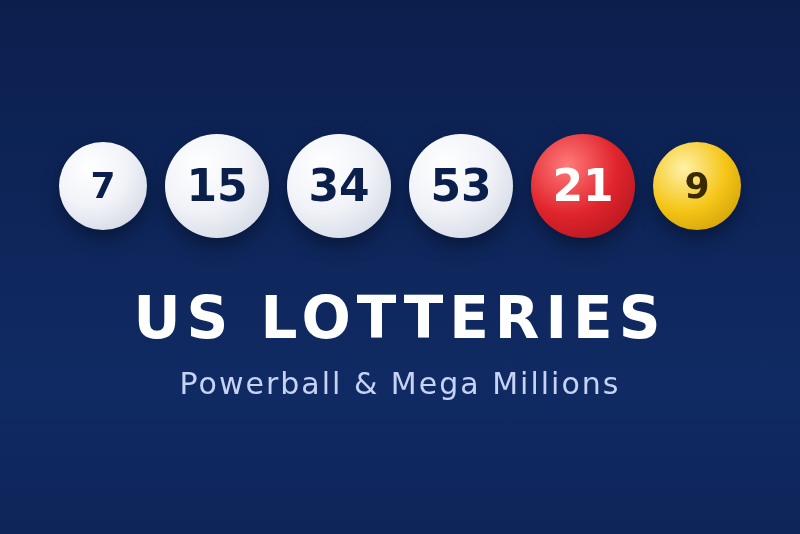
Powerball and Mega Millions numbers, next draws and your lines checked, for dashboards and scenes.
Published by guim31
- Devices
- Version 1.0.0
- Requires Gladys >=5.3.0
- ★ 0
The winning numbers of the two big American multi-state lotteries, Powerball and Mega Millions, in Gladys: the last draw of each game, the next one in your local time, and, if you play, how your lines did. Scene triggers fire when new numbers are published, and a dashboard widget sums it all up.
The numbers come from the open data of the State of New York (data.ny.gov), published by the New York State Gaming Commission. They are for information only: this is not an official source for validating a prize. Always check your tickets with the official lottery or a retailer.
What you need
- Gladys Assistant 5.3.0 or later.
- Internet access from Gladys. No account, no key.
Configuration
Language
The language of the feature names and of the sentences sent to scenes (French by default). Feature names are set when a device is added: change the language first, then add the devices.
Your lines
Optional. Type the lines you play, one field per game, separated by a semicolon:
- Powerball: 5 numbers from 1 to 69, then
+and the Powerball from 1 to 26, e.g.5 12 23 34 45 + 6; 1 7 19 28 60 + 13; - Mega Millions: 5 numbers from 1 to 70, then
+and the Mega Ball from 1 to 24.
A slash also works instead of +, and six numbers in a row are read as five numbers and the bonus ball. Up to 10
lines per game. A line that cannot be read is shown in the connection status: the Check button lists it.
With lines, each device gets four more features: numbers matched by the best line, its prize tier, the number of winning lines and a text summary. Click Update in the Discover tab to add them to a device already added.
The devices
Two devices appear in the Discover tab, Powerball and Mega Millions:
| Feature | Value |
|---|---|
| Last draw date | e.g. Wed, Nov 4 |
| Last winning numbers | e.g. 15 34 41 53 56 + 21 |
| Power Play (Powerball) | the multiplier of the last draw, e.g. ×2 |
| Double Play numbers | the Powerball Double Play draw |
| Next draw | in the time zone of Gladys, e.g. Tue, Nov 10 · 04:59 |
| Draw today / Draw tomorrow | 1 or 0, in the time zone of Gladys |
| Numbers matched (best line) | 0 to 6, Powerball or Mega Ball included |
| Prize tier (best line) | 1 (jackpot) to 9, 0 for no prize |
| Winning lines | how many of your lines win a prize |
| Result of your lines | e.g. 3 + Powerball (tier 5) · 1/2 winning lines |
The nine prize tiers are the same for both games:
| Tier | Balls matched |
|---|---|
| 1 | 5 + bonus ball (jackpot) |
| 2 | 5 |
| 3 | 4 + bonus ball |
| 4 | 4 |
| 5 | 3 + bonus ball |
| 6 | 3 |
| 7 | 2 + bonus ball |
| 8 | 1 + bonus ball |
| 9 | bonus ball only |
No amount is shown: the jackpot is not in the open data, Power Play and the Mega Millions multiplier change the other prizes, and California pays pari-mutuel amounts.
Dashboard widget
The US lotteries widget shows the last numbers of each game, a badge with the best result of your lines (tap a game for the detail line by line), the next draws and a short reminder. Its settings choose the games and hide the result of the lines, the next draws or the reminder.
Scene triggers
Each trigger can be limited to one game. They fire once per draw, when the numbers are published, for a draw of the last four days.
New draw published
At every new draw. Variables: the game, the summary sentence (ready to send), the date, the numbers, the bonus ball, the Power Play, and the result of your lines.
Numbers matched
At every new draw, if you entered lines, with the number of balls your best line matched (0 to 6). Tick 3, 4, 5 and 6 for "at least 3".
Winning line
When one of your lines wins a prize tier. The filter can keep only some tiers (1 and 2 for the big prizes).
Scene action
Read the last draw returns a sentence ready to send ("The Powerball numbers of Wednesday, November 4: …"), with the result of your lines and the next draw, and the numbers, the date, the next draw, the numbers matched and the prize tier for the following actions.
Scene examples
- Trigger New draw published, then send the
summaryvariable in a message. - Trigger Winning line, tiers 1 to 4: notification "Check your ticket!".
- Every day at 6 pm, condition Draw today = 1 on Powerball (in America), or Draw tomorrow = 1 (in Europe, where the draw falls in the night): a reminder to buy a ticket.
Troubleshooting
- No numbers: the integration reads data.ny.gov once an hour (every 10 minutes after a failure). Use Check to read it now; the report says if data.ny.gov answered.
- A line is not understood: check the format (5 numbers,
+, the bonus ball) and the ranges. - New features missing: lines added after the device was added need Update in the Discover tab.
- Logs: set
LOG_LEVEL=debugto see every reading.
Limits
- The numbers are published by data.ny.gov the morning after the draw (New York time), so they reach Gladys a few hours after the draw, within the hour of their publication.
- Draw times follow the official calendar (Powerball: Monday, Wednesday, Saturday at 10:59 pm ET; Mega Millions: Tuesday and Friday at 11:00 pm ET). An exceptional change of calendar is not known.
- Your lines are checked against the main Powerball draw, not against Double Play.
- No amounts, no jackpot: see above.
- Feedback welcome on the forum or in the GitHub issues.
Data and credits
Data: Lottery Powerball Winning Numbers and Lottery Mega Millions Winning Numbers, New York State Gaming Commission, on data.ny.gov. Read once an hour per game, without an application token. This integration is not affiliated with Powerball, Mega Millions, the Multi-State Lottery Association or the New York Lottery.
Responsible gaming
Lotteries are forbidden to minors (18 or older, depending on the state). Play only what you can afford to lose. If gambling becomes a problem, call 1-800-GAMBLER (United States).
Configuration settings
These are the settings Powerball & Mega Millions asks for in its configuration screen in Gladys.
| Setting | Type | Required | Description |
|---|---|---|---|
| How it works | section | No | The winning numbers come from the open data of the State of New York (data.ny.gov): no account, no key. They are for information only, not an official result. After saving, add the Powerball and Mega Millions devices in the Discover tab. |
| Language of the texts | select | No | Feature names and the sentences of the scenes. Names are set when a device is added. |
| Your Powerball lines | string | No | Optional. Your Powerball lines: 5 numbers from 1 to 69, then + and the Powerball from 1 to 26. Separate lines with a semicolon. Up to 10 lines. |
| Your Mega Millions lines | string | No | Optional. Your Mega Millions lines: 5 numbers from 1 to 70, then + and the Mega Ball from 1 to 24. Separate lines with a semicolon. Up to 10 lines. |
How to install Powerball & Mega Millions in Gladys
- In Gladys, open Integrations: Powerball & Mega Millions appears in the catalog, next to the native integrations, with a community badge.
- Click Install. Gladys pulls the Docker image (
ghcr.io/guim31/gladys-us-lottery:1.0.0), starts it in a sandbox isolated from the core, and generates the integration's interface (devices, discovery and configuration). - Open the Configuration screen of the integration, fill in the settings, and save.
- You can also install it directly from its repository URL: https://github.com/guim31/gladys-us-lottery.
Powerball & Mega Millions requires Gladys >=5.3.0. The catalog inside Gladys refreshes every hour, so a new version becomes available at most one hour after its release.
Not running Gladys yet? It is free and open source: follow the installation guide to get started.
About external integrations
Powerball & Mega Millions is an external integration: a community integration packaged as a Docker container and published on GitHub, that Gladys installs in one click and runs in a sandbox isolated from its core. It is published and maintained by guim31, not by the Gladys core team.
- Browse all integrations, native and community
- Build and publish your own external integration
- Source code on GitHub — source of this documentation