Polar smart home integration, free and open source
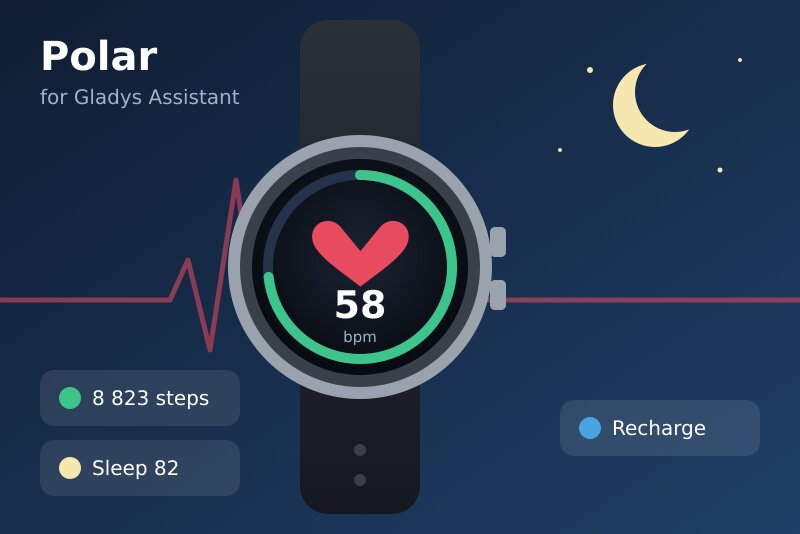
Your Polar watch in Gladys: activity, sleep, Nightly Recharge, training sessions, scenes.
Published by William-De71
- Devices
- Version 0.1.0
- Requires Gladys >=5.3.0
- ★ 0
Overview
This integration brings the data of your Polar Flow account (Polar watches and heart rate sensors) into Gladys, through the official Polar AccessLink API: today's activity, last night, Nightly Recharge, training sessions and cardio load, as a device, dashboard widgets and scenes.
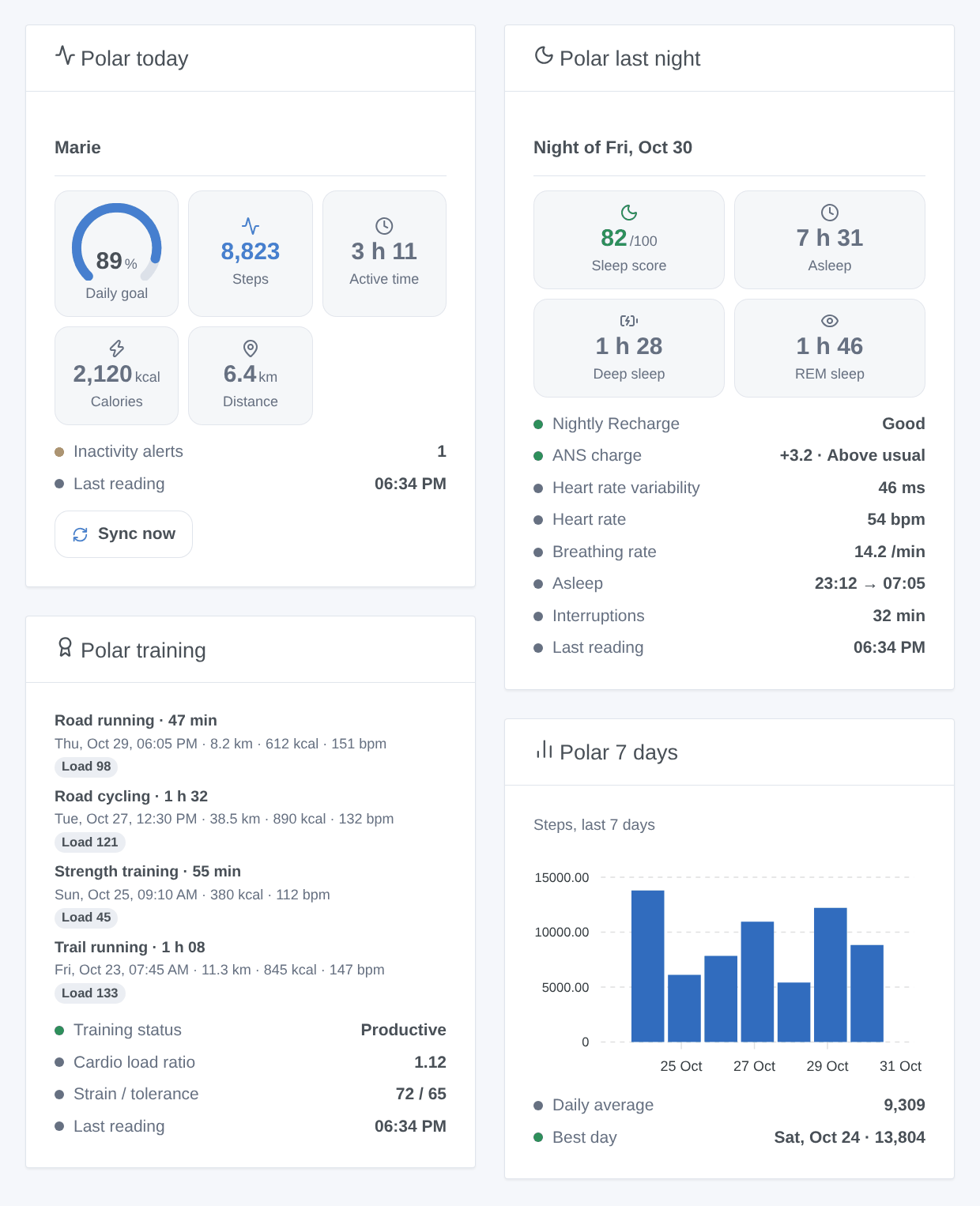
- One device per linked account ("Polar Marie"): steps, active time, calories, distance and daily goal of the day; sleep score and time asleep; Nightly Recharge status, ANS charge, heart rate variability, heart rate and breathing rate of the night; cardio load status and ratio.
- Widgets: today (with a Sync now button), last night, last training sessions, last seven days.
- Scenes: training session synced, new night, new Nightly Recharge, daily activity goal reached; an action reads the latest values (weight included) for a message or a condition.
- Cloud: your data travel between Polar's servers and your Gladys, with your own AccessLink client; nothing goes through a third server. Polar sends Gladys no notification: the integration reads Polar every 30 minutes (adjustable) and when you press Sync now.
- After the sync of the watch: Polar only knows what the watch has synced with Polar Flow (phone app or computer). A night appears after the morning sync, a training session after its own.
Community integration, not affiliated with Polar Electro. Never tested with a real Polar account so far: please report what you see.
Requirements
- Gladys 5.3.0 or later.
- A Polar Flow account with a Polar watch or sensor that syncs with Polar Flow.
- A free AccessLink API client, created once with your Polar Flow account (about five minutes). Polar offers no shared key and the integration ships none.
Configuration
1. Create your AccessLink client
-
Open admin.polaraccesslink.com and sign in with your Polar Flow account.
-
Accept the AccessLink terms if asked, then create a new client (application): a name ("Gladys"), a description, a contact e-mail and, if asked, a website (
https://gladysassistant.comwill do). -
As authorization redirect URL (callback URL), enter exactly:
https://my.gladysassistant.com/redirect/oauthIt is the HTTPS page of Gladys that sends your browser back to your instance, whatever its address. If you reach Gladys over HTTPS and turned on the advanced "instance address" option of the configuration screen, register the address that screen shows instead (or both: Polar accepts several URLs, the one sent must match one of them exactly).
-
Save, then copy the Client ID and the Client secret shown for the client.
2. In Gladys
- Open the Polar integration, paste the Client ID and the Client secret, then save.
- Click Connect with Polar, sign in to Polar Flow and accept. You come back to Gladys, connected: the integration registers your account to your client and reads it.
- Go to Discover and add the "Polar …" device, then add the widgets to a dashboard.
- Sync your watch with Polar Flow: Polar only shares the data synced after the link. Then press Sync now (or wait for the next reading).
| Field | Default | Role |
|---|---|---|
| Client ID | — | The Client ID of your AccessLink client. |
| Client secret | — | Its secret, never shown nor written to the logs. |
| Connect with Polar | — | Links your Polar Flow account (read only: accesslink.read_all). |
| Reading interval | 30 min | 15, 30, 60 or 120 minutes; each reading costs 5 or 6 requests. |
| Language of the texts | Automatic | Device and feature names, cardio load status and scene texts (automatic: the dashboard). |
Buttons: Sync now (not again within two minutes), Unlink the Polar account (de-registers it from your client and forgets the token; the device stays) and Diagnostic (writes an anonymized summary to the Logs tab).
Usage
Device
| Feature | Unit / scale | Updated |
|---|---|---|
| Steps today | steps | after each sync of the day |
| Active time today | minutes | after each sync of the day |
| Calories today | kcal | after each sync of the day |
| Distance today | km (from the steps) | after each sync of the day |
| Daily activity goal | % (can exceed 100) | after each sync of the day |
| Sleep score | 1 to 100 | after the morning sync |
| Time asleep | hours | after the morning sync |
| Nightly Recharge status | 1 very poor … 6 very good | after the morning sync |
| ANS charge | -10 to +10 | after the morning sync |
| Heart rate variability (night) | ms (RMSSD) | after the morning sync |
| Heart rate at night | bpm | after the morning sync |
| Breathing rate | breaths per minute | after the morning sync |
| Cardio load ratio | strain / tolerance | after a training session |
| Cardio load status | text | after a training session |
"Today" follows the timezone of Gladys. Before the first sync of the day, the activity features keep yesterday's last value (their date shows it). Gladys has no weight unit: the weight is given by the scene action only.
Scenes
| Trigger | When | Filters |
|---|---|---|
| Training session synced | a new session reached Polar Flow | account, sport |
| New night available | the night of the last two days reached Polar Flow | account |
| Nightly Recharge available | the Nightly Recharge of the last two days reached Polar Flow | account, status 1-6 |
| Daily activity goal reached | today's activity reached 100 % of the goal, once a day | account |
Each event comes with its values ({{triggerEvent.data.sleep_score}}, duration_minutes, status_label…) and a ready-made summary. Nothing fires for the data already there when the integration starts. The action Polar: read the latest data gives today's activity, last night, Nightly Recharge, training status, last session and weight from the last reading.
Examples:
- New night available → send "{{triggerEvent.data.summary}}" to your phone at wake-up.
- Nightly Recharge available, status 1 or 2 → set the morning lights softer and postpone the training reminder.
- Training session synced, sport "Running" → turn on the bathroom towel warmer.
Troubleshooting
- Polar answers "redirect_uri" or an error page after Connect: the redirect URL of the client is not identical to the one Gladys sends. Check
https://my.gladysassistant.com/redirect/oauth(no trailing slash) in the client on admin.polaraccesslink.com. The Logs tab shows the redirect URI used. - "Polar refused the connection (invalid_client)": wrong Client ID or secret. Copy them again and save before Connect.
- "Connection refused: the answer does not match": the authorization expired (10 minutes) or was opened twice. Click Connect with Polar again.
- "Polar refuses to share the data" (HTTP 403): accept the mandatory consents of your account on account.polar.com, then Sync now.
- "Polar refused the access": the token was revoked (on Polar Flow, by Unlink, or after about a year). Click Connect with Polar again.
- Nothing for today: sync the watch with Polar Flow first; Polar only shares the data synced after the link.
- Report a problem: GitHub issues with the versions of Gladys and of the integration, the watch model, and the lines of the Diagnostic button (no token, no name in them).
Why no instant notification? Polar's webhooks need a public address answering Polar and signed requests whose header Gladys Plus does not relay: the integration reads Polar on its own timer instead.
Configuration settings
These are the settings Polar asks for in its configuration screen in Gladys.
| Setting | Type | Required | Description |
|---|---|---|---|
| 1. Your AccessLink API client | section | No | Polar gives no shared key: sign in to admin.polaraccesslink.com with your Polar Flow account and create a free API client (an "application"). As authorization redirect URL, enter exactly https://my.gladysassistant.com/redirect/oauth. Then copy its Client ID and its secret below. The documentation details every step. |
| Client ID | string | Yes | Shown by admin.polaraccesslink.com once the client is created. |
| Client secret | secret | Yes | Shown next to the Client ID. Never written in the logs. |
| 2. Connect your Polar Flow account | section | No | Save first, then click the button and accept on Polar Flow. Polar only shares the data synced after this link: sync your watch with Polar Flow afterwards. Connect again whenever Gladys reports a refused access. |
| Connect with Polar | oauth2 | No | Gladys only asks to read your data (accesslink.read_all); it never changes anything in Polar Flow. |
| 3. Options | section | No | |
| Reading interval | select | No | Polar sends Gladys no notification: the integration reads it at this pace (5 or 6 requests a reading), and whenever you press Sync now. |
| Language of the texts | select | No | Device and feature names, cardio load status and scene texts. Automatic: the language of your dashboard, once a widget has been displayed. |
How to install Polar in Gladys
- In Gladys, open Integrations: Polar appears in the catalog, next to the native integrations, with a community badge.
- Click Install. Gladys pulls the Docker image (
ghcr.io/william-de71/gladys-polar:0.1.0), starts it in a sandbox isolated from the core, and generates the integration's interface (devices, discovery and configuration). - Open the Configuration screen of the integration, fill in the settings, and save.
- You can also install it directly from its repository URL: https://github.com/William-De71/gladys-polar.
Polar requires Gladys >=5.3.0. The catalog inside Gladys refreshes every hour, so a new version becomes available at most one hour after its release.
Not running Gladys yet? It is free and open source: follow the installation guide to get started.
About external integrations
Polar is an external integration: a community integration packaged as a Docker container and published on GitHub, that Gladys installs in one click and runs in a sandbox isolated from its core. It is published and maintained by William-De71, not by the Gladys core team.
- Browse all integrations, native and community
- Build and publish your own external integration
- Source code on GitHub — source of this documentation