Parkings en temps réel smart home integration, free and open source
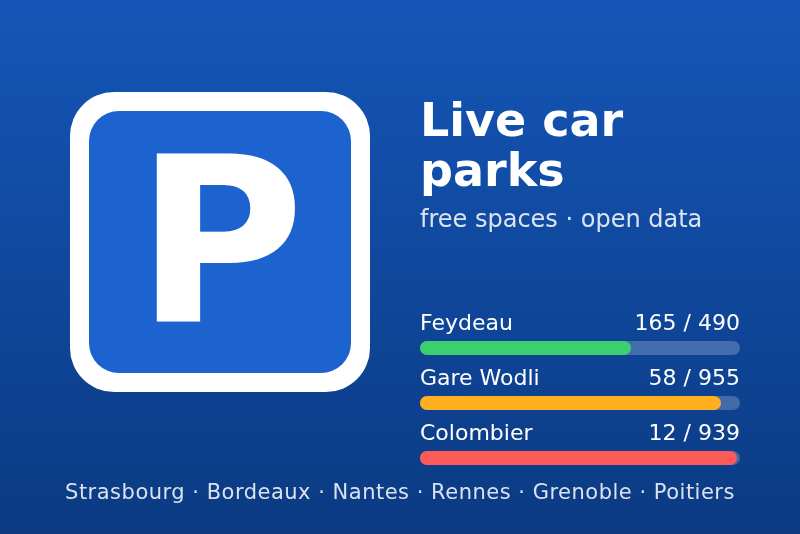
Free spaces of public car parks in French cities (open data): Strasbourg, Bordeaux, Nantes…
Published by guim31
- Devices
- Version 1.0.0
- Requires Gladys >=5.1.0
- ★ 0
The free spaces of public car parks in several French cities, read live from their open data portals: Strasbourg, Bordeaux Métropole, Nantes Métropole, Rennes (Citédia car parks and STAR park-and-ride), the Grenoble area and Grand Poitiers. No account, no key.
Unofficial integration, not affiliated with the cities, metropolises or car park operators. Developed without the hardware: the sources were checked live on 2026-10-21, but feedback is welcome.
What you get
- One device per car park you add: free spaces, total spaces, occupancy, open or closed (depending on the city) and the age of the data.
- A widget "Car parks": your car parks on one row each, green, orange or red depending on how full they are.
- Four scene triggers: free spaces below a threshold, free spaces back above a threshold, car park full, car park closed.
- A scene action: among your car parks, find the open one with the most free spaces, with a sentence ready to send.
Requirements
- Gladys Assistant 5.1.0 or later.
- Internet access from Gladys: the data comes from the open data portals of the cities.
- No account, no API key.
Installation
- In Gladys, open Integrations → Install from GitHub.
- Paste the address
https://github.com/guim31/gladys-parkingsand confirm. - Open the integration once installed: the Configuration tab shows.
Configuration
Settings
| Setting | Effect |
|---|---|
| Cities | the cities whose car parks are offered in the Discover tab |
| Refresh | every 2, 3 (default) or 5 minutes |
| Language of names and messages | language of the feature names, the widget and the scene sentences (French) |
Feature names are fixed when a device is added: pick the language first.
Add car parks
- Tick one or more cities, then save.
- Open the Discover tab: every car park of those cities with a live count shows there, as "City · Car park".
- Add the ones you want to Gladys. Their values arrive at once.
The car parks added are the watched car parks: the widget, the triggers and the scene action offer them. A car park added stays read even if you untick its city afterwards.
Check
The Status action of the Configuration tab lists the cities read, the number of car parks with a live count, the time of the last reading, the last error if any and the number of car parks added.
Devices
Each car park added is a read-only device:
| Feature | Gladys type | Value |
|---|---|---|
| Free spaces | counter | spaces available according to the operator, 0 when closed |
| Total spaces | counter | announced capacity |
| Occupancy | level (%) | share of the spaces taken, 0 to 100 |
| Open | binary | 1 open, 0 closed or subscribers only (depending on the city, below) |
| Data age | duration (minutes) | age of the count |
The Open feature only exists for the cities that publish the state of their car parks: Strasbourg, Bordeaux, Nantes and Rennes. Grenoble and Poitiers do not publish it.
The data age starts from the time given by the city when it publishes one (Bordeaux, Nantes, STAR, Grenoble, Poitiers), otherwise from the last successful reading (Strasbourg, Citédia). It grows when the portal stops answering: beyond 30 minutes, the data is considered out of date.
Dashboard widget
Add the Car parks widget to a dashboard. It shows one row per watched car park (ten at most), for example "Feydeau — 165 / 490 free". In the widget settings you can pick the car parks shown; empty, it shows them all.
Colors: green up to 80 % occupancy, orange from 80 to 95 %, red above or when the operator says the car park is full, grey when it is closed, without a live count or out of date.
Scene triggers
| Trigger | Happens when |
|---|---|
| Free spaces running out | the free spaces drop to the chosen threshold (5, 10, 20, 50, 100) |
| Free spaces back | the free spaces rise above the chosen threshold |
| Car park full | no space left, or full according to the operator (Nantes threshold) |
| Car park closed | the car park closes (cities that publish the state) |
The Car parks field filters the car parks concerned; empty, any watched car park. The variables available to the next actions: car park, city, free spaces, total spaces, occupancy.
Triggers compare two successive readings: nothing fires when a portal comes back after an outage, nor on out-of-date data.
Scene action
Find the car park with the most free spaces: among your watched car parks (or the ones picked), the one that is open, has a recent count and the most free spaces. Results:
found: 1 when a car park was found, 0 otherwise (to test with "Continue only if");sentence: "Feydeau: 165 free spaces out of 490.", or "No watched car park has a free space right now.";parking_name,city,free,total,occupancy.
The sentence follows the language chosen in the configuration.
Scene examples
- Before driving downtown: "Calendar" trigger or a button, action "Find the car park with the
most free spaces", then "Send a message" with
sentence. - Station car park almost full: trigger "Free spaces running out" (station car park, threshold 20) on a weekday morning, then a notification "Leave earlier or take the tram".
- Park-and-ride free again: trigger "Free spaces back" (threshold 50) on your park-and-ride, then a message.
Data and refresh
| City | Portal | Time published | Open/closed state |
|---|---|---|---|
| Strasbourg | data.strasbourg.eu (Opendatasoft) | no | yes |
| Bordeaux | opendata.bordeaux-metropole.fr (Opendatasoft) | yes | yes |
| Nantes | data.nantesmetropole.fr (Opendatasoft) | yes | yes |
| Rennes (Citédia) | data.rennesmetropole.fr (Opendatasoft) | no | yes |
| Rennes (STAR) | data.explore.star.fr (Opendatasoft) | yes | yes |
| Grenoble | data.mobilites-m.fr (Mobilités M API) | yes | no |
| Poitiers | data.grandpoitiers.fr (Data Fair) | yes | no |
One request per city and per reading (two for Grenoble, whose car park list is only read again once a day), a few tens of kilobytes. At 2 minutes this makes 720 requests a day per city, well below the quotas of the portals for anonymous use. Only the cities ticked and those of the car parks added are read.
Bordeaux: only the "connected" car parks (live count) are offered. STAR: the spaces counted are the ordinary ones (car-pool, electric vehicle and disabled spaces apart).
Troubleshooting
- No car park in Discover: check that a city is ticked and saved, then run the Status action. An "HTTP 503" or "timeout" error comes from the portal of the city: try again later.
- "data out of date" in the widget: the portal has not answered or not updated this car park for more than 30 minutes. The value shown is the last known one.
- A car park is missing: it has no live count (no sensors, or broken ones). It will show as soon as the city publishes a count.
- No "Open" feature: the city does not publish the state of its car parks (Grenoble, Poitiers).
- For more details, set
LOG_LEVEL=debug: every reading is then logged.
Limitations
- Only the cities listed are supported. Toulouse only publishes static data (capacities, prices), without free spaces. Lyon publishes the free spaces of the LPA car parks without their capacity, Angers too; Montpellier was down during the tests; no public feed was found any more for Lille and Metz: these cities can be added if their data allows it.
- The figures are the operators' own, refreshed by them every one to five minutes: they may differ from the display at the car park entrance.
- Read only: no booking, no payment.
Credits
- Data: Eurométropole de Strasbourg, Bordeaux Métropole, Nantes Métropole, Rennes Métropole and STAR, SMMAG – Mobilités M, Grand Poitiers, under their respective open licences (Licence Ouverte / ODbL).
- Same use case as community Home Assistant car park integrations (no code taken from them).
- Built from the official integration template.
Configuration settings
These are the settings Parkings en temps réel asks for in its configuration screen in Gladys.
| Setting | Type | Required | Description |
|---|---|---|---|
| How it works | section | No | Tick your cities and save: their car parks with a live count appear in the Discover tab. Add the ones you want to Gladys. No account, no key. |
| Cities | multi_select | No | Car parks published live in open data. Others: see the guide. |
| Refresh | select | No | |
| Language of names and messages | select | No | Feature names are fixed when a device is added. |
How to install Parkings en temps réel in Gladys
- In Gladys, open Integrations: Parkings en temps réel appears in the catalog, next to the native integrations, with a community badge.
- Click Install. Gladys pulls the Docker image (
ghcr.io/guim31/gladys-parkings:1.0.0), starts it in a sandbox isolated from the core, and generates the integration's interface (devices, discovery and configuration). - Open the Configuration screen of the integration, fill in the settings, and save.
- You can also install it directly from its repository URL: https://github.com/guim31/gladys-parkings.
Parkings en temps réel requires Gladys >=5.1.0. The catalog inside Gladys refreshes every hour, so a new version becomes available at most one hour after its release.
Not running Gladys yet? It is free and open source: follow the installation guide to get started.
About external integrations
Parkings en temps réel is an external integration: a community integration packaged as a Docker container and published on GitHub, that Gladys installs in one click and runs in a sandbox isolated from its core. It is published and maintained by guim31, not by the Gladys core team.
- Browse all integrations, native and community
- Build and publish your own external integration
- Source code on GitHub — source of this documentation