OilFox smart home integration, free and open source
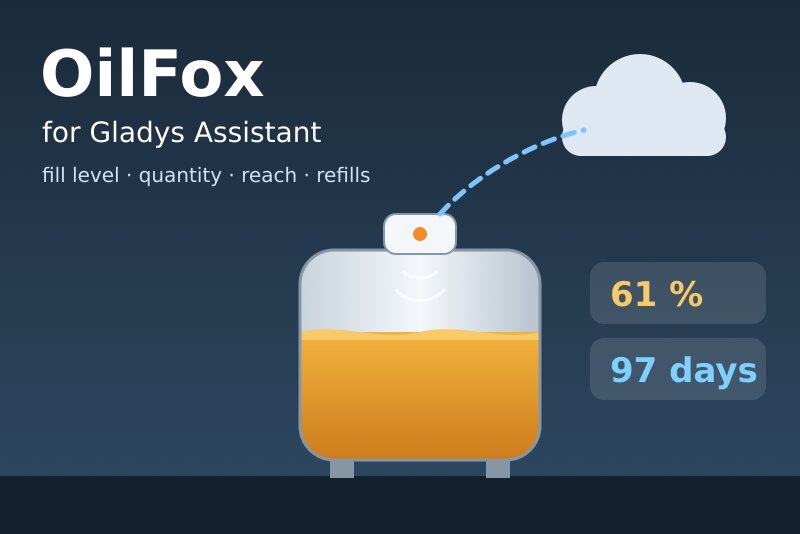
OilFox tank sensors via the official API: fill level, quantity, days of reach, refills.
Published by William-De71
- Devices
- Version 0.1.0
- Requires Gladys >=5.3.0
- ★ 0
Overview
This integration brings the OilFox sensors of your account into Gladys. An OilFox (by FoxInsights GmbH) is an ultrasonic Wi-Fi sensor placed on top of a tank: heating oil, but also pellets (in kg), diesel… The integration reads its fill level, the quantity left, the days of reach and the battery through the official FoxInsights Customer API, with the e-mail address and the password of your FoxMobile app. It only reads. It is not affiliated with FoxInsights.
- One device per OilFox sensor: fill level, quantity, days of reach, battery and measurement state.
- Two dashboard widgets: every tank at a glance, the problems first; one tank with its fill level over the last 90 days, the estimated empty day and the use per day.
- Scene triggers: new measurement, refill detected, measurement problem, measurement OK again, measurement late, measurements back, access refused.
- Scene action: the values of a tank (fill level, quantity, empty day, use per day, a sentence…).
Transport: cloud. The e-mail address and the password go to OilFox (api.oilfox.io) to sign in; the measurements of your tanks come from the OilFox cloud, which receives them from the sensor over Wi-Fi.
Prerequisites
- Gladys Assistant 5.3.0 or later.
- An OilFox sensor set up in the FoxMobile app, with its tank (shape and size): without them, OilFox gives no fill level ("Tank settings missing").
- The e-mail address and the password of the FoxMobile account. Only your own sensors may be read: the fair use policy of FoxInsights does not allow monitoring the devices of other people.
How fresh the data are: an OilFox measures its tank about once a day. FoxInsights considers a reading every hour as fair use (beyond, it answers HTTP 429). The integration reads the account once an hour, plus once 15 minutes after each measurement OilFox planned (always at least 15 minutes after the previous reading), so a new level shows up quickly without asking more.
Configuration
| Field | Meaning |
|---|---|
| E-mail address | The e-mail of your FoxMobile account |
| Password | Its password (a secret: never shown again, never written to the logs nor to /data) |
| Language of the texts | Feature names, measurement state, scene texts and errors; automatic follows the language of the last widget shown (en/fr/de/es) |
Buttons:
- Test the connection signs in to OilFox, reads the sensors and lists their hardware ids.
- Diagnostic writes the state of the integration to its logs, without the password, the token nor the e-mail address.
The access token (valid 15 minutes) is renewed with a single-use refresh token. Both stay in memory: after a restart the integration signs in again.
Usage
Devices
After the configuration, open Discover: each OilFox sensor is offered as "OilFox <hardware id>" (the API gives no name). Add it, then rename it in Gladys ("Heating oil tank", "Pellet silo"…): the widgets and the scenes use the name you give it.
| Feature | Category / type | Unit |
|---|---|---|
| Fill level | level-sensor / liquid-level-percent | % |
| Quantity | volume-sensor / integer | L |
| Quantity (kg) | counter-sensor / integer (tank in kg) | — |
| Days of reach | duration / integer | days |
| Battery | battery / integer | % |
| Measurement state | text / text | — |
All features are read only and keep their history. For a tank in kg (pellets), the quantity is a counter without a unit named "Quantity (kg)": Gladys has no kilogram unit. The days of reach are the estimate of OilFox until the tank is empty. OilFox gives the battery as a level: the integration turns it into an approximate percentage (Full 100, Good 75, Medium 50, Low 15, Critical 5) so that the battery alerts of Gladys work. The measurement state is "OK" or the problem, in the language of the configuration.
A value OilFox leaves out (for instance no fill level when the measurement has a problem) is not published: the last value stays. Unchanged values are sent again every 6 hours, except for a late sensor: Gladys then shows its values as outdated.
Dashboard widgets
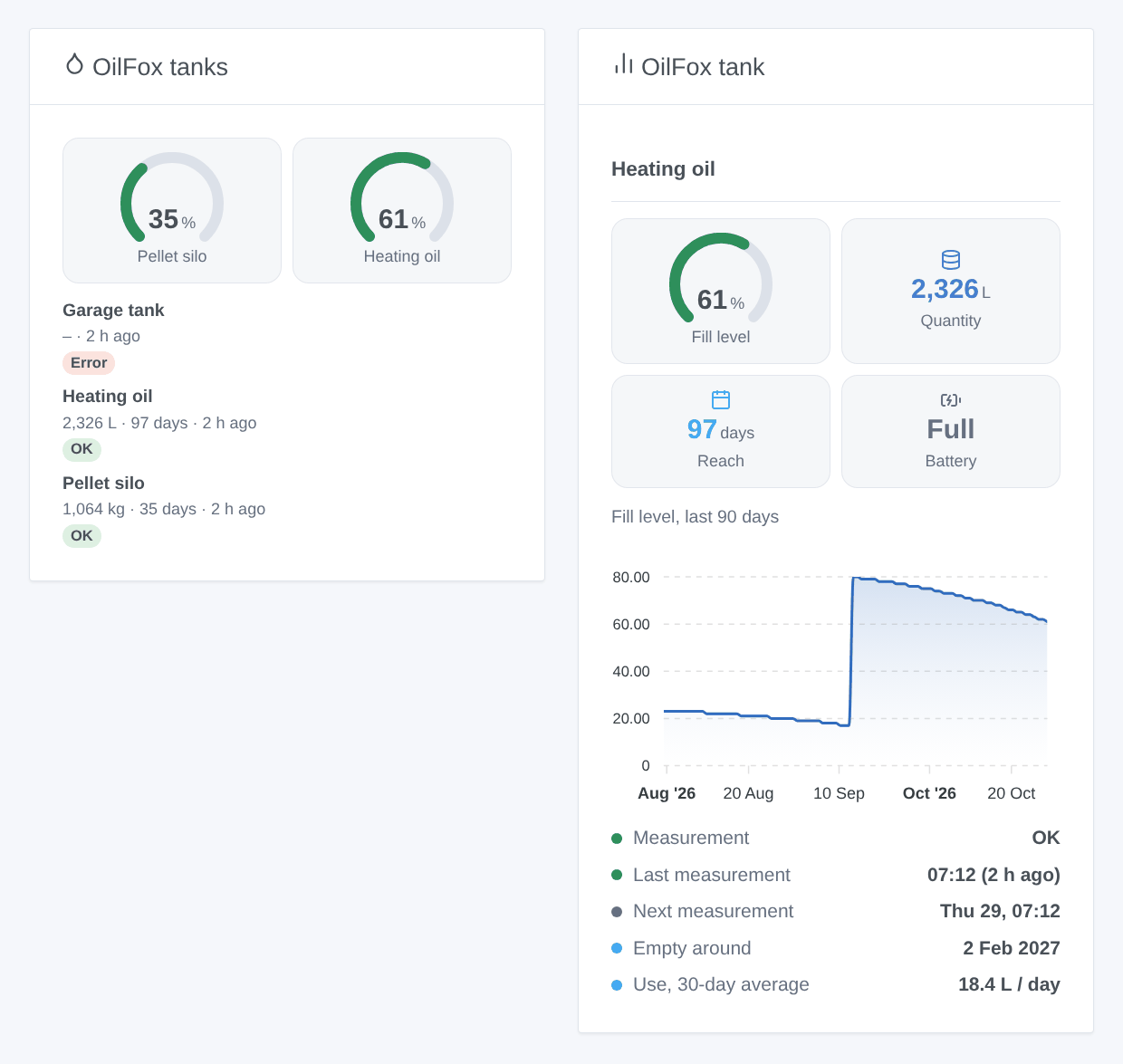
- OilFox tanks: a gauge per tank whose fill level is known (6 at most), then one card per tank (8 at most), the problems first, then the late sensors, then the low batteries, with the quantity, the days of reach and the age of the last measurement.
- OilFox tank: one tank (choose it in the settings of the widget; the first one by default): fill level gauge, quantity, days of reach, battery, the fill level of the last 90 days, the measurement state, the last and next measurements, the estimated empty day and the average use per day over 30 days (the drops between measurements, refills left out). The chart comes from the points the integration keeps in
/data(about a year), without any extra request: it appears after two measurements, the use per day after two days.
Scenes
Triggers (once per change, never at the first reading, never because of a scene action), filtered by tank:
- New measurement: OilFox measured the tank (about once a day); variables: fill level, quantity, unit, days of reach, battery level, quantity used since the previous measurement, time of the measurement.
- Refill detected: the fill level rose by 5 points or more between two measurements; variables: level before and after, quantity added.
- Measurement problem (filter: problems): No measurement yet, Incorrect measurement, No fill level detected, Faulty measurement, Tank settings missing, Incorrect tank settings, Measured distance too small, Tank full (above its maximum), Implausible fill level; variables: the code and the label.
- Measurement OK again: the problem is gone.
- Measurement late / Measurements back: the measurement planned by OilFox is 24 hours late (variables: expected time, hours late), then measurements again.
- Access refused: OilFox refuses the e-mail address, the password or the tokens (reason:
refused,unknown_accountortoken, and a message).
A comparison such as "fill level below 20 %" is not a trigger of the integration: use a device condition of Gladys on the Fill level feature, with your own threshold.
Action:
- Values of a tank: name, fill level, quantity, unit, days of reach, estimated empty day (YYYY-MM-DD), use per day (30-day average), battery level and approximate percentage, measurement problem (code, empty when none, and label), last and next measurement, whether it is late, and a sentence (
summary), from the last reading (no request).
Examples:
- When the Fill level of the heating oil tank goes below 20 % (device condition) → send "Time to order heating oil".
- When OilFox: refill detected → send "{{triggerEvent.data.tank_name}}: +{{triggerEvent.data.added_quantity}} {{triggerEvent.data.unit}} delivered".
- Every Monday at 8:00 → OilFox: values of a tank → send its
summary. - When OilFox: measurement problem → send "{{triggerEvent.data.tank_name}}: {{triggerEvent.data.error_label}}".
Troubleshooting
- "OilFox knows no account with this e-mail address": OilFox answered 404 to the sign-in; check the e-mail of the FoxMobile app.
- "OilFox refused the sign-in": check the password in the FoxMobile app. A refused account is tried again every hour, or at once with Test the connection.
- "Tank settings missing": the shape and size of the tank are not set: set the tank in the FoxMobile app.
- Measurement late: the sensor did not measure for a day after the planned time: check its Wi-Fi and its battery.
- Readings paused: after an HTTP 429 the integration waits an hour; after a server error or no answer, 10 minutes, then twice as long up to 2 hours.
- A new value appears late: it reaches Gladys up to about an hour after the measurement shows in the app.
- For an issue, give the versions of Gladys and of the integration, the message of Test the connection and the "OilFox diagnostic" lines written by Diagnostic in the logs of the integration (
DEBUG=gladys-integration-sdkadds the SDK logs). Never paste your password. - Limitations: never tested with a real OilFox account yet (written from the official documentation and live answers of the API: unknown account 404, missing field 400, invalid refresh token 401, wrong token 401); one account per integration; no US gallons.
Configuration settings
These are the settings OilFox asks for in its configuration screen in Gladys.
| Setting | Type | Required | Description |
|---|---|---|---|
| OilFox account | section | No | Enter the e-mail address and the password you use in the FoxMobile app. The integration signs in to the official FoxInsights Customer API (api.oilfox.io) and only reads: the measurements travel through the OilFox cloud. Only your own sensors may be read (fair use policy of FoxInsights). Not affiliated with FoxInsights. |
| E-mail address | string | Yes | |
| Password | secret | Yes | |
| Readings | section | No | An OilFox measures its tank about once a day. The integration reads the account once an hour (the fair use of FoxInsights), and once more 15 minutes after each planned measurement. |
| Language of the texts | select | No | Feature names, measurement state, scene texts and errors. Automatic: the language of the last widget shown. |
How to install OilFox in Gladys
- In Gladys, open Integrations: OilFox appears in the catalog, next to the native integrations, with a community badge.
- Click Install. Gladys pulls the Docker image (
ghcr.io/william-de71/gladys-oilfox:0.1.0), starts it in a sandbox isolated from the core, and generates the integration's interface (devices, discovery and configuration). - Open the Configuration screen of the integration, fill in the settings, and save.
- You can also install it directly from its repository URL: https://github.com/William-De71/gladys-oilfox.
OilFox requires Gladys >=5.3.0. The catalog inside Gladys refreshes every hour, so a new version becomes available at most one hour after its release.
Not running Gladys yet? It is free and open source: follow the installation guide to get started.
About external integrations
OilFox is an external integration: a community integration packaged as a Docker container and published on GitHub, that Gladys installs in one click and runs in a sandbox isolated from its core. It is published and maintained by William-De71, not by the Gladys core team.
- Browse all integrations, native and community
- Build and publish your own external integration
- Source code on GitHub — source of this documentation