Node-RED community integration, free and open source
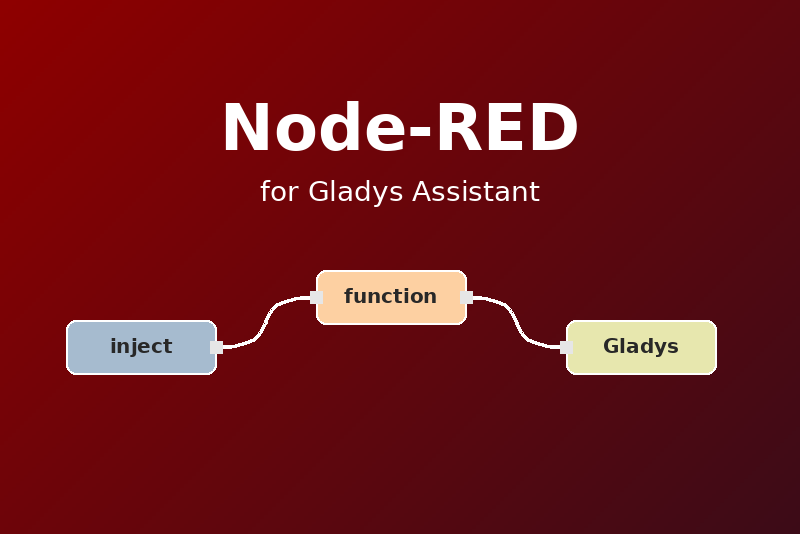
Node-RED in Gladys: low-code flows, scene triggers and actions, dashboard widgets.
Published by gboulvin
- Devices
- Version 1.0.0
- Requires Gladys >=5.1.0
- ★ 0
This integration runs Node-RED next to Gladys Assistant and connects both: your flows can start Gladys scenes, Gladys scenes can call your flows, and Node-RED shows up on your dashboards. It replaces the Node-RED integration built into Gladys.
Where it works
- Every country, every region: Node-RED runs on your own Gladys machine, no account and no cloud service are involved.
- Local only: everything stays on your network. Node-RED reaches the Internet only when one of your flows (or the palette manager) does.
- Requirements: Gladys Assistant 5.1 or later, installed with Docker (amd64 or arm64, e.g. a Raspberry Pi 4/5). Node-RED uses up to 512 MB of memory.
Installation and configuration
- Install the Node-RED integration from the Gladys integration catalog.
- Open its Configuration tab, choose a username (default
admin) and a password (8 characters minimum), then save. - Node-RED starts. Its editor opens at
http://<gladys-address>:<port>: the port is chosen by Gladys and shown in the Configuration screen, in the Node-RED status widget and by the Test the connection button.
Node-RED never starts without a password: its editor can run any code on the machine. Changing the username or the password restarts Node-RED.
Options:
- Protect the HTTP endpoints of the flows (on by default): the
http innodes ask for the same username and password (HTTP Basic authentication). Turn it off only if a device of your network must call them without credentials. - Keep the context after a restart: stores the flow and global context on
disk (
localfilesystem) instead of memory only.
The configuration buttons:
- Test the connection — checks that Node-RED answers, shows its version, its flows and the editor port.
- Restart Node-RED — e.g. after installing nodes from the palette.
Devices
In the Discovery tab of the integration:
- Node-RED — a switch that starts or stops all the flows;
- Node-RED · <flow name> — one device per flow tab, a switch that enables or disables that flow (like the toggle of the editor).
Add them to use them on dashboards and in scenes (“control a device”, “device state” trigger). A new flow appears in the Discovery tab within 30 seconds.
Scenes
The integration adds its own cards to the scene editor, in the Integrations category.
Triggers
- Node-RED event — a flow sent an event to Gladys. Fill in the event name
to react to one event only, or leave it empty for all of them. The
following actions read
{{triggerEvent.data.event}},{{triggerEvent.data.value}}(a number) and{{triggerEvent.data.text}}. - Node-RED started or stopped — Node-RED came online or went offline
(variables
statusandversion).
To send an event from a function node:
await global.get('gladys').trigger('door_opened', { value: 1, text: 'Front door' });
return msg;
Or with an http request node: method POST, URL ${GLADYS_EVENT_URL},
header Authorization = Bearer ${GLADYS_EVENT_TOKEN}, and a JSON body
{ "event": "door_opened", "value": 1, "text": "Front door" }. Both
variables are set by the integration. An event name holds 1 to 64 letters,
digits, _, -, . or :; value is a number (or a boolean, sent as 1/0)
and text up to 1,000 characters.
Actions
- Send to a Node-RED flow —
POSTs\{ "message": …, "value": …, "source": "gladys-scene" \}(JSON) to anhttp innode of your flows, e.g. path/gladys/lights. The message accepts scene variables. Outputs:success(HTTP 2xx),status_codeandresponse(the body returned by thehttp responsenode, 10,000 characters max). - Start or stop all flows — output
running. - Enable or disable a flow — pick the flow device; output
enabled. - Restart Node-RED — output
restarted.
Example flow receiving the action: http in (POST, /gladys/lights) →
function (reads msg.payload.message and msg.payload.value) →
http response.
Dashboard
Two widgets are available in the dashboard editor:
- Node-RED status — whether Node-RED runs, its version, the number of enabled flows and the editor port, with Start / Stop flows and Restart buttons;
- Node-RED flows — the list of the flows with their enabled / disabled badge.
Migrating from the built-in integration
- In the old Node-RED editor: menu ☰ → Export → All flows → Download. Note the extra nodes installed in Manage palette.
- Install and configure this integration (see above), open the new editor.
- Install the same nodes from Manage palette, then ☰ → Import the exported file.
- Re-enter the passwords of the configuration nodes (MQTT broker, HTTP credentials…): they are encrypted and do not travel with the export.
- In the MQTT broker nodes, replace
localhost/127.0.0.1with the IP address of the Gladys machine (see the limitations below). - Disable the built-in Node-RED integration of Gladys (Integrations → Node-RED), so both do not run the same flows.
Limitations
- Node-RED runs in its own isolated container, on a private network:
localhostis Node-RED itself. Reach the other services of the machine (MQTT broker, Zigbee2MQTT…) with the IP address of the Gladys machine. - No access to USB / serial ports and no network broadcast (mDNS, UDP discovery) from the flows: the container has no privileged access.
- Node-RED 5 is installed; it is updated with the integration.
Troubleshooting
- “Set a password” in the Configuration screen: the password is missing or shorter than 8 characters.
- “Node-RED refused the credentials”: press Restart Node-RED.
- The editor does not open: Node-RED may still be starting (up to a minute on a Raspberry Pi), use Test the connection.
- The logs of the integration (with
LOG_LEVEL=debugfor the details) and of Node-RED are available in the Gladys supervision screen.
Configuration settings
These are the settings Node-RED asks for in its configuration screen in Gladys.
| Setting | Type | Required | Description |
|---|---|---|---|
| Node-RED editor | section | No | Choose the username and password of the editor, then save: Node-RED starts and its editor opens at http://{{gladys_host}}:{{port:editor}} (it never starts without a password). |
| Username | string | Yes | Login of the Node-RED editor. |
| Password | secret | Yes | 8 characters minimum. Protects the editor and the admin API. |
| Protect the HTTP endpoints of the flows | boolean | No | The "http in" nodes require the same username and password (HTTP Basic). Recommended: they are reachable from your network. |
| Keep the context after a restart | boolean | No | Stores the flow and global context on disk (localfilesystem) instead of memory only. |
| Send events to Gladys scenes | section | No | In a function node: await global.get('gladys').trigger('door_opened', { value: 1, text: 'Front door' }). Or an "http request" node: POST to ${GLADYS_EVENT_URL} with the header Authorization: Bearer ${GLADYS_EVENT_TOKEN}. Then start a scene with the "Node-RED event" trigger. |
| Coming from the built-in Node-RED integration? | section | No | Export all your flows from the old editor (menu > Export > All flows), import them here, then disable the built-in integration. MQTT nodes must point to the IP address of the Gladys host, not to localhost. |
How to install Node-RED in Gladys
- In Gladys, open Integrations: Node-RED appears in the catalog, next to the native integrations, with a community badge.
- Click Install. Gladys pulls the Docker image (
ghcr.io/gboulvin/gladys-node-red:1.0.0), starts it in a sandbox isolated from the core, and generates the integration's interface (devices, discovery and configuration). - Open the Configuration screen of the integration, fill in the settings, and save.
- You can also install it directly from its repository URL: https://github.com/gboulvin/Gladys-Node-RED.
Node-RED requires Gladys >=5.1.0. The catalog inside Gladys refreshes every hour, so a new version becomes available at most one hour after its release.
Not running Gladys yet? It is free and open source: follow the installation guide to get started.
About external integrations
Node-RED is an external integration: a community integration packaged as a Docker container and published on GitHub, that Gladys installs in one click and runs in a sandbox isolated from its core. It is published and maintained by gboulvin, not by the Gladys core team.
- Browse all integrations, native and community
- Build and publish your own external integration
- Source code on GitHub — source of this documentation