No-IP smart home integration, free and open source
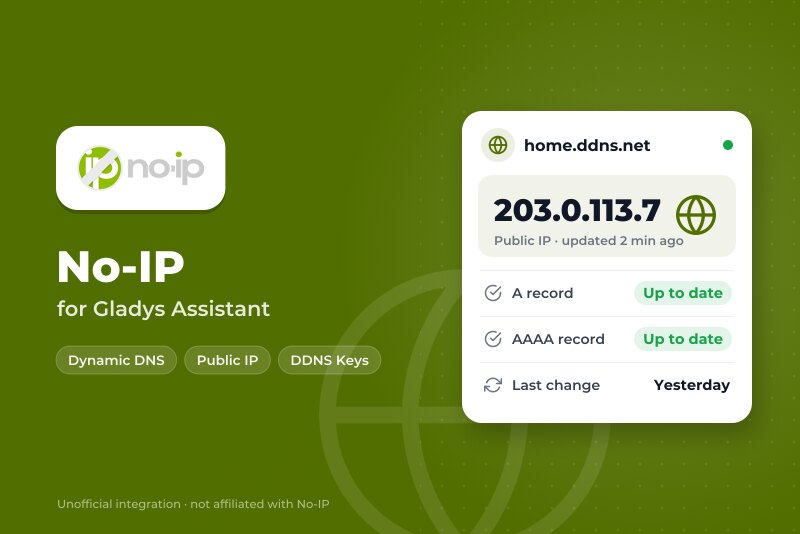
Dynamic DNS with No-IP: your hostnames follow your home’s public IP address.
Published by William-De71
- Devices
- Version 0.1.0
- Requires Gladys >=5.3.0
- ★ 0
Overview
This integration turns Gladys into the dynamic DNS client of your No-IP account. Your internet provider may change the public address of your home at any time; with No-IP, a hostname (home.ddns.net) always points at it, so you can reach your home, a NAS or a VPN by name. Gladys checks the public address every 5 minutes by default and asks No-IP to update your names only when it changed.
Up to ten names: hostnames, No-IP groups, or all.ddnskey.com for every hostname of a DDNS Key, following the IPv4 address, the IPv6 address or both. Each name becomes a device with its addresses, its status and the number of changes; scenes can react when the public address changes or an update fails, and a dashboard widget shows everything at a glance.
It uses the official update endpoint of No-IP, the same one routers and the No-IP client use, and follows its rules: one request for every name, nothing sent while the address is the same, and a stop after any error. It is a cloud integration: the public address is read on echo services (ipify, icanhazip, ident.me), and No-IP is contacted only when a name must change.
Prerequisites
- Gladys Assistant 5.3.0 or later.
- A No-IP account (free or paid) with at least one hostname (No-IP website → Dynamic DNS → No-IP Hostnames).
- Recommended: a DDNS Key (Dynamic DNS → DDNS Keys → Generate DDNS Key). It only updates its hostnames, so your account password never goes into Gladys. Note its username and password: the password is shown only once.
- Free hostnames must still be confirmed on the No-IP website every 30 days (No-IP sends an e-mail): the integration cannot do it for you.
- For IPv6, a hostname with an AAAA record (or IPv4 and IPv6) at No-IP, and an IPv6 connection reaching the Docker of Gladys.
Configuration
| Field | What to enter |
|---|---|
| Username | The username of the DDNS Key, or the e-mail address (or username) of your No-IP account. |
| Password | The password of the DDNS Key, or of your No-IP account. |
| Hostnames | Separated by commas, ten at most: home.ddns.net, a group name, or all.ddnskey.com with a key. |
| Records to update | IPv4 (A, default), IPv6 (AAAA), or both. |
| Check of the public address | Every minute, 5 minutes (default), 15 or 30 minutes. |
| Language of the texts | Device names, status and scene summaries. Automatic follows your dashboard. |
Press Test the connection: every name is sent to No-IP at once, and the answer shows, per name, "already 203.0.113.7" (the login works), the new address, or the error. Diagnostic writes what the integration knows to the Logs tab, password hidden.
Usage
Devices
In Discover, create one device per name:
| Feature | Content |
|---|---|
| IPv4 address (A record) | The address No-IP confirmed for the name. |
| IPv6 address (AAAA record) | The same for IPv6, when it is followed. |
| No-IP status | "Up to date", "Waiting for the first check" or the last error, in words. |
| Address changes | The number of updates No-IP applied; its history shows when they were. |
Dashboard widget
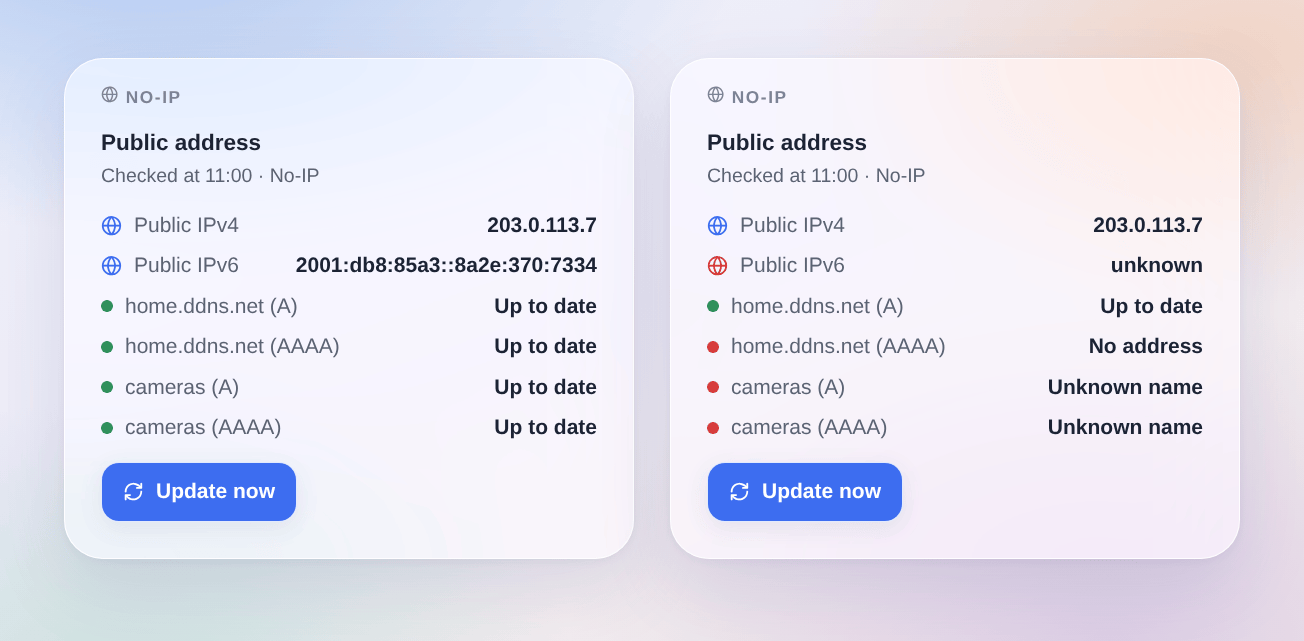
No-IP shows the public IPv4 (and IPv6), then each name with its status, the time of the last check and an Update now button.
Scenes
Triggers:
- Public address changed: with the former and the new address; filter: IPv4 or IPv6.
- Record updated: No-IP pointed a name at a new address; filters: name, IPv4 or IPv6.
- Update failed: once per error, not at every check; filters: name, error (login refused, unknown name, client disabled, account blocked, No-IP unreachable, public address unknown…).
Actions:
- Update now: one name or all; "send even if already right" sends a name at most once an hour (too many "already right" answers get a client blocked). Outputs the counts and a summary. It never fires a trigger.
- Read the public address: the public IPv4 and IPv6, to put in a message.
Examples:
- "Public address changed" → send "New address: {{triggerEvent.data.ip}}" to your phone.
- "Update failed", error "login refused" → notify yourself to check the DDNS Key.
- Every morning → "read the public address" → write it to a log or a message.
Transport
Cloud only: the public address is read on api.ipify.org, ipv4.icanhazip.com and v4.ident.me (the next one when one fails; their IPv6 twins for IPv6), and the names are sent to dynupdate.no-ip.com over HTTPS with your login. Those services only see the address of your home. Nothing else leaves your network.
Troubleshooting
- The integration stopped after an error: No-IP requires its clients to stop sending after any error answer. Fix the settings (or press Test the connection once the problem is fixed on the No-IP side): it tries again at once. A restart does not lift the stop.
- Username or password refused: with a DDNS Key, the username is the one No-IP generated (not your e-mail address); with your account, the e-mail address and the account password.
- Name unknown to this account: the hostname or group does not exist under this account or this DDNS Key; check its spelling, or use
all.ddnskey.comwith a key. The other names keep being updated. - No-IP error, retry in 30 min: No-IP had a failure ("911"); its rules forbid a new request before 30 minutes, even from the test button.
- Client disabled or Account blocked: No-IP refused this client or this account; contact No-IP support.
- Public IPv6 unknown: the Docker of Gladys has no IPv6 access to the internet. Keep IPv4 only.
- The name is right but disappears after a month: a free hostname was not confirmed; confirm it on the No-IP website.
- To report a problem, give the versions of Gladys and of the integration and the lines of the Diagnostic button.
Configuration settings
These are the settings No-IP asks for in its configuration screen in Gladys.
| Setting | Type | Required | Description |
|---|---|---|---|
| No-IP | section | No | No-IP keeps a hostname (home.ddns.net) pointed at the public address of your home, even when your internet provider changes it. Enter your No-IP account, or better a DDNS Key (No-IP website → Dynamic DNS → DDNS Keys) that only updates its hostnames, then the names to keep up to date, and press "Test the connection". The password stays in Gladys and only goes to No-IP. Free hostnames must still be confirmed on the No-IP website every 30 days. Not affiliated with No-IP. |
| Username | string | Yes | The username of a DDNS Key, or the e-mail address (or username) of your No-IP account. |
| Password | secret | Yes | The password of the DDNS Key (shown once when it is created), or of your No-IP account. |
| Hostnames | string | Yes | Separated by commas, ten at most: hostnames (home.ddns.net), group names, or all.ddnskey.com for every hostname of a DDNS Key. |
| Records to update | select | No | IPv6 needs a hostname with an AAAA record (or IPv4 and IPv6) at No-IP, and an IPv6 connection reaching the container. |
| Options | section | No | |
| Check of the public address | select | No | How often the public address is read. No-IP is only called when a name must change. |
| Language of the texts | select | No | Language of the device names, of the status and of the scene summaries. Automatic follows the language of your dashboard. |
How to install No-IP in Gladys
- In Gladys, open Integrations: No-IP appears in the catalog, next to the native integrations, with a community badge.
- Click Install. Gladys pulls the Docker image (
ghcr.io/william-de71/gladys-no-ip:0.1.0), starts it in a sandbox isolated from the core, and generates the integration's interface (devices, discovery and configuration). - Open the Configuration screen of the integration, fill in the settings, and save.
- You can also install it directly from its repository URL: https://github.com/William-De71/gladys-no-ip.
No-IP requires Gladys >=5.3.0. The catalog inside Gladys refreshes every hour, so a new version becomes available at most one hour after its release.
Not running Gladys yet? It is free and open source: follow the installation guide to get started.
About external integrations
No-IP is an external integration: a community integration packaged as a Docker container and published on GitHub, that Gladys installs in one click and runs in a sandbox isolated from its core. It is published and maintained by William-De71, not by the Gladys core team.
- Browse all integrations, native and community
- Build and publish your own external integration
- Source code on GitHub — source of this documentation