NASA smart home integration, free and open source
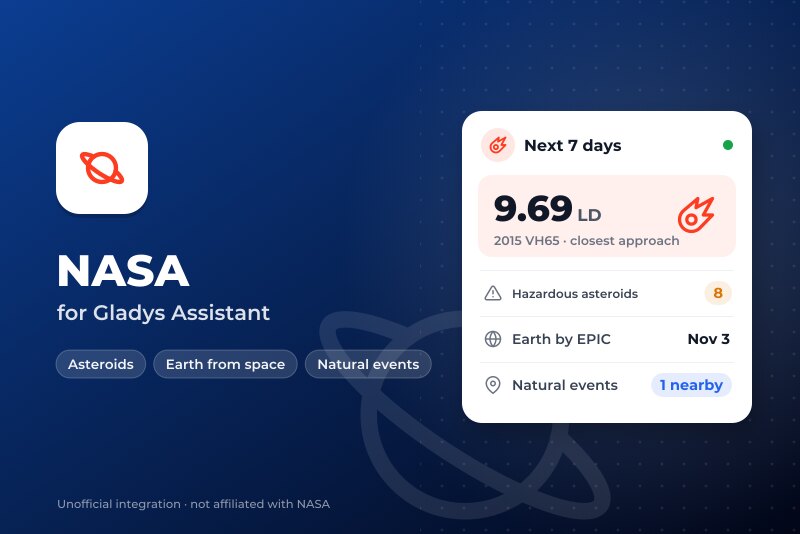
Near-Earth asteroids, the Earth seen by EPIC and natural events near you, from NASA open data.
Published by William-De71
- Devices
- Version 0.1.0
- Requires Gladys >=5.3.0
- ★ 0
Overview
This integration brings three open NASA services into Gladys: the near-Earth asteroids that pass in the next 7 days (NeoWs, data of the JPL), the latest image of the whole Earth taken by the EPIC camera of the DSCOVR satellite, 1.5 million km away, and the natural events tracked by EONET near your houses: wildfires, severe storms, floods, volcanoes, sea ice…
Transport: cloud. The integration reads api.nasa.gov, epic.gsfc.nasa.gov and eonet.gsfc.nasa.gov. It sends your NASA key, if you gave one, to api.nasa.gov only, and for EONET a box of the chosen radius around each located house, never its exact position. Not affiliated with NASA.
The lunar distance. The distance from the Earth to the Moon, 384,400 km. Most asteroids of a week pass beyond 5 lunar distances; a few a year pass inside the orbit of the Moon. A potentially hazardous asteroid (PHA) is larger than about 140 m and its orbit comes within 7.5 million km of the Earth's: a classification, not an announced impact.
Prerequisites
- Gladys 5.3.0 or later (widgets and scene triggers).
- For the natural events and the Earth facing your house: a house with a location (Settings → Houses). The integration asks for the coordinates of the houses at installation.
- Optional: a free NASA API key, requested in a minute on https://api.nasa.gov/ (an e-mail address is enough). Without it, the shared
DEMO_KEYallows 10 requests an hour per IP address; the integration uses 4 a day.
Configuration
| Field | Use |
|---|---|
| NASA API key (optional) | Empty: DEMO_KEY. A personal key avoids sharing a quota with other users of your network. |
| Language of the texts | Device names, scene sentences and errors. Automatic: the language of the last widget. |
| Radius around each house | 100 to 2,000 km (500 by default): how far a natural event counts. |
| Events of the last | 7, 14 or 30 days (14 by default). |
| Close approach under | 1 to 20 lunar distances (5 by default): the close approach trigger and widget colours. |
The Test the connection button reads the three services (the asteroids only if they were not read in the last 10 minutes) and lists the located houses. Diagnostic writes the state of the integration to its logs, without the key nor the coordinates.
The integration reads the asteroids every 6 hours, EPIC every 3 hours (a new day of images is published once a day, one or two days late) and EONET every hour. A failure makes it wait longer each time (6 hours at most); an exhausted quota waits an hour; a refused key waits for a change of the configuration.
Usage
Devices
On the Discovery screen: a Near-Earth asteroids (NASA) device, and a Natural events device per located house. Create the ones you want.
| Device | Features |
|---|---|
| Near-Earth asteroids (NASA) | Closest approach of the next 7 days (km, and lunar distances), approaches in 7 days, potentially hazardous in 7 days, name of the closest asteroid |
| Natural events – house | Number of events within the radius and the period, distance of the nearest (km), its title, category and distance (a text). With no event, the distance keeps its last value |
Dashboard widgets
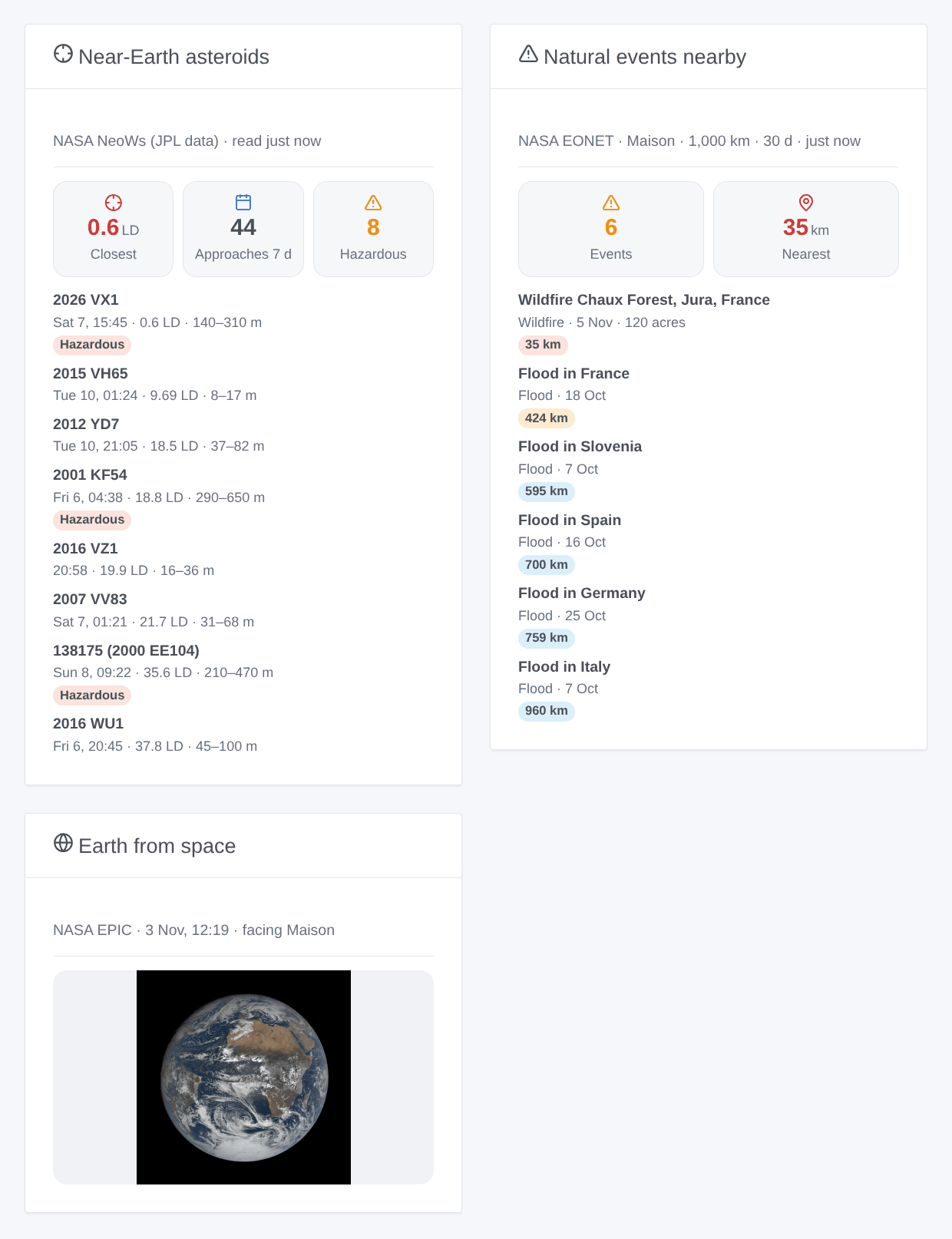
- Near-Earth asteroids: the closest approach (red under 1 lunar distance, orange under the threshold), the counts, then the 8 closest or next approaches (setting) with their date, distance and size; a row opens its details and its JPL page.
- Earth from space: choose a Natural events device (empty: the first located house): the latest EPIC image whose centre is the closest to the longitude of the house, with its date.
- Natural events nearby: choose a Natural events device: the count, the nearest distance, and the events with their category, date, magnitude and source.
Scenes
Triggers (each fires once, never at startup):
- NASA: close approach of an asteroid: an asteroid will pass closer than the threshold in the next 7 days.
- NASA: potentially hazardous asteroid: a PHA will pass in the next 7 days, whatever its distance.
- NASA: natural event nearby: a new EONET event within the radius of a house; filter by house and by categories. Changing the radius or the period never fires the events that come into view.
Each trigger gives a ready-made sentence, {{triggerEvent.data.message}}, in the language of the configuration; the titles of the events stay in English, as NASA writes them.
Actions: read the asteroids of the week, read the natural events nearby (a house), read the latest image of the Earth (a house), each with a summary sentence; the last one also gives the link of the image. They answer from the last readings, and read again only what is too old.
Examples:
- When close approach of an asteroid (threshold: 1 lunar distance) → send the notification
{{triggerEvent.data.message}}. - When natural event nearby at the Natural events device of the house, categories Wildfires → send "Fire {{triggerEvent.data.distance_km}} km away: {{triggerEvent.data.title}}".
- Every Sunday at 9:00 → read the asteroids of the week → send the
summary.
Troubleshooting
- No Natural events device: the house has no location (Settings → Houses), then run a scan from the Discovery screen.
- "api.nasa.gov refuses the API key": check the key, or empty the field to use
DEMO_KEY. - "The hourly quota of api.nasa.gov is used up":
DEMO_KEYis shared by every device of your public IP address; ask for a free personal key. - The natural events stay at 0: EONET is sparse outside the United States; try a larger radius or period.
- The Earth image is a few days old: EPIC publishes its images one or two days late, and sometimes pauses for days.
- Logs: Settings → Supervision; add
DEBUG=gladys-integration-sdkin developer mode for the SDK logs. Issues: https://github.com/William-De71/gladys-nasa/issues
Configuration settings
These are the settings NASA asks for in its configuration screen in Gladys.
| Setting | Type | Required | Description |
|---|---|---|---|
| Open NASA data | section | No | Three free NASA services, read over the Internet (cloud): NeoWs for the asteroids (JPL data), EPIC for the images of the whole Earth taken from DSCOVR, and EONET for the natural events. Only EONET receives an area around each located house of Gladys (a box of the radius below), never the exact position. NeoWs needs a key of api.nasa.gov: the shared DEMO_KEY works without any sign-up, a free personal key avoids sharing its quota. The integration reads the asteroids 4 times a day. Not affiliated with NASA. |
| NASA API key (optional) | secret | No | Empty: the shared DEMO_KEY (10 requests an hour per IP address). A free key of api.nasa.gov allows 1,000 an hour. |
| Language of the texts | select | No | Device names, scene texts and errors. Automatic: the language of the last widget shown. |
| Natural events | section | No | EONET lists wildfires, storms, floods, volcanoes and other events from several sources (GDACS, IRWIN, JTWC…). Its coverage is uneven: very complete for the wildfires of the United States, partial elsewhere. It is not an official warning service: keep the alerts of your country. |
| Radius around each house | select | No | |
| Events of the last | select | No | |
| Asteroids | section | No | A lunar distance is the distance from the Earth to the Moon, 384,400 km. Most approaches of a week stay beyond 5 lunar distances; a few a year pass inside the orbit of the Moon. |
| Close approach under | select | No | For the close approach trigger and the colours of the asteroids widget. |
How to install NASA in Gladys
- In Gladys, open Integrations: NASA appears in the catalog, next to the native integrations, with a community badge.
- Click Install. Gladys pulls the Docker image (
ghcr.io/william-de71/gladys-nasa:0.1.0), starts it in a sandbox isolated from the core, and generates the integration's interface (devices, discovery and configuration). - Open the Configuration screen of the integration, fill in the settings, and save.
- You can also install it directly from its repository URL: https://github.com/William-De71/gladys-nasa.
NASA requires Gladys >=5.3.0. The catalog inside Gladys refreshes every hour, so a new version becomes available at most one hour after its release.
Not running Gladys yet? It is free and open source: follow the installation guide to get started.
About external integrations
NASA is an external integration: a community integration packaged as a Docker container and published on GitHub, that Gladys installs in one click and runs in a sandbox isolated from its core. It is published and maintained by William-De71, not by the Gladys core team.
- Browse all integrations, native and community
- Build and publish your own external integration
- Source code on GitHub — source of this documentation