Nappes phréatiques smart home integration, free and open source
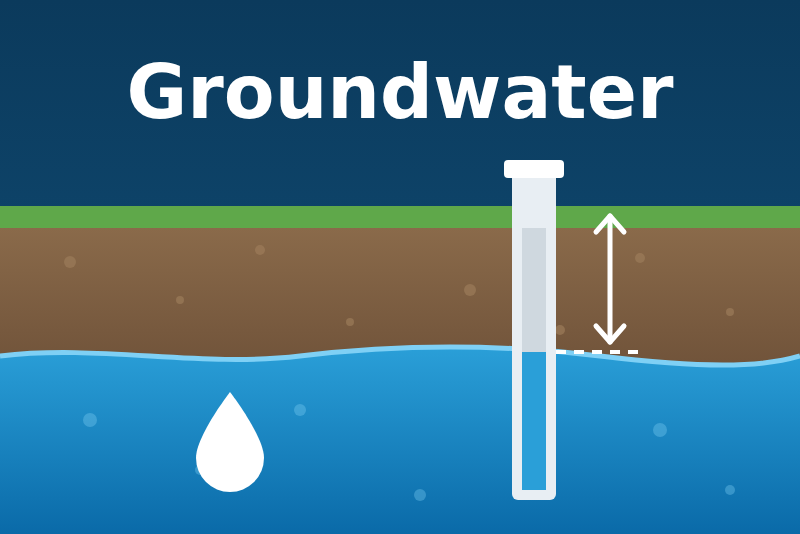
Groundwater depth, level and situation near your home (France), from Hub'Eau and the BRGM.
Published by guim31
- Devices
- Version 1.0.1
- Requires Gladys >=5.1.0
- ★ 0
The groundwater level near your home, from the public piezometers of the French ADES network (BRGM), read through the open Hub'Eau Piézométrie API. No account, no key.
Each station (a piezometer, a well where the water table is measured) becomes a Gladys device: the depth of the water table, its level, the date of the last measurement, and a situation (very low to very high) that this integration estimates from the history of the station.
The situation is an estimate of this integration, not the official indicator of the BRGM (the monthly "IPS" of the groundwater bulletins). Not affiliated with the BRGM nor with Hub'Eau.
What you get
- One device per station: depth of the water table below the ground (m), its level (m NGF, the French levelling datum), a situation index from 1 (very low) to 5 (very high), the situation in words, and the date of the last measurement.
- Stations by code or around your house (the 3 nearest ones still measuring, from the location of your house in Gladys).
- "Find stations" in the Configuration screen: the stations around your house, in a commune or a department, with their distance, first year and last measurement.
- Scene triggers: Groundwater situation changes (filtered by station and new situation) and Station without measurement (7, 15, 30 or 60 days).
- Dashboard widget: the followed stations with their depth, situation and trend of the week, or the detail of one station.
Neighbours: Vigicrues gives the rivers (height, flow, flood vigilance), the VigiEau integration the official water restrictions of your commune: both are complementary to this one.
Requirements
- Gladys Assistant 5.1.0 or later (widget and scene triggers).
- Internet access from Gladys to
hubeau.eaufrance.fr. - For "around my house": a location for your house in Gladys (Settings, Houses).
- Metropolitan France and overseas departments only (the ADES network).
Configuration
Settings
| Setting | What it does |
|---|---|
| Station codes | BSS codes separated by commas, new (BSS002FVWC) or old (09838D0727/F). |
| Around my house | Also follow the 3 nearest stations in service within 10, 20, 30 or 50 km of your house. |
| Language of the feature names | Names of the features of new devices, and language of the texts (situation, last measurement). |
Save, then open the Discover tab and create the devices you want. A station whose device you created stays followed even if you remove it from the configuration; deleting the device stops it. At most 10 stations are followed from the configuration.
Finding your stations
The Find stations action of the Configuration screen lists the stations with their code, their distance from your house, the year of their first measurement and the date of the last one:
- leave Where empty: the stations in service around your house (20 km, or the chosen distance);
- an INSEE commune code (
31555for Toulouse): every station of the commune, the ones in service first; - a department number (
31,2A,974): the stations in service there; - a station code, new or old.
Copy the code (BSS…) into Station codes, then save. Active piezometers are sparse (about a dozen
in Haute-Garonne): prefer a station on the same aquifer as your well or your garden, shown in the
device parameters (AQUIFER). The ADES portal shows them on a map.
Devices
| Feature | Type | Content |
|---|---|---|
| Groundwater depth | Liquid depth, m | Depth of the water table below the ground (negative: above, artesian well) |
| Groundwater level (m NGF) | Liquid depth, m | Altitude of the water table |
| Situation index (1 to 5) | Counter | 1 very low, 2 low, 3 normal, 4 high, 5 very high |
| Groundwater situation | Text | The situation in words, or why it is unknown |
| Last measurement | Text | Date of the newest measurement (with the time for real-time values) |
The depth and the level stop being published 45 days after the last measurement; the "Last measurement" feature always says when it was. A station measured by hand once a month is normal. When the situation becomes unknown, the index keeps its last value: a scene condition on it should also check that "Groundwater situation" is not unknown.
How the situation is estimated
The mean level of the last 10 days is ranked among the mean levels of the same 31 days (the same date ± 15 days) of every previous year of the station. Lower than 90 % of the years: very low; lower than 70 %: low; between: normal; higher than 70 %: high; higher than 90 %: very high. At least 10 years of history are needed, and a measurement less than 30 days old; otherwise the situation is "unknown" and the reason is given. It is not the official indicator of the BRGM, which uses monthly means and a statistical standardization: both usually agree, but not always.
Dashboard widget
Add the Groundwater widget to a dashboard:
- without a station: one line per followed station with its depth and situation, coloured by the situation (red very low, yellow low, green normal, blue high and very high), the icon showing the trend of the last week (rising, steady, falling);
- with a station: its live depth and level, its situation, trend and last measurement, and a link to its page on the ADES portal.
Scene triggers
Groundwater situation changes: the estimated situation of a station changes. Filters: the station, and the new situations (very low, low, normal, high, very high). Variables: station name, situation (key and words), previous situation (key and words), depth, level.
Station without measurement: a followed station has sent nothing for 7, 15, 30 or 60 days. Each duration fires once per silence; after a long stop of Gladys, only the longest one crossed fires. Variables: station name, days, date of the last measurement.
A threshold on the depth ("deeper than 8 m") is a scene condition on the device state: scene triggers only filter by equality.
Scene examples
- Dry well warning: when the situation of your station changes to low or very low, send "Groundwater {{situation_name}} at {{station_name}}: water the garden sparingly".
- Back to normal: when the situation changes to normal, send a message and re-enable the garden watering scene.
- Stale data: when your station has been silent for 30 days, send a reminder to choose another one with "Find stations".
- Weekly report: every Monday, send the "Groundwater situation" and "Groundwater depth" values.
Data sources, licence and quotas
- Data: Hub'Eau Piézométrie v1, from ADES (BRGM and its partners), under the Licence Ouverte Etalab 2.0; the widget cites the source and the date.
- Requests: the whole daily history of a station once (about 1 MB, a few seconds), then every 6 hours two small requests per station (the daily values of the last week, the newest real-time value); the history is read again every 90 days. Hub'Eau publishes no quota: this pace is far below any reasonable limit.
- Daily values usually arrive the next day; real-time values every hour, for the stations that send them, sometimes a few days late.
Troubleshooting
- "Unknown station code": the code is not in Hub'Eau. Use "Find stations" and copy the code it gives.
- "No station measuring within this distance": choose a larger distance, or a station by code.
- "Hub'Eau does not answer": the service is down or slow; the values come back by themselves.
- Situation "unknown: under 10 years of history": the station is too recent for an estimate. The depth and the level are still published.
- Situation "unknown: no recent measurement": the station has sent nothing for 30 days.
- "No recent value" on the depth: the last measurement is older than 45 days; see "Last measurement".
- Logs:
LOG_LEVEL=debugshows every refresh cycle.
Limits
- France only (ADES network), and only the public piezometers: not your own well.
- The situation is an estimate, not the official indicator of the BRGM; a captive or exploited aquifer can stay "very low" for years.
- Refreshed every 6 hours: groundwater moves slowly and the data are daily.
- 10 stations at most from the configuration.
- Developed and tested with the real data of stations around Toulouse; feedback welcome.
Configuration settings
These are the settings Nappes phréatiques asks for in its configuration screen in Gladys.
| Setting | Type | Required | Description |
|---|---|---|---|
| Your stations | section | No | Follow the groundwater stations (piezometers) near you: by code, or the nearest ones to your house. "Find stations" below lists them. Save, then create the devices in the Discover tab. |
| Sources and limits | section | No | Data: Hub'Eau and ADES (BRGM), Licence Ouverte Etalab 2.0, read without an account every 6 hours. The situation is an estimate of this integration, not the official BRGM indicator. Not affiliated with the BRGM. |
| Station codes | string | No | BSS codes separated by commas, new (BSS002FVWC) or old (09838D0727/F). |
| Around my house | select | No | Also follow the 3 nearest stations in service, within this distance of the location of your house in Gladys. |
| Language of the feature names | select | No | Names given to the features of new devices (Groundwater depth, Situation…) and language of their texts (situation, last measurement). |
How to install Nappes phréatiques in Gladys
- In Gladys, open Integrations: Nappes phréatiques appears in the catalog, next to the native integrations, with a community badge.
- Click Install. Gladys pulls the Docker image (
ghcr.io/guim31/gladys-nappes:1.0.1), starts it in a sandbox isolated from the core, and generates the integration's interface (devices, discovery and configuration). - Open the Configuration screen of the integration, fill in the settings, and save.
- You can also install it directly from its repository URL: https://github.com/guim31/gladys-nappes.
Nappes phréatiques requires Gladys >=5.1.0. The catalog inside Gladys refreshes every hour, so a new version becomes available at most one hour after its release.
Not running Gladys yet? It is free and open source: follow the installation guide to get started.
About external integrations
Nappes phréatiques is an external integration: a community integration packaged as a Docker container and published on GitHub, that Gladys installs in one click and runs in a sandbox isolated from its core. It is published and maintained by guim31, not by the Gladys core team.
- Browse all integrations, native and community
- Build and publish your own external integration
- Source code on GitHub — source of this documentation