MusicBrainz smart home integration, free and open source
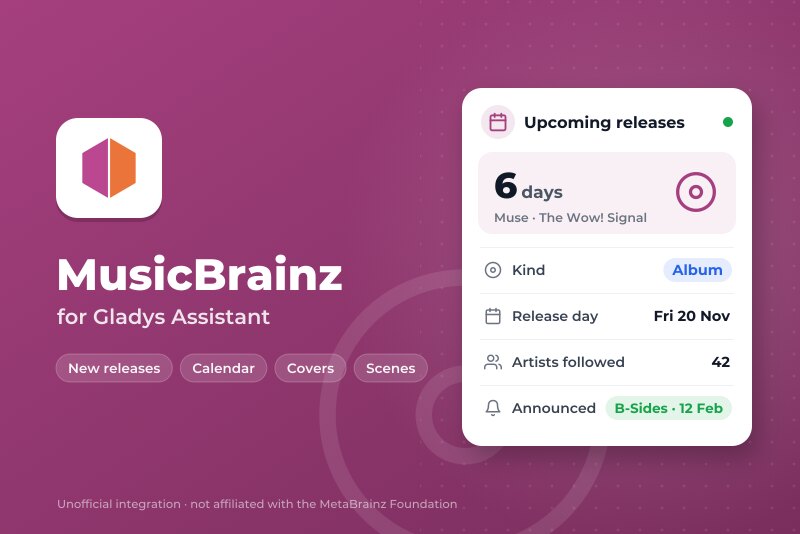
New releases of the artists you follow: calendar, reminders, covers and widgets.
Published by William-De71
- Devices
- Version 0.1.0
- Requires Gladys >=5.3.0
- ★ 0
Overview
This integration brings the new releases of the artists you follow into Gladys: albums, EPs, singles, live albums and compilations land in a "Music releases" calendar for every user who enables the integration. Scenes can react when a release is announced, on the day it comes out (or the day before, or a week before) and when its date changes, and three dashboard widgets show what is coming and what just came out, with the covers.
The releases come from MusicBrainz, the open music encyclopedia kept by its community and the MetaBrainz Foundation, through its official API. No account and no key are needed. Covers come from the Cover Art Archive.
Requirements
- Gladys Assistant 5.3.0 or later (calendar integrations).
- Internet access.
- Optional: a MusicBrainz account with a public collection of artists, a ListenBrainz profile, or a Last.fm profile with a free API key.
Configuration
Say first which artists to follow. Four ways, which add up (300 artists at most):
- "Follow an artist" button: type a name, the integration finds the artist on MusicBrainz and tells you which one it kept. For a namesake (there are several "Nirvana"), paste the address of the artist page on musicbrainz.org, or the identifier the message lists. "Stop following an artist" removes one; "List the followed artists" shows them all with their source.
- MusicBrainz collection: the address of a public collection of artists of your MusicBrainz account. Add or remove artists on musicbrainz.org, the integration reads the collection again once a day.
- ListenBrainz user name: your most listened artists are followed.
- Last.fm user name and API key: your most listened artists are followed. The key is free and created in a minute on last.fm/api.
| Field | Description |
|---|---|
| Kinds of releases | Albums and EPs by default; singles, live albums, compilations and others (soundtracks, remixes…) can be added. |
| MusicBrainz collection | Address (or identifier) of a public collection of artists. Optional. |
| ListenBrainz user name | Optional. Public statistics, no key. |
| Last.fm user name / API key | Optional. The key is only sent to Last.fm. |
| Most listened artists followed | 10, 20 (default), 30 or 50, for ListenBrainz and Last.fm. |
| Listening period | The year (Last.fm: the last 12 months; ListenBrainz: the current year, the previous one until the end of February), or since the beginning. |
| Reading of MusicBrainz | Every 3, 6 (default), 12 or 24 hours. |
| Hour of the "release day" trigger | From 0 to 23, local time (9 by default). |
| Language of the scene texts | Language of the ready-made sentences and of the messages of the buttons. Automatic: the language of the dashboard. |
Save, then, in My calendars on the same page, press Enable for me. Each user who wants the calendar enables the integration for themselves. The list of followed artists is the same for everybody.
Usage
Calendar
Each user gets a calendar named "Music releases", with one all-day event per release whose day is announced: "Muse – The Wow! Signal", its kind in the description and a link to its page on MusicBrainz. The calendar keeps the releases from 30 days ago to two years ahead. A release whose date changes follows; a release MusicBrainz drops, or whose artist you stop following, disappears.
A release announced for "2027" or "March 2027" has no day yet: it is listed in the widgets and joins the calendar once its day is known.
A new calendar is private. In My calendars, turn Share with the household on to use it in the scenes of the household (and with the native trigger "Calendar event is coming"), or turn Synchronize this calendar off to skip it.
Dashboard widgets
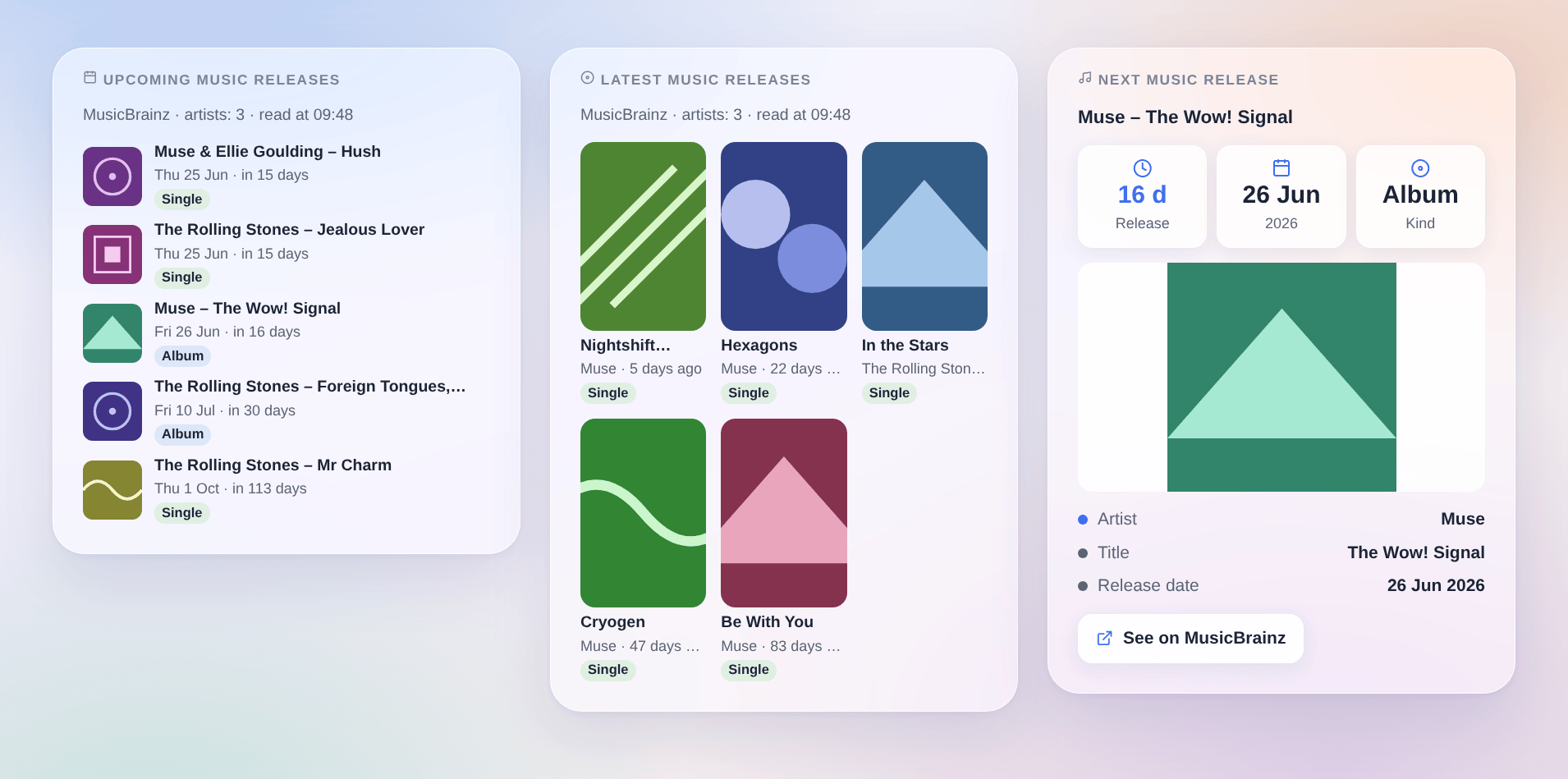
- Upcoming music releases: the next 3, 5 or 8 releases with their date, how far it is, a badge for the kind and the cover. Tap a release for its details and its MusicBrainz page.
- Latest music releases: the 6, 9 or 12 latest records out in the last 30, 60 or 90 days, as a grid of covers.
- Next music release: the countdown to the next release, its date, kind and large cover.
Each can be limited to some kinds of releases in its settings. A cover only shows when the Cover Art Archive has one, which is rare long before the release.
Scenes
Triggers (filters: kinds of releases, and the name of an artist exactly as MusicBrainz writes it):
- MusicBrainz: release announced: a new release of a followed artist appeared on MusicBrainz. Following a new artist announces nothing: only what appears afterwards does.
- MusicBrainz: release day: a release comes out today, tomorrow or in a week (choose it in "When"), at the hour of the configuration. Only for releases whose day is known.
- MusicBrainz: release date changed: the date of an upcoming release was postponed, brought forward or made precise;
previous_dateholds the old one.
The variables: full_title ("Muse – The Wow! Signal"), title, artist, credit, kind (album, ep, single, live, compilation, other), kind_name, date, date_text, days, url, cover_url, text (a ready-made sentence), release_id.
Actions: MusicBrainz: next release and MusicBrainz: latest release give a release (of some kinds, or of one artist): title, artist, kind, date, days until or since, link, cover address and a ready-made sentence text.
Examples:
- When an album of a followed artist comes out today → send
{{triggerEvent.data.text}}on Telegram at 9 am. - When a release is announced → send
{{triggerEvent.data.full_title}}, {{triggerEvent.data.date_text}}and the link{{triggerEvent.data.url}}. - Every Friday at 6 pm → MusicBrainz: latest release, then have Gladys say its
text.
Transport
Cloud only. The identifiers of the followed artists go to MusicBrainz; the covers are downloaded from the Cover Art Archive when a dashboard shows them; your ListenBrainz or Last.fm user name only goes to that service, when you fill it in. Nothing else about you or your home leaves your network.
Troubleshooting
- The calendar stays empty: check that you pressed Enable for me in My calendars, that at least one artist is followed ("List the followed artists") and that a release of the chosen kinds has a known day. Many artists have nothing announced.
- The wrong artist was followed: several artists share that name. Stop following it, then follow the right one by pasting the address of its page on musicbrainz.org.
- "MusicBrainz is busy": its servers answer "busy" under load. The integration tries again by itself a few minutes later; nothing is lost.
- Source "collection": collection not found: the collection must be public (edit it on musicbrainz.org) and hold artists, not releases.
- Source "Last.fm": the API key is refused: check the key, created on last.fm/api. An artist Last.fm names differently from MusicBrainz is skipped.
- A release is missing or its date is wrong: MusicBrainz is edited by its community; anyone can add or fix a release on musicbrainz.org, and the integration follows at its next reading. Bootlegs are left out on purpose, and a reissue of an old record is not a new release.
- A release has no cover: the Cover Art Archive has none yet; the integration asks again every day.
- The "release day" scene did not run: it fires once, at the hour of the configuration, when Gladys runs at that time; the release needs an exact day and a followed kind.
For a bug report, give the Gladys and integration versions, the sources of artists you use, and the lines of the Logs tab of the integration; in developer mode, DEBUG=gladys-integration-sdk adds the SDK logs.
Configuration settings
These are the settings MusicBrainz asks for in its configuration screen in Gladys.
| Setting | Type | Required | Description |
|---|---|---|---|
| How it works | section | No | 1. Say which artists to follow: the “Follow an artist” button below (a name is enough), and/or one of the sources further down (a MusicBrainz collection, your ListenBrainz or Last.fm profile). 2. Enable the integration in “My calendars” below: you get a “Music releases” calendar. 3. Add the widgets to a dashboard and use the scene triggers (release announced, release day, date changed). The releases come from MusicBrainz, the open music encyclopedia: no account, no key. Only the identifiers of the followed artists are sent to it. |
| Kinds of releases | multi_select | Yes | The calendar, the widgets and the scenes only see these. Bootlegs are always left out. |
| Other sources of artists (optional) | section | No | These lists add up with the artists of the “Follow an artist” button and are read again once a day. 300 artists at most in all. |
| MusicBrainz collection | string | No | Address of a public collection of artists of your MusicBrainz account: every artist in it is followed. |
| ListenBrainz user name | string | No | Follows your most listened artists (public statistics, no key). |
| Last.fm user name | string | No | Follows your most listened artists. Needs the API key below. |
| Last.fm API key | secret | No | Free, created in a minute on last.fm/api (link above). Only sent to Last.fm. |
| Most listened artists followed | select | No | For ListenBrainz and Last.fm. |
| Listening period | select | No | Last.fm: the last 12 months. ListenBrainz: the current year (the previous one until the end of February). |
| Reading and scenes | section | No | MusicBrainz is a free service kept by a foundation: the integration reads it gently, one request per second at most. |
| Reading of MusicBrainz | select | No | |
| Hour of the “release day” trigger | number | No | From 0 to 23, local time: the scenes run at that hour on the day (or the day before, or a week before). |
| Language of the scene texts | select | No | For the ready-made sentences of the scenes and the messages of the buttons. Automatic: the language of the dashboard. |
How to install MusicBrainz in Gladys
- In Gladys, open Integrations: MusicBrainz appears in the catalog, next to the native integrations, with a community badge.
- Click Install. Gladys pulls the Docker image (
ghcr.io/william-de71/gladys-musicbrainz:0.1.0), starts it in a sandbox isolated from the core, and generates the integration's interface (devices, discovery and configuration). - Open the Configuration screen of the integration, fill in the settings, and save.
- You can also install it directly from its repository URL: https://github.com/William-De71/gladys-musicbrainz.
MusicBrainz requires Gladys >=5.3.0. The catalog inside Gladys refreshes every hour, so a new version becomes available at most one hour after its release.
Not running Gladys yet? It is free and open source: follow the installation guide to get started.
About external integrations
MusicBrainz is an external integration: a community integration packaged as a Docker container and published on GitHub, that Gladys installs in one click and runs in a sandbox isolated from its core. It is published and maintained by William-De71, not by the Gladys core team.
- Browse all integrations, native and community
- Build and publish your own external integration
- Source code on GitHub — source of this documentation