Moon phase smart home integration, free and open source
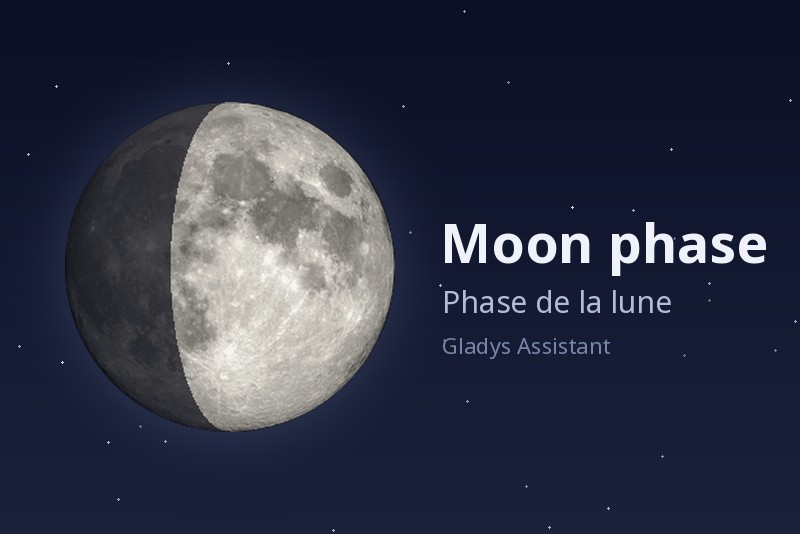
Moon phase widget: illumination, moonrise and moonset, upcoming lunar events.
Published by William-De71
- Devices
- Version 1.2.0
- Requires Gladys >=5.3.0
- ★ 0
This integration adds a "Moon phase" dashboard widget to Gladys: today's phase, the illumination and age of the moon, its lit disk, moonrise and moonset, and the upcoming lunar events. Scenes can react to the lunar events (full moon, new moon, eclipse…) and read the phase of the moon.
Ready to use
Nothing to configure: everything is computed locally from the location of your house, with no account, no key and no internet access.
The house must have a location: set it in Settings → Houses.
Add the widget
Edit a dashboard, pick Moon phase among the integration widgets, then set:
| Setting | What it does |
|---|---|
| House | Name of the house whose location is used. Leave empty for the first house with a location (the single-house case). |
| Display details | Shows the list under the moon (distance, trajectory, constellation, upcoming events). Uncheck to keep only the phase, the disk, moonrise and moonset. |
| Compute the values at midnight | Computes the illumination, distance, age and countdowns at midnight, like lunar calendars, so both can be compared line by line. Moonrise and moonset do not change. |
What the widget shows
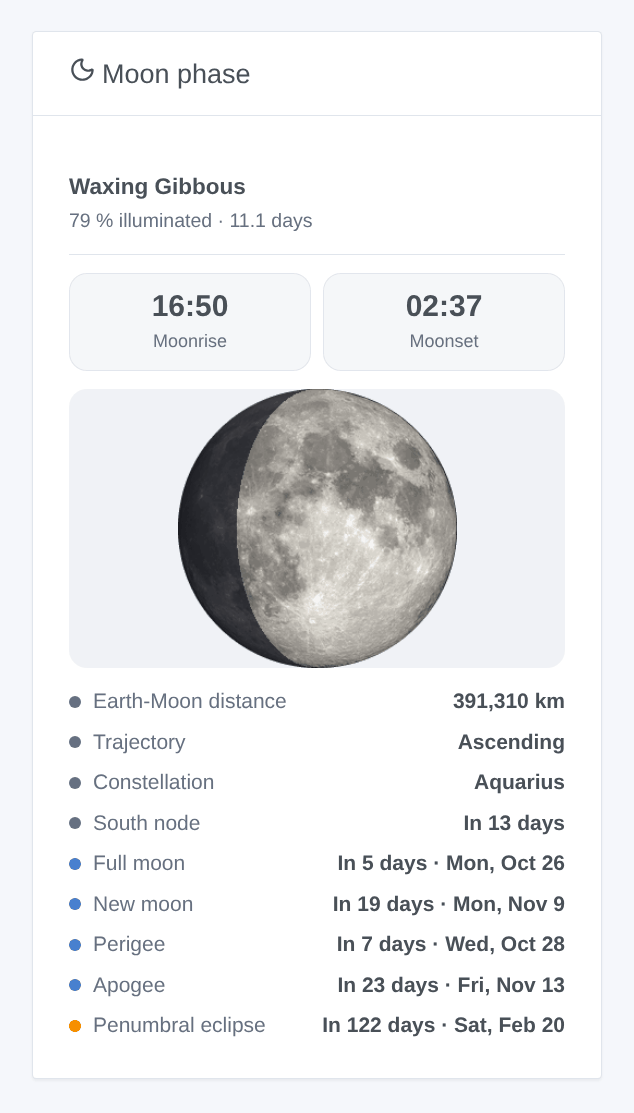
- The phase (New Moon, Waxing Crescent, First Quarter, Waxing Gibbous, Full Moon…), the illuminated percentage and the age of the moon (days since the last new moon).
- The moon disk (a NASA photo) with its lit part.
- Moonrise and moonset of the day, in the timezone of Gladys.
--:--when the moon does not rise or set that day (about one day a month). - Today: Earth-Moon distance, trajectory (ascending or descending), constellation (sidereal zodiac, like lunar calendars) and the next node.
- Upcoming: full moon, new moon, perigee, apogee and next lunar eclipse, with the number of days and the date.
The widget refreshes every 10 minutes and right after midnight.
Scenes
Trigger "Moon: lunar event"
Fired at the minute of the event, in the time of Gladys:
| Event | When |
|---|---|
| New moon | the moon stands between the Earth and the sun |
| First quarter | half of the disk is lit, the moon waxing |
| Full moon | the whole disk is lit |
| Last quarter | half of the disk is lit, the moon waning |
| Perigee | the moon is at its closest to the Earth |
| Apogee | the moon is at its farthest from the Earth |
| Lunar eclipse | a full moon passing through the shadow of the Earth |
Choose the events to react to (empty: all). The scene gets the event, its name, its date and time, the illumination, the Earth-Moon distance and a Summary sentence ready to send: "Full moon at 05:11: the moon is 100 % illuminated, 368,600 km from the Earth."
An event fires only once, even after a restart. If the integration was stopped at that minute, the event is not fired later (a "full moon" scene an hour late would surprise more than it helps).
Ideas: switch the garden lights to a "full moon" mood, get a message the evening of a lunar eclipse, a reminder to sow on the new moon.
Action "Moon: moon phase"
Gives the moon of a house now (empty: the first house with a location): phase, illuminated percentage, age, waxing or not, moonrise and moonset, the date of the next full moon and new moon with the number of days, and a summary, for example to answer "what is the moon tonight?" in a message.
Language of the scene texts
Gladys gives the language to the widgets only. The event names and summaries of the scenes follow the Language of the scene texts setting of the integration: English, French, German, Spanish, or automatic (the language of your dashboard, once the widget has been displayed).
FAQ
The widget says no house has a location. Set the location of a house in Settings → Houses.
The widget says "No house named …". The name typed in the House setting matches no house: the message lists the names to use.
The times are off. Check the timezone of Gladys (Settings → System); the integration uses it. Restart the integration after changing it.
My language is not English, French, German or Spanish. The widget is then shown in English.
The scene texts are in English. Set Language of the scene texts in the settings, or display the widget once.
Configuration settings
These are the settings Moon phase asks for in its configuration screen in Gladys.
| Setting | Type | Required | Description |
|---|---|---|---|
| Ready to use | section | No | Nothing to configure: everything is computed locally from the location of your house, with no account and no internet access. Add the "Moon phase" widget to a dashboard. The house must have a location (Settings → Houses). The scenes get a trigger on the lunar events and an action giving the phase of the moon. |
| Language of the scene texts | select | No | Event names and summaries of the scenes. Automatic: the language of your dashboard, once the widget has been displayed. |
How to install Moon phase in Gladys
- In Gladys, open Integrations: Moon phase appears in the catalog, next to the native integrations, with a community badge.
- Click Install. Gladys pulls the Docker image (
ghcr.io/william-de71/gladys-moon-phase:1.2.0), starts it in a sandbox isolated from the core, and generates the integration's interface (devices, discovery and configuration). - Open the Configuration screen of the integration, fill in the settings, and save.
- You can also install it directly from its repository URL: https://github.com/William-De71/gladys-moon-phase.
Moon phase requires Gladys >=5.3.0. The catalog inside Gladys refreshes every hour, so a new version becomes available at most one hour after its release.
Not running Gladys yet? It is free and open source: follow the installation guide to get started.
About external integrations
Moon phase is an external integration: a community integration packaged as a Docker container and published on GitHub, that Gladys installs in one click and runs in a sandbox isolated from its core. It is published and maintained by William-De71, not by the Gladys core team.
- Browse all integrations, native and community
- Build and publish your own external integration
- Source code on GitHub — source of this documentation