Mobile Alerts smart home integration, free and open source
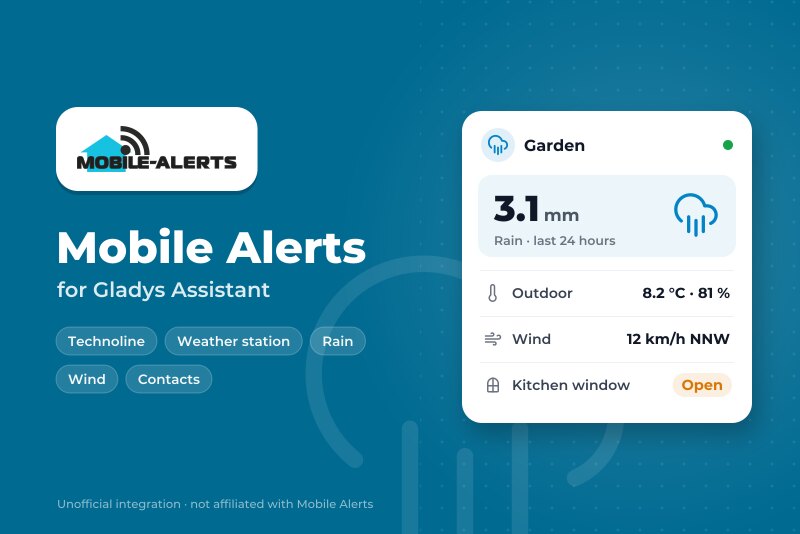
Mobile Alerts sensors: temperature, humidity, rain, wind, window contacts and buttons.
Published by William-De71
- Devices
- Version 0.1.0
- Requires Gladys >=5.3.0
- ★ 0
Overview
This integration brings your Mobile Alerts sensors (sold by Technoline, La Crosse, ELV…) into Gladys: temperature and humidity sensors, rain gauges, anemometers, window contacts, wireless switches, alarm detectors. The sensors send their measurements through the Mobile Alerts gateway to the Mobile Alerts server; the integration reads them there with the official REST API, using the ids of your sensors. No account is needed.
Each sensor becomes a Gladys device with what it measures. Scene triggers react to a key pressed on a wireless switch, to the start of a rain, to the alerts you set in the Mobile Alerts app and to a sensor that goes silent. Two widgets show every sensor at a glance, and the rain and wind.
Data provided by Mobile Alerts. This integration is not affiliated with Mobile Alerts.
Prerequisites
- Gladys Assistant 5.3.0 or later.
- Mobile Alerts sensors, set up with a Mobile Alerts gateway in the Mobile Alerts app: if the app shows their values, the integration can read them.
Find the id of a sensor
The id has 12 characters (digits and letters A to F), for example 0E7EA4A71203. It is printed on the sticker of the sensor, next to its QR code, and the app shows it in the details of the sensor. Its first two characters give the kind of sensor: 08 a rain gauge, 0B an anemometer, 10 a window contact, 15 a wireless switch…
Find the phone id (optional)
The app shows its Phone ID in its settings. Give it only if you want the alerts set in the app (temperature too high, window open too long, heavy rain…) as scene triggers, and the smoke alarms of an alarm detector.
Configuration
| Field | Role |
|---|---|
| Sensor ids | The id of each sensor, separated by commas or new lines; up to 50. |
| Phone id of the app | Optional: adds the alerts of the app and the smoke alarms. |
| Read every | 1, 2 (default), 5 or 10 minutes. |
| Language of the texts | Names of the devices and texts of the scenes; automatic by default. |
Save, then press Read now: the result shows the values of each sensor, or what went wrong.
Usage
Devices
In Discover, each sensor that answered is offered as "Mobile Alerts kind last 4 characters of its id", with what it measures: temperatures, humidities, air quality, pressure, rain of the last hour and of the last 24 hours, raining, wind speed, gusts and direction, window (1 closed, 0 open), smoke, buttons 1 to 4, battery low. Create the ones you want.
Dashboard widgets
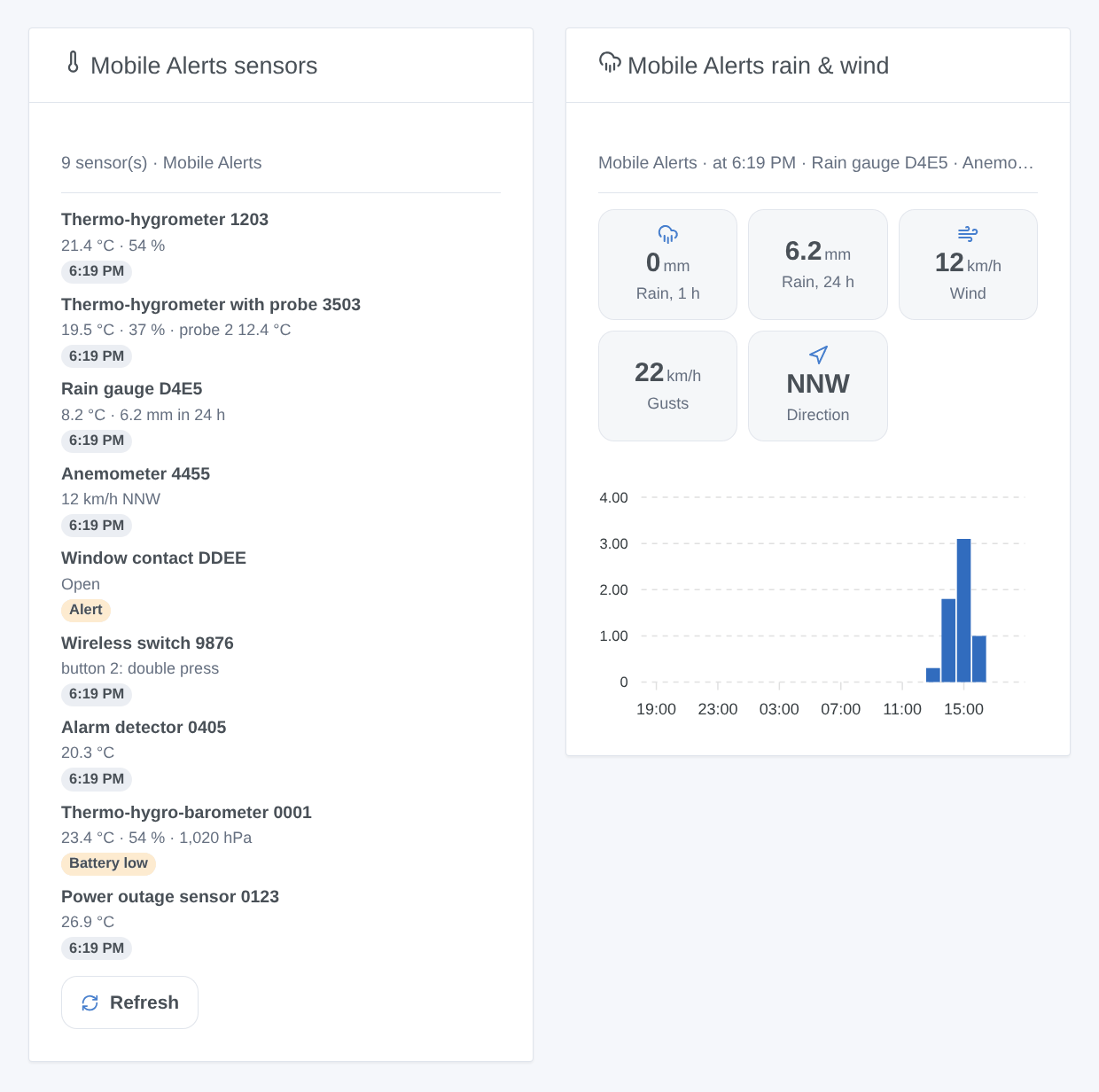
- Mobile Alerts sensors: every sensor with its main values and a badge (offline, smoke, battery low, alert of the app, or the time of the measurement), and a Refresh button.
- Mobile Alerts rain & wind: rain of the last hour and of the last 24 hours, wind, gusts and direction (in km/h), and the rain of each of the last 24 hours. Choose the rain gauge and the anemometer, or leave empty for the first ones.
Scenes
Triggers:
- Button pressed: a key of a wireless switch, with the press (short, double, long). It shows at the next reading.
- Rain started: rain after at least an hour without any.
- Alert of the app: an alert set in the app starts or ends (needs the phone id).
- Sensor offline or back: nothing received for 3 hours, or again.
Action: read a sensor gives its values and a summary sentence for a message.
Examples: when button 1 is pressed twice → the "Movie" scene; when it starts raining → close the roof window; when the kitchen window stays open too long → a message.
Transport
Cloud only: the integration contacts the Mobile Alerts server (www.data199.com) over HTTPS with the ids of your sensors. The gateway has no local API.
Troubleshooting
- "Sensor …XXXX is unknown to the Mobile Alerts server": check the id on the sticker. A new sensor must first send a measurement through the gateway (see it in the app). Then press Read now.
- "The Mobile Alerts server blocked this address for 15 minutes": the server blocks an address after 5 invalid requests in 15 minutes. The integration waits and starts again by itself; correct the wrong ids meanwhile.
- "The phone id was refused": copy it again from the settings of the app. The measurements keep coming without it.
- A button press shows late: the server only gets it with the next radio message, and the integration reads every 1 to 10 minutes: choose 1 minute for switches.
- No rain yet: the rain is worked out from two measurements of the gauge: it shows after the next one.
- Otherwise, press Diagnostic and copy the lines "Mobile Alerts diagnostic" of the logs into an issue: they never contain a whole id nor the phone id.
Configuration settings
These are the settings Mobile Alerts asks for in its configuration screen in Gladys.
| Setting | Type | Required | Description |
|---|---|---|---|
| Mobile Alerts sensors | section | No | Your sensors send their measurements through the Mobile Alerts gateway to the Mobile Alerts server; the integration reads them there with the official REST API, without any account. Give the id of each sensor: 12 characters, printed on the sticker of the sensor and shown in the Mobile Alerts app (Sensors, then the sensor). Up to 50, separated by commas or new lines. |
| Sensor ids | string | Yes | |
| Alerts of the app (optional) | section | No | With the phone id of the Mobile Alerts app, the server adds the alerts you set in the app (temperature, humidity, rain, wind, window, smoke…) to the measurements: they become scene triggers, and the smoke alarms of an alarm detector a feature. The app shows the phone id in its Settings. Leave empty otherwise. |
| Phone id of the app | secret | No | |
| Options | section | No | A sensor sends a measurement about every 7 minutes, a window contact or a switch at once. The server allows 3 requests a minute for a sensor: every minute stays within it. |
| Read every | select | No | |
| Language of the texts | select | No | Names of the devices and texts of the scenes. Automatic: the language of the dashboard. |
How to install Mobile Alerts in Gladys
- In Gladys, open Integrations: Mobile Alerts appears in the catalog, next to the native integrations, with a community badge.
- Click Install. Gladys pulls the Docker image (
ghcr.io/william-de71/gladys-mobile-alerts:0.1.0), starts it in a sandbox isolated from the core, and generates the integration's interface (devices, discovery and configuration). - Open the Configuration screen of the integration, fill in the settings, and save.
- You can also install it directly from its repository URL: https://github.com/William-De71/gladys-mobile-alerts.
Mobile Alerts requires Gladys >=5.3.0. The catalog inside Gladys refreshes every hour, so a new version becomes available at most one hour after its release.
Not running Gladys yet? It is free and open source: follow the installation guide to get started.
About external integrations
Mobile Alerts is an external integration: a community integration packaged as a Docker container and published on GitHub, that Gladys installs in one click and runs in a sandbox isolated from its core. It is published and maintained by William-De71, not by the Gladys core team.
- Browse all integrations, native and community
- Build and publish your own external integration
- Source code on GitHub — source of this documentation