Karotz smart home integration, free and open source
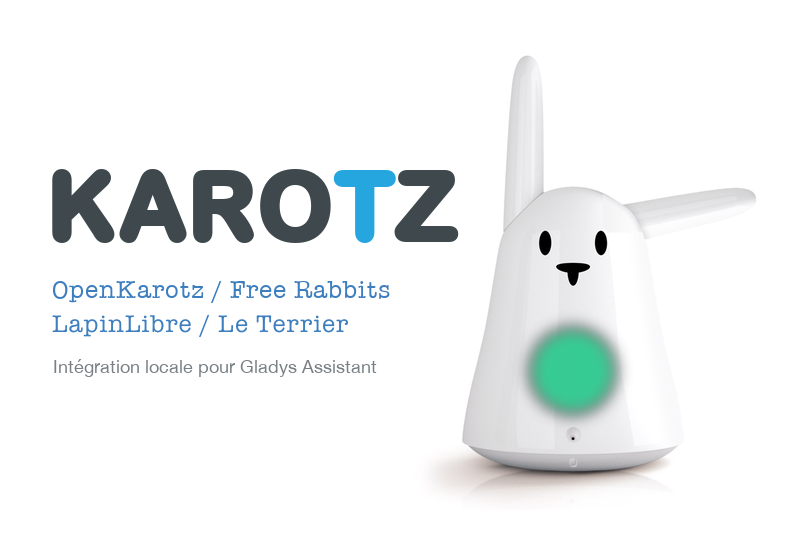
Control your Karotz rabbit locally: speech, sounds, LED, ears, camera, sleep and RFID tags.
Published by smuteau
- Devices
- Version 1.0.0
- Requires Gladys >=5.1.0
- ★ 0
Drive your Karotz rabbit from Gladys, locally: speech, sounds and web radios, LED, ears, camera, sleep and RFID tags. No account, no cloud.
Before you start
-
Your Karotz must run one of these systems:
- Terrier OS (install guide), built on LapinLibre. It is the safest choice: WPA3 Wi-Fi, SSH by key only, a web page protected by a password;
- LapinLibre, a free system for the Karotz, built from its sources;
- OpenKarotz, on the original firmware or on top of Free Rabbits OS (WPA2 only).
All three serve the same local API, the OpenKarotz one: the integration drives them the same way. Quick check: open
http://<rabbit-address>/in a browser, you should see the web page of the rabbit.Tested so far: a real Karotz on Free Rabbits OS (OpenKarotz 210). LapinLibre and Terrier OS are supported from the documentation of their API, but have not been tested on a real rabbit yet: if something does not work, report it.
-
The rabbit and Gladys must be on the same local network.
-
Give the rabbit a fixed IP address (Free Rabbits OS only supports that anyway), or reserve it in your router.
Configuration
- Open the Configuration tab of the integration.
- Enter the rabbit address: its IP address (e.g.
192.168.1.70) or its host name. Several rabbits: separate them with commas. - LapinLibre or Terrier OS: enter the web password, the one the web
page of the rabbit asks for (user
admin). Terrier OS writes it inweb-password.txton its install USB key. Several rabbits with different passwords: separate them with spaces. Leave the field empty for OpenKarotz. - Save, then open the Discovery tab: the rabbit shows up. Add it.
You do not know its address? A Karotz does not announce itself on the network, but the integration can look for it. Click Search my network, without typing anything: Gladys spots your local network from the devices that announce themselves on it (router, TV, NAS…), then the integration asks its 254 addresses and lists the rabbits that answered. Copy the address into the field and save.
The search never sends your password to the devices of the network. A LapinLibre or Terrier OS rabbit protected by a password therefore shows up apart, as an address that "asks for a password": add it, then use Test the connection.
If the network could not be worked out, the button says so: enter the first
three numbers of your local addresses (e.g. 192.168.1) in the Local
network field and search again.
The other settings:
- Refresh interval — how often the rabbit is read (60 s by default). A Karotz is a small machine: there is no point going much lower.
- Default voice — the voice identifier used when the rabbit speaks, as
listed in the Karotz web page (on recent firmwares, a number:
5US English male,6female,7and8British English…). Empty: the rabbit's own default. - Camera — gives the rabbit's device a camera.
Devices
Each rabbit becomes a device, recognized by its MAC address: it keeps its history, scenes and dashboards when its IP address changes.
| Feature | What you can do |
|---|---|
| Awake | wake the rabbit up or put it to sleep |
| LED, LED color | turn on, turn off, pick the color |
| LED pulse | steady or pulsing light |
| Left / right ear | position from 0 to 16 |
| Ears at random / reset | buttons: ears at random, or back to 0 |
| Play notification | the voice of Gladys: see "Sounds, radios and voice" |
| Volume | 0 to 100 %, when your firmware offers it |
| Storage, USB key | percentage used |
| RFID tags | number of recorded tags |
| Camera | a fresh picture on demand |
The rabbit does not tell where its ears are: the integration shows the last position it asked for, and remembers it even after a restart. The first time it sees a rabbit, it recalibrates the ears (as the Ears reset button does): they start from 0, a known position. Both sliders at 0 is the rest position: the integration recalibrates instead of moving, and the ears land exactly where the Ears reset button puts them.
The rabbit recalibrates its ears by itself when it wakes up, plays a mood or tells the time: they go back to 0. The integration then moves them back to their last position, also when it wakes up by itself or comes back after a restart. A move always waits for the end of a recalibration (a few seconds): sent during it, it would interrupt it, and the ears would lose their reference.
When off, the LED keeps its mode: the LED pulse switch does not move, and changing it while the LED is off sets up the next time it comes on, without turning it on.
The Gladys Camera widget shows the last picture taken by the integration, for one hour: the Karotz has no live video.
Sounds, radios and voice
The rabbit plays sounds, radios and the voice of Gladys from a web address. What it can play depends on its system:
| What you play | OpenKarotz (Free Rabbits OS) | LapinLibre, Terrier OS |
|---|---|---|
Sound or radio over http:// | yes | yes |
Sound or radio over https:// | no: its player reads no HTTPS, the address is refused | yes |
| Voice of Gladys with a voice integration of the store | yes: Gladys serves the sound over http:// on your network | yes |
| Voice of Gladys Plus | no: it comes over https:// | yes |
| Voice of the rabbit itself ("Speak") | the online service of Free Rabbits OS | the server set in lapinlibre.txt |
Two ways to make the rabbit speak.
- With the voice of Gladys: the Gladys action Talk on a speaker, with the rabbit as the speaker (its "Play notification" feature). It speaks with the voice chosen in Gladys (Artificial intelligence page, Voice card). On OpenKarotz, install a voice integration of the store: offline (eSpeak NG, Piper), everything stays on your network, with no Internet; or online (Microsoft Edge TTS, Google Translate, ElevenLabs…). Gladys Plus only works on LapinLibre and Terrier OS. Gladys must run on the host network (the standard install), so the rabbit can reach the address of the sound.
- With its own voice: the Make the rabbit speak (its own voice) action.
That is the text-to-speech of the rabbit, not of Gladys: an online service on
Free Rabbits OS, which no longer answers on some rabbits; the server set in
lapinlibre.txton LapinLibre and Terrier OS.
Internet. The integration talks to the rabbit over your network, with no cloud. The rabbit itself needs the Internet for radios, for its own voice (the online service of Free Rabbits OS) and for the online voices of Gladys; on Terrier OS it also talks to Le Terrier. With an offline voice of Gladys (eSpeak NG, Piper), it speaks without the Internet.
Configuration buttons
- Test the connection — asks every rabbit and shows its version and state.
- Search my network — see above.
- Identify a rabbit — the chosen rabbit pulses blue and moves its ears for a few seconds.
- Restart a rabbit — it is back after about a minute.
A success is shown in green, a failure in red.
Scenes
The integration adds its own cards to the scene editor (Gladys 5.1 or later).
Actions
- Make the rabbit speak (its own voice) — a sentence, with the text-to-speech of the rabbit and the voice of your choice among its own. Scene variables can be used in it. For the voice of Gladys, use the Gladys action "Talk on a speaker".
- Play a sound or a radio — the identifier of a sound stored on the rabbit,
or the
http://address of an MP3 or a web radio (no space, "&" or "#": the rabbit receives it as is). On OpenKarotz anhttps://address is refused: its player only readshttp://. LapinLibre and Terrier OS read both. - Stop the radio — "Play a sound or a radio" starts the rabbit's player and ends at once: a scene made of it alone stops right away, and the rabbit keeps playing until this action or another sound. To listen for a set time, put "Play a sound or a radio", "Wait" and then "Stop the radio" in three blocks one under the other ("New action" button). In an "At the same time" group ("Add a parallel action"), the actions start together: the stop follows the start at once, and the wait only delays its own block. A web radio can also take several seconds to be heard. A sound cuts what is already playing, the voice of Gladys included: "Talk on a speaker" hands over as soon as the sentence starts, so put a wait after it when a sound follows.
- Play a mood — a random one, or by its number.
- Tell the time — on OpenKarotz, the rabbit plays a recording picked at random among those of the current hour: not all of them say the time. It is not its text-to-speech. The integration gives it the hour of Gladys (its own clock is in UTC). LapinLibre and Terrier OS announce the time of the moment.
- Set the LED — hexadecimal color (
FF0000for red), steady or pulsing, with a second color and a speed. - Move the ears — to a position, at random, or back to rest.
- Take a picture — it becomes the image of the rabbit's camera: follow with Gladys' "send a camera image" action to receive it.
Waking up, putting to sleep, turning the LED on: these are device features, use the standard "Control a device" action.
Triggers
- Rabbit unreachable / Rabbit back online.
- Rabbit fell asleep or woke up — when it changes by itself (rabbit web page, internal schedule), not when Gladys commands it.
- New RFID tag recorded — with the identifier, name and color of the tag as variables.
Dashboard widgets
- Karotz — state of the rabbit, storage (in %), tag count, and four buttons: sleep, mood, tell the time, ears at random. When it sleeps, a single button: wake it up. The rabbit takes 6 to 12 seconds to fall asleep or wake up, and the message ("Good night, rabbit.", "The rabbit is waking up.") stays 4 seconds on screen: the integration sends it near the end, so it is still there when the new button shows up. For that it takes how long your rabbit's previous wake-up took. Mood, Tell the time and Ears at random show no message: the rabbit answers by itself.
- Karotz photos — the pictures stored on the rabbit, one by one and whole, newest first: Previous and Next buttons, Take a picture (shown at once) and Delete pictures.
With several rabbits, pick which one to show in the widget settings.
Limits
- Presenting an RFID tag to the rabbit does not trigger a scene. OpenKarotz reacts to a tag by calling a web address from the rabbit, and a Gladys integration cannot be called that way. The available trigger is about a new tag being recorded.
- On OpenKarotz, every picture stays on the rabbit, whose storage is small. Delete them from time to time with the button of the photos widget. On LapinLibre and Terrier OS, the rabbit keeps the last 10 in memory and forgets them when it restarts.
- A sleeping rabbit refuses LED, ears, sounds and speech: wake it up first (in a scene, start with the "Control a device" action).
- The rabbit's own voice ("Make the rabbit speak") relies on its
text-to-speech service: online on Free Rabbits OS, it no longer answers on
some rabbits. On LapinLibre and Terrier OS, that server is set in
lapinlibre.txt(SERVER=orTTS_SERVER=): without it, the rabbit refuses to speak and the integration tells you so. When that service does not answer, the integration says so ("The rabbit could not speak") instead of reporting success. The voice of Gladys ("Talk on a speaker") does not depend on it. - The LED renders colors roughly: the rabbit receives exactly the chosen color, but pale or orange shades come out saturated.
- The API of the rabbit speaks plain HTTP, whatever its system. On LapinLibre and Terrier OS, the web password therefore travels readable on your local network: WPA3 protects it on the Wi-Fi, not on the cable between the router and Gladys. Keep the rabbit on a network you trust.
- A Karotz on Terrier OS stays a rabbit of Le Terrier: Le Terrier and Gladys can drive it at the same time. When both talk to it at the same instant, it answers that it is busy: try again.
Troubleshooting
- "No answer" — is the rabbit powered? Does its web page open from a computer on the same network? Did its address change?
- "Asks for a web password" — the rabbit runs LapinLibre or Terrier OS: enter the password of its web page in the configuration.
- "Web password refused" — none of the passwords entered is the right one.
Check it by opening the web page of the rabbit (user
admin). - "The rabbit is busy" — another command, from Le Terrier for instance, was using it at that instant: try again.
- "The rabbit could not speak" — its own text-to-speech (online on Free Rabbits OS) did not answer. Make it speak with the voice of Gladys: the "Talk on a speaker" action and a voice integration of the store (see "Sounds, radios and voice").
- The rabbit does not show up in Discovery — it must have answered at least once: use Test the connection.
- No Volume feature — your firmware does not have that setting; this is expected on the original OpenKarotz and on LapinLibre.
Not affiliated with Violet, Mindscape, OpenKarotz, Free Rabbits, LapinLibre or Le Terrier.
Configuration settings
These are the settings Karotz asks for in its configuration screen in Gladys.
| Setting | Type | Required | Description |
|---|---|---|---|
| Connect your rabbit | section | No | Your Karotz must run OpenKarotz (on the original firmware or on Free Rabbits OS), LapinLibre or Terrier OS, and be on the same network as Gladys. Terrier OS is the safest choice: WPA3 Wi-Fi, SSH by key only and a password on its web page. A Karotz does not announce itself on the network: enter its address below, or use the "Search my network" button. This integration needs no account and no cloud: it talks to the rabbit over your network. Sounds and radios: http:// only on OpenKarotz, https:// too on LapinLibre and Terrier OS. |
| Rabbit addresses | string | Yes | IP address or host name of your Karotz. Several rabbits: separate them with commas. Give it a fixed IP address (Free Rabbits OS only supports that anyway). |
| Web password | secret | No | LapinLibre and Terrier OS only, when the rabbit's web page asks for a password (Terrier OS writes it in web-password.txt on its USB key). Several rabbits with different passwords: separate them with spaces. Leave empty for OpenKarotz. |
| Refresh interval (s) | number | No | How often each rabbit is read, in seconds. A Karotz is a small machine: 60 seconds is a good value. |
| Default voice | string | No | Voice identifier used when the rabbit speaks, as listed in the Karotz web page (a number on recent firmwares: 5 = US English male, 6 = female). Empty: the rabbit's own default. |
| Camera | boolean | No | Gives each rabbit a camera (a feature of its device), for Gladys' Camera widget and scene actions. On OpenKarotz, every picture is also kept on the rabbit's small storage: delete them from time to time with the photos widget. |
How to install Karotz in Gladys
- In Gladys, open Integrations: Karotz appears in the catalog, next to the native integrations, with a community badge.
- Click Install. Gladys pulls the Docker image (
ghcr.io/smuteau/gladys-karotz:1.0.0), starts it in a sandbox isolated from the core, and generates the integration's interface (devices, discovery and configuration). - Open the Configuration screen of the integration, fill in the settings, and save.
- You can also install it directly from its repository URL: https://github.com/smuteau/gladys-karotz.
Karotz requires Gladys >=5.1.0. The catalog inside Gladys refreshes every hour, so a new version becomes available at most one hour after its release.
Not running Gladys yet? It is free and open source: follow the installation guide to get started.
About external integrations
Karotz is an external integration: a community integration packaged as a Docker container and published on GitHub, that Gladys installs in one click and runs in a sandbox isolated from its core. It is published and maintained by smuteau, not by the Gladys core team.
- Browse all integrations, native and community
- Build and publish your own external integration
- Source code on GitHub — source of this documentation