ISS Overhead smart home integration, free and open source
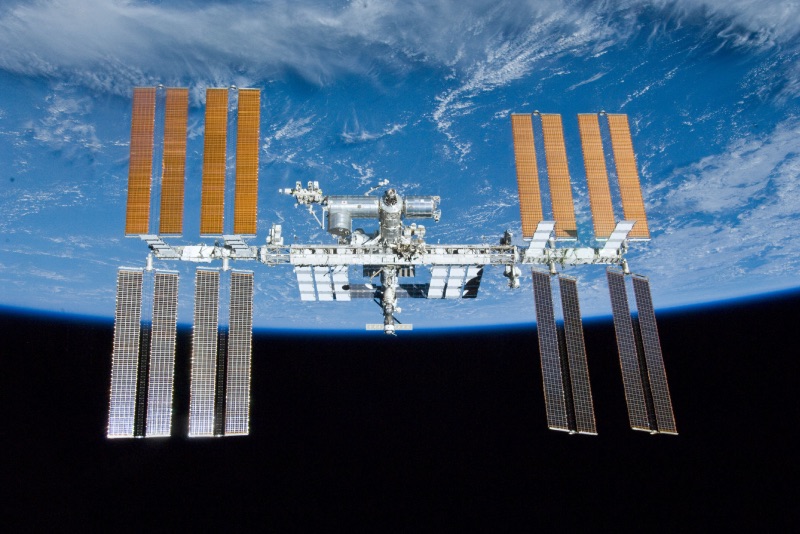
Predicts visible ISS passes over your house and can trigger a scene when one starts.
Published by cicoub13
- Devices
- Version 0.5.0
- Requires Gladys >=5.2.0
- ★ 0
Requires Gladys 5.2 or later. The house picker of the configuration needs Gladys 5.2 (the dashboard widget and the scene trigger/action ship with Gladys 5.1); on an earlier version the integration cannot be installed.
Predicts the next visible passes of the International Space Station over your house, shows them on a dashboard widget, and can trigger a scene right before one starts — perfect for "go look outside" automations.
What it shows
The ISS Passes widget displays:
- a photo of the station, and how long until the next visible pass, with its maximum elevation;
- the next few passes, with their time, duration and the direction the ISS rises from (local time, in the language of your Gladys);
- whether the ISS is visible tonight, and whether the orbital data used to compute passes is fresh.
A pass is only shown as visible when the ISS is above the horizon, your house is in the dark, and the ISS itself is still lit by the sun — the same conditions that make it a bright, fast-moving "star" in the evening or early-morning sky.
Automations
- Trigger: "ISS pass starting" — fires shortly before a visible pass begins. Optionally filter by the direction it rises from. Use it to turn on a "look up!" notification, or to switch off outdoor lights that would spoil the view.
- Action: "Get next ISS pass" — fetches the next predicted pass on demand, for scenes that want to announce it (e.g. a voice message) rather than react to it.
Both expose the pass as variables. For a message, prefer the ready-to-read
ones, written in the Scene language of the configuration and in your
local time: start_date (e.g. "Monday, September 28"), start_hour
(e.g. "07:49 PM") and direction_name (e.g. "west"). direction (compass
code, e.g. "W") stays available for scenes that compare it. For example "The ISS passes on start_date at start_hour,
rising in the direction_name." gives "The ISS passes on Monday, September 28
at 07:49 PM, rising in the west.", for a notification as well as a voice
message.
Configuration
| Key | Default | Description |
|---|---|---|
| House | (empty) | House the passes are predicted for (see below). |
| Minimum elevation | 10° | Passes that never rise above this angle are ignored. |
| Prediction window | 5 days | How far ahead passes are predicted (3, 5 or 7 days). |
| Scene lead time | 5 minutes | How long before a pass starts the "ISS pass starting" trigger fires (≤60). |
| Scene language | French | Language of the date, time and direction handed to scenes. |
The integration needs your house's location, granted automatically when you install it (no address to type in).
With several houses in Gladys, pick the one to watch the sky from in House. Left empty, or if the chosen house is deleted or has no location anymore, the first house (in alphabetical order) that has a location is used. Make sure the house is located in Gladys (house settings, map): a house without a location cannot be used.
No API key needed
Orbital data (TLE) is fetched from Celestrak, a free public source — nothing to sign up for.
Configuration settings
These are the settings ISS Overhead asks for in its configuration screen in Gladys.
| Setting | Type | Required | Description |
|---|---|---|---|
| House | select | No | House the passes are predicted for. Left empty, the first house with a location is used. |
| Minimum elevation (°) | number | No | Passes rising below this elevation angle are ignored. |
| Prediction window | select | No | How many days ahead to predict passes for. |
| Scene lead time (minutes) | number | No | How long before a pass starts the "ISS pass starting" trigger fires. |
| Scene language | select | No | Language of the date, time and direction handed to your scenes (notifications, voice messages). |
How to install ISS Overhead in Gladys
- In Gladys, open Integrations: ISS Overhead appears in the catalog, next to the native integrations, with a community badge.
- Click Install. Gladys pulls the Docker image (
ghcr.io/cicoub13/gladys-iss:0.5.0), starts it in a sandbox isolated from the core, and generates the integration's interface (devices, discovery and configuration). - Open the Configuration screen of the integration, fill in the settings, and save.
- You can also install it directly from its repository URL: https://github.com/cicoub13/gladys-iss.
ISS Overhead requires Gladys >=5.2.0. The catalog inside Gladys refreshes every hour, so a new version becomes available at most one hour after its release.
Not running Gladys yet? It is free and open source: follow the installation guide to get started.
About external integrations
ISS Overhead is an external integration: a community integration packaged as a Docker container and published on GitHub, that Gladys installs in one click and runs in a sandbox isolated from its core. It is published and maintained by cicoub13, not by the Gladys core team.
- Browse all integrations, native and community
- Build and publish your own external integration
- Source code on GitHub — source of this documentation