Indevolt smart home integration, free and open source
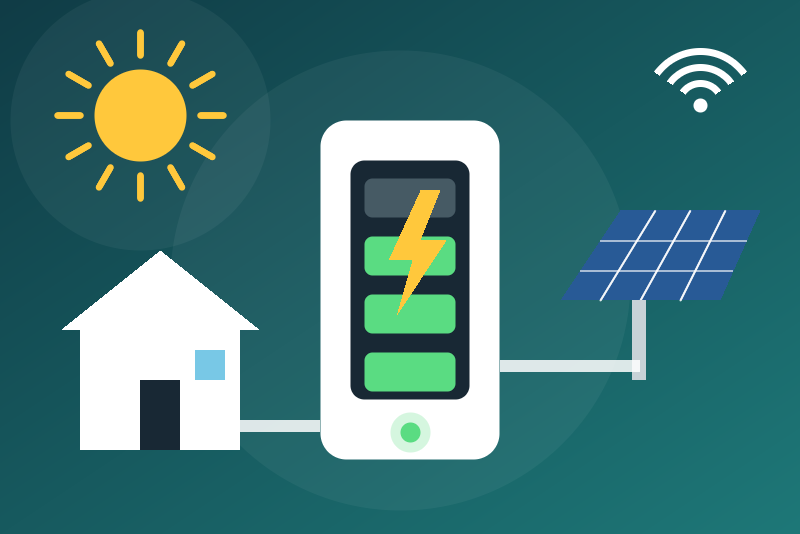
Unofficial: Indevolt home batteries on your network: charge, powers, solar, energy indexes.
Published by LM1LC3N7
- Devices
- Version 0.1.1
- Requires Gladys >=5.2.0
- ★ 0
Unofficial integration, not affiliated with Indevolt. It reads your Indevolt home batteries (SolidFlex, PowerFlex, BK1600...) on your local network, through their local API (HTTP, port 8080), without any cloud nor account.
Never tested with a real device: the integration was written after the indevolt-api library that Home Assistant uses, without an Indevolt battery at hand. The local protocol is not documented by Indevolt. Your feedback is welcome.
Read-only
The integration only reads. It never starts a charge or a discharge, never changes the energy mode, the emergency reserve or a power limit. The energy mode and the reserve are shown, not editable: use the Indevolt app to change them.
What you get
One device per battery, identified by its serial (a new IP address keeps the device and its history, once the battery is found there: open the Discover tab again, or type the new address; the old address is then no longer read):
- state of charge (%), charge and discharge power (W), battery power (W, signed), state (0 = idle, 1 = charging, 2 = discharging);
- total and per-input solar power (W), AC output power to the home (W), AC input power, bypass power, meter power (W, sign not documented);
- grid voltage and frequency (second generation), battery and inverter temperatures;
- energy mode (0 = outdoor portable, 1 = self-consumption, 4 = real-time control, 5 = schedule), operating mode (0 = main, 1 = sub, 2 = standalone), rated capacity, emergency reserve, cycles and remaining times (second generation);
- the counters of the day (solar, charged, discharged) as plain sensors;
- five energy indexes for the Gladys energy monitoring: charged and discharged energy, AC output energy, off-grid output energy, solar production (with its 30-minute production, computed by Gladys).
The battery does not measure what the home takes from the grid: the integration creates no consumption index to be billed.
Requirements
- Gladys 5.2.0 or later.
- The battery on the same network as Gladys, its local API reachable on port 8080.
Configuration
- Install the integration from the Gladys store.
- Open the Discover tab: the batteries announce themselves on the network
(a UDP broadcast on port 8099, which Gladys listens to). Or type their IP
addresses in Battery IP addresses, separated by commas (with
:portonly if it is not 8080), six at most. - Create the device of each battery from the Discover tab.
- Reading interval: 30 s by default (as Home Assistant), from 30 to 300 s. From four batteries on, each one is read every two intervals (every 60 s at 30 s), to stay under the 300 states a minute of Gladys; at most 270 values are sent in any minute, the others at the next read.
The Test the connection button asks each battery once for its model, serial and firmware.
Held energy indexes
Gladys counts every rise of an index in full. So that no fictitious energy is ever counted, every index goes through a guard:
- a value of 0 is never sent (an off-grid index never used stays empty);
- a drop, or a rise faster than 2 kW (first generation: BK1600...) or 12 kW (second generation: SolidFlex, PowerFlex) on average, is held back: the last accepted value is sent again, and the status of the integration shows it. Neither time nor repetition confirms it;
- if it is right, click Accept the held index twice: the first click lists what is held and accepts nothing, the second, from 3 seconds to 5 minutes later (a double-click counts as one click), accepts exactly what was listed (a jump is then counted at once, a drop counts nothing). If the value moved between the two clicks, it is not accepted: start again. Saving the configuration accepts nothing.
Errors
- An unreachable battery is tried again after 1 minute, then 2, up to 15 minutes, never faster than the reading interval.
- An HTTP 429 or 5xx answer pauses the battery from 1 minute to 6 hours, kept
in
/dataacross a restart. - Saving the configuration starts the reads again at once.
- If another battery answers at an address (a DHCP change), its values go to its own device, never to the previous one's.
Privacy
Nothing leaves your network: the integration only talks to the batteries, over local HTTP. The local API of the battery asks for no credentials.
Configuration settings
These are the settings Indevolt asks for in its configuration screen in Gladys.
| Setting | Type | Required | Description |
|---|---|---|---|
| Indevolt batteries | section | No | Unofficial connector, not affiliated with Indevolt. It reads your Indevolt home batteries (SolidFlex, PowerFlex, BK1600...) through their local API (HTTP, port 8080), without any cloud nor account, every 30 seconds: state of charge, charge and discharge power, solar power, AC output, temperatures, and energy indexes for the Gladys energy monitoring. Read-only: it never starts a charge or a discharge and never changes a mode or a limit. Open the "Discover" tab (the batteries announce themselves on the network), or type their addresses below. Never tested with a real Indevolt battery. |
| Battery IP addresses (optional) | string | No | Discovery finds the batteries that announce themselves. Type the others here, separated by commas, with :port only if it is not 8080 (at most 6). Preferably give them a fixed address in your router; if one changes, open Discovery again (or type the new one): its device and history are kept. |
| Reading interval (s) | number | No | How often each battery is read: 30 s as Home Assistant, more if you wish. From four batteries on, each one is read every two intervals (every 60 s at 30 s), to stay within the limits of Gladys. |
How to install Indevolt in Gladys
- In Gladys, open Integrations: Indevolt appears in the catalog, next to the native integrations, with a community badge.
- Click Install. Gladys pulls the Docker image (
ghcr.io/lm1lc3n7/gladys-indevolt:0.1.1), starts it in a sandbox isolated from the core, and generates the integration's interface (devices, discovery and configuration). - Open the Configuration screen of the integration, fill in the settings, and save.
- You can also install it directly from its repository URL: https://github.com/LM1LC3N7/gladys-indevolt.
Indevolt requires Gladys >=5.2.0. The catalog inside Gladys refreshes every hour, so a new version becomes available at most one hour after its release.
Not running Gladys yet? It is free and open source: follow the installation guide to get started.
About external integrations
Indevolt is an external integration: a community integration packaged as a Docker container and published on GitHub, that Gladys installs in one click and runs in a sandbox isolated from its core. It is published and maintained by LM1LC3N7, not by the Gladys core team.
- Browse all integrations, native and community
- Build and publish your own external integration
- Source code on GitHub — source of this documentation