Hydro-Québec Peaks smart home integration, free and open source
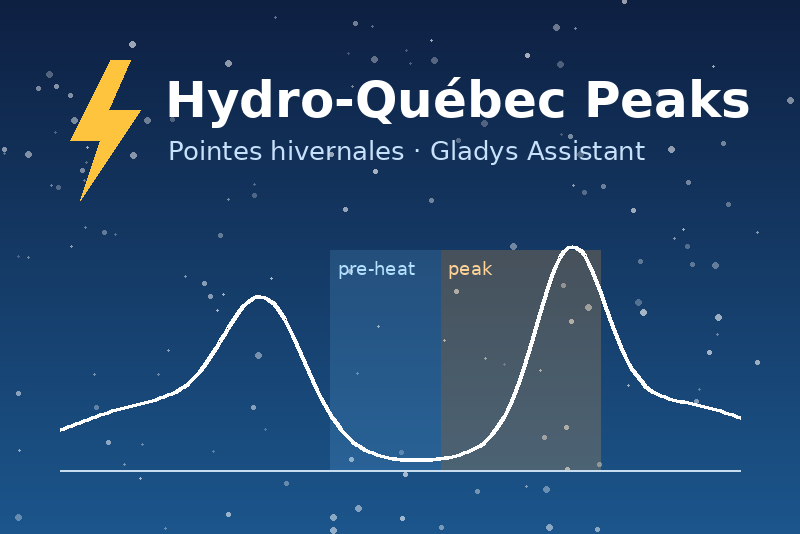
Hydro-Québec winter peak events: pre-heat, start and end of every peak in your scenes.
Published by prohand
- Devices
- Version 1.0.1
- Requires Gladys >=5.3.0
- ★ 0
This integration brings Hydro-Québec's winter peak events into Gladys: the hours, announced a few hours or a day ahead, when customers enrolled in a peak offer are asked to use less electricity. Gladys can then pre-heat the house, shed load during the peak and put everything back afterwards — on its own.
Unofficial integration, not affiliated with Hydro-Québec. It reads the public data Hydro-Québec publishes (open data, CC BY-NC 4.0 licence).
Before you start
Gladys 5.3 or newer is required. You need no Hydro-Québec account, no customer number and no key: peak events are public.
You only need to know which offer you are enrolled in. It is written on your bill and in your Customer Space:
| Offer | Code | For |
|---|---|---|
| Rate D with Winter Credit Option | CPC-D | residential |
| Rate Flex D | TPC-DPC | residential |
| Winter Credit Option, business | CPC-G | business |
| Rate Flex G, business | TPC-GPC | business |
| Demand response, business | GDP-Affaires | business |
| OEA, business | OEA | business |
Hydro-Québec publishes peaks in winter (December to March, as a rule). Outside that season, the devices simply say that no peak is announced.
Configuration
| Field | What to put |
|---|---|
| Offers followed | Tick your offer. One device is created per offer ticked. |
| Other offers | Offers the list lacks, by their code, separated by commas (e.g. ENG_100H_2F_7J). |
| Pre-heat lead time | How many minutes before a peak the pre-heat window opens. Hydro-Québec advises about two hours (120). 0 turns it off. |
| Refresh interval | How often the Hydro-Québec data is read again, in seconds (900 = 15 minutes, minimum 300). |
Then open Discover in the integration and create the device of your offer.
The List the offers button gives every offer code Hydro-Québec publishes this season, ready to copy into Other offers. Test the connection reads the data now and tells you, for each offer you follow, how many peaks are announced and which one comes next.
The device of an offer
Each offer becomes a device called Hydro-Québec <code>, with these
read-only features:
| Feature | Values |
|---|---|
| Peak in progress | 1 during a peak, 0 otherwise |
| Pre-heat window | 1 during the lead time before a peak, 0 otherwise |
| Peak this morning | 1 when a morning (AM) peak is announced today |
| Peak this evening | 1 when an evening (PM) peak is announced today |
| Peak tomorrow morning | the same, tomorrow |
| Peak tomorrow evening | the same, tomorrow |
| Minutes until next peak | minutes before the next peak starts; 0 during a peak, -1 when none is announced |
| Next peak | the running or next peak, e.g. 2026-12-15 06:00–09:00, — when none |
All times are Québec time, whatever the time zone of your Gladys server. A peak runs from its start to its end: at 09:00, the 06:00–09:00 peak is over.
The flags change on the minute: the integration re-evaluates them every minute from the data it already holds, and reads the Hydro-Québec data again at the refresh interval.
Scenes and dashboard (Gladys 5.1+)
Scene triggers
| Trigger | When |
|---|---|
| A peak is announced | Hydro-Québec published a new peak for the offer |
| The pre-heat window opens | the lead time before a peak begins |
| A peak starts | at the start of the peak |
| A peak ends | at the end of the peak |
Each trigger can be limited to one offer (its device) and to the
morning (AM) or evening (PM) peaks. In the following actions, the
event gives: offer (the code), start and end (Québec time,
YYYY-MM-DD HH:MM), duration_minutes — and for the pre-heat,
lead_minutes. For instance, a notification:
Peak {{triggerEvent.data.start}} to {{triggerEvent.data.end}}.
Each trigger fires once per peak, even after a restart of the integration. Two rules worth knowing:
- the peaks already published when you install the integration (or tick a new offer) are not "announced" — only the ones published afterwards are;
- if the integration was stopped when a peak started, it does not pretend the peak "just started" more than 10 minutes late. The end of a peak whose start was fired is always fired, even late, so the scene that puts the heating back always runs.
Scene action
Read the Hydro-Québec peaks now reads the data immediately and gives the
following actions: peak_in_progress, preheat_in_progress,
next_peak_start and minutes_until_next_peak (for the chosen offer, or the
first one followed). Useful in a scene started by something else — "when I
come home, if no peak is in progress, turn the heating up".
Example scenes
- Pre-heat: trigger The pre-heat window opens → raise the thermostats by 1 to 2 °C, heat the water heater.
- During the peak: trigger A peak starts → lower the thermostats, turn the water heater off, pause the car charger.
- After the peak: trigger A peak ends → put the setpoints back, turn the water heater and the charger back on.
- Warn the household: trigger A peak is announced → send a message "Peak tomorrow {{triggerEvent.data.start}}: avoid the dryer".
The "Hydro-Québec peaks" widget
Add it to a dashboard: a countdown to the next peak (or to the end of the running one), the next announced peaks — how many is a setting of the widget — the state of each offer you follow, a Refresh button and a link to the open data.
Good to know
- The data comes from Hydro-Québec's open data, read about every 15 minutes with a conditional request: when nothing changed, nothing is downloaded.
- Hydro-Québec sometimes publishes a peak only a few hours ahead. When a peak is published inside its pre-heat window, the pre-heat trigger fires right away.
- The integration keeps a small memory in its
/datavolume (the peaks it already announced). Deleting it only means the next start announces nothing for the peaks already published. - It does not know your consumption or your credits: those stay in your Hydro-Québec Customer Space.
Troubleshooting
- The configuration screen says to choose an offer: tick at least one offer, or type one in Other offers.
- "Unknown to Hydro-Québec this season" under Test the connection: the code typed is not in the feed — check it with List the offers.
- No peak, all winter: check the offer; outside winter, no peak is normal.
- "Hydro-Québec open data unreachable": your Gladys cannot reach
donnees.solutions.hydroquebec.com(DNS, firewall). The integration keeps the last data it read and retries at each interval.
Configuration settings
These are the settings Hydro-Québec Peaks asks for in its configuration screen in Gladys.
| Setting | Type | Required | Description |
|---|---|---|---|
| Getting started | section | No | This integration reads the winter peak events Hydro-Québec publishes as open data: no account, no key. Tick the offer you are enrolled in (it is written on your bill and in your Customer Space), and each offer becomes a device with its peak flags, plus scene triggers for the announcement, the pre-heat window, the start and the end of every peak. Unofficial integration, not affiliated with Hydro-Québec. |
| Offers followed | multi_select | No | The peak offers you are enrolled in. One device per offer. |
| Other offers | string | No | Offers the list above lacks, by their code, separated by commas (the button "List the offers" gives them all). |
| Pre-heat lead time (minutes) | number | No | How long before a peak the pre-heat window opens. Hydro-Québec advises about two hours. 0 turns the pre-heat window off. |
| Refresh interval (s) | number | No | How often the Hydro-Québec data is read again, in seconds. Peaks are published hours ahead: 15 minutes is plenty. The flags themselves change on the minute. |
How to install Hydro-Québec Peaks in Gladys
- In Gladys, open Integrations: Hydro-Québec Peaks appears in the catalog, next to the native integrations, with a community badge.
- Click Install. Gladys pulls the Docker image (
ghcr.io/prohand/gladys-hydroquebec-peak:1.0.1), starts it in a sandbox isolated from the core, and generates the integration's interface (devices, discovery and configuration). - Open the Configuration screen of the integration, fill in the settings, and save.
- You can also install it directly from its repository URL: https://github.com/prohand/gladys-hydroquebec-peak.
Hydro-Québec Peaks requires Gladys >=5.3.0. The catalog inside Gladys refreshes every hour, so a new version becomes available at most one hour after its release.
Not running Gladys yet? It is free and open source: follow the installation guide to get started.
About external integrations
Hydro-Québec Peaks is an external integration: a community integration packaged as a Docker container and published on GitHub, that Gladys installs in one click and runs in a sandbox isolated from its core. It is published and maintained by prohand, not by the Gladys core team.
- Browse all integrations, native and community
- Build and publish your own external integration
- Source code on GitHub — source of this documentation