Hildebrand Glow (DCC) smart home integration, free and open source
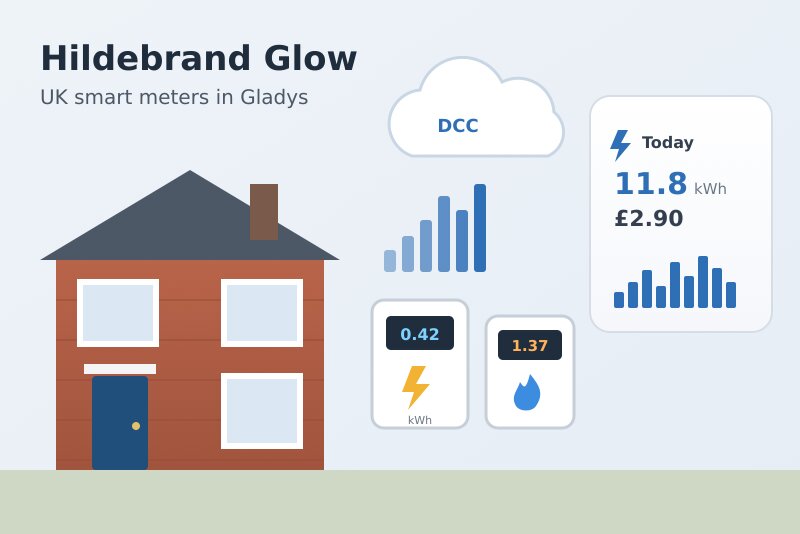
UK smart meters through the Bright app: electricity and gas energy, cost, tariff, scenes.
Published by William-De71
- Devices
- Version 0.1.0
- Requires Gladys >=5.3.0
- ★ 0
Overview
This integration brings your British smart meters (SMETS2, and SMETS1 meters migrated to the DCC) into Gladys, through Glowmarkt, the cloud of Hildebrand behind the free Bright app. You only need your Bright account: no extra hardware.
- One Gladys device per meter, electricity and gas: energy and cost of today and of yesterday, unit rate and standing charge, and the live power when you own a Glow display (IHD or CAD).
- The electricity half-hours go to the Gladys energy screens at their real time, even when they arrive hours late, with up to 90 days of history when you add the meter.
- Scene triggers (yesterday's figures are ready, the tariff changes, a meter stops sending data and sends them again) and scene actions (energy and cost of a period, read now).
- Two dashboard widgets: one meter (today, cost, chart by half-hour or by day) and the connection.
Transport: cloud. Your meter sends its readings to the DCC (the national smart meter network), Hildebrand fetches them as one of the "DCC Other Users", and the integration reads the Glowmarkt cloud with your Bright account. The data arrive 30 minutes to a few hours late: this is how the DCC works, not a fault of the integration. Your consumption data leave your home (they already do with the Bright app).
Not affiliated with Hildebrand. Not yet tested with a real Bright account: the requests follow the official Glowmarkt documentation. Please report what works and what does not.
Prerequisites
- Gladys Assistant 5.3.0 or later.
- A smart meter on the DCC: every SMETS2 meter, and the SMETS1 meters already migrated (ask your supplier if in doubt).
- The free Bright app (Hildebrand, Android or iOS): create an account, link your meters, and wait until your consumption shows in the app. If the data are wrong in Bright, they will be wrong in Gladys too: your supplier has to fix what it gives the DCC.
- Optional: a Glow display (IHD or CAD) for the live power. Without one, Hildebrand has no live power, only the half-hours.
Configuration
In Gladys, open Integrations → Hildebrand Glow (DCC):
| Field | Description |
|---|---|
| E-mail of the Bright account | The e-mail you sign in to the Bright app with. |
| Password | The password of the Bright account: sent to Hildebrand only, never shown again or logged. |
| Reading of the half-hours | Every 30 minutes (default) or 60 minutes. The meters send their consumption by half-hour. |
| Reading of the power | Every 1, 2 (default), 5 or 10 minutes, only with a Glow display. |
| History given to Gladys | 0, 7, 31 (default) or 90 days of half-hours, read once when a meter is added. |
| Ask for the latest data | On by default: at each half-hour, asks Hildebrand to fetch the latest readings from the DCC. |
| Language of the device texts | Names of the meters and features, messages of the button; automatic by default. |
Click Test the connection: the integration signs in, reads your meters, their tariff and their half-hours, and lists them with the time of their latest data. Then open the Discover tab and add the meters you want: nothing is created without you.
Usage
Devices
| Feature | Gladys type | Notes |
|---|---|---|
| Consumption (half-hours) | 30-minute consumption (kWh) | Electricity only. Each half-hour is placed at its real time; Gladys computes its cost with your energy contract. |
| Energy today / yesterday | Index today / Index yesterday (kWh) | The total of the half-hours received; today grows as the late half-hours arrive. |
| Cost today / yesterday | Money (£) | The cost Bright computes from your tariff (pence turned into pounds). Only when your account has a cost. |
| Unit rate (per kWh) | Money (£) | The price of a kWh known by Bright, for example 0.245 £. Read every 6 hours. |
| Standing charge (per day) | Money (£) | The daily standing charge known by Bright, for example 0.6012 £. |
| Power | Power (W) | Electricity, only with a Glow display (IHD or CAD). |
The gas meter has no half-hour consumption in the Gladys energy screens: Gladys attaches every consumption to the main electric meter, so the gas would be added to the electricity. Its energy, cost and tariff are still features of the gas device, and the widget and the scene action give its history. Hildebrand gives the gas in kWh (it converts the m³ of the meter).
Dashboard widgets
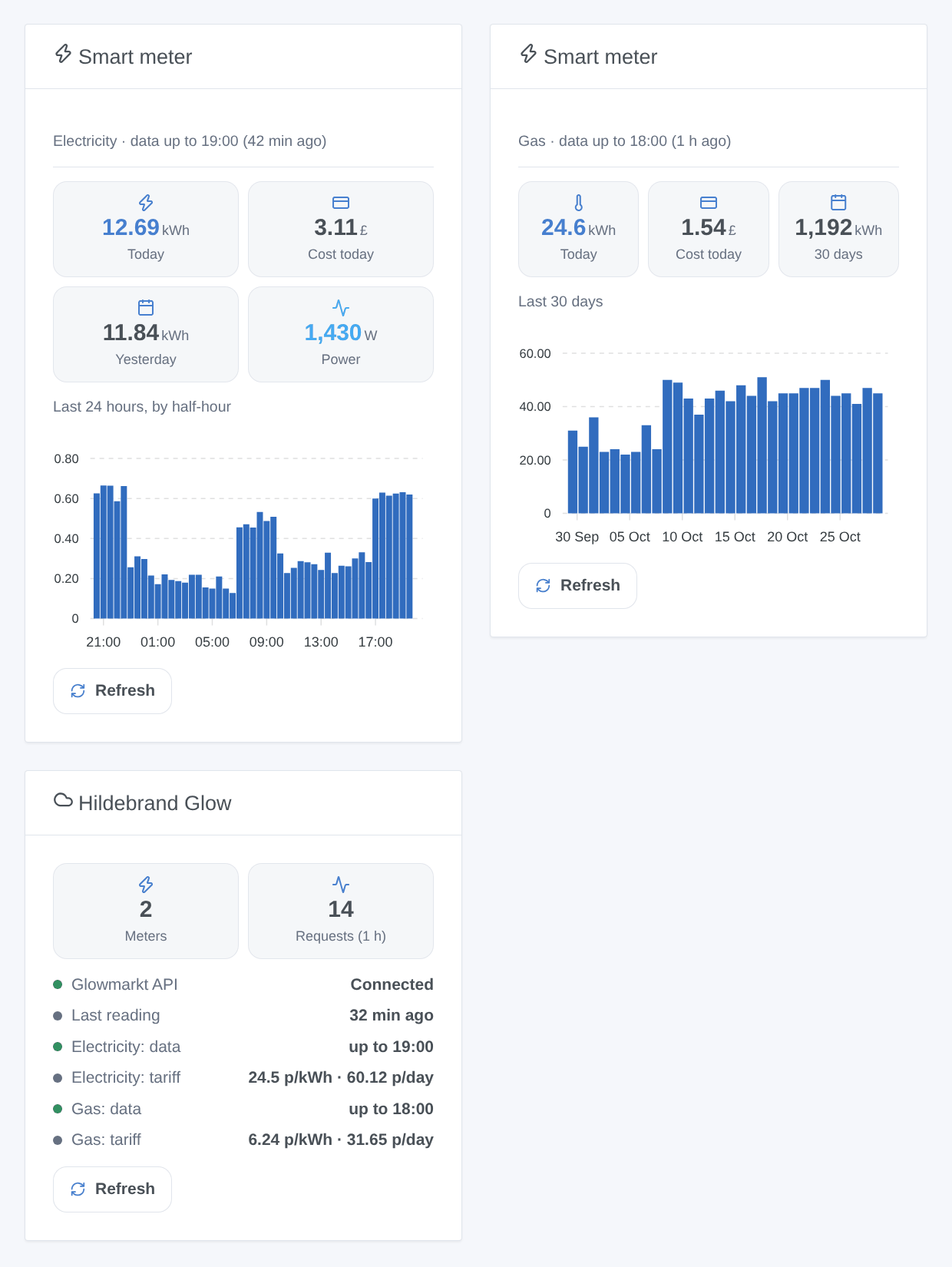
- Smart meter: the energy and the cost of today, yesterday (or the last 7 / 30 days), the power with a Glow display, and a bar chart of the last 24 hours by half-hour, or of the last 7 / 30 days. The caption tells how late the data are. Settings: the meter (the electricity one by default) and the chart.
- Hildebrand Glow: the connection to Glowmarkt, how far the data of each meter go (orange after 12 hours without data), the tariffs, the requests of the last hour, and a Refresh button (once per 5 minutes).
Scenes
Triggers (each one can be limited to one meter, or to electricity or gas):
- The figures of yesterday are ready: once a day per meter, when every half-hour of yesterday has arrived, or at noon with those received. Variables: date, energy (kWh), cost (£), complete.
- The tariff of a meter changes: the unit rate or the standing charge known by Bright changed. Variables: the new and the previous ones.
- A meter stops sending data: no new half-hour for 12 hours (meter, communications hub or DCC silent). A meter sends data again: half-hours come back.
Actions:
- Get the energy and cost of a period: today, yesterday, this week, the last 7 days, this month, last month or the last 30 days, for one meter (the electricity one by default). Outputs: energy (kWh), cost (£), days, complete, first and last day.
- Read the smart meters now: outputs the energy and the cost of today of each energy, and the time of the latest data.
Examples:
- When the figures of yesterday are ready → send "Yesterday: {{triggerEvent.data.energy_kwh}} kWh, £{{triggerEvent.data.cost}}".
- Every 1st of the month at 10:00 → get the energy and cost of last month, then send them in a notification.
- When a meter stops sending data → send "{{triggerEvent.data.device_name}}: no data for {{triggerEvent.data.hours}} h, check the Bright app".
Transport
The catalog shows the cloud badge: every request goes to api.glowmarkt.com with your Bright account. The pace is light: one "catchup" per meter just after each half-hour (as the Glowmarkt documentation asks), the half-hours read 10 minutes later, the meters and tariffs every 6 hours, the power only with a Glow display. If you own a Glow display, its local MQTT feed gives a real-time power that this integration does not read.
Troubleshooting
- "Glowmarkt refuses the sign-in": check the e-mail and the password in the Bright app first, then in the configuration.
- Connected, but no meter: your meters do not show in the Bright app yet; link them there first.
- The data stop hours ago: the DCC delivers late, sometimes much later. Compare with the Bright app at the same time; if Bright has no data either, the problem is on the meter or supplier side. The trigger "A meter stops sending data" warns you after 12 hours.
- Today stays low until the evening: the last half-hours arrive progressively; yesterday is complete once all its half-hours are in (the trigger tells you).
- No power: you need a Glow display (IHD or CAD); without it, Hildebrand has no live power.
- No cost or no tariff: Bright knows no tariff for this meter; the energy still works.
- Report a problem on GitHub with your Gladys version, the integration version and the result of "Test the connection". Never paste your password.
Configuration settings
These are the settings Hildebrand Glow (DCC) asks for in its configuration screen in Gladys.
| Setting | Type | Required | Description |
|---|---|---|---|
| Hildebrand Glow (DCC) | section | No | How to connect: 1. Install the free Bright app (Hildebrand), create an account and link your smart meters (SMETS2, or SMETS1 on the DCC). Wait until your consumption shows in the app. 2. Enter below the e-mail and the password of the Bright account. 3. In the Discover tab, add your meters. The integration reads the Glowmarkt cloud of Hildebrand. The smart meter data reach it through the DCC, 30 minutes to a few hours late: the half-hours are shown at their real time once they arrive. The live power needs a Glow display (IHD or CAD). |
| E-mail of the Bright account | string | Yes | The e-mail you sign in to the Bright app with. |
| Password | secret | Yes | The password of the Bright account. Sent to Hildebrand only, never shown again. |
| Reading of the half-hours | select | No | The meters send their consumption by half-hour: reading more often would bring nothing. |
| Reading of the power | select | No | Only with a Glow display (IHD or CAD): without one, Hildebrand has no live power and nothing is asked. |
| History given to Gladys | select | No | Days of half-hours read once when a meter is added (energy screens, 30-day chart). |
| Ask for the latest data | boolean | No | At each half-hour, ask Hildebrand to fetch the latest readings from the DCC (as its documentation recommends). Turn off if your data already arrive on time. |
| Language of the device texts | select | No | Names of the meters and features, messages of the button below. Automatic: the language of the dashboard once a widget is shown. |
How to install Hildebrand Glow (DCC) in Gladys
- In Gladys, open Integrations: Hildebrand Glow (DCC) appears in the catalog, next to the native integrations, with a community badge.
- Click Install. Gladys pulls the Docker image (
ghcr.io/william-de71/gladys-hildebrand-glow:0.1.0), starts it in a sandbox isolated from the core, and generates the integration's interface (devices, discovery and configuration). - Open the Configuration screen of the integration, fill in the settings, and save.
- You can also install it directly from its repository URL: https://github.com/William-De71/gladys-hildebrand-glow.
Hildebrand Glow (DCC) requires Gladys >=5.3.0. The catalog inside Gladys refreshes every hour, so a new version becomes available at most one hour after its release.
Not running Gladys yet? It is free and open source: follow the installation guide to get started.
About external integrations
Hildebrand Glow (DCC) is an external integration: a community integration packaged as a Docker container and published on GitHub, that Gladys installs in one click and runs in a sandbox isolated from its core. It is published and maintained by William-De71, not by the Gladys core team.
- Browse all integrations, native and community
- Build and publish your own external integration
- Source code on GitHub — source of this documentation