Hayward OmniLogic smart home integration, free and open source
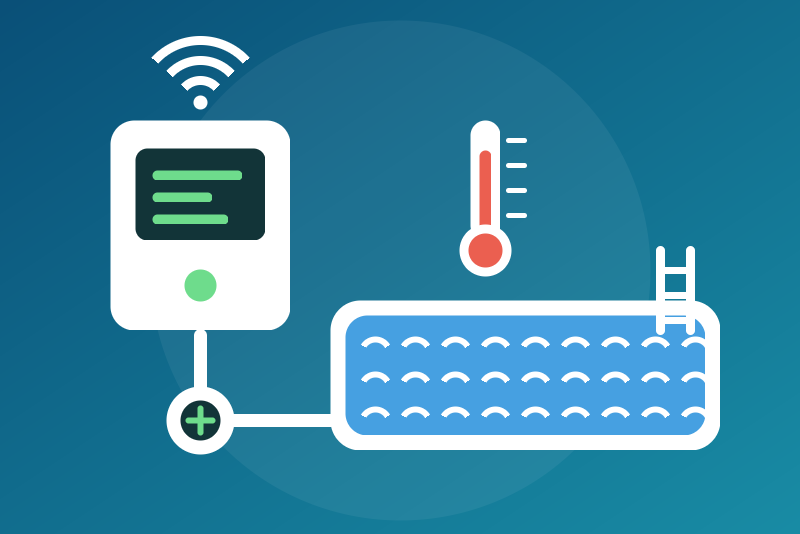
Hayward OmniLogic pool controllers on the local network: pumps, heating, lights, water.
Published by LM1LC3N7
- Devices
- Version 0.1.1
- Requires Gladys >=5.1.0
- ★ 0
Shows your Hayward OmniLogic pool controller in Gladys through its local protocol (UDP, port 10444): no cloud, no account, straight on your network.
Never tested with a real controller. Not affiliated with Hayward. The integration follows the python-omnilogic-local library (Apache-2.0) and the captures of real controllers it publishes. A firmware update of the controller may change the protocol. The Hayward cloud (OmniLogic app account) is not used.
What you get
One device per controller, with, for each piece of equipment its configuration shows:
| Equipment | Features |
|---|---|
| Backyard | Air temperature |
| Body of water (pool, spa) | Water temperature |
| Heater of a body | Heating (on / off list), heating set point, heating now |
| Filter pump | On / off (list), speed (%), power (W) |
| Other pump | On / off (list), speed (%) |
| Relay (not a valve) | On / off (list) |
| ColorLogic light | On / off (list) |
| Salt chlorinator | Salt (ppm, average) |
| pH / ORP (CSAD) | pH, ORP (mV) |
Plus a Status feature (connected or unreachable). Valve actuators, groups (themes), light shows, pump speeds, the chlorinator settings, spillover and schedules are not shown in this version.
- The protocol speaks °F whatever the display unit of the controller: every temperature is converted exactly to °C ((°F − 32) × 5 / 9). A sensor configured in another unit is not published.
- A water temperature of −1 (no flow, no sensor), a salt or a pH of 0, a state the integration does not know: never published.
- The volume of a body (in gallons in the configuration) is not published.
Identity. The protocol gives no serial number nor MAC address. The device is identified by the system ids and types of the bodies of water of the controller (a hash), never by its IP address: it survives reboots, firmware updates and renames, but adding or removing a body of water in the configuration of the controller makes a new device. Before every command (never before a stop), the integration checks that the telemetry it just read belongs to the configuration it knows (same configuration checksum, same bodies); otherwise nothing is sent and the configuration is read again.
Read every 30 seconds by default (15 s to 10 min, adjustable): the telemetry at each read, the configuration only at the start and when its checksum changes. One request at a time, each on a new UDP socket.
Installation
- Give the controller a fixed IP address in your router.
- In Gladys, install the integration and enter the IP address of the controller (or its host name, optionally followed by a port).
- Save, then add the controller from the Discovery tab.
The controller has no credentials: nothing secret is configured.
Turning off (always available)
Choosing Off on a pump, relay or light, or Off on a heater, depends
on no option, nor on a read or a command in progress (it ends them and goes
on a new socket), nor on a failed read, nor on the identity of the
controller, nor on the configuration: right after a restart, it goes to the
address of the last controller read (kept in /data), and a stop not yet
seen applied before a restart is sent again as soon as the container
starts. A command that arrived before it and has not left yet is given up.
It succeeds when the telemetry read back shows it: the equipment off, or
the heater off and no heater unit of its body still on. Otherwise the
answer says why, and the stop is kept (in /data) and checked every 15 s
(each address on its own) and at every read:
- no address known (no configuration, no controller read before): nothing is sent for now; the stop is kept in memory and goes first as soon as an address is known;
- no ack from the controller (3 s of tries, every 250 ms): written again at every check (15 s), at every read that reaches the controller and when you click Test the connection (the button writes again only the stops never acked; the others keep their 15 s); a stop the controller never acked is never held nor given up;
- acked, not applied (the telemetry does not show it): written again 15 s after each write, 3 times at most (writes the controller acked), then held without new writes, which the status of the integration says;
- shown off but still running down (a filter pump in cool-down or waiting to stop, a heater unit still on): watched, nothing written again; after 10 minutes the status asks you to check on the controller; when the heater units cannot be read (the configuration not read yet), the status says so.
The status of the integration says where each stop is. When the same controller answers at a new address, its kept stops follow it.
A kept stop is let go when the controller shows it, or when a command of
the same setting clicked in Gladys after it (option on) left (acked, or sent
without an ack: it may have been applied). A new click on Off writes it
again and counts its writes anew. A stop kept in /data before a restart is
let go the same way, unsent, when such a command of its setting left since
the start (a /data slow to read is applied when its read ends). Never by
time. A command that left less than 30 s before the stop and lands after it
is countered by a new write. While the heater stop of a body is not seen
applied, its set point and turning on its filter pump are refused.
Turning on and heating (options)
Three options, off by default:
- Allow turning pumps and relays on: filter pumps (at their last speed
when it is within their limits, else their maximum, as the Hayward app),
other pumps and relays. Valves are never driven, and a fire pit relay
(
RLY_FIREPIT) is never lit (turning it off works). Turning on a filter pump whose heater is not seen off (heater on, or a heater unit still on, or unreadable) also needs the heating option, and the set point that heater holds must be within the bounds below (else refused: lower it first): the water flowing may start the heating. - Allow turning lights on (ColorLogic lights, at their last show).
- Allow heating: turning a heater on, setting its set point. The value written is a whole °F within the protocol's 65–104 °F, within the limits of the heater read in its configuration (never written when they cannot be read), a spa at most 40 °C (104 °F), a pool at most the ceiling of the configuration (35 °C by default, 20 to 40 °C, converted to °F rounded down). Turning a heater on resumes the set point the controller holds (left by the Hayward app, the screen or a schedule): it is refused when that set point is above these bounds or cannot be read, and the status of the integration says so; lower the set point first.
They are lists and a set point, never a switch: a "turn everything off" never reaches them. Each command reads the telemetry again right before (identity, service mode, the equipment), checks the options again right before its datagram, leaves within 3.5 s or not at all, and succeeds only when the telemetry read back shows the value asked ("sent, not applied yet" otherwise, then reads at 5 and 20 s). Commands arriving together (a scene) go one after the other in one turn. Also refused: before the configuration of the integration or of the controller is read, when another controller answers at the address or its configuration changed (both read again 5 s later), when the controller is in service or configuration mode, or when a stop was clicked meanwhile.
Good to know
-
Turning a filter pump off leaves its heater enabled, as the Hayward app does: the controller itself stops the heating without flow (cool-down, minimum speed of the heater), and the heating resumes when a schedule starts the pump again. Turn the heater off too to stop heating for good.
-
An ack is awaited 1.5 s before a request is sent again (the reference waits 4 s): on a controller slower than that, a scene of several settings may leave some of them unsent ("nothing sent", never sent late).
-
The controller is never read sooner than the interval: not by the Test the connection button, a Discovery, a reconnection to Gladys or a restart (the time of the last read is kept in
/data). Only the reads that follow a command or a click on Off (5 and 20 s) and the checks of a kept stop (every 15 s) are an exception. -
A value older than 2 minutes is never sent again as new.
-
Answers are bounded: a datagram of 64 KiB, an answer of 1 MiB (4 MiB once inflated), 256 blocks, 3 s between two blocks.
-
The Hayward app, the screen of the controller and its schedules may drive it too: the last command wins.
Configuration settings
These are the settings Hayward OmniLogic asks for in its configuration screen in Gladys.
| Setting | Type | Required | Description |
|---|---|---|---|
| Your OmniLogic controller | section | No | Shows your Hayward OmniLogic pool controller in Gladys through its local protocol (UDP port 10444), without any cloud: bodies of water (pool, spa) with their water temperature, heaters with their set point, filter pumps, pumps, relays, ColorLogic lights, salt chlorinator and pH/ORP. Enter the IP address of the controller (give it a fixed address in your router), save, then add it from the Discovery tab. Turning equipment or a heater off always works; turning things on and heating are only allowed by the options below. Never tested with a real controller. Not affiliated with Hayward. |
| IP address of the controller | string | Yes | An IPv4 address or a host name, optionally followed by a port (10444 by default). |
| Allow turning pumps and relays on | boolean | No | Off by default. On: Gladys may turn on the filter pumps, the other pumps and the relays (never the valves nor a fire pit). Turning a filter pump on whose heater is not seen off also needs the heating option, and that heater's held set point within its bounds. Turning off works either way. |
| Allow turning lights on | boolean | No | Off by default. On: Gladys may turn on the ColorLogic lights. Turning off works either way. |
| Allow heating | boolean | No | Off by default. On: Gladys may turn a heater on and set its set point (a spa 40 °C at most, a pool the ceiling below, always within the limits of the heater). Turning a heater on is refused while the set point it holds is above these bounds. Turning a heater off works either way. |
| Ceiling of the pool set point (°C) | number | No | The highest heating set point Gladys may write for a pool (35 °C by default, 20 to 40 °C). A spa is always limited to 40 °C. Checked on the whole °F written (the controller speaks °F). |
| Refresh interval (s) | number | No | How often the controller is read, in seconds. |
| Language of the feature names | select | No | Used for the feature names of the devices added from now on, for the status texts and for the command errors. |
How to install Hayward OmniLogic in Gladys
- In Gladys, open Integrations: Hayward OmniLogic appears in the catalog, next to the native integrations, with a community badge.
- Click Install. Gladys pulls the Docker image (
ghcr.io/lm1lc3n7/gladys-omnilogic:0.1.1), starts it in a sandbox isolated from the core, and generates the integration's interface (devices, discovery and configuration). - Open the Configuration screen of the integration, fill in the settings, and save.
- You can also install it directly from its repository URL: https://github.com/LM1LC3N7/gladys-omnilogic.
Hayward OmniLogic requires Gladys >=5.1.0. The catalog inside Gladys refreshes every hour, so a new version becomes available at most one hour after its release.
Not running Gladys yet? It is free and open source: follow the installation guide to get started.
About external integrations
Hayward OmniLogic is an external integration: a community integration packaged as a Docker container and published on GitHub, that Gladys installs in one click and runs in a sandbox isolated from its core. It is published and maintained by LM1LC3N7, not by the Gladys core team.
- Browse all integrations, native and community
- Build and publish your own external integration
- Source code on GitHub — source of this documentation