Google Weather smart home integration, free and open source
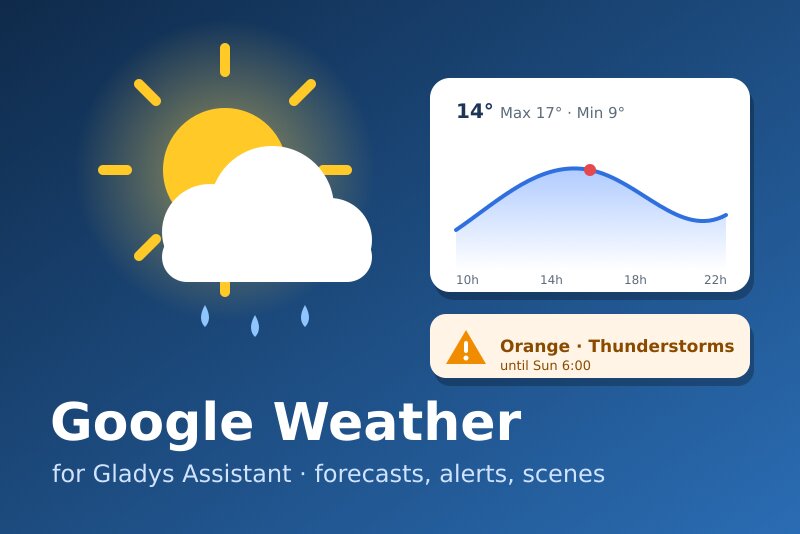
Google Maps Platform weather: forecasts, official alerts, scenes and widgets.
Published by William-De71
- Devices
- Version 0.1.0
- Requires Gladys >=5.1.1
- ★ 0
Overview
This integration makes the official Weather API of Google Maps Platform a weather provider of Gladys. Once installed, the weather card of the dashboard, the chat assistant ("what's the weather like tomorrow?") and the weather-alert scene trigger of Gladys use it instead of the built-in OpenWeather service.
It provides:
- the current weather: temperature, feels like, humidity, dew point, pressure, wind and gusts, visibility, cloud cover, UV index, day or night, sunrise and sunset;
- the forecasts: 24 hours and 8 days in the weather of Gladys, up to 10 days in the widget;
- the official public alerts relayed by Google (MeteoAlarm for most of Europe, the DWD, NOAA…), in the weather of Gladys and in two scene triggers;
- four scene actions and three dashboard widgets.
Everything goes through Google's servers (cloud only), with your own API key: Google bills the Weather API beyond a free monthly usage, and the integration is designed to stay well within it.
This integration has not been tested with a real API key yet: it follows the documentation of the API to the letter. Please report any problem.
Requirements
- Gladys 5.1.1 or later.
- A house with a location (Settings → Houses): the alerts are checked for every located house.
- A Google account and a Google Cloud project with a billing account. Google requires one for the Weather API, even within the free usage.
Configuration
1. Google Cloud project and Weather API
- Open the Google Cloud console, create a project (or pick one).
- Attach a billing account to it (Billing). Without billing, every request is refused (
BILLING_DISABLED). - Enable the Weather API (APIs & Services → Library → "Weather API").
Google also offers a free "Maps Demo Key" for testing without billing: it is meant for prototyping only.
2. API key and restrictions
- Google Maps Platform → Keys & Credentials → Create credentials → API key.
- Edit the key: under API restrictions, choose "Restrict key" and tick Weather API only. A leaked key then cannot be used for other paid APIs.
- Under Application restrictions, choose IP addresses and enter the public IP of your Gladys if it is fixed. Do not use "Websites": the requests come from the container, not from a browser.
- Optional but recommended: in Google Maps Platform → Quotas, lower the daily quota of the Weather API (for example 500 a day) as a second safety net.
3. Cost and refresh intervals
Google bills every successful request (all endpoints together, SKU "Weather Usage") beyond 10,000 free requests a month, then USD 0.15 per 1,000 (pricing of 17 October 2026, check the pricing page). Each product is read at most once per interval and shared by the dashboard, the widgets and the scenes:
| Product | Default interval | Requests / month / house |
|---|---|---|
| Current conditions | 30 min | 1,488 |
| Hourly forecast (24 h) | 60 min | 744 |
| Daily forecast (10 days) | 3 × hourly = 3 h | 248 |
| Alerts | 30 min | 1,488 |
| Total (31 days) | 3,968 |
Gladys checks the weather every 30 minutes for its own alert trigger, so shorter intervals bring little. Each dashboard language is a separate answer: two languages double the cost. The Monthly request cap (9,000 by default) stops every call to Google until the next month once reached; the last answers keep being served and the connection status says so.
4. In Gladys
- Integrations → Google Weather → Configuration.
- Paste the API key, adjust the intervals if needed, save.
- Click Test the API key: it reads the current weather of your first house (one request) and shows the requests used this month and the monthly estimate.
| Field | Default | Purpose |
|---|---|---|
| API key | — | Your key (AIza…), stored as a secret |
| Current conditions every (min) | 30 | 10 to 180 |
| Hourly forecast every (min) | 60 | 30 to 360; the daily forecast is read 3 times less often |
| Official alerts | on | Switch off where Google publishes no alert |
| Alerts every (min) | 30 | 10 to 180: delay before an alert reaches your scenes |
| Monthly request cap | 9,000 | Safety net |
Usage
Weather card and assistant
Nothing to do: the weather card of the dashboard uses this provider. With several weather providers installed, pin one in the settings of the card.
Coverage, France and Europe
The current weather and the forecasts cover most countries, France, Belgium, Switzerland, Germany, Spain and the rest of Europe included. They are not available in China, Japan, South Korea, Vietnam, Iran, North Korea, Cuba or Syria, among others: there, the request fails and Gladys uses its next weather provider.
The alerts come from the official services through Google: for France, the Météo-France vigilance relayed by MeteoAlarm; MeteoAlarm for most European countries, the DWD for Germany. Canada, India and Russia have the weather but no alerts: switch the alerts off there to save their requests. MeteoAlarm colors map to the severity: yellow = moderate, orange = severe, red = extreme. Alert titles and texts are in the language of the publisher when it does not provide the requested one.
Widgets
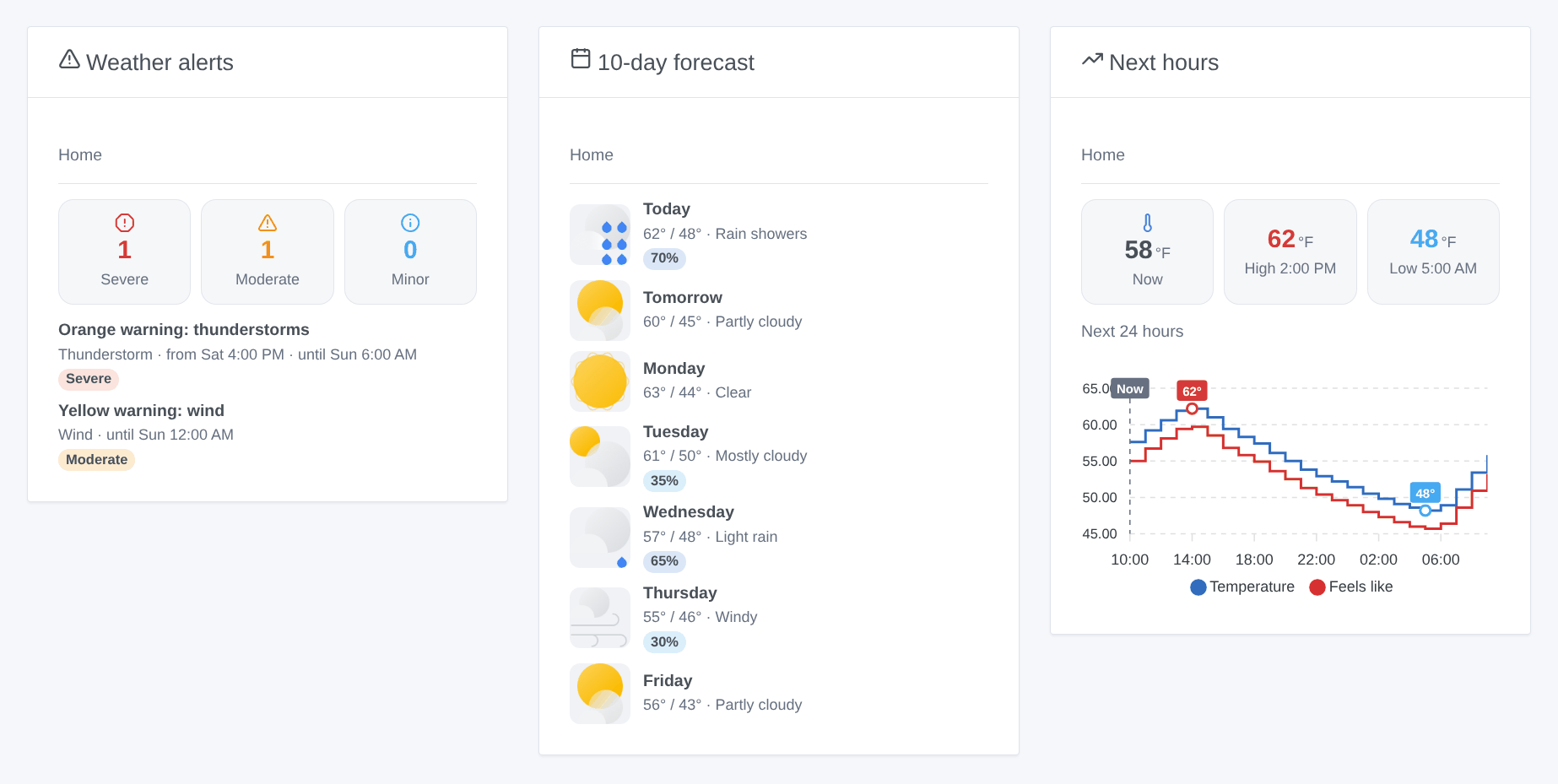
- Weather alerts: counters by severity, then each alert with its area, its end, its instructions and a link to the publisher.
- 10-day forecast: 5, 7 or 10 days with Google's icons, high and low, sky and chance of rain; tap a day for the day and night details, the UV index and the sun times.
- Next hours: a curve of the next 12 or 24 hours: temperature and feels like, chance of rain, or wind and gusts.
Each widget has a House setting (the exact name of a house, empty for the first located one).
Scene triggers
- Weather alert issued: an official alert now covers a house. Filters: house, kind of alert (thunderstorm, wind, heavy rain, flood, snow / ice, cold, heat, fog, coast / sea, fire / drought, cyclone, tornado, earthquake / volcano, air / radiation, other), severity. Variables: title, kind, severity, area, start, end, description, instructions, source, summary…
- Weather alert ended: the alert expired or was lifted.
The first check after a start sets the baseline: alerts already in force do not fire. An alert re-issued with the same kind and severity does not fire again; a change of severity (yellow to orange) ends the old one and issues the new one.
Scene actions
- Get the weather alerts: count, most serious alert (title, kind, severity, end, instructions), summary.
- Get the forecast of a day: today to 9 days ahead: high, low, sky, chance and amount of rain, wind, gusts, UV, sunrise, sunset, summary.
- Get the current weather: temperature, feels like, humidity, pressure, wind, UV, cloud cover, sky, summary.
- Is rain expected?: within 3 to 24 hours, from a chance you choose: yes or no, from when, max chance, total amount, summary.
Scene examples
- When a weather alert is issued with the kind "Wind" and the severity "Severe" or "Extreme" → close the shutters and send
{{triggerEvent.data.summary}}to your phone. - Every morning at 7:00 → Get the forecast of a day (today) → send its summary in a message.
- Every evening at 20:00 → Is rain expected? (12 hours, from 50 %) → if no rain is expected, start the garden watering.
Troubleshooting
- "Google rejected the API key (API_KEY_INVALID)": the key is wrong or deleted; copy it again from the console.
- SERVICE_DISABLED: the Weather API is not enabled in the project of the key.
- BILLING_DISABLED: no billing account is attached to the project.
- API_KEY_SERVICE_BLOCKED or API_KEY_IP_ADDRESS_BLOCKED: the restrictions of the key exclude the Weather API or the IP of your Gladys (it may have changed).
- No alert ever: check the coverage of your country above; the alerts widget says when they are switched off.
- "Monthly budget reached": raise the cap or the intervals; the counter starts again on the 1st of the month (UTC). Google's own figures (Google Maps Platform → Metrics) are the reference.
- No weather for a house: it is outside the coverage, or has no location in Gladys.
- Logs: Settings → Supervision → Google Weather. The key never appears in them.
Configuration settings
These are the settings Google Weather asks for in its configuration screen in Gladys.
| Setting | Type | Required | Description |
|---|---|---|---|
| Your Google Cloud API key | section | No | In the Google Cloud console: create a project, attach a billing account (Google requires one, even within the free usage), enable the "Weather API", then create an API key restricted to the Weather API. Data leaves your network: each request goes to Google with the coordinates of the house. |
| API key | secret | Yes | Starts with "AIza". Restrict it to the Weather API (API restrictions) and, if your public IP is fixed, to that IP. |
| Free usage and refresh | section | No | Google bills every successful request beyond 10,000 a month (all endpoints together). With the defaults, one house costs about 4,000 requests a month: current every 30 min, hourly forecast every 60 min, daily every 180 min, alerts every 30 min. The answers are cached and shared by the dashboard, the widgets and the scenes. |
| Current conditions every (min) | number | No | Between 10 and 180. 30 min = 1,488 requests a month per house. |
| Hourly forecast every (min) | number | No | Between 30 and 360. The daily forecast is read 3 times less often. 60 min = 992 requests a month per house, both together. |
| Official alerts | boolean | No | Switch off where Google publishes no alert (Canada, India, Russia…): it saves their requests. |
| Alerts every (min) | number | No | Between 10 and 180: delay before an alert reaches your scenes. 30 min = 1,488 requests a month per house. |
| Monthly request cap | number | No | Safety net: past this number of requests in a month, no more call goes to Google until the next month (the cached weather is served). Default 9,000, under the 10,000 free ones. |
How to install Google Weather in Gladys
- In Gladys, open Integrations: Google Weather appears in the catalog, next to the native integrations, with a community badge.
- Click Install. Gladys pulls the Docker image (
ghcr.io/william-de71/gladys-google-weather:0.1.0), starts it in a sandbox isolated from the core, and generates the integration's interface (devices, discovery and configuration). - Open the Configuration screen of the integration, fill in the settings, and save.
- You can also install it directly from its repository URL: https://github.com/William-De71/gladys-google-weather.
Google Weather requires Gladys >=5.1.1. The catalog inside Gladys refreshes every hour, so a new version becomes available at most one hour after its release.
Not running Gladys yet? It is free and open source: follow the installation guide to get started.
About external integrations
Google Weather is an external integration: a community integration packaged as a Docker container and published on GitHub, that Gladys installs in one click and runs in a sandbox isolated from its core. It is published and maintained by William-De71, not by the Gladys core team.
- Browse all integrations, native and community
- Build and publish your own external integration
- Source code on GitHub — source of this documentation