Google Maps Travel Time smart home integration, free and open source
Travel times with live traffic from Google Maps: delay, distance, route, scenes, widgets.
Published by William-De71
- Devices
- Version 0.1.0
- Requires Gladys >=5.1.0
- ★ 0
Overview
This integration follows your usual trips — home to work, school, the airport — with the travel time of Google Maps. For each trip it gives the travel time with live traffic, the delay caused by the traffic, the distance and the main roads, and it can start your scenes when the traffic gets worse or the route changes.
- Each trip becomes a device: travel time, time without traffic and traffic delay (car and two-wheeler), distance, main roads.
- Trips are read only on their days and hours, so that the requests stay within the free monthly usage of Google.
- Scene triggers: the route of a trip changes, the monthly budget is almost used, Google refuses the API key. Scene actions: compute a route now, read a trip now.
- Three dashboard widgets: the travel times of the trips, one trip, the requests of the month.
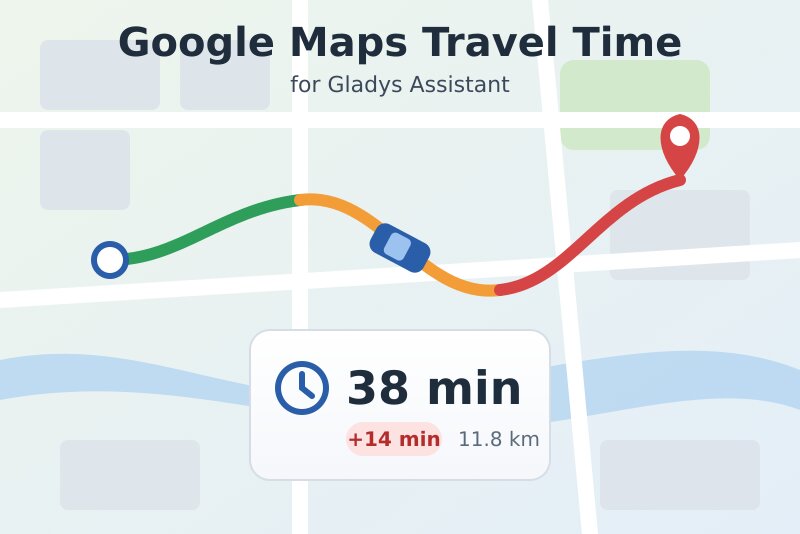
The image above is a generated illustration, not a screenshot. Not affiliated with Google; not tested with a real API key yet.
Prerequisites
- Gladys Assistant 5.1.0 or later.
- A Google Maps Platform API key:
- In the Google Cloud console, create a project (or pick one) and link a billing account to it: Google asks for one even when you stay within the free usage.
- Enable the Routes API (APIs & Services → Library → "Routes API").
- Create an API key (Google Maps Platform → Keys & Credentials) and restrict it to the Routes API. An IP address restriction only works if the public IP address of your Gladys is fixed.
- The timezone of Gladys set correctly (Settings > System): the hours of the trips are read in it.
Cost. Google bills each successful request beyond a free monthly usage per request type: 5,000 requests by car with live traffic ("Pro"), 1,000 by motorcycle or scooter ("Enterprise"), 10,000 by bicycle, on foot or by public transport ("Essentials"). A car trip read every 15 minutes from 6:00 to 21:00, Monday to Friday, uses about 1,300 requests a month. The integration keeps by default to 90 % of each free usage and reads the trips less often rather than going over. The free usage belongs to the billing account: other uses of the account count too.
Configuration
The trips are not typed as JSON: each one is a small form, behind the buttons at the bottom of the configuration page.
| Field or button | Description |
|---|---|
| Google Maps Platform API key | Required. Kept secret by Gladys, never shown again nor written to the logs. |
| Default interval | Minutes between two readings of a trip without its own interval (5 to 240, 15 by default). |
| Default delay threshold | Traffic delay, in minutes, from which a trip shows in red in the widgets (orange from 3 minutes). 10 by default. |
| Monthly budget | Share of the free usage of each request type the integration may spend. 90 by default; above 100, Google bills the extra requests. |
| Language of the texts | Feature names, route descriptions, scene summaries, messages of the buttons. Choose it before adding your devices: a device keeps the feature names it is created with. |
| Add a trip | Name, from, to, travel mode, avoid tolls / motorways / ferries, days, hours ("6-10, 16-20", empty: 6-21), own interval and threshold. |
| Edit a trip | The trip by its name or number (#2); only the fields you fill in change. 0 brings the interval or the threshold back to the default. |
| Remove a trip | The trip by its name or number. Its device stays in Gladys until you delete it. |
| List the trips | Each trip with its schedule, the requests it plans, its last reading and its last error, and the requests of the month. |
| Test the API key | Computes a short walk in Paris (one Essentials request) and says what to fix when Google refuses the key. |
From and to accept an address, a place name ("Lyon Part-Dieu"), a plus code, or coordinates "latitude, longitude" (such as 45.7640, 4.8357).
Usage
Trips
- Paste the API key and press Test the API key.
- Press Add a trip for each usual trip. A car trip on weekdays from 6:00 to 21:00 every 15 minutes is the default: change the days and the hours to what you need.
- The first reading comes within a minute when the trip is in its hours. Outside its hours, the trip keeps its last reading.
Devices
Open the Discover tab and add the trips you want. Each device has:
- Travel time with traffic (minutes; "Travel time" for bicycle, walking and public transport);
- Travel time without traffic and Traffic delay (minutes; car and two-wheeler);
- Distance (km) and Route (the main roads, such as "A6").
The values follow the readings of the trip; Gladys keeps their history.
Dashboard widgets
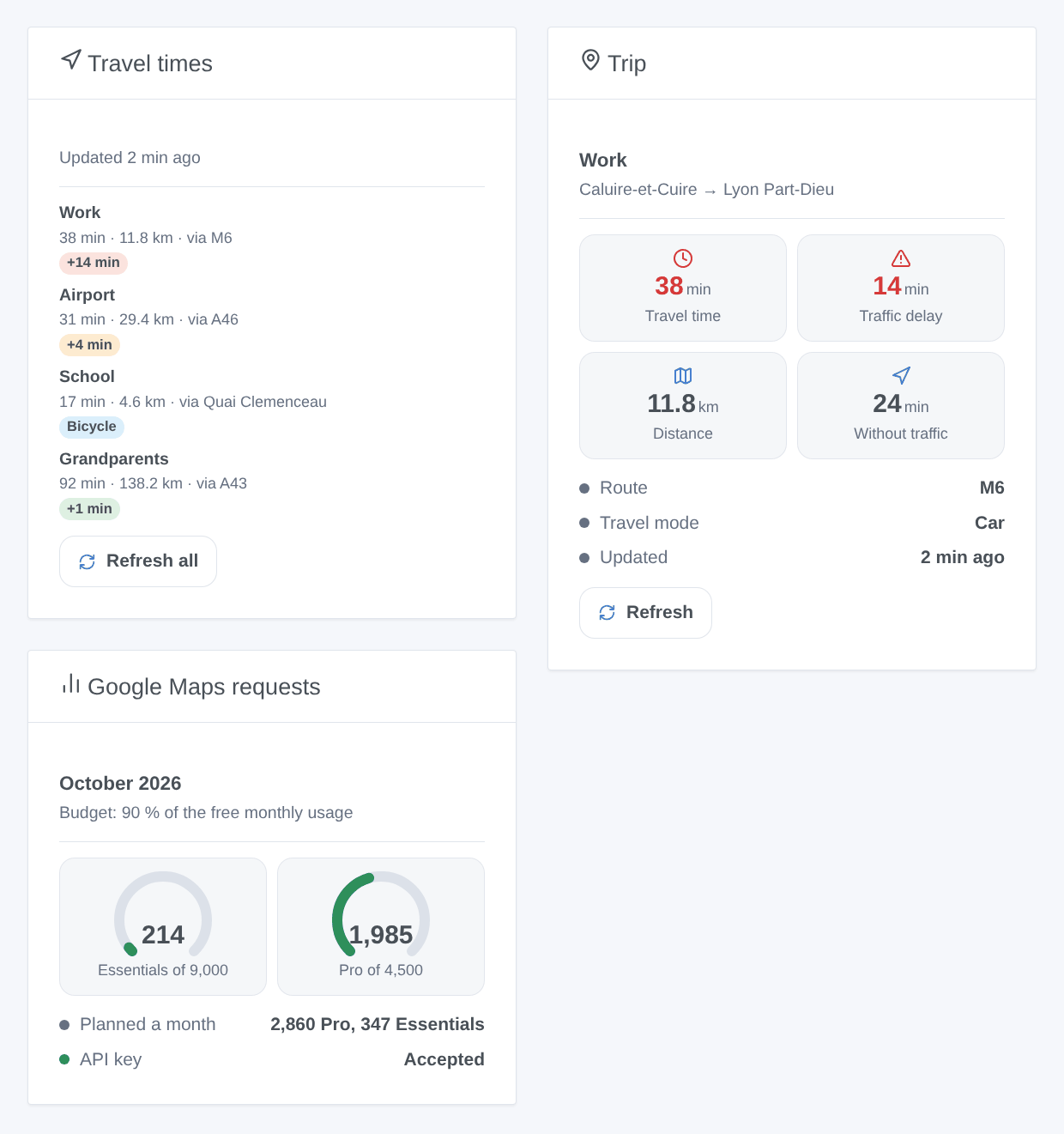
- Travel times: the trips with travel time, distance and roads, a badge with the delay (green, orange from 3 minutes, red from the threshold of the trip), a link to the route in Google Maps, and Refresh all.
- Trip: one trip, chosen among the devices: four tiles, route, last reading, Refresh.
- Google Maps requests: one gauge per request type used, what the trips plan a month, the state of the key.
A refresh button spends one request per trip, none for a trip read less than a minute ago.
Scenes
Triggers of the integration:
- The route of a trip changes: at a scheduled reading, the fastest route goes by other roads than at the previous one. Variables: name, route, previous route, travel time, delay, distance, summary sentence.
- The monthly budget is almost used: a request type reaches 80 %, then 100 % of its budget (once each a month).
- Google refuses the API key: once, until a request works again; the summary says what to fix.
For a threshold ("the delay goes above 10 minutes", "the travel time goes above 40 minutes"), use the device trigger of Gladys on the feature of the trip.
Actions: Compute a route (any two places, now) and Read a trip now (also outside its hours). Both return the travel time, the time without traffic, the delay, the distance, the route and a summary sentence such as "Work: 38 min, 14 min of traffic, 11.8 km via M6." to send in a message.
Examples:
- When the traffic delay of "Work" goes above 10 minutes → send the summary of the trip.
- Every weekday at 7:15 → read "Work" now → send
{{0.0.summary}}to the household.
Transport
The integration uses Google's servers (cloud): the addresses of your trips are sent to Google at each reading, with your API key. The trips are kept in the Gladys configuration; the last readings and the request counter are kept in the /data volume of the integration.
Troubleshooting
- "Google refuses the API key": the message gives Google's reason.
API_KEY_INVALID: copy the key again.SERVICE_DISABLED: enable the Routes API in the project of the key.BILLING_DISABLED: link a billing account.API_KEY_SERVICE_BLOCKED: add the Routes API to the APIs allowed for the key. An IP restriction refuses Gladys if its public address changed. The integration tries again every hour, and at once after Test the API key or a new key. - A trip has no reading: check its days and hours with List the trips (the timezone shown must be yours), and its last error: "Google found no route" means an address Google cannot place, or a travel mode not available there.
- Readings rarer than the interval: "stretched … to stay within the budget" in List the trips means the trips of that request type plan more than the budget; reduce the hours, the trips or the interval, or raise the budget.
- "The requests of the month are used": the budget of that request type is reached; the trips concerned wait for the next month (UTC). Google's own count (Cloud console → Google Maps Platform → Metrics) is the reference.
- 429: Google limits the requests of the key; the integration waits 15 minutes.
- To report a problem, give the versions of Gladys and of the integration, the text of List the trips (hide your addresses if you wish) and the logs of the integration (Settings → Supervision). Never paste your API key.
Configuration settings
These are the settings Google Maps Travel Time asks for in its configuration screen in Gladys.
| Setting | Type | Required | Description |
|---|---|---|---|
| Google Maps Travel Time | section | No | How it works: 1. Create a Google Maps Platform API key in the Google Cloud console, in a project with a billing account and the “Routes API” enabled, and paste it below. 2. Declare each trip with “Add a trip”: from, to, travel mode, days and hours to read it. 3. Open the Discover tab and add the trip: it becomes a device with the travel time, the traffic delay, the distance and the route. 4. Add the widgets to a dashboard and use the scenes (the route changes, compute a route). Cost: every reading is one request, billed by Google beyond its free monthly usage — 5,000 requests with live traffic by car, 1,000 by two-wheeler, 10,000 without traffic (bicycle, walking, public transport). The integration stays within 90 % of it by default and stretches the intervals rather than going over. The addresses are sent to Google. |
| Google Maps Platform API key | secret | Yes | A key of a Google Cloud project with the Routes API enabled. Restrict it to the Routes API (and to the public IP address of your Gladys if it is fixed). |
| Default interval (minutes) | number | No | How often a trip without its own interval is read, within its hours (5 to 240). |
| Default delay threshold (minutes) | number | No | From this traffic delay, a trip without its own threshold shows in red in the widgets (orange from 3 minutes). |
| Monthly budget (% of the free usage) | number | No | Share of the free monthly usage of each request type the integration may spend: 90 keeps a margin (Google counts other uses of the billing account too). Above 100, Google bills the extra requests. |
| Language of the texts | select | No | Feature names, route descriptions, scene summaries and messages of the buttons. Automatic: the language of your dashboard once a widget has been shown, guessed from the timezone of Gladys before that. |
How to install Google Maps Travel Time in Gladys
- In Gladys, open Integrations: Google Maps Travel Time appears in the catalog, next to the native integrations, with a community badge.
- Click Install. Gladys pulls the Docker image (
ghcr.io/william-de71/gladys-google-maps-travel-time:0.1.0), starts it in a sandbox isolated from the core, and generates the integration's interface (devices, discovery and configuration). - Open the Configuration screen of the integration, fill in the settings, and save.
- You can also install it directly from its repository URL: https://github.com/William-De71/gladys-google-maps-travel-time.
Google Maps Travel Time requires Gladys >=5.1.0. The catalog inside Gladys refreshes every hour, so a new version becomes available at most one hour after its release.
Not running Gladys yet? It is free and open source: follow the installation guide to get started.
About external integrations
Google Maps Travel Time is an external integration: a community integration packaged as a Docker container and published on GitHub, that Gladys installs in one click and runs in a sandbox isolated from its core. It is published and maintained by William-De71, not by the Gladys core team.
- Browse all integrations, native and community
- Build and publish your own external integration
- Source code on GitHub — source of this documentation