Google Air Quality smart home integration, free and open source
Air quality from Google: universal and local indexes, PM2.5, NO₂, O₃, forecast, scenes, widgets.
Published by William-De71
- Devices
- Version 0.1.0
- Requires Gladys >=5.1.0
- ★ 0
Overview
This integration brings the air quality of Google Maps Platform to Gladys: for your houses and for the places you add (work, school, holiday home), it gives the universal air quality index, the index of your country, the concentrations of the main pollutants and a 48-hour forecast, and it can start your scenes when the air gets worse.
- Each place becomes a device: universal AQI (0-100, higher is better), local index (its number when it has one), PM2.5, PM10, NO₂, O₃, SO₂ in µg/m³, air quality category, local index category, dominant pollutant.
- The places are read every hour by default (Google updates its data once an hour), and their forecast every 6 hours, within a monthly budget kept under the free usage of Google.
- Scene triggers: the air quality category changes, the monthly budget is almost used, Google refuses the API key. Scene actions: read the air quality of a place, read the worst hour of the forecast.
- Three dashboard widgets: the air quality of a place with Google's health advice, its 48-hour forecast, the requests of the month.
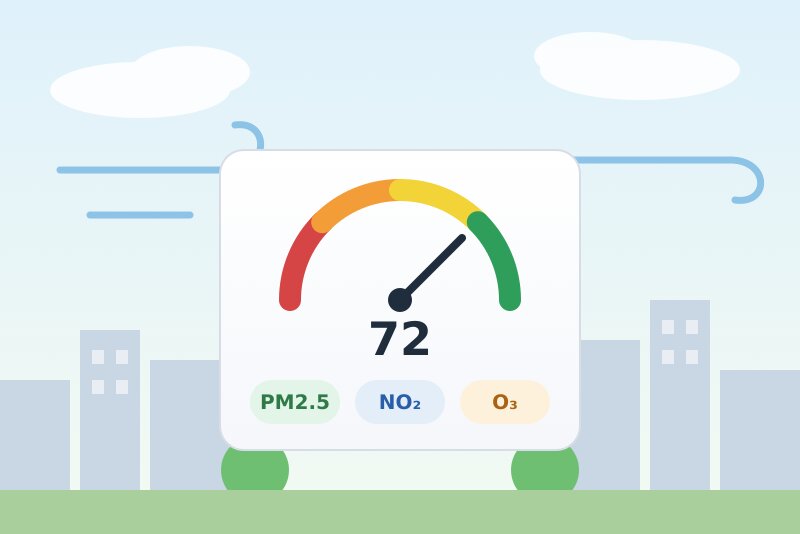
The image above is a generated illustration, not a screenshot. Not affiliated with Google; not tested with a real API key yet. Pollen is out of scope (Google's Pollen API is covered by other integrations).
Prerequisites
- Gladys Assistant 5.1.0 or later.
- A Google Maps Platform API key with the Air Quality API enabled:
- In the Google Cloud console, create a project (or pick the one of your Google Weather or Google Maps Travel Time key) with a billing account: Google asks for one even when you stay within the free usage.
- Enable the Air Quality API (APIs & Services → Library → "Air Quality API", or this link).
- Create an API key (Google Maps Platform → Keys & Credentials), or reuse the key of the project. In its API restrictions, allow the Air Quality API (next to Weather API or Routes API if the key serves them too). An IP address restriction only works if the public IP address of your Gladys is fixed.
- The location of your house set in Gladys (Settings → Houses), or places added with Add a place. On installation, Gladys asks you to allow the integration to read the location of the houses.
Cost. Google bills each successful request beyond 10,000 free requests a month (SKU "Air Quality Usage"), then 5 USD per 1,000. A current-conditions reading is one request, a 48-hour forecast is one request (one page). With the defaults, a place costs about 870 requests a month: ten places fit in the default budget, 90 % of the free usage. Beyond, the integration reads less often rather than going over. The free usage belongs to the billing account: Google Weather, Travel Time and any other use of the account count too.
Configuration
| Field | Default | Meaning |
|---|---|---|
| Google Maps Platform API key | — | Required. A secret: never shown in the logs. |
| Follow the houses of Gladys | yes | One place per house whose location is set. |
| Reading every (minutes) | 60 | 30 to 360. One request per place each time. |
| Forecast every (hours) | 6 | 0 to 24. 0: no forecast (no forecast widget nor action). |
| Local index | empty | Empty: the default index of the country. Otherwise its Google code: eaqi (European index), usa_epa, deu_uba, gbr_defra… (list: "Air Quality Index" page of the Google documentation). |
| Monthly budget (%) | 90 | Share of the 10,000 free requests the integration may spend. Above 100, Google bills the extra requests. |
| Language of the texts | automatic | Feature names, categories and health advice from Google, scene summaries, button messages. |
Buttons at the bottom of the page:
- Add a place: a name and "latitude, longitude" (right-click the place in Google Maps and click the coordinates to copy them, such as
45.7640, 4.8357). - Remove a place: by its name or its number (
#2). Its device stays in Gladys until you delete it. - List the places: the intervals, the requests of the month, the last reading and the last error of each place.
- Test the API key: reads the air quality in Paris (one request).
Usage
Places
Every house of Gladys with a location is a place, named like the house. The added places come on top (20 at most). The first reading of a new place comes within a minute.
Devices
Open Integrations → Google Air Quality → Discover and add the places you want. Each device has:
| Feature | Category / type | Unit |
|---|---|---|
| Universal AQI | airquality-sensor / aqi | 0-100, higher is better |
| Local index (when it is a number: US EPA, UBA, DAQI…) | airquality-sensor / aqi | the scale of the index |
| PM2.5, PM10 | pm25-sensor, pm10-sensor / decimal | µg/m³ |
| NO₂, O₃, SO₂ | no2-sensor, o3-sensor, so2-sensor / decimal | µg/m³ (converted from ppb at 25 °C) |
| Air quality, local index category, dominant pollutant | text | — |
ATMO (France) and EAQI (Europe) have categories, not numbers: their category is in the "local index category" text. A pollutant Google does not measure at a place stays without value. CO has no concentration category in Gladys: you find it in the outputs of the "Read the air quality" action.
Dashboard widgets
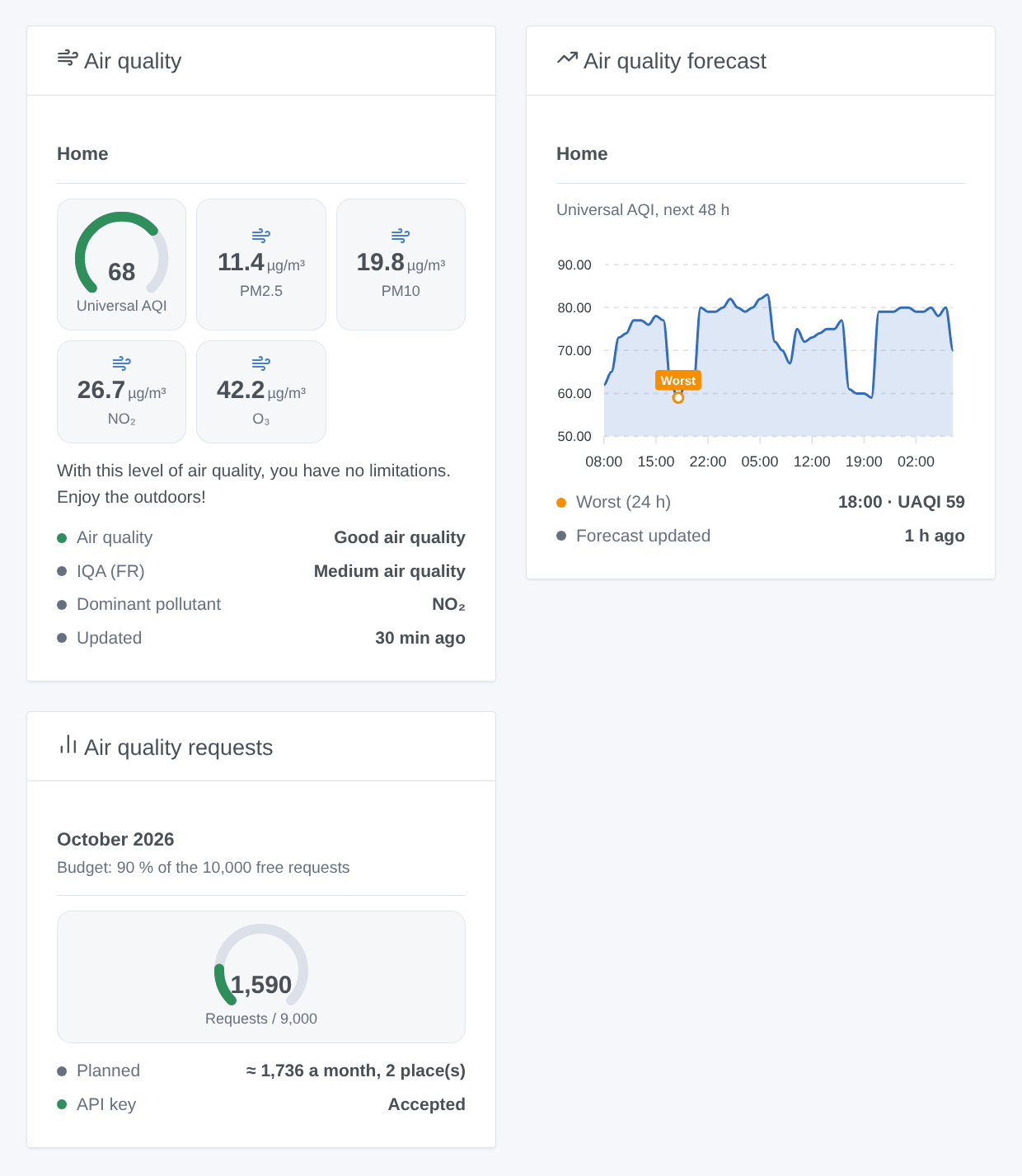
- Air quality: one place (chosen among the devices): universal AQI gauge, local index, PM2.5, PM10, NO₂, O₃, categories, dominant pollutant and Google's health advice for the general population.
- Air quality forecast: the universal AQI of the next 48 hours, the worst hour of the next 24 marked.
- Air quality requests: the requests of the month against the budget, the plan, the state of the key.
Scenes
Triggers:
- The air quality category changes (filters: place, universal or local index, new universal level). Variables:
name,index,category,previous_category,level,previous_level,aqi,dominant_pollutant,summary. Only at scheduled readings, never at the first one. - The monthly budget is almost used (80 %, then 100 %, once each a month).
- Google refuses the API key (once, until a request works again).
Actions:
- Read the air quality: the last reading of a place (a new request with "Read it now", none if it was read less than a minute ago). Outputs:
uaqi,level,category,local_index,local_aqi,local_category,dominant_pollutant,pm25,pm10,no2,o3,so2,co,health_recommendation,summary. - Read the air quality forecast: the worst hour of the next 1 to 48 hours. Outputs:
worst_uaqi,worst_level,worst_category,worst_time,worst_local_category,summary.
Examples:
- When the universal AQI of "Home" changes to "low" → close the shutters and send the summary.
- Every morning at 7:00 → read the forecast of "Home" for 12 hours → if
worst_uaqiis under 40, send "Not a good day for a run". - When PM2.5 of "Home" goes above 25 µg/m³ (device trigger) → turn on the air purifier.
Transport
The integration uses Google's servers (cloud): the coordinates of your places are sent to Google at each reading, with your API key. The added places are kept in the Gladys configuration; the last readings, the forecasts and the request counter are kept in the /data volume of the integration.
Troubleshooting
- "Google refuses the API key": the message gives Google's reason.
API_KEY_INVALID: copy the key again.SERVICE_DISABLED: enable the Air Quality API in the project of the key.BILLING_DISABLED: link a billing account.API_KEY_SERVICE_BLOCKED: add the Air Quality API to the APIs allowed for the key. An IP restriction refuses Gladys if its public address changed. The integration tries again every hour, and at once after Test the API key or a new key. - No place: set the location of the house in Settings → Houses (then press List the places), or add a place.
- "No air quality data for this place": Google does not cover every country (see the coverage page of the Air Quality API).
- No local index value: the index of your country is a category (ATMO, EAQI); see the local index category, or choose a numeric index in the configuration.
- Readings rarer than the interval: "To stay within the budget" in the status means the places plan more than the budget; follow fewer places, read less often, or raise the budget.
- "The requests of the month are used": the budget is reached; the readings resume next month (UTC). Google's own count (Cloud console → Google Maps Platform → Metrics) is the reference.
- 429: Google limits the requests of the key; the integration waits 15 minutes.
- To report a problem, give the versions of Gladys and of the integration, the text of List the places and the logs of the integration (Settings → Supervision). Never paste your API key.
Configuration settings
These are the settings Google Air Quality asks for in its configuration screen in Gladys.
| Setting | Type | Required | Description |
|---|---|---|---|
| Google Air Quality | section | No | How it works: 1. In the Google Cloud console, in a project with a billing account, enable the “Air Quality API” and create an API key (the key of Google Weather or Google Maps Travel Time works too once the API is enabled in its project). Paste it below. 2. Each house of Gladys with a location becomes a place; add other places with “Add a place”. 3. Open the Discover tab and add the places: each one becomes a device with the Universal AQI, the local index, PM2.5, PM10, NO₂, O₃ and SO₂. 4. Add the widgets to a dashboard and use the scenes. Cost: every reading is one request, billed by Google beyond 10,000 free requests a month (then 5 USD per 1,000). With the defaults, a place costs about 870 requests a month; the integration stays within 90 % of the free usage and spaces the readings out rather than going over. The coordinates of the places are sent to Google. |
| Google Maps Platform API key | secret | Yes | A key of a Google Cloud project with the Air Quality API enabled. Restrict it to the APIs it serves (and to the public IP address of your Gladys if it is fixed). |
| Follow the houses of Gladys | boolean | No | One place per house whose location is set in Gladys (Settings → Houses). |
| Reading every (minutes) | number | No | Google updates the air quality once an hour: 60 is enough (30 to 360). One request per place each time. |
| Forecast every (hours) | number | No | The 48-hour forecast of each place, for the forecast widget and scene action (one request per place each time). 0: no forecast. |
| Local index (optional) | string | No | Empty: the default index of the country (ATMO in France, EAQI in Belgium…). Otherwise its Google code, such as eaqi, usa_epa or deu_uba. |
| Monthly budget (% of the free usage) | number | No | Share of the 10,000 free monthly requests the integration may spend: 90 keeps a margin (Google counts other uses of the billing account too). Above 100, Google bills the extra requests. |
| Language of the texts | select | No | Feature names, categories, health advice, scene summaries and messages of the buttons. Automatic: the language of your dashboard once a widget has been shown, guessed from the timezone of Gladys before that. |
How to install Google Air Quality in Gladys
- In Gladys, open Integrations: Google Air Quality appears in the catalog, next to the native integrations, with a community badge.
- Click Install. Gladys pulls the Docker image (
ghcr.io/william-de71/gladys-google-air-quality:0.1.0), starts it in a sandbox isolated from the core, and generates the integration's interface (devices, discovery and configuration). - Open the Configuration screen of the integration, fill in the settings, and save.
- You can also install it directly from its repository URL: https://github.com/William-De71/gladys-google-air-quality.
Google Air Quality requires Gladys >=5.1.0. The catalog inside Gladys refreshes every hour, so a new version becomes available at most one hour after its release.
Not running Gladys yet? It is free and open source: follow the installation guide to get started.
About external integrations
Google Air Quality is an external integration: a community integration packaged as a Docker container and published on GitHub, that Gladys installs in one click and runs in a sandbox isolated from its core. It is published and maintained by William-De71, not by the Gladys core team.
- Browse all integrations, native and community
- Build and publish your own external integration
- Source code on GitHub — source of this documentation