GitHub smart home integration, free and open source
Follow GitHub repositories: releases, issues, stars, CI, scenes and widgets.
Published by William-De71
- Devices
- Version 0.4.0
- Requires Gladys >=5.3.0
- ★ 0
Overview
Follow GitHub repositories from Gladys: each repository becomes a device with its stars, forks, open issues and pull requests, and its latest release, tag, commit, issue, pull request and discussion. Scenes react to a new release, issue, pull request, discussion, commit, star, or to the checks (CI) of the default branch. Three dashboard widgets show a repository, the latest activity and your account.
The integration reads the GitHub API (cloud): nothing else leaves your network, and it only reads, it never writes to GitHub.
Requirements
- Gladys Assistant 5.3.0 or later.
- A GitHub account and a personal access token. A fine-grained token with the "Public repositories" access (read-only) is enough for public repositories. For private repositories, select them and grant read-only "Metadata", "Contents", "Issues", "Pull requests" and "Discussions". A classic token without any scope also works for public repositories.
Configuration
- Create the token on github.com/settings/personal-access-tokens/new.
- Open Integrations → GitHub, paste the token and list the repositories to follow.
- Save, then click Test the connection: it shows your account, the API quota left and the repositories it could read.
| Field | Description |
|---|---|
| Personal access token | Required. Never shown again, never logged. |
| Repositories to follow | owner/name or the github.com link, or an owner/* pattern, separated by commas, 50 at most. |
| Refresh interval (s) | 60 to 3600, 120 by default. Also the delay of the scene triggers. |
| Language of the texts | Device names and scene summaries. Automatic: the language of your dashboard. |
To follow every repository of an account or organization without typing them one by one, write owner/*, or owner/gladys-* for those whose name starts with gladys-. Forks and archived repositories are left out. Patterns mix with full names, for example prohand/gladys-*, GladysAssistant/Gladys. Beyond 50 repositories, those named in full come first, then the most recently updated. The list is read again every hour: a new repository shows up on the Discovery screen within the hour.
Each round reads the repositories in batches of 10, one request per batch: with 50 repositories at 120 seconds, the integration uses about 3 % of the 5,000 points an hour GitHub grants to a token.
Usage
Devices
On the Discovery screen, add the repositories and your account. A repository offers: stars, forks, watchers, open issues, open pull requests, merged pull requests, discussions, downloads of the latest release (when it has files), and the latest release, tag, commit, issue, pull request and discussion as texts. The account offers followers, following, public repositories and public gists.
Scene triggers
| Trigger | Filters | Variables |
|---|---|---|
| Release published | repository, release or pre-release | name, tag, author, link, summary |
| Issue opened | repository | number, title, author, link, summary |
| Pull request opened | repository | number, title, author, draft, link, summary |
| Discussion started | repository | number, title, author, link, summary |
| New commit | repository | branch, SHA, message, author, link, summary |
| New star | repository | stars, stars added, link, summary |
| Checks completed | repository, passed or failed | branch, SHA, message, link, summary |
Examples:
- When a release of a project you use is published → send yourself a message with
{{triggerEvent.data.summary}}. - When the checks of your project fail → turn the office lamp red.
- When your repository gets a new star → play a sound on the speaker.
The first read after a start is a reference: nothing that happened while Gladys was off is replayed.
Scene action
GitHub: read a repository returns its stars, forks, watchers, open issues and pull requests, latest release (and its link), latest commit, checks and a summary sentence. Unknown counters are -1.
Widgets
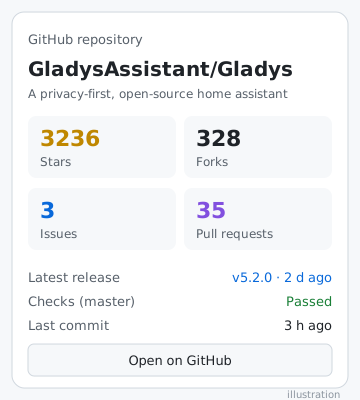
- GitHub repository: stars, forks, issues, pull requests, latest release, checks of the default branch and a link.
- GitHub activity: the latest releases, issues, pull requests and commits of all repositories (or one), filterable.
- GitHub account: followers, following, public repositories and the API quota left.
Troubleshooting
- "GitHub refused the token": the token expired or was revoked: create a new one.
- "Not found or not allowed by the token": check the spelling of the repository, or give the token access to it (private repository).
- "API quota exhausted": another tool uses the same token: increase the refresh interval, or use a dedicated token. Reading resumes by itself.
- No star author: the integration only gets the number of stars from GitHub, not who starred.
- To report a problem, open an issue on GitHub with the Gladys and integration versions and the logs (
DEBUG=gladys-integration-sdk).
Configuration settings
These are the settings GitHub asks for in its configuration screen in Gladys.
| Setting | Type | Required | Description |
|---|---|---|---|
| GitHub access | section | No | The integration reads GitHub with a personal access token. Create a fine-grained token: the "Public repositories" access is enough, read-only. To follow private repositories, choose them and grant "Metadata", "Contents", "Issues", "Pull requests" and "Discussions" in read-only. Copy the token below. |
| Personal access token | secret | Yes | Starts with github_pat_ (fine-grained) or ghp_ (classic, no scope needed). |
| Repositories | section | No | Each followed repository becomes a device on the Discovery screen, next to a device for your account. Scene triggers and widgets pick them by device. |
| Repositories to follow | string | No | owner/name or the github.com link, separated by commas (50 at most). owner/* follows every repository of an account, owner/gladys-* those starting with gladys-. |
| Refresh interval (s) | number | No | How often GitHub is read, between 60 and 3600 seconds. It is also the delay of the scene triggers. |
| Language of the texts | select | No | Device names, scene summaries and outputs. Automatic: the language of your dashboard, once a GitHub widget has been displayed. |
How to install GitHub in Gladys
- In Gladys, open Integrations: GitHub appears in the catalog, next to the native integrations, with a community badge.
- Click Install. Gladys pulls the Docker image (
ghcr.io/william-de71/gladys-github:0.4.0), starts it in a sandbox isolated from the core, and generates the integration's interface (devices, discovery and configuration). - Open the Configuration screen of the integration, fill in the settings, and save.
- You can also install it directly from its repository URL: https://github.com/William-De71/gladys-github.
GitHub requires Gladys >=5.3.0. The catalog inside Gladys refreshes every hour, so a new version becomes available at most one hour after its release.
Not running Gladys yet? It is free and open source: follow the installation guide to get started.
About external integrations
GitHub is an external integration: a community integration packaged as a Docker container and published on GitHub, that Gladys installs in one click and runs in a sandbox isolated from its core. It is published and maintained by William-De71, not by the Gladys core team.
- Browse all integrations, native and community
- Build and publish your own external integration
- Source code on GitHub — source of this documentation