Genius Hub smart home integration, free and open source
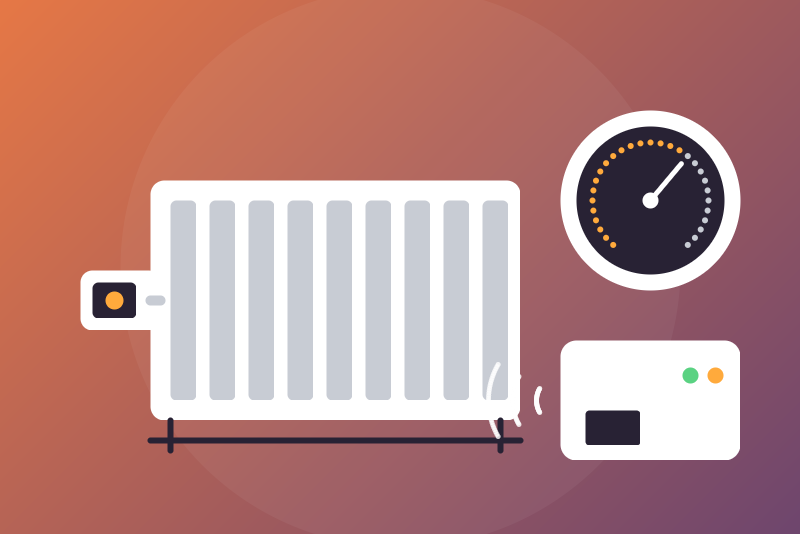
Unofficial: Genius Hub heating, on your network: zones, setpoints, modes, valves, sensors.
Published by LM1LC3N7
- Devices
- Version 0.1.3
- Requires Gladys >=5.1.0
- ★ 0
Unofficial integration, not affiliated with Genius Hub (Heat Genius Ltd). It reads a Genius Hub through its local API (port 1223 of the hub, no cloud) and lets Gladys see and drive the heating zones of the house. Never tested with a real Genius Hub: built from the public documentation and the geniushub-client library, the one of Home Assistant. Please report what differs on your hub.
What you get
One Gladys device per zone of the hub:
| Zone kind | Read | Commands |
|---|---|---|
| Radiator room, wet underfloor | temperature, setpoint, thermostat mode, heat demand, Genius mode, override left, occupancy (zones with a sensor), issues | setpoint, thermostat mode (off / heating), Genius mode (off, timer, footprint, override) |
| Hot water | water temperature, setpoint, hot water mode, heating, override left, issues | setpoint, hot water mode (off / timer / override) |
| On/off timer | on, Genius mode, override left, issues | on / off, Genius mode (off, timer, override) |
And one read-only device per device behind the hub (radiator valve, room thermostat, smart plug, receiver, motion or room sensor): temperature, valve setpoint, battery, luminance, motion, output. The hub drives them from its zones; Gladys never commands them. The "My House" manager zone, the groups and the OpenTherm add-on are not offered.
Configuration
- Find the IP address of the hub (your router, or the Genius Hub app: Settings > Hub). Give it a fixed address in your router if you can.
- Enter the user name and password of the hub (the ones of its local web interface, as asked by the hub itself; not the my.geniushub.co.uk account). The password is kept by Gladys in its database, never shown again, never logged, and sent only to the hub in the form the hub asks for: a hash that is enough to log in to the hub, sent in plain HTTP, so readable by anyone who can watch your local network.
- Save, then open the Discover tab and create the zones and devices you want.
- Commands are off by default: turn on "Allow the setpoint commands" and/or "Allow the mode and on commands" when you want to drive the heating from Gladys. "Off" needs no option.
The hub is read every 60 s by default (60 s at least). Outside that pace, the zones are also read: right before and right after a command, 5 s and 20 s after it, and every 20 s while an "Off" is being checked (two minutes at most, after a restart of the integration too).
Commands, in detail
-
A setpoint sent from Gladys is an override of the zone for the configured duration (60 min by default, 10 to 1440), as the "boost" of the app; the zone then goes back to its timer or mode. Room setpoints: 4 to 28 °C by half degrees, capped by "Highest room setpoint" (25 °C by default). Hot water: whole degrees, 30 to 65 °C, capped by "Highest hot water setpoint" (65 °C by default, 65 at most; a ceiling with a decimal is rounded down).
-
Thermostat mode: "Heating" sets the zone to its timer, that is the programme stored in the hub: its setpoints are the hub's, the ceilings of the integration do not cover them. "Off" turns the zone off. Genius mode: off, timer (the hub's programme), footprint (zones with an occupancy sensor only), override (the setpoint the hub shows now, for the configured duration, only when it is within the bounds above; otherwise refused: send a setpoint). Hot water mode: off, timer (the hub's programme), override (boost at the setpoint the hub shows now, only when it is within the bounds above; otherwise refused). On/off zone: "on" is an override of the configured duration, "off" turns the zone off.
-
A setpoint, a mode or an "on" is decided on a fresh read of the hub (its identity and its zones), made for the command; the pause, a refused login and the guard of an "Off" come from what the integration knows. The command is a success only when the zone read back right after shows the mode written, and for an override its setpoint (within 0.05 °C) and a duration within the configured one. A command that would change nothing (the zone is already so) is a success without anything sent. The command is refused, nothing sent, when:
- its option is off;
- the value is not valid or out of the bounds above;
- the setpoint an override or a boost would keep is outside the bounds (or unknown);
- the hub does not list the zone, or lists it with another kind;
- another hub answers at the address (in the last periodic read, or in the fresh read; run a Scan to adopt it), or the hub was never read;
- the hub refuses the login;
- the hub asked to wait after an error (a pause);
- the zone is still handling a command or one left less than 2 s before;
- an "Off" of the zone is still being checked (two minutes at most, see below);
- the fresh read failed: no answer in about 2 s ("too slow"), the hub unreachable, an answer too large or not from a Genius Hub, a page refused to the login;
- the configuration of the integration changed during the command;
- the request could not leave within about 3.5 s of the click;
- the hub could not be reached when sending.
It is refused after being sent when:
- the hub rejects it (error number in the message): not applied;
- the hub does not answer, or answers a server error: "sent, without confirmation";
- the zone cannot be read back in time, or the read-back still shows the zone as it was before the command, also when read once more about 0.5 s later (the hub may apply a little after its answer): "not shown yet". The reads of 5 s and 20 s then check it: the status says when the command was not applied by 20 s or applied with another value, and a new value beyond the bounds turns the zone off;
- the zone read back shows another mode, or another setpoint ("the hub applied X instead of Y");
- the zone read back shows a new setpoint or duration beyond the bounds of the integration: "Off" is then sent to the zone at once, kept for two minutes, and the status says what the hub applied.
-
"Off" (thermostat mode, Genius mode, hot water mode or on/off state) needs no option, makes no fresh read, goes through a pause and past a refused login (one try), and cancels a setpoint or mode of the same zone not sent yet. It is a success only when the zone read back is off. It is refused, nothing sent, when:
- the configuration of the integration is not read from Gladys yet and does not arrive within about 3 s;
- the hub address or login is not set;
- a write of the same zone still leaving does not leave within about 3 s;
- the configuration of the integration changed meanwhile;
- the request could not leave within about 3.5 s, or the hub refused the connection.
It is refused after being sent when:
- the hub rejects it, refuses the login or has no such page (not applied, the message says which);
- the hub does not answer, or answers a server error: "sent, without confirmation";
- the zone cannot be read back in time;
- the zone read back right after still shows it on (the hub may apply a little after its answer).
In the last three cases, and after every "Off" the hub accepted, the zone is checked for two minutes: while a follow-up read (5 s, 20 s, then every 20 s) shows it on, "Off" is written again (3 times at most), the status says "Off did not take effect", and no command that would start the zone is taken. A read showing the zone off ends the check, except when a setpoint or a mode of the zone left less than 2 min before the "Off" (the hub may still apply it after): the check then lasts its two minutes.
Values
- The values of a zone are published at every read. When the hub reports
that a zone uses the outside temperature (its sensors are silent, issue
zone:using_weather_temp), the temperature of that zone is not published; the issues text says so. - The values of a device behind the hub are published only when the device (for a channel, its node) talked to the hub since the last values published (the hub gives the time of its last communication), and not when that was more than 2 h before: the status then counts those devices. A device that gives no such time is published when a value changes, and not sent again otherwise.
- Unchanged values of the zones and dated devices are sent again every 30 min.
Status and pauses
- A login refused by the hub on its principal page (HTTP 401 or 403) stops the reads until you change it or click "Test the connection" (a read leaves once the read interval is over). A page of zones or devices refused to an accepted login is not a refused login: that page is tried again later (the zones after 30 s, doubled; the devices after two intervals, doubled), up to 1 h.
- After a 429 or a 5xx of the hub, the reads pause (1 min, doubled up to 6 h, or the delay the hub asks), kept across restarts. The hub also answers 503 to a wrong login: the status says so. Changing the address, the user name or the password ends the pause. An unreachable hub is tried again after 30 s, 1 min, 2 min... up to 10 min, never sooner than the read interval.
- When the configuration cannot be read from Gladys at start, it is tried again after 5 s, doubled up to 5 min, and the status says so.
- The hub is recognised by its unique id. If another hub answers at the address, nothing is published to the devices of the former one until you run a Scan from the Discover tab, which adopts the new hub.
Not in this version
The cloud API v1 (my.geniushub.co.uk), the schedules (timer and footprint
programmes), the "My House" manager zone and the house-wide modes, the
groups, the OpenTherm boiler add-on, the issues as separate devices,
commands on the devices themselves (plugs, valves). See TODO.md.
Configuration settings
These are the settings Genius Hub asks for in its configuration screen in Gladys.
| Setting | Type | Required | Description |
|---|---|---|---|
| Genius Hub | section | No | Unofficial connector, not affiliated with Genius Hub (Heat Genius). It reads a Genius Hub through its local API (port 1223 of the hub, no cloud): one device per zone (radiator room, wet underfloor, hot water, on/off timer) with its temperature, setpoint, modes, heat demand, override and issues, and one read-only device per radiator valve, thermostat, plug or sensor behind the hub (temperature, valve setpoint, battery, luminance, motion, output). From Gladys: a setpoint (an override for the configured duration), the modes (timer, footprint, override), the hot water, an on/off zone. Setpoint and mode commands are off by default; "Off" needs no option. Never tested with a real Genius Hub. |
| Hub address | string | Yes | The IP address of the Genius Hub on your network (shown by your router or in the Genius Hub app, Settings > Hub), with a port only if it is not 1223. Preferably give it a fixed address in your router. |
| Hub user name | string | Yes | The user name of the hub itself (the one of its local web interface, not the my.geniushub.co.uk account). |
| Hub password | secret | Yes | The password of that user. Kept by Gladys in its database, never shown again, never logged, sent only to the hub address above, in the form the hub asks for: a hash that is enough to log in to the hub, sent in plain HTTP, readable on your local network. If the hub refuses it, reads stop until you change it or click "Test the connection". |
| Read interval (s) | number | No | Seconds between two reads of the hub (60 by default, never less). |
| Override duration (min) | number | No | A setpoint or an "on" sent from Gladys is an override of the zone for this many minutes (60 by default, the hour of the app's boost); the zone then goes back to its timer or mode. |
| Allow the setpoint commands | boolean | No | Off by default. Off: every room or hot water setpoint sent from Gladys is refused. |
| Allow the mode and on commands | boolean | No | Off by default. Off: the thermostat mode "Heating", the Genius modes (timer, footprint, override), the hot water timer and boost and "on" of an on/off zone are refused. "Off" needs no option; the guide lists its refusal cases. "Timer" applies the programme of the hub, whose setpoints the ceilings below do not cover. |
| Highest room setpoint (°C) | number | No | A room setpoint above this is refused (25 °C by default; 28 °C is the most the hub takes). |
| Highest hot water setpoint (°C) | number | No | A hot water setpoint above this is refused (65 °C by default, 65 °C at most: scalding). |
How to install Genius Hub in Gladys
- In Gladys, open Integrations: Genius Hub appears in the catalog, next to the native integrations, with a community badge.
- Click Install. Gladys pulls the Docker image (
ghcr.io/lm1lc3n7/gladys-genius-hub:0.1.3), starts it in a sandbox isolated from the core, and generates the integration's interface (devices, discovery and configuration). - Open the Configuration screen of the integration, fill in the settings, and save.
- You can also install it directly from its repository URL: https://github.com/LM1LC3N7/gladys-genius-hub.
Genius Hub requires Gladys >=5.1.0. The catalog inside Gladys refreshes every hour, so a new version becomes available at most one hour after its release.
Not running Gladys yet? It is free and open source: follow the installation guide to get started.
About external integrations
Genius Hub is an external integration: a community integration packaged as a Docker container and published on GitHub, that Gladys installs in one click and runs in a sandbox isolated from its core. It is published and maintained by LM1LC3N7, not by the Gladys core team.
- Browse all integrations, native and community
- Build and publish your own external integration
- Source code on GitHub — source of this documentation