Gemini TTS smart home integration, free and open source
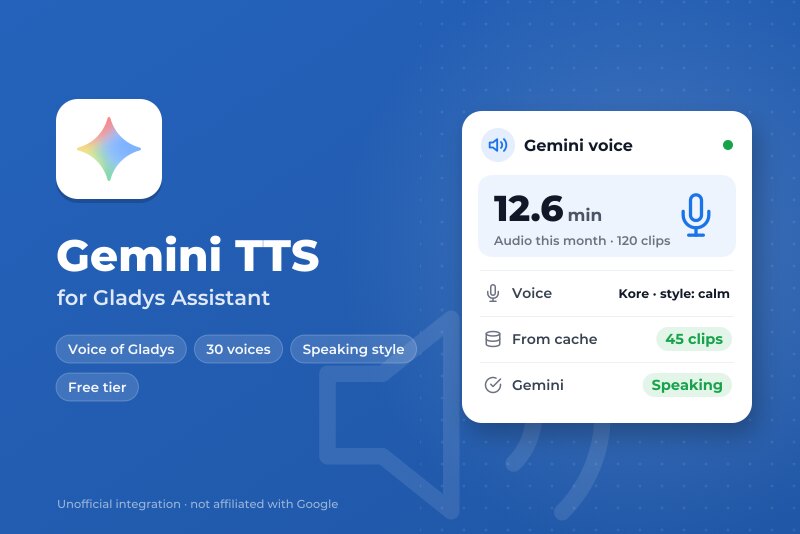
Give Gladys a Gemini voice: 30 voices, a speaking style, free tier or your own budget.
Published by William-De71
- Devices
- Version 0.1.0
- Requires Gladys >=5.3.0
- ★ 0
Overview
This integration gives Gladys a Gemini voice, through the official Gemini API and your own API key from Google AI Studio. Once you choose it as the voice in Settings → Artificial Intelligence, everything Gladys says goes through Gemini: the "play a notification" scene action on your speakers, and the spoken replies of the voice assistant. Gemini recognizes the language of each text by itself, and every voice speaks every language.
You choose among 30 voices (or a voice you designed in Google AI Studio), and you can give the voice a speaking style ("calm and warm", "cheerful, speaking slowly"). A scene text may also hold vocal tags such as <laugh>, <sigh> or <short pause>.
It keeps costs under control: the free tier costs nothing; on the paid tier, a monthly budget stops the voice before it goes over, and a clip cache means a sentence already spoken ("The garage door is open") is never asked twice. It also adds three scene triggers (speech fails, speech works again, monthly budget) and a dashboard widget.
Not affiliated with Google. Not tested with a real Gemini API key yet: feedback welcome.
Prerequisites
- Gladys Assistant 5.3.0 or later.
- A Gemini API key: in Google AI Studio, sign in with a Google account and click Get API key. The Gemini API is not offered in every country.
- Free tier: nothing to pay, a number of requests a day set by Google (shown in AI Studio), and Google may use the texts it receives to improve its products.
- Paid tier (billing or prepaid credit set up on the project of the key): billed per token, the text in and the audio out. About $0.0015 per 10 seconds of speech with Flash-Lite and $0.0023 with Flash until 31 December 2026, double from 1 January 2027. A home that speaks 50 notifications a day of 5 seconds pays about $1 a month with Flash-Lite.
- Your data: every text Gladys reads aloud (notifications, replies of the assistant) goes to Google over HTTPS. The integration asks Google not to store the requests (
store: false).
Configuration
| Field or button | Default | Meaning |
|---|---|---|
| Gemini API key | — | Required. Never shown again, never logged |
| Model | Gemini 3.8 Flash-Lite TTS | Flash-Lite is fast and cheaper; Flash is the most expressive |
| Voice | Kore | One of the 30 prebuilt voices, with its character (firm, warm, upbeat…) |
| Other voice | — | Optional: a voice of the Extended Voice Library, or the id of a voice designed in AI Studio |
| Speaking style | — | Optional, a few words in English: “calm and warm”. Sent with every clip |
| Audio quality | 24 kHz | 24 or 16 kHz WAV; a clip over 5 MB (about 100 s at 24 kHz) is brought down to 16 kHz |
| Tier of the key | Free | As shown in AI Studio; on the paid tier, the integration estimates the cost of each clip |
| Monthly budget | $2 | Paid tier only: beyond it, clips are refused until the 1st of next month (Pacific time) |
| Test the voice | — | Speaks a short sentence (one request of the quota) and shows the length of the clip and the month |
| List the voices | — | Your custom voices, then the catalog voices marked for a language (free) |
| Empty the clip cache | — | Forgets the sentences already spoken |
The status of the configuration screen says whether Google accepts the key, without generating anything. It cannot see the quota or the credit left: Test the voice does.
Usage
- Integrations → Gemini TTS → Configuration: paste the API key, choose the model, the voice and, if you like, a style; press Test the voice.
- Settings → Artificial Intelligence, Voice card: choose Gemini TTS.
- In a scene, add the action play a notification on a speaker: Gladys speaks with the Gemini voice. The voice assistant answers with it too.
Choosing the voice
| Model | Paid tier, 10 s of speech (2026 / from 2027) | Use |
|---|---|---|
| Gemini 3.8 Flash-Lite TTS | $0.0015 / $0.0030 | Everyday notifications, fast, about 100 languages |
| Gemini 3.8 Flash TTS | $0.0023 / $0.0045 | The most expressive voice, more than 130 languages |
Prices checked on the Gemini API pricing page on 14 November 2026; the free tier is free for both. Listen to the voices in Google AI Studio before choosing. List the voices shows the voices of the Extended Voice Library marked for a language (a Parisian narrator, a Canadian voice…): type one of them, or the voice_… id of a voice you designed in AI Studio, in Other voice.
The style applies to every clip: keep it short and in English for best results. In a scene text, the vocal tags of Google (<laugh>, <sigh>, <whispers>, <short pause>, <long pause>…) are kept; any other <…> and the Markdown of the assistant replies are removed before sending.
Dashboard widget
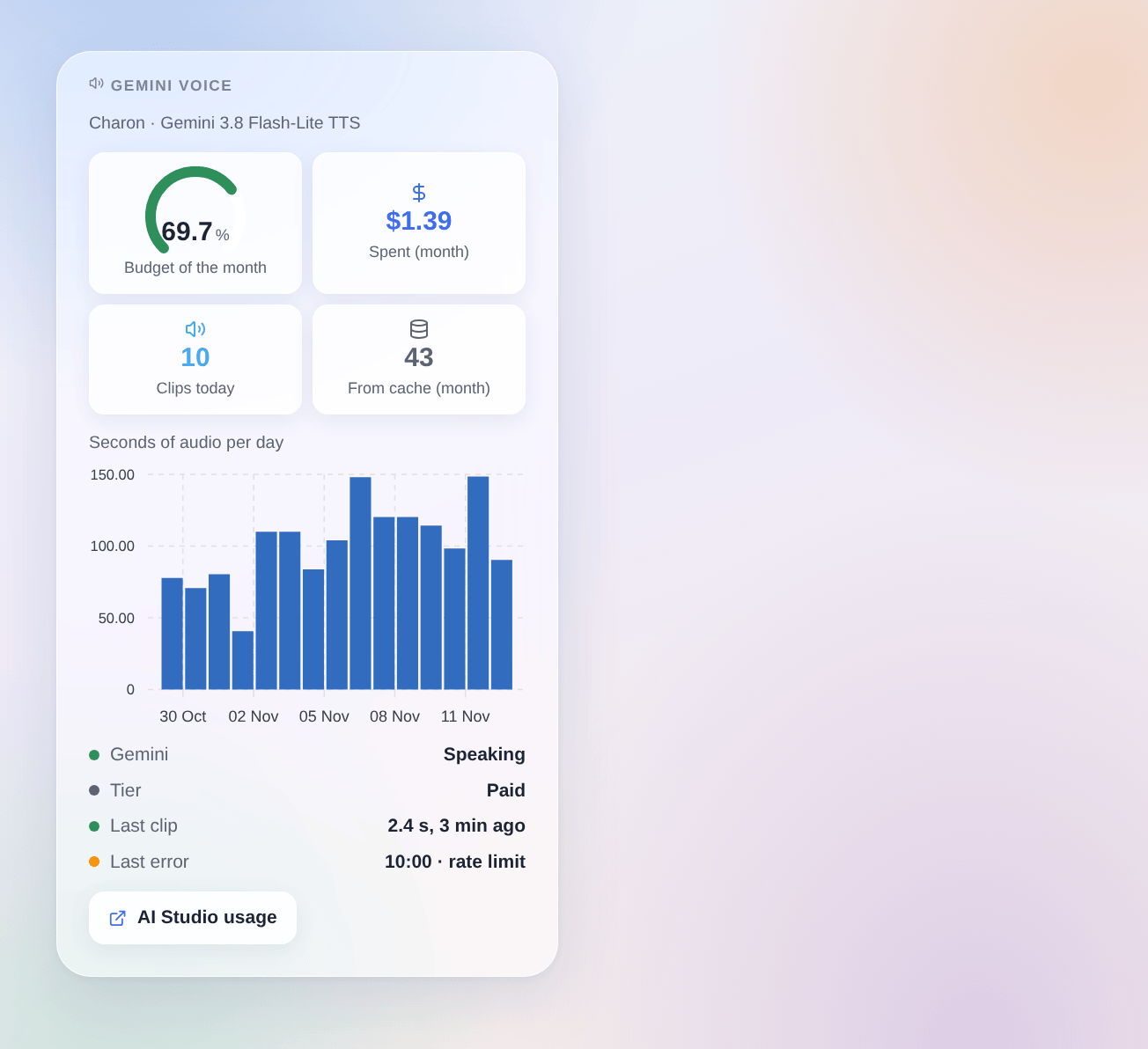
The Gemini voice widget shows, on the paid tier with a budget, the estimated spending of the month against it (gauge); then the spending or the minutes of audio of the month, the clips of the day, the clips read from the cache this month, the seconds of audio per day over 30 days, whether Gemini speaks, the tier, the last clip and the last error. It counts what this integration sent; the same key used elsewhere is not in it. Google AI Studio stays the reference for the bill.
Scenes
- Trigger "Gemini voice: speech fails": once per failure (key refused, API not enabled, billing or credit, daily quota, rate limit, model unknown, voice unknown, API unreachable, too slow, Google error), with the kind, the message, the voice and the language. A text refused on its own (a safety block, nothing left to say) and the monthly budget start nothing here.
- Trigger "Gemini voice: speaks again": the first clip after a failure, with the minutes of failure.
- Trigger "Gemini voice: monthly budget": on the paid tier, at 80 % of the budget (
warning), then when a clip is refused (reached), once per level and month, with the dollars spent, the budget and the percentage.
Examples: when the daily quota is reached, send a Telegram message to the administrator; at 80 % of the monthly budget, send an e-mail with the percentage; when the budget is reached, send a text notification, which costs nothing.
There is no scene action: the audio is played by Gladys itself, through "play a notification".
Troubleshooting
- "Google refused the API key": copy the key again from Google AI Studio; check its restrictions, and that the Gemini API is offered in your country.
- "Daily quota of the Gemini API reached": the free tier allows a number of requests a day; the voice comes back the next day. Repeated sentences come from the cache and use no request. Move the project to the paid tier for more.
- "Google refuses for billing": the prepaid credit is used up, or billing is not set up; add credit in Google AI Studio, or set Tier of the key back to the free tier with a free key.
- "Monthly budget of the integration reached": clips are refused until the 1st of next month, Pacific time; raise Monthly budget to go on.
- "Voice refused": the voice typed in Other voice does not exist, or a
voicekey_…key expired (7 days); press List the voices. - "Google does not know the model": Google retired it; choose the other model.
- A long reply sounds duller: it went over the 5 MB Gladys accepts and was brought down to 16 kHz. Nothing to do; it stays clear for speech.
- A sentence sounds different every time: Gemini voices vary slightly from one generation to the next. A sentence in the cache keeps its first sound; press Empty the clip cache to hear it again.
- Logs: Settings → Supervision, the logs of the integration. Never share your API key.
Configuration settings
These are the settings Gemini TTS asks for in its configuration screen in Gladys.
| Setting | Type | Required | Description |
|---|---|---|---|
| Getting started | section | No | In Google AI Studio, sign in with a Google account, click “Get API key” and create a key, then paste it below. Then select this integration as the voice in Settings, Artificial Intelligence. Gemini detects the language of each text by itself. |
| Costs and privacy | section | No | Free tier: nothing to pay, a daily quota, and Google may use the texts to improve its products. Paid tier: billed per token, about $0.0015 (Flash-Lite) to $0.0023 (Flash) per 10 seconds of speech, double from 2027; the integration stops at the monthly budget below. A sentence already spoken is not asked again. Every text read aloud goes to Google. |
| Gemini API key | secret | Yes | |
| Voice | section | No | Every voice speaks every language. Listen to them in Google AI Studio (link above). |
| Model | select | No | |
| Voice | select | No | |
| Other voice (optional) | string | No | Replaces the voice above: a voice of the Extended Voice Library (“List the voices” button), or the id of a voice designed in Google AI Studio (voice_…). |
| Speaking style (optional) | string | No | A few words, in English for best results: “calm and warm”, “cheerful, speaking slowly”. Applies to every clip. A scene text may also hold vocal tags such as <laugh>, <sigh> or <short pause>. |
| Audio quality | select | No | WAV clips. A clip over the 5 MB Gladys accepts (about 100 seconds at 24 kHz) is brought down to 16 kHz. |
| Budget | section | No | |
| Tier of the key | select | No | The tier of the Google project of the key, as shown in Google AI Studio. On the paid tier, the integration estimates the cost of each clip. |
| Monthly budget (paid tier) | select | No | Estimated from the tokens Google reports. Beyond it, clips are refused until the 1st of next month (Pacific time, like Google bills). |
How to install Gemini TTS in Gladys
- In Gladys, open Integrations: Gemini TTS appears in the catalog, next to the native integrations, with a community badge.
- Click Install. Gladys pulls the Docker image (
ghcr.io/william-de71/gladys-gemini-tts:0.1.0), starts it in a sandbox isolated from the core, and generates the integration's interface (devices, discovery and configuration). - Open the Configuration screen of the integration, fill in the settings, and save.
- You can also install it directly from its repository URL: https://github.com/William-De71/gladys-gemini-tts.
Gemini TTS requires Gladys >=5.3.0. The catalog inside Gladys refreshes every hour, so a new version becomes available at most one hour after its release.
Not running Gladys yet? It is free and open source: follow the installation guide to get started.
About external integrations
Gemini TTS is an external integration: a community integration packaged as a Docker container and published on GitHub, that Gladys installs in one click and runs in a sandbox isolated from its core. It is published and maintained by William-De71, not by the Gladys core team.
- Browse all integrations, native and community
- Build and publish your own external integration
- Source code on GitHub — source of this documentation