FFHandball Calendar smart home integration, free and open source
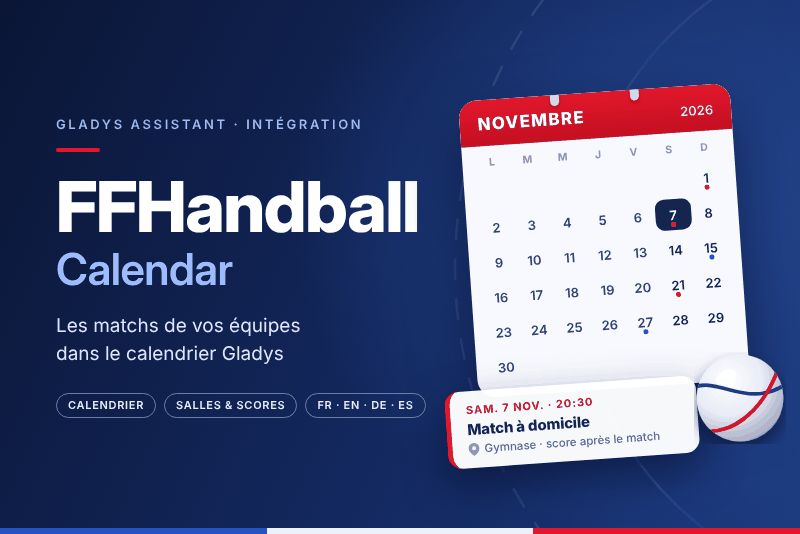
The matches of your French handball teams in the Gladys calendar, from ffhandball.fr.
Published by prohand
- Devices
- Version 1.0.1
- Requires Gladys >=5.3.0
- ★ 0
This integration puts the matches of your handball teams in the Gladys calendar, from ffhandball.fr, the website of the French handball federation: professional leagues, national, regional and departmental championships. Each team becomes a calendar, with every scheduled match, its hall, its link and, once played, its score.
No account, no key: the integration reads the public website, over the internet.
Requires Gladys 5.3.0 or later.
This integration only does the calendar. For the standings, the live results, the dedicated scene triggers and the widgets, install the FFHandball integration too: both work together, with the same team addresses.
Add your teams
-
On www.ffhandball.fr/competitions, pick the season, the competition, then click your team (in the calendar or the standings).
-
Copy the address of that page from your browser. It ends with
/equipe-<number>/, for example:https://www.ffhandball.fr/competitions/saison-2026-2027-22/national/daikin-starligue-2026-27-32372/equipe-2119699/ -
In Gladys, open the page of the integration. In the My calendars block, paste the address in Teams, several teams separated by commas, then enable.
Each member of the household enables the integration for themselves and picks their own teams: the calendars are theirs. They start private: share one, in the same block, so the household sees it and the scenes can use it.
Can't find the team page? Copy the address of the competition (or of one of its pools) instead and paste it in the List the teams of a competition button: the answer lists every team with the address to paste.
New season, new addresses. The federation gives every team a new page each season: in September, replace the address. The old calendar is deleted, a new one is created for the season.
Configuration
| Field | Role |
|---|---|
| Teams (My calendars) | Addresses of team pages, separated by commas (or spaces). One list per user. |
| Refresh interval (minutes) | Minutes between two reads of ffhandball.fr, for every calendar (60 by default, 15 minimum, 1440 maximum). |
Sync now reads every team of every user right away and says, team by team, how many matches are in the calendar — or why it failed.
What goes in the calendar
| Item | Content |
|---|---|
| Calendar | One per team, named after the team and its competition, with its color |
| Event | One per scheduled match, e.g. "CAEN HANDBALL – PARIS SAINT-GERMAIN" |
| After the match | The score in the name, e.g. "CAEN HANDBALL 29 – 32 PARIS SAINT-GERMAIN", and the result |
| Time | The kick-off, for 1 h 30 |
| Location | The hall and its address, as the club publishes them |
| Description | The competition, the round, home or away, the result |
| Link | The page of the match on ffhandball.fr |
A match without a date does not show: it reaches the calendar as soon as the federation schedules it. A rescheduled match moves, a match that loses its date is removed.
The texts are in the user's language in Gladys. The times are the ones the federation publishes (French time).
In scenes
The matches are calendar events like any other: the Gladys calendar trigger (an event is coming) and its calendar actions see them, once the calendar is shared. For example:
- an hour before a home match, remind everyone to leave for the gym;
- on the morning of a match, send the name and the location of the event.
Troubleshooting
- "not a team page": the address must contain
/equipe-<number>/. Use the List the teams of a competition button to get it. - "team … not found on ffhandball.fr": the season of that page is over, or the team was withdrawn. Paste the address of the current season.
- "ffhandball.fr unreachable": the website or your internet connection is down; the calendar keeps its matches and the integration tries again at the next refresh.
- No location: the club has no calendar published on ffhandball.fr for that competition; the matches are there, without hall.
- A calendar is no longer updated: its sync may be turned off in My calendars.
Privacy
The integration only reads public pages of ffhandball.fr. It sends nothing about you or your home, writes no file, and only syncs the users who enabled it.
Configuration settings
These are the settings FFHandball Calendar asks for in its configuration screen in Gladys.
| Setting | Type | Required | Description |
|---|---|---|---|
| Getting started | section | No | Each member of the household chooses their own teams: in My calendars on this page, paste the address of the ffhandball.fr page of each team (it ends with /equipe-<number>/), separated by commas, then enable. Each team becomes a calendar of its own, with every scheduled match, its hall and its score. Share a calendar there to use it in scenes. No account, no key: the integration reads the public website. |
| Refresh interval (minutes) | number | No | How often ffhandball.fr is read for every calendar. Fixtures move a few times a season and the site refreshes its pages about once an hour. |
How to install FFHandball Calendar in Gladys
- In Gladys, open Integrations: FFHandball Calendar appears in the catalog, next to the native integrations, with a community badge.
- Click Install. Gladys pulls the Docker image (
ghcr.io/prohand/gladys-calendar-ffhandball:1.0.1), starts it in a sandbox isolated from the core, and generates the integration's interface (devices, discovery and configuration). - Open the Configuration screen of the integration, fill in the settings, and save.
- You can also install it directly from its repository URL: https://github.com/prohand/gladys-calendar-ffhandball.
FFHandball Calendar requires Gladys >=5.3.0. The catalog inside Gladys refreshes every hour, so a new version becomes available at most one hour after its release.
Not running Gladys yet? It is free and open source: follow the installation guide to get started.
About external integrations
FFHandball Calendar is an external integration: a community integration packaged as a Docker container and published on GitHub, that Gladys installs in one click and runs in a sandbox isolated from its core. It is published and maintained by prohand, not by the Gladys core team.
- Browse all integrations, native and community
- Build and publish your own external integration
- Source code on GitHub — source of this documentation