FENECON FEMS / OpenEMS smart home integration, free and open source
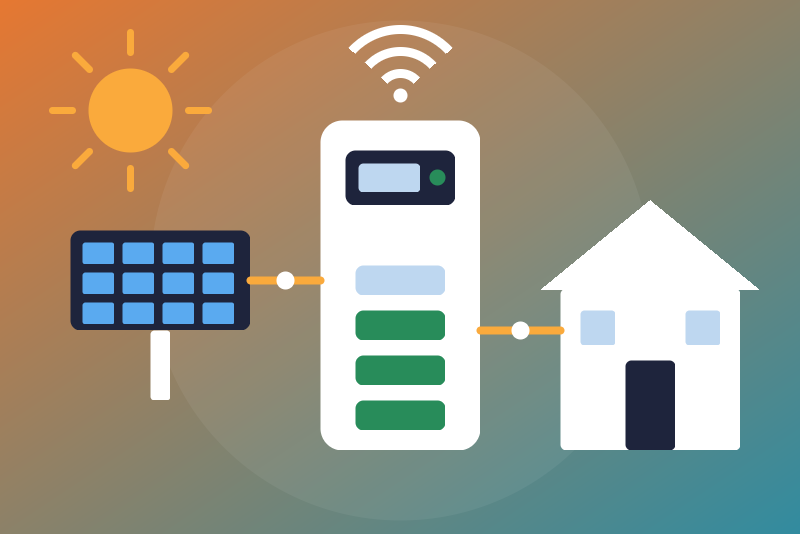
Unofficial: FENECON FEMS and OpenEMS storage systems on your network, read-only.
Published by LM1LC3N7
- Devices
- Version 0.1.1
- Requires Gladys >=5.1.0
- ★ 0
Unofficial integration, not affiliated with FENECON nor the OpenEMS Association. It reads a FENECON FEMS storage system (Home, Commercial) or any OpenEMS Edge on your network, through the local JSON-RPC WebSocket API of the Edge. Read-only: it never changes a setting of the system. No cloud: the FENECON portal is never contacted.
Never tested with a real device: built from the API as the Home Assistant integration ha_openems uses it. Your feedback is welcome.
What you get
One device per Edge, named after its host name (e.g. OpenEMS fems12345):
- state of charge (%);
- battery power (W, signed: + discharging, - charging);
- grid power (W, signed: + bought from the grid, - sold to it);
- production power (W) and house consumption (W);
- the lifetime energy counters (kWh): production, house consumption, bought from the grid, sold to the grid, battery charge and discharge;
- the system state (0 OK, 1 info, 2 warning, 3 fault) and the grid mode (1 on-grid, 2 off-grid, 3 off-grid with a genset);
- a production index for the Gladys energy monitoring (option "Production").
The house consumption and what is bought from the grid are plain sensors, not counted by the energy monitoring: your main meter already counts them (they would be billed twice).
Setup
- Give the Edge a fixed address in your router.
- In Gladys, install the integration and fill in:
- Edge address: its IP address; add a port only if it is not 8085
(
:80uses the WebSocket of the FEMS web page); - User name: leave
x(the Edge recognizes the user by the password); - Password: the read-only guest is enough; on a FEMS its password is
usually
user. The status says so when the password logs in with more rights; - Production: "Energy monitoring" (the production goes to the energy monitoring as an index) or "Sensor only" (another integration already sends this production to Gladys). Choose before creating the device;
- Reading interval: 30 s by default (30 to 300).
- Edge address: its IP address; add a port only if it is not 8085
(
- Click Test the connection, then create the device from the Discover tab.
How it reads
Each read opens one connection to the Edge, logs in, subscribes to the values,
takes the first values the Edge sends, and closes. The password is sent once:
the next reads log in with the token the Edge gave (kept in memory only, never
in the logs nor in /data), so the Edge does not pile up one token per read;
after a restart of the Edge or of the integration, the password is sent again.
If the Edge does not answer a log-in by token, or closes the connection on it,
that read fails and the next reads send the password for 5 min (then 10, 20…
up to 6 h while it goes on) before the token is tried again. One connection at a time,
never faster than the interval: not on the test button, not on Discovery, not
on a reconnection, not after a restart of the container (it waits the interval
plus one minute after the last session). A new address or a new password is
read at once.
- Password refused (the Edge answers "authentication failed"): the reads stop until you save a new password or click Test the connection (one try per click). A closed connection, no answer or another error is not a refusal: tried again after 1 min, then up to every 15 min.
- Identity: the values only go to the device of the host name read in the same session. Without a readable host name, nothing is published; another host name at the same address gets its own device.
Lifetime counters
A lifetime counter only rises. Every counter goes through a guard:
- 0, a missing value or a text is never published;
- a drop (a reset, a replaced meter) or a jump of more than 100 kW on average (plus 0.5 kWh) since the last value is held back: the last accepted value is sent again, the status shows it, and time never confirms it (the guard runs on the elapsed time of the integration, so a clock corrected by hours while it runs changes nothing; at its restart it starts again from the system time, and a date saved in the future is brought back to now; a system time wrong by hours around a restart, never corrected during the run before or wrongly set ahead after the restart and before the first value read, can widen the margin of that first value only);
- if it is right, click Accept the held counter twice (the first click lists, the second, from 3 s to 5 min later, accepts exactly what was listed). After a drop is accepted, counting goes on from the new value; the energy monitoring counts nothing for the drop. Saving the configuration accepts nothing.
Privacy and security
The password is kept by Gladys in its database, never shown again, sent only
to the Edge on your network, inside the log-in request. It is never written to
the logs, to /data nor to a status. After a refused password, /data keeps
an 8-bit salted fingerprint of it (to see after a restart whether the form
changed), erased by the next successful log-in. The connection is a plain
WebSocket on your network, as the FEMS web page uses.
Limits
- One Edge per integration.
- No command: charge limits, the wallbox and the settings of the Edge are not available (maybe later, behind an option).
- The signs of the battery and grid powers are the ones OpenEMS documents; not checked on a real system yet.
Configuration settings
These are the settings FENECON FEMS / OpenEMS asks for in its configuration screen in Gladys.
| Setting | Type | Required | Description |
|---|---|---|---|
| FEMS / OpenEMS Edge | section | No | Unofficial connector, not affiliated with FENECON nor the OpenEMS Association. It reads your FENECON FEMS (Home, Commercial) or any OpenEMS Edge on your network through its local JSON-RPC WebSocket API (port 8085), every 30 s by default: state of charge, battery, production, house, grid, the lifetime energy counters, the system state and the grid mode, and a production index for the Gladys energy monitoring. No cloud: the FENECON portal is never contacted. Read-only: it never changes a setting of the system. Never tested with a real device. |
| Edge address | string | Yes | The IP address of the FEMS / OpenEMS Edge on your network (shown by your router), with a port only if it is not 8085 (80 for the WebSocket of the FEMS web page). Preferably give it a fixed address in your router. |
| User name | string | No | Leave "x" for the local access of a FEMS (the Edge recognizes the user by the password). It is never written to the logs nor shown in a status. |
| Password | secret | Yes | The password of a user of the Edge. The read-only guest is enough (on a FEMS, its password is usually "user"); the integration never changes anything. Kept by Gladys in its database, never shown again, sent only to the Edge on your network. |
| Production | select | No | "Energy monitoring": the production counter of the system goes to the Gladys energy monitoring as an index. "Sensor only": only shown, never counted; choose it if another integration already sends this production to Gladys (counted twice otherwise). Choose before creating the device. |
| Reading interval (seconds) | number | No | How often the Edge is read, from 30 to 300 seconds. Never faster, except right after you save a new address or a new password. |
How to install FENECON FEMS / OpenEMS in Gladys
- In Gladys, open Integrations: FENECON FEMS / OpenEMS appears in the catalog, next to the native integrations, with a community badge.
- Click Install. Gladys pulls the Docker image (
ghcr.io/lm1lc3n7/gladys-openems:0.1.1), starts it in a sandbox isolated from the core, and generates the integration's interface (devices, discovery and configuration). - Open the Configuration screen of the integration, fill in the settings, and save.
- You can also install it directly from its repository URL: https://github.com/LM1LC3N7/gladys-openems.
FENECON FEMS / OpenEMS requires Gladys >=5.1.0. The catalog inside Gladys refreshes every hour, so a new version becomes available at most one hour after its release.
Not running Gladys yet? It is free and open source: follow the installation guide to get started.
About external integrations
FENECON FEMS / OpenEMS is an external integration: a community integration packaged as a Docker container and published on GitHub, that Gladys installs in one click and runs in a sandbox isolated from its core. It is published and maintained by LM1LC3N7, not by the Gladys core team.
- Browse all integrations, native and community
- Build and publish your own external integration
- Source code on GitHub — source of this documentation