EPEX Spot smart home integration, free and open source
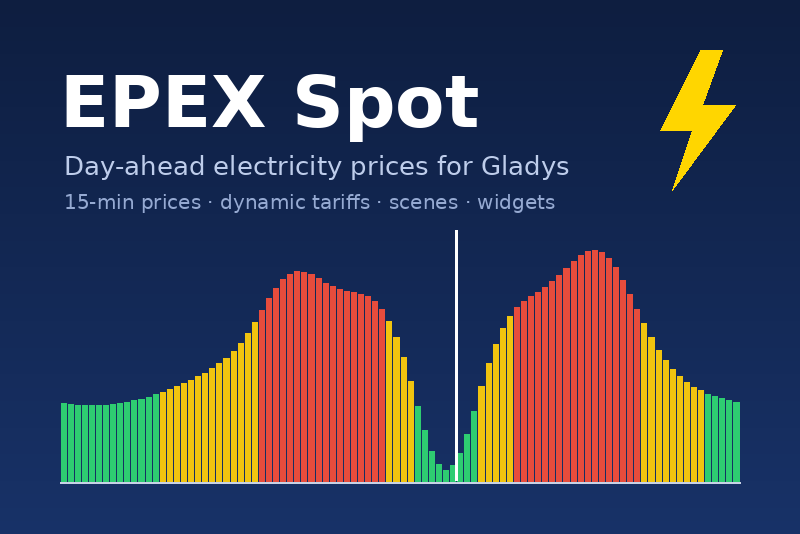
Day-ahead electricity prices (EPEX Spot) and dynamic tariffs in Gladys.
Published by gboulvin
- Devices
- Version 1.0.0
- Requires Gladys >=5.2.0
- ★ 0
This integration brings the day-ahead electricity prices of your bidding zone into Gladys: the result of the daily auction of the coupled European market (EPEX Spot), every quarter-hour. Use it to follow the price of electricity, to run your appliances at the cheapest hours and to compute the real cost of a dynamic electricity contract (offers indexed on the spot price).
Prices come from the free public API of energy-charts.info (Fraunhofer ISE): no account, no API key. The integration needs Internet access (cloud tag).
Supported zones
France, Germany / Luxembourg, Belgium, Netherlands, Austria, Switzerland, Spain, Poland, Denmark West (DK1) and Finland. Prices are in euros. Switzerland publishes hourly prices: each hour is spread over its four quarter-hours.
Configuration
- Open the Configuration tab of the integration.
- Pick your bidding zone (the one of your meter).
- If needed, adjust:
- the download interval (60 minutes by default, 15 to 360). Tomorrow's prices are published around 13:00 CET: while waiting for them, the integration retries every 15 minutes on its own;
- the markup shown (€/kWh) and the VAT shown (%), so the device and the widgets show a price close to your bill (supplier margin, grid fees). They only change what is displayed;
- the price unit in widgets: €/kWh or €/MWh.
- Save, then click Test the price API: the message shows how many quarter-hours were received and the current price.
- In the Discovery tab, add the EPEX Spot FR device (or the one of your zone).
The device
| Feature | Content |
|---|---|
| Current price (€/kWh) | price of the current quarter-hour |
| Next quarter-hour price (€/kWh) | price of the next quarter-hour |
| Today minimum / average / max | statistics of the day |
| Tomorrow average (€/kWh) | tomorrow's average, once published |
The shown prices include the markup and VAT of the configuration. They can be negative when renewable production exceeds demand.
Dynamic electricity contract (Gladys 5.2 and later)
The integration feeds the spot calendar of your zone (spot-fr,
spot-de…) with the raw price of every quarter-hour, and offers one
contract template per zone in the Gladys energy contract wizard: EPEX
Spot dynamic – France, and so on.
For every quarter-hour, the template computes:
energy = spot price × coefficient + margin
total  = (energy + grid fees) × kWh + monthly subscription, VAT included
Fill in the values of your offer (coefficient, margin, grid fees and taxes, subscription, VAT). The fallback price applies to an interval without a published spot price. Gladys then computes the costs of your meter like for any contract, and its own "contract price changed" / "current price" scenes work too.
A calendar belongs to the first installed integration declaring it: if
another integration already feeds spot-fr, Gladys says so and the
Configuration screen shows it.
Scenes
Triggers:
- Spot price level changed — at a quarter-hour, the price moves to
another level of the day: negative, very cheap, cheap, normal,
expensive, very expensive (position of the price between the minimum
and the maximum of the day). Filter on the levels you want; variables:
level,previous_level,price. - Cheapest hours started — the cheapest contiguous window of the day
(1, 2, 3, 4 or 6 hours) starts now: run the dishwasher, charge the car or
heat the water tank. Variables:
average_price,ends_at. - Tomorrow's prices published — once a day, around 13:00 CET. Variables:
min_price,max_price,average_price,cheapest_hour,negative_prices. Perfect for a notification.
Actions:
- Get the spot price — outputs
price,spot_price,level,next_price,found. - Find the cheapest hours — length (hours) and period (next 24 hours,
rest of today, tomorrow); outputs
start_time,end_time,starts_at,minutes_until_start,average_price,starts_now,found. - Is it a cheap hour? — tells whether now is among the N cheapest hours
of the day (
is_cheap,rank). - Download the spot prices — forces a download.
Example: "Every day at 22:00, find the 3 cheapest hours of tomorrow, then send me a message: Car charging from {{start_time}} to {{end_time}}".
Widgets
- Spot price — current price (colored by level), next price, minimum and maximum of the day, curve of today and tomorrow with a "now" marker, level, average, best 2-hour window.
- Cheapest hours — the best 1, 2, 3 and 4-hour windows of the next 24 hours, and a Refresh button.
Troubleshooting
- No price: click Test the price API. "Unreachable" points to a network problem of Gladys; "rate limit" means too many calls to the API, the integration waits 20 minutes.
- No price for tomorrow: they are published around 13:00 CET, sometimes later when the market has an incident.
- The known prices are kept in the
/datavolume: a restart does not lose them.
Data source: Bundesnetzagentur | SMARD.de / energy-charts.info, licensed CC BY 4.0 (OMIE for Spain, private use).
Configuration settings
These are the settings EPEX Spot asks for in its configuration screen in Gladys.
| Setting | Type | Required | Description |
|---|---|---|---|
| Day-ahead electricity prices | section | No | The integration downloads the day-ahead prices of your bidding zone (EPEX Spot auction, coupled European market) from the free energy-charts.info API: no account, no API key. Tomorrow’s prices are published around 13:00 CET. It feeds the spot calendar of Gladys, so you can create a dynamic electricity contract from the templates offered in the energy contract wizard. |
| Bidding zone | select | Yes | The market area of your electricity meter. |
| Download interval (minutes) | number | No | How often the prices are downloaded (15 to 360 minutes). While tomorrow’s prices are awaited, the integration retries every 15 minutes. |
| Markup shown (€/kWh) | number | No | Added to the prices shown by the device and the widgets (margin, grid fees). Contract costs use the contract template instead. |
| VAT shown (%) | number | No | Applied on top of the shown prices (0 = before tax). |
| Price unit in widgets | select | No |
How to install EPEX Spot in Gladys
- In Gladys, open Integrations: EPEX Spot appears in the catalog, next to the native integrations, with a community badge.
- Click Install. Gladys pulls the Docker image (
ghcr.io/gboulvin/gladys-epex-spot:1.0.0), starts it in a sandbox isolated from the core, and generates the integration's interface (devices, discovery and configuration). - Open the Configuration screen of the integration, fill in the settings, and save.
- You can also install it directly from its repository URL: https://github.com/gboulvin/Gladys-EPEX-Spot.
EPEX Spot requires Gladys >=5.2.0. The catalog inside Gladys refreshes every hour, so a new version becomes available at most one hour after its release.
Not running Gladys yet? It is free and open source: follow the installation guide to get started.
About external integrations
EPEX Spot is an external integration: a community integration packaged as a Docker container and published on GitHub, that Gladys installs in one click and runs in a sandbox isolated from its core. It is published and maintained by gboulvin, not by the Gladys core team.
- Browse all integrations, native and community
- Build and publish your own external integration
- Source code on GitHub — source of this documentation