EMS-ESP (Bosch, Buderus) smart home integration, free and open source
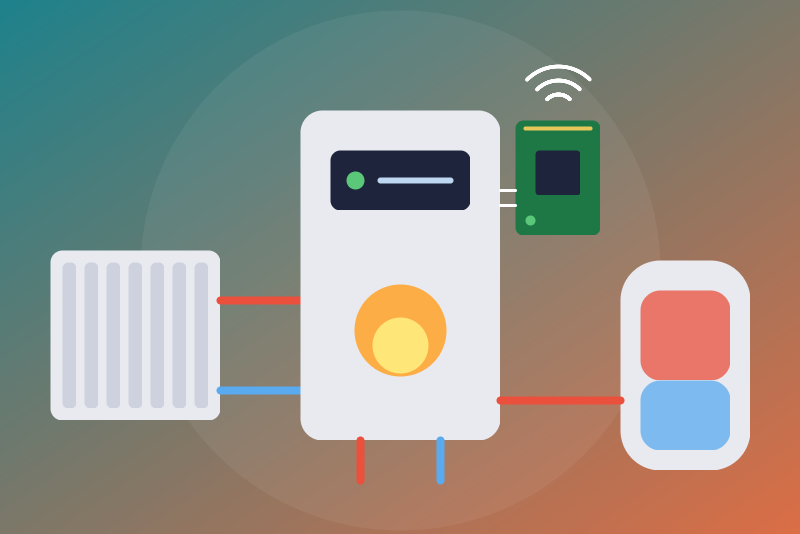
Boilers and heat pumps on an EMS-ESP gateway, local: heating, hot water, optional commands.
Published by LM1LC3N7
- Devices
- Version 0.1.1
- Requires Gladys >=5.1.0
- ★ 0
This integration shows in Gladys a boiler or heat pump of the Bosch group (Bosch, Buderus, Junkers, Nefit, Worcester, Sieger...) read on its EMS bus by an EMS-ESP gateway: an ESP32 board (BBQKees or home-made) with the free EMS-ESP firmware, on your local network, without any cloud.
Never tested with a real gateway: the integration calls the REST API that EMS-ESP documents (docs.emsesp.org, "Commands" page) and was checked against a fake server giving the answers of version 3.9. Not affiliated with EMS-ESP, Bosch or Buderus. Feedback is welcome.
You have a Buderus KM50, KM100 or KM200 network gateway and no EMS-ESP? The gladys-bosch-thermostat integration reads it.
What you get
One Gladys device per installation, read every 60 s by default:
- outdoor and supply temperatures, system pressure (read on the boiler);
- heating of the boiler, all circuits: the heating of the boiler on/off
(
heatingactivated, the "summer mode" of the boiler: it stops the heating of all circuits, see The stop); - for each heating circuit of the thermostat (hc1 to hc4): room temperature, room setpoint, mode (manual, auto, day, night, frost protection... depending on the thermostat, with "Off" when it lists one);
- for each hot water (dhw, dhw2): water temperature, setpoint, on/off
(
activated); - the link status ("OK", "Gateway unreachable", a stop from Gladys under way...).
A feature appears once EMS-ESP gives its value and never disappears afterwards. The modes offered are those the thermostat lists when the device is added, in the language set in EMS-ESP (an "Off" mode is recognized in all of its languages).
The identity of the device is a print of the type, product id and bus address of the boiler (else the heat pump, else the thermostat) as EMS-ESP lists them: its API gives no serial number nor MAC address. Two gateways on the same boiler model cannot be told apart; another boiler at the address is seen at once.
Configuration
- Find the address of EMS-ESP on your network (in your router, or in
EMS-ESP, Network), e.g.
192.168.1.50. Make it fixed (DHCP reservation): a.localname may not resolve from the container. - In EMS-ESP, Settings, Security, API keys, create a key: "Read and Write" to send commands (stops included), "Read" to read only. From EMS-ESP 3.10 every read needs a key; before, reads need none (a key is still needed for the commands). On versions without API keys, use the access token of the admin user.
- In Gladys, open the configuration of the integration, enter the address
(with
:portif not 80) and the key. - Save, then add the device from the Discovery tab.
The key is kept by Gladys in its database, never shown again, sent only to
your EMS-ESP gateway, in the Authorization header of each request (plain
http on your local network, as EMS-ESP answers). The integration sends its
own User-Agent: gladys-ems-esp/<version> header.
The Test the connection button reads EMS-ESP once, but not sooner than the refresh interval after the previous read.
The commands
By default Gladys only reads. The option Allow switching on, the modes and the setpoints (off by default) lets the dashboard, the scenes and the voice assistants:
- switch the heating of the boiler or a hot water back on;
- change the mode of a heating circuit, among those the thermostat lists;
- change the room setpoint of a heating circuit, by half degrees, between 5 and 30 °C and within the bounds EMS-ESP gives for it;
- change the hot water setpoint, in whole degrees, within the bounds of EMS-ESP, between 20 °C and the configured ceiling: 65 °C by default, 40 to 65 °C, 65 °C at most whatever is typed or EMS-ESP allows (scalding risk).
They are neither switches nor binaries: a "turn everything off" of a scene or a voice assistant does not reach the boiler.
Each command first reads EMS-ESP again (its identity, then the entity it writes with its bounds, its modes and whether it takes a write) and decides on that read, not on the values kept in memory; commands arriving together (a scene) share that read, leave one by one, then each is read back. A command leaves by 3.5 s after the click, otherwise it is refused and nothing is sent. EMS-ESP answers once the write is queued and shows the new value only after its trip on the bus (0.5 to 2 s): the entity is read again every 600 ms, and the command is reported successful only when one of these reads, before 4.3 s, shows the value asked; otherwise Gladys shows "sent and accepted, not applied yet" (or "sent, without confirmation" when EMS-ESP did not answer), and the follow-up reads, 5 s and 20 s later, publish the value as soon as it shows. Beyond 16 commands waiting, they are refused. As EMS-ESP serves one request at a time, a scene of 5 setpoints is set and confirmed up to about 200 ms per request; on a slower gateway (500 ms and more), the last ones are refused "nothing sent" for lack of time. An HTTP 4xx refusal of a command concerns it only: the reads go on. A 401/403 means the key has no right to write: the error says so.
When EMS-ESP is set to °F, the temperatures are converted to °C for Gladys and the setpoints are not written in this version (nothing is sent); on, off and modes still are.
A setpoint is refused while a stop of its circuit sent from Gladys holds (see below): switch the circuit back on (or choose another mode) first. When /data cannot be read, switching on, modes and setpoints are refused (a stop kept there would be unknown).
The stop
Choosing "Off" for the heating of the boiler, for a hot water, or for a
heating circuit whose thermostat lists an off mode (RC20, RC30, BC400, CR11,
SRC thermostats...) needs no option. The integration writes off, which
EMS-ESP understands in all of its languages.
A circuit whose thermostat lists no off mode (RC310, RC300, RC35...: manual and auto, day and night) offers no stop: its mode select has no "Off" (the error says so). To stop the heating, use "Heating of the boiler, all circuits on/off", choice "Off: heating of the boiler, all circuits", with no option either. Beware:
- it stops the heating of all the circuits of the boiler (the "summer mode" of the boiler), not of one;
- while it holds, the frost protection driven by the thermostat may no longer heat the installation: do not use it for a long absence in cold weather;
- it was not checked with an RC310 master of the bus: if the thermostat switches the heating back on, two reads in a row show it and the guard of the stop from Gladys is lifted (the state shows "on").
The stop leaves without waiting for a read, ahead of any other request: a read under way is cut, the commands not sent yet are cancelled (nothing asked before the stop leaves after it). Neither the option, nor the bounds, nor a pause asked by EMS-ESP (HTTP 429/5xx), nor a key refused before (one try), nor /data unreadable or stuck, nor a device not read yet hold it.
The integration refuses it in these three cases only:
- the configuration of the integration is not valid, or could not be read yet since the integration started;
- the circuit does not list "Off" (in the select created, or in the last read);
- the last read showed another installation at this address.
EMS-ESP itself refuses it without a key that has the "Read and Write" right (HTTP 401/403; the error says so). In read only mode, EMS-ESP takes it (HTTP 200) and never applies it: it stays "not applied yet" (the link status shows that mode).
Only an answer of EMS-ESP counts as a try. When it cannot leave (gateway unreachable, cut), it is tried again for 250 ms, then kept in /data and sent again first by each next read, without limit, until EMS-ESP answers it: it leaves at the first read that reaches it, and at a restart of the integration or a change of configuration (or, when /data was slow at the start, as soon as it answers: it is read again every 10 s). Sent without an answer (timeout, cut) or refused with HTTP 429/5xx, it is sent again the same way, without being counted, at the rhythm of the periodic reads (their interval, their backoff after failures, the pause of 1, 2, 5 then 10 min after 429/5xx in a row); only the click triggers a quick follow-up read when it leaves without an answer. It is not sent to another installation read at the address. When EMS-ESP refuses it with HTTP 4xx while the reads go through, it is sent again twice at most, then the status says so. Clicked while EMS-ESP refuses the reads with the key, it is sent once: accepted, it counts; refused, it is kept and sent again first once another key is saved or the button gets through.
It is reported successful when a read made after it shows the circuit off. Once seen applied, nothing is sent again. If a read made after it still shows another state, it is sent again, 3 times at most (only the sends that got an answer count), then the status says so.
The stop from Gladys is kept in /data, with no time limit. It is lifted only by switching on or another mode chosen from Gladys (with the option; the lifting is written to /data before the command leaves), or when, once the stop was seen applied, another state is read twice in a row (changed on the thermostat, the boiler or in EMS-ESP).
Status and errors
- EMS-ESP refuses the reads with this key (HTTP 401/403 on
/api/system, from 3.10): the reads stop, with no automatic retry; save another key or use "Test the connection". A 401/403 on another address of the API is no refusal of the key: that value is left out. - EMS-ESP asks to slow down (HTTP 429: another request under way, from Home Assistant for instance; or 5xx): a pause of 1 min to 6 h, kept in /data, for everything but the stop.
- Gateway unreachable: tried again after 1, 2, 5 then 10 min, not sooner than the interval; the link status says so, and values older than two intervals are not published again.
- EMS bus not connected (EMS-ESP says so): no value is published, they could be old.
- Value missing (HTTP 404 of an entity or a device EMS-ESP does not have, an empty or null value): left out, the others are read; an unknown value is not published as 0.
- Another installation answers at the address: its values do not go to the device created; it shows as a new device in Discovery.
- EMS-ESP in read only mode: the link status says so; EMS-ESP then takes every command without applying it, stops included ("not applied yet").
What /data keeps
ems-esp-state.json: a pause under way, a refusal of the key (with 8 bits
of a salted print, enough to know whether it changed, not enough to find
it), the time of the last read (a restart does not read sooner than the
interval), the stops sent from Gladys. No secret. A read or a write of /data
is not waited for more than 1.5 s: a stuck volume counts as unreadable and
does not hold a stop. Unreadable, /data is read again every 10 s (one read at
a time); once it answers, the stops it keeps leave and the commands are
accepted again.
Known limits
- REST API only (no MQTT in this version); EMS-ESP 3.7 or newer (hot water
under
dhw). - A few requests per read (system, boiler, thermostat, then the mode of each heating circuit). EMS-ESP serves one request at a time: another application reading it at the same moment may cause a 429 and a pause of one minute.
- A scene of more than a few setpoints on a slow gateway (see The commands).
- "On" (or another mode) sent without an answer replaces the stop from Gladys: the stop is not sent again; refused or never sent, the stop holds and its resends go on.
- Setpoints not written when EMS-ESP is set to °F.
- Schedules, the hot water mode of the thermostat, one-time charge, energy, solar, mixers, heat pump details, sensors added to EMS-ESP: not in this version.
Credits
The integration calls the API of EMS-ESP (firmware under the GPL-3.0 license) as docs.emsesp.org documents it; no code of EMS-ESP is reused. See THIRD_PARTY_NOTICES.md.
Configuration settings
These are the settings EMS-ESP (Bosch, Buderus) asks for in its configuration screen in Gladys.
| Setting | Type | Required | Description |
|---|---|---|---|
| Your EMS-ESP gateway | section | No | Shows in Gladys a boiler or heat pump of the Bosch group (Bosch, Buderus, Junkers, Nefit, Worcester, Sieger...) read on its EMS bus by an EMS-ESP gateway (an ESP32 board with the free EMS-ESP firmware), on your local network, without any cloud: outdoor and supply temperatures, pressure, the heating of the boiler, each heating circuit of the thermostat (room temperature, setpoint, mode) and each hot water (temperature, setpoint, on/off), optionally changed from Gladys. Enter the address of the gateway (and an API key of EMS-ESP: needed from version 3.10, and for any command), save, then add the device from the Discovery tab. Never tested with a real gateway. Not affiliated with EMS-ESP, Bosch or Buderus. |
| Address of the EMS-ESP gateway | string | Yes | Its IPv4 address or host name on your network, with a port if not 80 (plain http, as EMS-ESP answers). Give it a fixed address in your router (an .local name may not resolve from the container). |
| API key of EMS-ESP (optional for reading before 3.10) | secret | No | Created in EMS-ESP, Settings, Security, API keys ("Read and Write" for the commands, stops included; "Read" is enough to only read). Older versions: the access token of the admin user. Kept by Gladys in its database, never shown again, sent only to your EMS-ESP gateway (Authorization header). |
| Commands | section | No | By default Gladys only reads. Once allowed, the dashboard, the scenes and the voice assistants can switch the heating of the boiler and the hot water on, change the mode of each heating circuit and the room and hot water setpoints, always within the bounds EMS-ESP gives and those below. "Off" (the heating of the boiler, a hot water, a heating circuit whose thermostat lists an off mode) needs no option: it stops that circuit; the guide lists the cases where it is still refused. It needs a key with the "Read and Write" right, as every command does. |
| Allow switching on, the modes and the setpoints | boolean | No | Off by default. Off: every "On", every mode other than "Off" and every setpoint change are refused. "Off" is never refused for this reason. |
| Hot water setpoint ceiling (°C) | number | No | Gladys never sets the hot water above this temperature (scalding risk). 65 °C by default, from 40 to 65 °C (never more than 65 °C, whatever is typed; the maximum EMS-ESP gives applies when lower). The floor is 20 °C. |
| Refresh interval (s) | number | No | How often EMS-ESP is read, in seconds (a few requests: the system, the boiler, the thermostat and the mode of each heating circuit). |
| Language of the feature names | select | No | Used for the names of the device and features added from now on, for the mode labels, the status texts and the command errors. |
How to install EMS-ESP (Bosch, Buderus) in Gladys
- In Gladys, open Integrations: EMS-ESP (Bosch, Buderus) appears in the catalog, next to the native integrations, with a community badge.
- Click Install. Gladys pulls the Docker image (
ghcr.io/lm1lc3n7/gladys-ems-esp:0.1.1), starts it in a sandbox isolated from the core, and generates the integration's interface (devices, discovery and configuration). - Open the Configuration screen of the integration, fill in the settings, and save.
- You can also install it directly from its repository URL: https://github.com/LM1LC3N7/gladys-ems-esp.
EMS-ESP (Bosch, Buderus) requires Gladys >=5.1.0. The catalog inside Gladys refreshes every hour, so a new version becomes available at most one hour after its release.
Not running Gladys yet? It is free and open source: follow the installation guide to get started.
About external integrations
EMS-ESP (Bosch, Buderus) is an external integration: a community integration packaged as a Docker container and published on GitHub, that Gladys installs in one click and runs in a sandbox isolated from its core. It is published and maintained by LM1LC3N7, not by the Gladys core team.
- Browse all integrations, native and community
- Build and publish your own external integration
- Source code on GitHub — source of this documentation