Echo Media Player smart home integration, free and open source
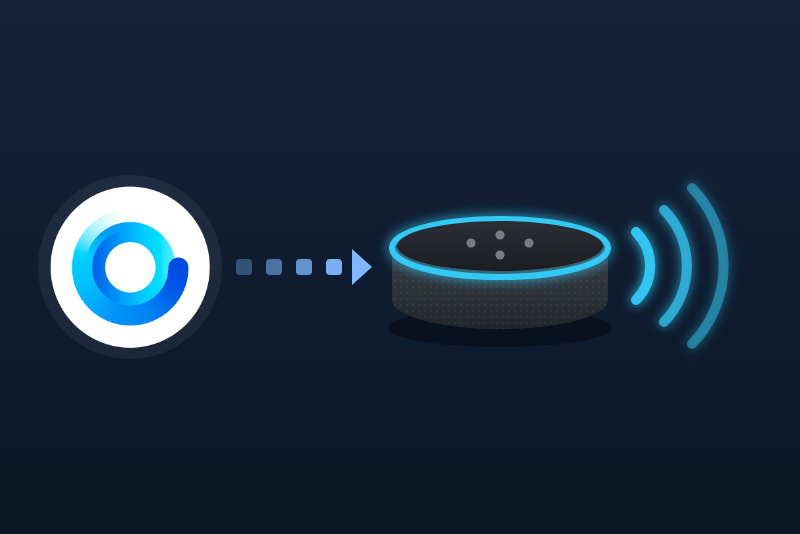
Gladys speaks through your Echo: announcements, Alexa routines, music and volume from scenes.
Published by guim31
- Devices
- Version 1.1.0
- Requires Gladys >=5.3.0
- ★ 0
Gladys → Echo: Gladys makes your Echo speak. Not to be confused with Gladys' Amazon Alexa integration (with Gladys Plus), which lets you control Gladys by voice from Alexa; both can run side by side.
Make your Echos speak in your scenes, run your Alexa routines, and control music, volume and Do Not Disturb from Gladys.
Unofficial and not affiliated with Amazon. This integration uses the web API of the Alexa app, which Amazon does not document: it may stop working when Amazon changes it.
Developed without the hardware: feedback welcome. Tell us on the Gladys forum what works with your Echos and what does not.
Before you start
- Gladys 5.1.0 or later.
- Your Amazon account, with your Echos set up in the Alexa app.
- A computer for the sign-in: on a phone with the Alexa app installed, Amazon may open the app instead of the sign-in page.
Sign in to Amazon
You do this once. Gladys never sees your password: you sign in on Amazon's own page.
- Open Integrations → Echo Media Player → Configuration.
- Choose your Amazon marketplace (the site of your account: amazon.fr, amazon.de…) and click Save.
- Click Connect. Amazon's sign-in page opens in a new tab. It is the Amazon Alexa page on amazon.com, even for an amazon.fr or amazon.de account, and that is expected: the Alexa app always signs in there, then Gladys uses your marketplace. The page speaks the language of your marketplace. (For Japan, it is amazon.co.jp.)
- Sign in: email, password, and the verification code if two-step verification is on.
- Amazon then shows a page that looks empty, broken or "page not found". That is expected: the address of this page carries the authorization.
- Click the address bar and copy the whole address. It starts with
https://www.amazon.com/ap/maplanding?(even for an amazon.fr account) and is long. - Back in Gladys, at the bottom of the Configuration tab, paste it in Finish the sign-in and run the action, within a few minutes (the code expires quickly and works once).
- The answer says how many Echos were found. The status at the top turns to connected.
- Open the Discover tab and add your Echos.
Gladys now appears as an "Amazon Alexa" device in your Amazon account. To undo everything, run Sign out of Amazon: the credentials are deleted from Gladys and that device is removed from your account.
If it fails
- "This is not the return address": you copied the address too early (or the sign-in page itself). Finish signing in, then copy the address of the page that follows.
- "This address does not come from the sign-in page Gladys opened": the pasted address does not
start with
https://www.amazon.com/ap/maplanding?(an amazon.fr page opened by hand, for instance). Click Connect again and copy the address of the page that follows the sign-in. - "Amazon refused the sign-in": the code was already used or too old. Click Connect and start again, a bit faster.
- "Amazon refused the stored sign-in" (later on): the registration was removed from your account, or your password changed. Sign in again.
Your Echos in Gladys
Each Echo is a device. Each multi-room group too.
| Feature | Echo | Group | Notes |
|---|---|---|---|
| Volume | yes | no | 0 to 100 |
| Do not disturb | yes | no | on / off |
| Play, pause, prev/next | yes¹ | yes | |
| Playback state | yes¹ | yes | 0 paused, 1 playing, 2 stopped |
| Now playing | yes¹ | yes | "Title — Artist" |
| Title, artist, album | yes¹ | yes | Gladys 5.3 music player |
| Artwork | yes¹ | yes | Gladys 5.3 music player |
| Duration, position | yes¹ | yes | Gladys 5.3 music player |
| Notification | yes | yes | for the core's "Play a notification" |
¹ Echos with a music player (not the Echo Spot without music, for instance).
The states are read every 2 minutes by default (Refresh interval in the configuration), only for the Echos you added. Amazon blocks accounts that call it too often: do not go below the default without a reason.
The Language of names and messages setting gives the names of the features of the Echos you add afterwards (Gladys keeps them once a device is added) and the language of the error messages.
Gladys 5.3 music player
From Gladys 5.3, the core's Music widget is a real player. Add it to a dashboard and choose an Echo: artwork, title, artist and album, the progress bar, play-pause (and stop through the playback state), previous / next and the volume. The values are those of the refresh (every 2 minutes by default) and of the reading made 3 seconds after each command: a track started by voice shows up at the next refresh.
- Echos added before version 1.1.0: open Discover in the integration and click Update on each Echo to add the new features (title, artist, album, artwork, duration, position). Scenes and dashboards keep working: no feature changes its identifier.
- Playback state: 2 (stopped) when nothing is loaded, where version 1.0 gave 0. A scene that waited for 0 on a stop must now wait for 2. Writing 2 stops the Echo, like "Alexa, stop".
- Not available, the Alexa web API cannot do it: seeking in a track (the bar is read-only), shuffle and repeat (Amazon does not report them when read), mute, the queue and browsing or searching the music services (no catalog panel).
- The Echo player widget of the integration stays, with Do Not Disturb.
In scenes
Make an Echo speak (Echo Media Player actions):
- Echos: one or several; a group speaks through its speakers.
- Text to say: scene variables are allowed. Up to 1,000 characters; Alexa says long texts in pieces of 250 characters.
- How: Speak (the Echo just talks) or Announcement (a chime first, on every chosen Echo at once). An announcement always carries the name of the Alexa account. Devices with Alexa built in that are not Echo (the Devialet player of the Freebox Delta, for instance) accept the announcement but stay silent, without any error: use Speak on them.
- Volume (optional): set before speaking, then the previous volume comes back.
Run an Alexa routine: type the name of the routine as in the Alexa app, or the phrase that triggers it. The List my Alexa routines button of the configuration shows the names. Choose an Echo if the routine has steps acting on "the device you speak to".
Echo: Do Not Disturb: on or off, on one or several Echos.
Play a notification (the core's action, in the Music category) also works with an Echo, but needs Gladys Plus: the core turns your text into an audio file there and sends only its address (and not the volume). Alexa plays an audio file only in some formats; if your Echo stays silent, use Make an Echo speak, which sends the text itself.
Dashboard widget
Add the Echo player widget and choose an Echo: title, artist, state, Do Not Disturb, the live volume and previous / play-pause / next buttons.
Limitations
- Unofficial API: it can break when Amazon changes it.
- No mute, seek, shuffle or repeat (the web API offers none, or does not report them), and no scene trigger (nothing reliable to start a scene on).
- Two speeches sent at the same moment may interrupt each other.
- Tested only against reconstructed answers, never on a real account yet.
Privacy
The integration stores, in its own folder of Gladys (/data, readable by the integration only):
the refresh token of the "Amazon Alexa" registration, the marketplace and your Amazon customer id.
Nothing else, and never in the logs. It talks only to Amazon.
Configuration settings
These are the settings Echo Media Player asks for in its configuration screen in Gladys.
| Setting | Type | Required | Description |
|---|---|---|---|
| Before you start | section | No | This integration uses the web API of the Alexa app, which Amazon does not document: it may stop working when Amazon changes it. It is not affiliated with Amazon. Developed without the hardware: feedback welcome. |
| Amazon marketplace | select | Yes | The site where your Amazon account lives (the one of the Alexa app). Save before clicking Connect. |
| Sign in to Amazon | section | No | 1. Click Connect: Amazon's own sign-in page opens in a new tab. It is the Amazon Alexa page on amazon.com, even for an amazon.fr or amazon.de account: that is expected. Sign in there (password, verification code). Gladys never sees your password. 2. Amazon then shows a page that looks empty or broken: that is expected. Copy its whole address from the address bar (it starts with https://www.amazon.com/ap/maplanding). 3. Within five minutes, paste it in the "Finish the sign-in" action at the bottom of this page. Use a computer: on a phone with the Alexa app installed, Amazon may open the app instead. |
| Amazon account | account_link | No | |
| Language of names and messages | select | No | Names of the features of the Echos added from now on (Gladys keeps them once a device is added), and error messages of commands and scenes. |
| Refresh interval | select | No | How often the volume, the music and Do Not Disturb are read. Amazon blocks accounts that call it too often: keep it slow. |
How to install Echo Media Player in Gladys
- In Gladys, open Integrations: Echo Media Player appears in the catalog, next to the native integrations, with a community badge.
- Click Install. Gladys pulls the Docker image (
ghcr.io/guim31/gladys-amazon-echo:1.1.0), starts it in a sandbox isolated from the core, and generates the integration's interface (devices, discovery and configuration). - Open the Configuration screen of the integration, fill in the settings, and save.
- You can also install it directly from its repository URL: https://github.com/guim31/gladys-amazon-echo.
Echo Media Player requires Gladys >=5.3.0. The catalog inside Gladys refreshes every hour, so a new version becomes available at most one hour after its release.
Not running Gladys yet? It is free and open source: follow the installation guide to get started.
About external integrations
Echo Media Player is an external integration: a community integration packaged as a Docker container and published on GitHub, that Gladys installs in one click and runs in a sandbox isolated from its core. It is published and maintained by guim31, not by the Gladys core team.
- Browse all integrations, native and community
- Build and publish your own external integration
- Source code on GitHub — source of this documentation