ebusd smart home integration, free and open source
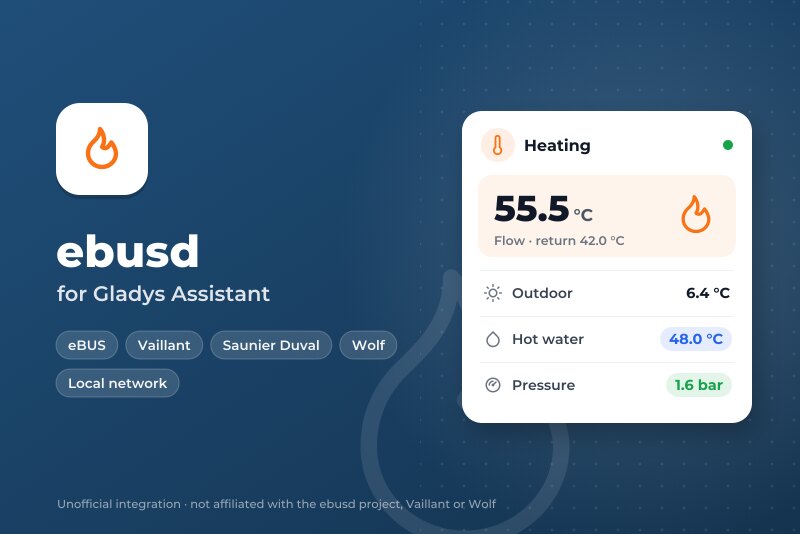
Vaillant, Saunier Duval, Wolf… boilers and heat pumps on the eBUS, through ebusd, locally.
Published by William-De71
- Devices
- Version 0.1.0
- Requires Gladys >=5.3.0
- ★ 0
Overview
This integration brings your eBUS heating into Gladys: Vaillant, Saunier Duval, AWB, Bulex, Wolf, Kromschröder and the other brands whose boilers, heat pumps and controllers talk over the eBUS. It goes through ebusd, a free program that listens to the bus with an eBUS adapter and knows the messages of each device.
Each eBUS device ebusd knows becomes a Gladys device: the boiler, the heat pump, the controller, the heating circuits, plus ebusd itself with the eBUS signal. Values that change on the bus arrive live; the others are read every few minutes. Everything stays on your local network.
Unofficial integration, not affiliated with the ebusd project or the brands above.
Requirements
- Gladys Assistant 5.3.0 or later.
- ebusd running on a Raspberry Pi, a NAS, the Gladys machine (Docker image
john30/ebusd) or as a Home Assistant add-on, with an eBUS adapter (for example the eBUS Adapter Shield). - ebusd with its configuration files (the default) and its TCP port 8888 reachable from Gladys: do not start it with
--localhost. Check withebusctl infothat it sees your devices and shows aloadedconfiguration for each.
Configuration
ebusd
- Address of ebusd: the IP address or the name of the machine running ebusd.
localhostdoes not work: Gladys runs the integration in its own container. - TCP port: 8888 unless you changed
--port. - User and secret: only if ebusd uses an access file (
--aclfile). - Reading interval: 1 to 10 minutes (2 by default). The eBUS is slow and shared with your heating; values that change arrive live anyway.
- Values offered: the useful ones (temperatures, pressure, flame, modulation, power, energy, hours, starts, modes, error), or every value ebusd has seen.
- Extra messages: messages always offered and read, as ebusd names them (
ebusctl find), for examplebai.PumpPower, 700.Z1NightTemp. - Language: the language of the device and feature names and of the error messages.
Press Test ebusd and search the devices: the answer gives the ebusd version, the eBUS signal and the devices found with their number of values.
Changing settings
Off by default: Gladys only reads. Tick Allow changes to let Gladys change what the controller opens to everyone:
- room targets (day, night…): 5 to 30 °C;
- hot water target: 35 to 70 °C;
- on / off and operating modes (heating, hot water: off, auto, day, night…).
Never the installer or service settings. The same value is never written twice, one message at most once a minute, 100 changes a day at most; the value is read back after writing.
Usage
Devices
In Integrations → ebusd → Discover, add the devices you want:
- ebusd: the eBUS signal (on when the adapter hears the bus);
- one device per eBUS circuit, named after its kind and model, for example Boiler bai (Vaillant BAI00) or Controller 700 (Vaillant 70000).
Their features are the useful values: flow, return, outdoor, room, hot water and tank temperatures, water pressure, flame, modulation, hours and starts, heating and hot water modes, current error… A new device appears a few minutes after ebusd loads its configuration: press Scan again.
Widgets
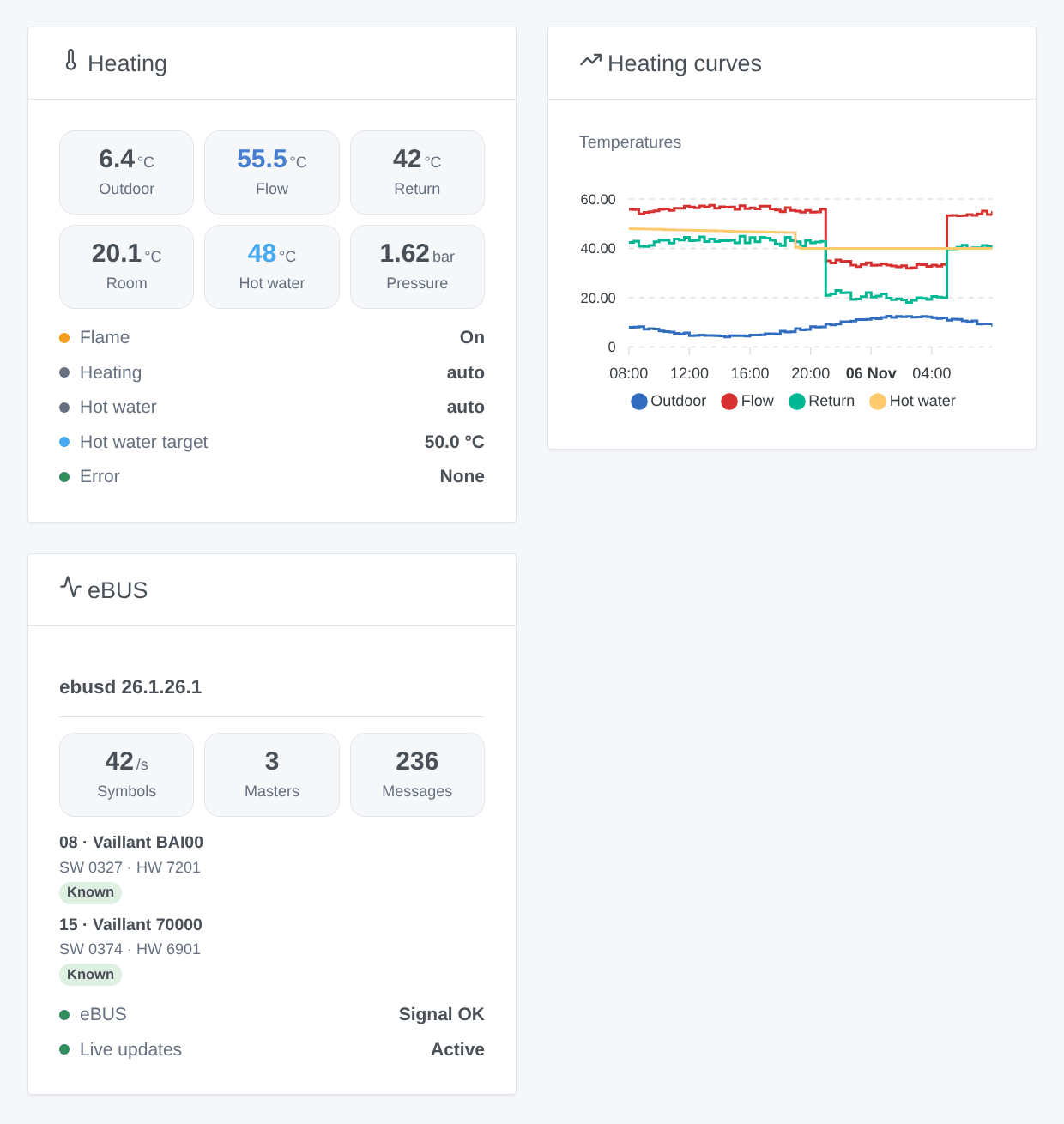
- Heating: the main temperatures, pressure and modulation, live, then flame, modes, hot water target and current error.
- Heating curves: outdoor, flow, return and hot water temperatures over 24 hours, 3 or 7 days.
- eBUS: ebusd, the bus traffic and the devices seen with their model and software.
Scenes
Triggers: An eBUS device reports an error (with the error code), An eBUS error is cleared, ebusd stops answering, ebusd answers again.
Actions: Read an eBUS value (any message by circuit and name: value, number, unit, every field) and Write an eBUS value (a message open to everyone, when changes are allowed).
Examples:
- When the boiler reports an error, send a message with the error code.
- When ebusd stops answering, notify: the house may not be heated.
- Every morning, read
bai WaterPressure; below 1 bar, remind to top up the heating.
Troubleshooting
- ebusd does not answer: check the address and the port, that ebusd listens on the network (not
--localhost) and that no firewall blocks port 8888. - No eBUS signal: ebusd runs but the adapter hears nothing; check the adapter, its wiring and
ebusctl state. - A device or a value is missing: wait until ebusd loads the configuration of the device (
ebusctl info), then search again; choose "every value ebusd has seen" or list the message in "Extra messages". - A change is refused: tick Allow changes; the same message can change once a minute; installer settings are never written.
- Logs: the Logs tab of the integration page.
Configuration settings
These are the settings ebusd asks for in its configuration screen in Gladys.
| Setting | Type | Required | Description |
|---|---|---|---|
| Your ebusd | section | No | ebusd is a free program that talks to the eBUS of your heating (Vaillant, Saunier Duval, AWB, Bulex, Wolf, Kromschröder…) through an eBUS adapter (for example the eBUS Adapter Shield). Run it on a Raspberry Pi, a NAS or the Gladys machine, with its configuration files (default) and its TCP port 8888 open to the network (no --localhost). Gladys reads it on the local network: nothing leaves your home. Not affiliated with the ebusd project or the brands above. |
| Address of ebusd | string | No | The IP address or the name of the machine where ebusd runs (“localhost” does not work: Gladys runs the integration in its own container). |
| TCP port | number | No | The --port option of ebusd, 8888 unless you changed it. |
| User (optional) | string | No | Only if ebusd uses an access file (--aclfile): the user Gladys signs in with. |
| Secret (optional) | secret | No | The secret of that user in the access file. |
| What Gladys reads | section | No | Gladys follows every value that changes on the bus as it happens, and reads the others at the interval below, from the memory of ebusd when it is recent enough. Each eBUS device (boiler, controller, heat pump, heating circuit…) becomes a Gladys device; its features are the useful values ebusd has already seen (temperatures, pressure, flame, modes, hours, starts, error), plus the well-known ones of Vaillant installations. |
| Reading interval | select | No | The eBUS is slow and shared with your heating: a few minutes is plenty. |
| Values offered | select | No | |
| Extra messages (optional) | string | No | Circuit and message names as ebusd shows them (ebusctl find), separated by commas: Gladys reads them even if ebusd has not seen them yet. |
| Changing settings | section | No | Off by default: Gladys only reads. Once allowed, Gladys can change what the controller lets everyone change: room targets (5 to 30 °C), hot water target (35 to 70 °C), operating modes, on/off. Never the installer or service settings. One message at most once a minute, 100 changes a day at most. |
| Allow changes | boolean | No | Tick only if you know these settings: a wrong one can leave the house cold. Check the manual of your controller. |
| Language of the names and texts | select | No | Gladys does not tell integrations the language of its users: choose the one of the device and feature names and of the error messages. |
How to install ebusd in Gladys
- In Gladys, open Integrations: ebusd appears in the catalog, next to the native integrations, with a community badge.
- Click Install. Gladys pulls the Docker image (
ghcr.io/william-de71/gladys-ebusd:0.1.0), starts it in a sandbox isolated from the core, and generates the integration's interface (devices, discovery and configuration). - Open the Configuration screen of the integration, fill in the settings, and save.
- You can also install it directly from its repository URL: https://github.com/William-De71/gladys-ebusd.
ebusd requires Gladys >=5.3.0. The catalog inside Gladys refreshes every hour, so a new version becomes available at most one hour after its release.
Not running Gladys yet? It is free and open source: follow the installation guide to get started.
About external integrations
ebusd is an external integration: a community integration packaged as a Docker container and published on GitHub, that Gladys installs in one click and runs in a sandbox isolated from its core. It is published and maintained by William-De71, not by the Gladys core team.
- Browse all integrations, native and community
- Build and publish your own external integration
- Source code on GitHub — source of this documentation