DSMR Smart Meter smart home integration, free and open source
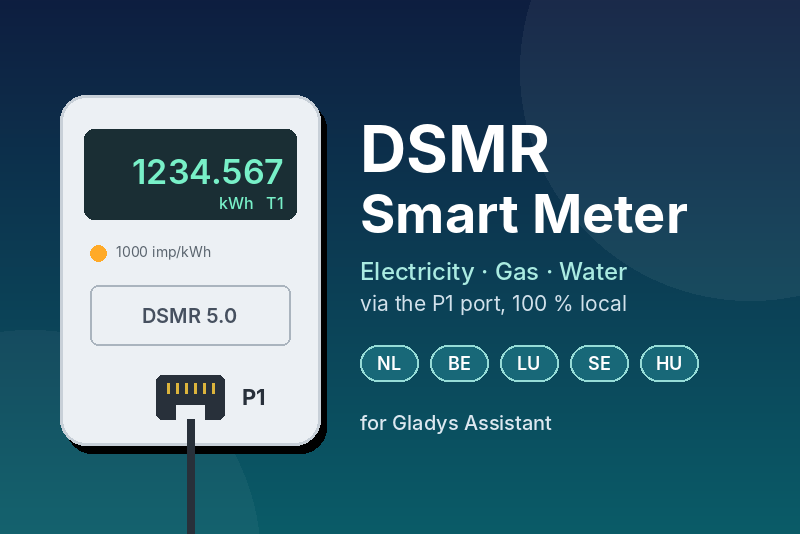
Read your DSMR smart meter (electricity, gas, water) through its P1 port.
Published by gboulvin
- Devices
- Version 1.1.0
- Requires Gladys >=5.3.0
- ★ 0
This integration reads your DSMR smart meter through its P1 port: the electricity you consume and inject into the grid, the measurements of each phase, and the gas and water meters connected to the electricity meter. Everything stays on your local network: no cloud, no account.
Is my meter compatible?
| Country | Compatible meters |
|---|---|
| Netherlands | Every smart meter (DSMR 2.2 to 5.0.2) |
| Belgium | Digital meters (Fluvius, Sibelga, ORES, RESA) — activate the P1 port in your grid operator's customer portal |
| Luxembourg | Smarty meters — ask Creos for the decryption key of your meter |
| Sweden | Meters with a HAN port (P1 format) — ask your grid operator to activate it |
| Hungary | E.ON and MVM smart meters with a P1 port |
Not compatible: the French Linky (use a teleinformation integration), and the German, Spanish, Austrian, Swiss, Norwegian and Danish meters, which speak other protocols.
What you need
A P1 reader connected to your network, plugged into the P1 port (RJ12 socket) of the meter:
- a Wi-Fi/Ethernet P1 dongle that streams the raw telegrams on a TCP port (look for a "TCP", "socket", "telnet" or "raw telegram" mode in its manual), or an ESPHome/Tasmota P1 bridge doing the same;
- a HomeWizard Wi-Fi P1 meter: enable the local API in the HomeWizard app (Settings → Meters → your meter → Local API);
- a USB P1 cable plugged into any computer of the network (the one running Gladys works too), shared on the network with ser2net — see the README for a ready-to-use configuration.
Configuration
- Open the Configuration tab of the integration.
- Pick the connection type:
- TCP stream: enter the IP address of the reader and its port (23 on most dongles, the port you chose for ser2net);
- HTTP: enter the telegram URL, e.g.
http://192.168.1.50/api/v1/telegramfor a HomeWizard.
- Luxembourg only: enter the 32-character decryption key given by Creos. Leave the field empty in every other country.
- The refresh interval (10 s by default) sets how often the readings are sent to Gladys. Scene triggers react to every telegram, whatever it is.
- Save, then click Test the connection: the integration waits for the next telegram and shows the meter number, the DSMR version and the indexes.
- Open the Discovery tab and add the devices: the electricity meter, plus the gas and water meters when your meter relays them.
Devices
Electricity meter (P1) — only the features your meter reports are created:
- power consumed and power injected (W), in total and per phase;
- consumption index per tariff (kWh) — or a single total index (Sweden, Luxembourg). These indexes feed the energy monitoring of Gladys: consumption per half hour, per day, and costs with your contract;
- injection indexes (kWh), for homes with solar panels;
- voltage (V) and current (A) per phase;
- current tariff (1 or 2). Netherlands: 1 = low (night/weekend), 2 = normal. Belgium: 1 = day, 2 = night;
- Belgium: 15-minute average demand and peak demand of the month, the basis of the capacity tariff.
Gas meter (P1) and Water meter (P1) — the index in m³. A DSMR 5 meter updates the gas index every 5 minutes, older meters every hour.
Scenes
Under the Integrations category of the scene editor (Gladys 5.1 or later):
Triggers:
- Electricity tariff changed — e.g. start the dishwasher when the cheaper
tariff begins. The new tariff is available as
{{triggerEvent.data.tariff}}. - Grid injection started or stopped — your home starts sending its solar
surplus to the grid (or consumes from it again). The change must last 30
seconds, so a passing cloud does not trigger it. The power is available as
{{triggerEvent.data.power}}. - Power failure detected — the meter counted a new power failure (the trigger fires when power and the reader are back).
- New monthly peak demand (Belgium) — warns you when the 15-minute average demand beats the month's record, which raises the capacity tariff.
Actions:
- Read the P1 meter — gives the following actions the power consumed and injected, the indexes, the tariff and the gas and water indexes.
- Today's energy summary — gives today's consumption, injection, gas, water and peak power, e.g. for an evening message.
Dashboard
Two widgets are available in the dashboard editor:
- P1 meter overview: live power consumed and injected, gas index, today's totals, current tariff, connection state and a power chart (period of your choice).
- P1 meter phases: current of each phase on a gauge scaled to your fuse rating (set it in the widget settings, e.g. 25 A or 40 A), voltages, voltage sags and swells, power failures.
Troubleshooting
- "P1 reader unreachable": check the IP address and port, and that the reader is on the same network as Gladys. Most P1 readers accept a single connection: close any other software connected to it (Home Assistant, Domoticz…), or use the reader's multi-client option.
- No telegram on a USB cable with ser2net: check the serial settings — 115200 8N1 for DSMR 4/5, 9600 7E1 for DSMR 2.2/3.0.
- Belgium: no data at all: the P1 port is disabled by default — activate it in your grid operator's customer portal.
- Luxembourg: "cannot be decrypted": the decryption key is wrong or incomplete (32 hexadecimal characters).
- Corrupted telegrams are dropped thanks to their CRC: if it happens often, check the cable and the Wi-Fi signal of the reader.
The integration logs everything it does: check its logs in the Gladys interface.
Configuration settings
These are the settings DSMR Smart Meter asks for in its configuration screen in Gladys.
| Setting | Type | Required | Description |
|---|---|---|---|
| Connect your P1 reader | section | No | DSMR smart meters (Netherlands, Belgium, Luxembourg, Sweden, Hungary) publish their readings on the P1 port. Plug a network P1 reader into it (Wi-Fi P1 dongle, HomeWizard P1 meter, or a USB P1 cable shared with ser2net), then enter its address below. The gas and water meters relayed by the electricity meter are detected automatically. |
| Connection type | select | Yes | |
| P1 reader address (TCP) | string | No | IP address or host name of the P1 reader, for a TCP connection. |
| TCP port | number | No | Port on which the reader streams the telegrams (23 on most P1 dongles; the port you chose for ser2net). |
| Telegram URL (HTTP) | string | No | Address answering the raw telegram, for an HTTP connection. HomeWizard: enable the local API in the app, then use http://<ip>/api/v1/telegram. |
| Decryption key (Luxembourg only) | secret | No | Smarty meters encrypt their telegrams: enter the 32-character key provided by your grid operator (Creos). Leave empty everywhere else. |
| Refresh interval (s) | number | No | How often the readings are sent to Gladys, in seconds. Scene triggers react to every telegram, whatever this interval. |
How to install DSMR Smart Meter in Gladys
- In Gladys, open Integrations: DSMR Smart Meter appears in the catalog, next to the native integrations, with a community badge.
- Click Install. Gladys pulls the Docker image (
ghcr.io/gboulvin/gladys-dsmr-smart-meter:1.1.0), starts it in a sandbox isolated from the core, and generates the integration's interface (devices, discovery and configuration). - Open the Configuration screen of the integration, fill in the settings, and save.
- You can also install it directly from its repository URL: https://github.com/gboulvin/Gladys-DSMR-Smart-Meter.
DSMR Smart Meter requires Gladys >=5.3.0. The catalog inside Gladys refreshes every hour, so a new version becomes available at most one hour after its release.
Not running Gladys yet? It is free and open source: follow the installation guide to get started.
About external integrations
DSMR Smart Meter is an external integration: a community integration packaged as a Docker container and published on GitHub, that Gladys installs in one click and runs in a sandbox isolated from its core. It is published and maintained by gboulvin, not by the Gladys core team.
- Browse all integrations, native and community
- Build and publish your own external integration
- Source code on GitHub — source of this documentation