Danfoss Ally smart home integration, free and open source
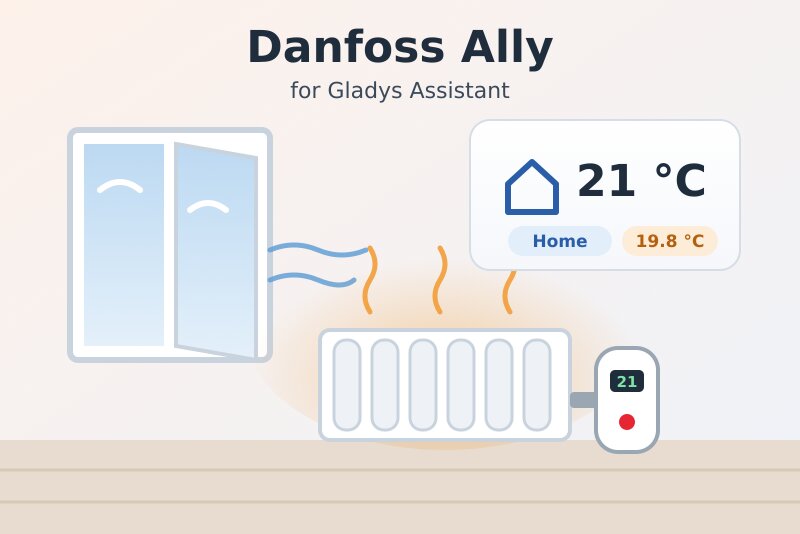
Danfoss Ally radiator thermostats and Icon rooms: setpoint, modes, window, battery, scenes.
Published by William-De71
- Devices
- Version 0.1.0
- Requires Gladys >=5.3.0
- ★ 0
Overview
This integration brings your Danfoss Ally heating into Gladys: Danfoss Ally radiator thermostats (eTRV), Danfoss Ally room sensors and Danfoss Icon / Icon2 room thermostats for floor heating. It uses the official Danfoss Ally API with the Consumer Key and Consumer Secret of your own app on the Danfoss developer portal.
- One Gladys device per room: setpoint, heating mode, room and floor temperature, humidity, battery, open window, heating state, child lock.
- Scene triggers (window opened, battery low, device offline, fault, mode changed in the Ally app…) and scene actions (Home / Away mode for the whole home, setpoint of a mode, room temperature for a covered radiator, read now).
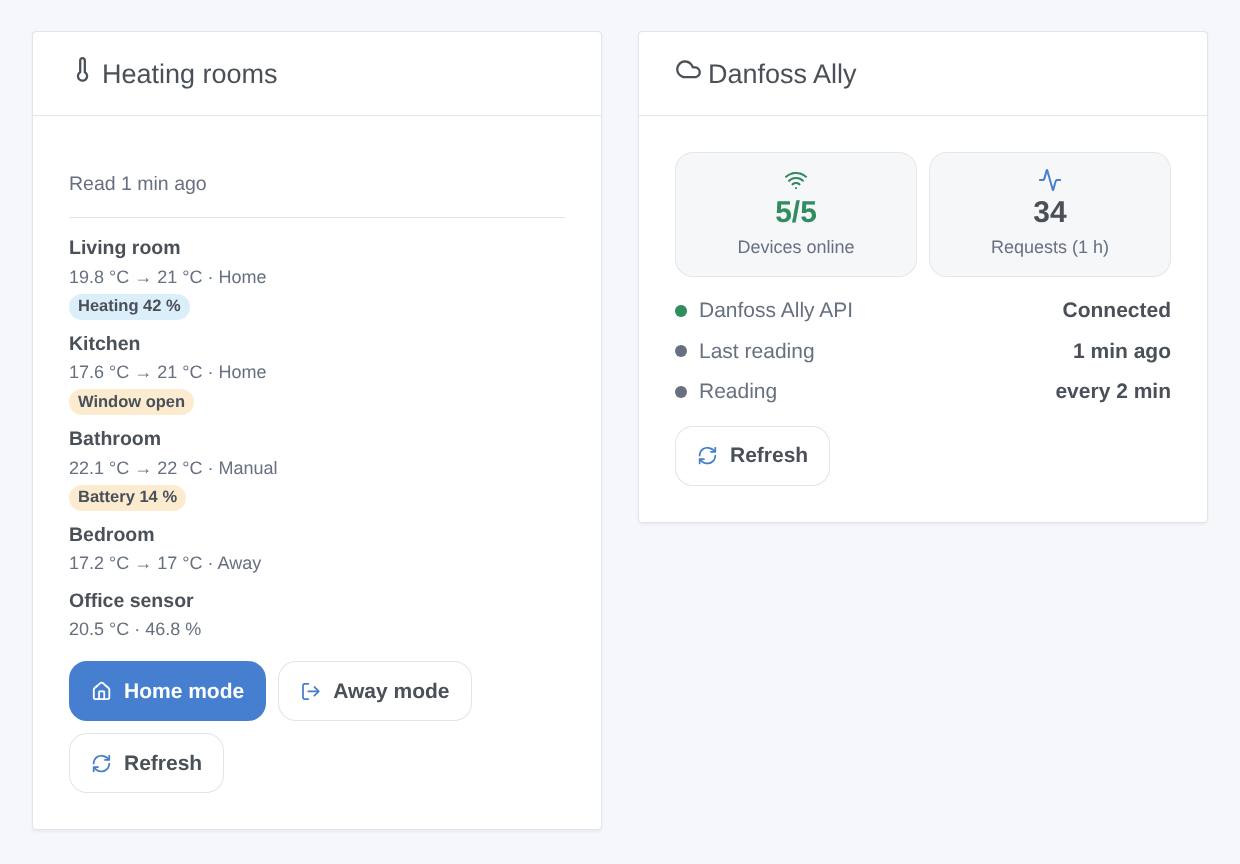
- Two dashboard widgets: the heating rooms, with "Home mode" and "Away mode" buttons, and the connection.
Transport: cloud. Gladys never talks to your thermostats directly: it reads and writes the Danfoss cloud, which relays the changes to the Ally gateway. A change made in Gladys reaches the radiator, and a change made in the Ally app or on the device reaches Gladys, within a few minutes — not instantly. Your device data leave your home (they already do with the Ally app).
Not affiliated with Danfoss. Not yet tested with a real Danfoss account: please report what works and what does not.
Prerequisites
- Gladys Assistant 5.3.0 or later.
- A Danfoss Ally system set up in the Danfoss Ally app (gateway and devices), with an account opened with an e-mail address.
- An account on the Danfoss developer portal, developer.danfoss.com, created with exactly the same e-mail address as the Ally app (the systems are case-sensitive). Otherwise the API answers, but lists no device.
- On the portal: Apps → create an app, enable the Danfoss Ally API product for it, then open its keys: you need the Consumer Key and the Consumer Secret. The API is free for private use; Danfoss offers no support for it.
Configuration
In Gladys, open Integrations → Danfoss Ally:
| Field | Description |
|---|---|
| Consumer Key | The key of your app on the developer portal. |
| Consumer Secret | Its secret: sent to Danfoss only, never shown again, never logged. |
| Reading interval | Every 1, 2, 5 or 10 minutes (2 by default). One request reads the whole home. |
| Low battery threshold (%) | Under this level, the "A battery is low" trigger fires (20 % by default). |
| Language of the device texts | Names of the features and messages of the button; automatic by default. |
Click Test the connection: the integration reads your devices and lists them with their model and number of features. Then open the Discover tab and add the rooms you want: nothing is created without you.
Usage
Devices
Each device offers the features its status allows:
| Feature | Gladys type | Notes |
|---|---|---|
| Setpoint | Thermostat setpoint, 5 to 35 °C by 0.5 °C | The setpoint of the current mode: in "Home" mode, changing it changes the home temperature of the schedule. A thermostat with a single setpoint (first Icon) writes it. |
| Heating mode | Thermostat mode: off, heating, auto | Off = Pause (frost protection), heating = Manual, auto = the schedule (Home / Away / Holiday). |
| Preset | Thermostat preset: frost protection, away, comfort | Frost protection = Pause, away = Away (also shown during a holiday), comfort = Home. Unchanged in Manual mode. |
| Heating | Operating state: idle or heating | From the valve opening of a radiator thermostat, or the output of an Icon thermostat. |
| Room temperature, floor temperature | Temperature sensor | The floor temperature only with a floor sensor (Icon). |
| Humidity | Humidity sensor | Icon2 and room sensors. |
| Battery | Battery level | Every battery-powered device. |
| Open window | Opening sensor (read-only) | Detected by the thermostat itself (temperature drop). |
| Child lock | Child lock | On or off. |
The Gladys Thermostat dashboard widget works with the setpoint. The exact valve opening (in %) has no Gladys category: it shows in the details of the rooms widget.
After a command, the integration reads that device again several times for 5 minutes and keeps the value you asked for meanwhile, so the dashboard does not jump back to the old value the cloud still returns for a short while.
Dashboard widgets
- Heating rooms: each room with its temperature, setpoint and mode, and a badge for what needs attention (offline, fault, window open, low battery, heating with the valve opening). Tap a room for its details (setpoints of every mode, humidity, floor temperature, external sensor…). The Home mode and Away mode buttons switch every thermostat at once (after a confirmation); Refresh reads now. Choose the rooms in the widget settings (8 at most).
- Danfoss Ally: the state of the connection to the API, the devices online, the requests of the last hour, a Refresh button.
Scenes
Triggers (each one can be limited to one device):
- A window is opened / A window is closed.
- A battery is low: once, until the battery is replaced.
- A device goes offline / A device is back online.
- A device reports a fault: a fault or error code, once per new code.
- The mode changes: in the Ally app, on the device or by its schedule — never because of Gladys itself. Filter by new mode.
Actions:
- Change the heating mode: Home, Away, Pause, Manual or Holiday, on one thermostat or on all of them (outputs: switched, failed).
- Set the setpoint of a mode: the temperature of the Home, Away, Pause, Manual or Holiday mode (or of the current one), without changing the mode.
- Send a room temperature: for a radiator hidden behind a cover or a curtain, the radiator thermostat regulates on the temperature of another sensor. Type a number or a scene variable (the value of a sensor); "off" stops it. Danfoss expects a value every 5 to 30 minutes: a value sent less than 5 minutes after the previous one is skipped (output
sent= false). - Read the thermostats now.
Examples:
- When a window is opened → send a notification "Window open in {{triggerEvent.data.device_name}}".
- At 8:00 on weekdays, when the house is empty → change the heating mode of every thermostat to Away; back home → Home.
- Every 10 minutes → read the living room sensor, then send its value as the room temperature of the radiator behind the sofa.
Transport
The catalog shows the cloud badge: every request goes to api.danfoss.com, with your credentials. There is no local mode: Danfoss offers no local API for the Ally gateway.
Troubleshooting
- "Danfoss refuses the credentials": copy the Consumer Key and Secret again from the portal (Apps → your app), and check that the Danfoss Ally API is enabled for this app.
- Connected, but no device: the portal account must use exactly the same e-mail address as the Ally app, case included. Create another portal account with the right address if needed.
- A change takes minutes to show: this is how the Danfoss cloud works; the integration reads the device again for 5 minutes after a command. A shorter reading interval does not make the devices faster.
- "Danfoss asks to slow down": the API answered "too many requests" (429). The integration waits longer between readings, then goes back to normal by itself. Prefer an interval of 2 minutes or more.
- The gateway is not offered: it reports nothing to show; "Test the connection" lists it as "not offered".
- Report a problem on GitHub with your Gladys version, the integration version and the result of "Test the connection".
Configuration settings
These are the settings Danfoss Ally asks for in its configuration screen in Gladys.
| Setting | Type | Required | Description |
|---|---|---|---|
| Danfoss Ally | section | No | How to connect: 1. Set up your thermostats in the Danfoss Ally app, with an e-mail account. 2. On developer.danfoss.com, create an account with exactly the same e-mail address (case matters). 3. In “Apps”, create an app, enable the “Danfoss Ally API” for it, and copy its Consumer Key and Consumer Secret below. 4. In the Discover tab, add your rooms. The integration reads the Danfoss cloud: a change reaches the devices, and a change made on them reaches Gladys, within a few minutes. |
| Consumer Key | string | Yes | The key of your app on developer.danfoss.com (Apps → your app → Keys). |
| Consumer Secret | secret | Yes | The secret of the same app. Sent to Danfoss only, never shown again. |
| Reading interval | select | No | One request reads the whole home. Danfoss publishes no quota but slows down abusive clients: 2 minutes is a good balance. |
| Low battery threshold (%) | number | No | The “Battery low” scene trigger fires when a battery goes under this level (5 to 50). |
| Language of the device texts | select | No | Names of the features and messages of the button below. Automatic: the language of the dashboard once a widget is shown. |
How to install Danfoss Ally in Gladys
- In Gladys, open Integrations: Danfoss Ally appears in the catalog, next to the native integrations, with a community badge.
- Click Install. Gladys pulls the Docker image (
ghcr.io/william-de71/gladys-danfoss-ally:0.1.0), starts it in a sandbox isolated from the core, and generates the integration's interface (devices, discovery and configuration). - Open the Configuration screen of the integration, fill in the settings, and save.
- You can also install it directly from its repository URL: https://github.com/William-De71/gladys-danfoss-ally.
Danfoss Ally requires Gladys >=5.3.0. The catalog inside Gladys refreshes every hour, so a new version becomes available at most one hour after its release.
Not running Gladys yet? It is free and open source: follow the installation guide to get started.
About external integrations
Danfoss Ally is an external integration: a community integration packaged as a Docker container and published on GitHub, that Gladys installs in one click and runs in a sandbox isolated from its core. It is published and maintained by William-De71, not by the Gladys core team.
- Browse all integrations, native and community
- Build and publish your own external integration
- Source code on GitHub — source of this documentation