Carbu.com smart home integration, free and open source
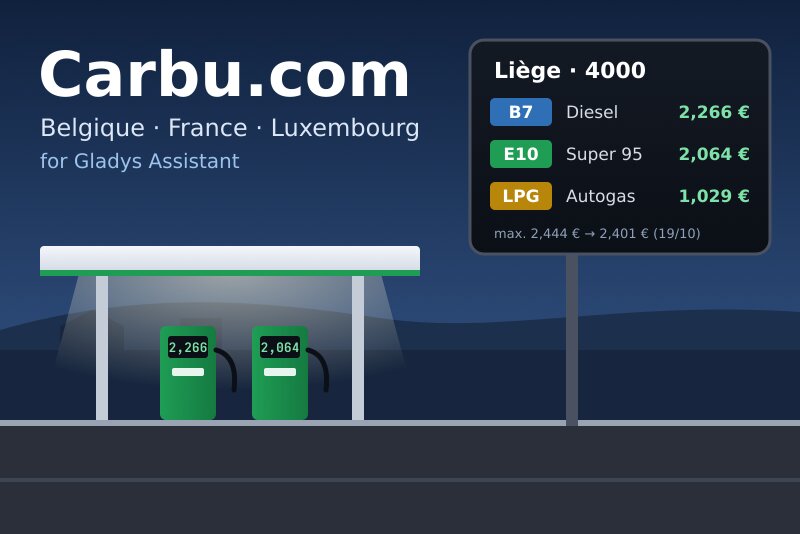
Fuel prices in Belgium, France and Luxembourg: cheapest stations and maximum prices.
Published by William-De71
- Devices
- Version 0.1.0
- Requires Gladys >=5.1.1
- ★ 0
Overview
This integration brings the fuel prices of Carbu.com, the comparator of Belgium, France and Luxembourg, into Gladys: around a locality of your choice (a postal code), the lowest price, the average price and the cheapest station of up to four fuels, the stations you want to follow, and the official prices (Belgian maximum prices with their announced or expected change, Luxembourg official prices).
Carbu.com has no API and no account: the integration reads the public pages of the site, like a visitor, every hour by default. The prices are updated there by drivers and stations; some are days old, even years old in France: those beyond the chosen age are set aside.
It is a cloud integration: it contacts carbu.com with your postal code and the codes of the followed fuels. Nothing else leaves your network.
Requirements
- Gladys Assistant 5.1.1 or later.
- Internet access. No account, no key.
Configuration
| Field | Description |
|---|---|
| Country | Belgium, France or Luxembourg. |
| Postal code | The centre of the area: distances are counted from the centre of this locality. |
| Locality (optional) | When the postal code covers several localities (4000: Liège, Glain, Rocourt). Empty: the main one. |
| Fuels | Four at most. The countries where Carbu.com lists each fuel follow its name (E85: France). |
| Radius | 2 to 30 km, 10 km by default. |
| Ignore prices older than | 1 to 30 days, 7 days by default. |
| Stations offered in Discovery | The cheapest of each fuel, 5 by default; "None" to offer the area only. |
| Reading interval | 30 minutes, 1 hour (default), 2 or 4 hours. |
| Language of device names | Automatic: the language of the dashboard, French until a widget is shown. |
The Test the connection button shows the locality chosen and the others of the same postal code, then, for each fuel, the number of stations kept, the lowest price and the number of outdated prices set aside. The Diagnostic button writes the full state of the integration to the Logs tab.
Usage
Devices
In the Discover tab of the integration:
- Carbu.com <locality> (<postal code>): for each followed fuel, the lowest price, the average price (in €/L, with history) and the cheapest station ("Shell Express Liège · 2,274 € · 1,3 km").
- The stations, the cheapest of each fuel: add the ones you care about; they then keep the price of each followed fuel they sell, even when they are no longer among the cheapest.
- Carbu.com Belgian maximum prices (Belgium): for each followed fuel, today's maximum price, the next one (announced by the government, else expected by Carbu.com) and the outlook in words ("Decrease announced on 22/04: 2,061 €").
- Carbu.com Luxembourg official prices (Luxembourg): today's official price of each followed fuel.
Dashboard widgets
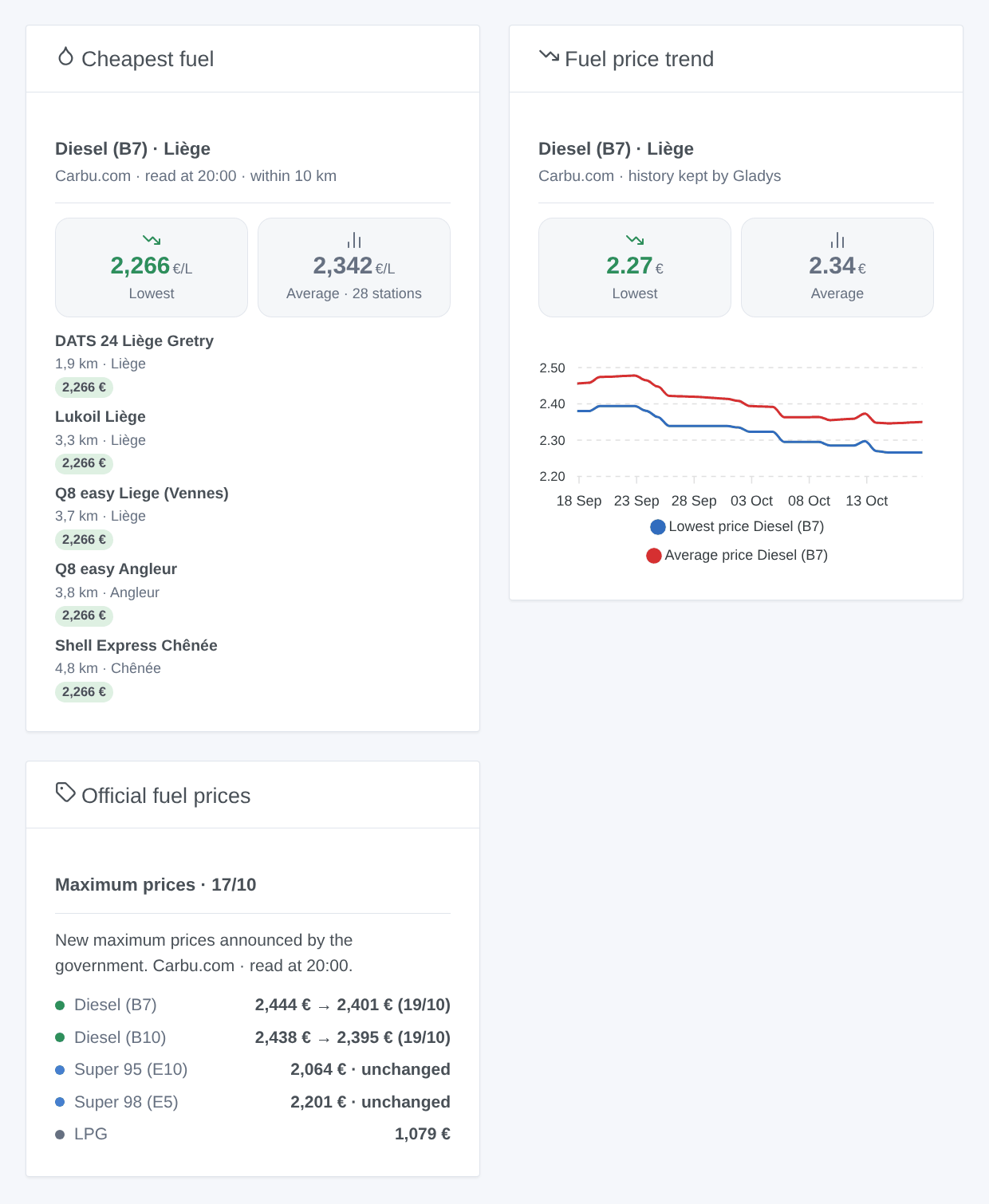
- Cheapest fuel: the lowest and the average price, then the cheapest stations (in green: those at the lowest price), their distance and the date of old prices. A tap opens the station on Carbu.com or on the map. Settings: fuel (even one not followed), number of stations.
- Fuel price trend: the curves of the lowest and average prices of a fuel over a week to a year, drawn by Gladys from the area device (add it first).
- Official fuel prices: today's Belgian maximum prices and what comes next (green a fall, red a rise, "~" a forecast of Carbu.com), or the Luxembourg official prices.
Scenes
Triggers (once per change; the first reading is a baseline):
| Trigger | When | Filters |
|---|---|---|
| New cheapest station | Another station becomes the cheapest of the area for a fuel | fuel |
| Price changed at a station | The price of a fuel changes at an added station | station, fuel, direction |
| Official price changed | Today's official price differs from yesterday's (Belgium, Luxembourg) | fuel, direction |
| Maximum price announced | The Belgian government announces a new maximum price for the next day | fuel, direction |
| Maximum price change expected | Carbu.com expects a rise or a fall before the official announcement | fuel, direction |
Actions: Cheapest station (fuel, maximum distance; returns name, brand, address, price, distance, date of the price, average price, number of stations, map link) and Official prices (fuel; returns today's price, the next one, its date, the trend and whether it is announced).
Examples:
- When a rise of the Diesel maximum price is announced → send me "Fill up today, tomorrow {{triggerEvent.data.new_price}} €".
- When the cheapest Super 95 station changes → notify
{{triggerEvent.data.station_name}}at{{triggerEvent.data.price}}€. - Every Friday at 5 pm → Cheapest station within 5 km, then announce it on the speaker.
Transport
Cloud badge in the catalog: Carbu.com is contacted over the internet. There is no local path and no "Prefer the local connection" button.
Troubleshooting
- "Carbu.com knows no locality with the postal code …": check the country and the code (in Luxembourg, without "L-"; Carbu.com does not always know every code of a city: try the main one). "Test the connection" lists the localities found.
- "No recent price within … km": widen the radius or the accepted age of prices, or check that the fuel is sold near you (CNG and Diesel XTL are rare).
- A fuel is not listed in your country: the status of the integration says so; choose an equivalent (Belgium: Super 95 E10; France and Luxembourg: Super 95 E5).
- "Carbu.com refused the request": the site limits readings that are too frequent; read every 2 or 4 hours.
- "The page of Carbu.com could not be read": the site has probably changed its layout; report it on GitHub with the Diagnostic button.
- Prices differ slightly from the pump: they are the ones entered on Carbu.com, with the date shown in the widget.
- For a bug report: Gladys and integration versions, country, postal code, fuels and the "Carbu.com diagnostic" lines of the Logs tab (in developer mode,
DEBUG=gladys-integration-sdkadds the SDK logs).
Configuration settings
These are the settings Carbu.com asks for in its configuration screen in Gladys.
| Setting | Type | Required | Description |
|---|---|---|---|
| Carbu.com | section | No | The prices come from Carbu.com, the fuel price comparator of Belgium, France and Luxembourg, where drivers and stations update them. No account is needed: the integration reads the public pages of Carbu.com for your postal code, once an hour by default. Your postal code leaves your network; nothing else does. |
| Country | select | Yes | |
| Postal code | string | Yes | The centre of the area: the stations are counted from the centre of this locality. |
| Locality (optional) | string | No | When the postal code covers several localities (4000: Liège, Glain, Rocourt). Empty: the main one. “Test the connection” lists them. |
| Fuels | multi_select | Yes | Up to four fuels. The countries where Carbu.com lists each fuel follow its name. |
| Stations taken into account | section | No | Carbu.com lists up to 100 stations around the locality, some prices several months old. These settings keep the ones that matter. |
| Radius | select | No | |
| Ignore prices older than | select | No | |
| Stations offered in Discovery | select | No | The cheapest stations of each fuel, to add as devices and follow their prices. |
| Reading interval | select | No | |
| Language of device names | select | No | Automatic: the language of the dashboard, French until a widget is shown. |
How to install Carbu.com in Gladys
- In Gladys, open Integrations: Carbu.com appears in the catalog, next to the native integrations, with a community badge.
- Click Install. Gladys pulls the Docker image (
ghcr.io/william-de71/gladys-carbu-com:0.1.0), starts it in a sandbox isolated from the core, and generates the integration's interface (devices, discovery and configuration). - Open the Configuration screen of the integration, fill in the settings, and save.
- You can also install it directly from its repository URL: https://github.com/William-De71/gladys-carbu-com.
Carbu.com requires Gladys >=5.1.1. The catalog inside Gladys refreshes every hour, so a new version becomes available at most one hour after its release.
Not running Gladys yet? It is free and open source: follow the installation guide to get started.
About external integrations
Carbu.com is an external integration: a community integration packaged as a Docker container and published on GitHub, that Gladys installs in one click and runs in a sandbox isolated from its core. It is published and maintained by William-De71, not by the Gladys core team.
- Browse all integrations, native and community
- Build and publish your own external integration
- Source code on GitHub — source of this documentation