Battery Tracker smart home integration, free and open source
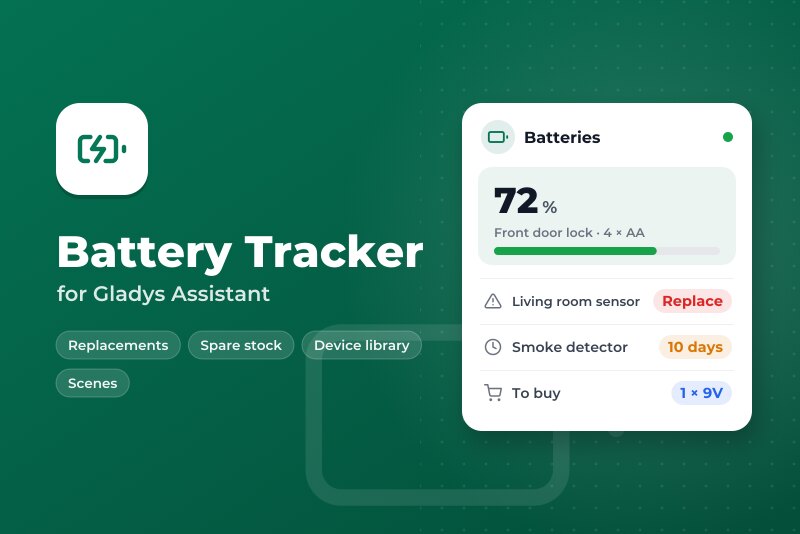
Track the batteries of your devices: type, replacements, estimated end, spare stock.
Published by William-De71
- Devices
- Version 0.1.0
- Requires Gladys >=5.3.0
- ★ 0
Overview
This integration keeps track of the batteries of your house, in the spirit of the Home Assistant integration Battery Notes: for each device that runs on batteries, its battery type and count, the day they were replaced, their estimated end, and your spare batteries in stock.
- One device per battery record: level, days until the replacement, days since the last one, a "Batteries replaced" button and the day of the last replacement. Its level being a battery feature, the native low battery warning of Gladys also covers what no sensor watches: remote controls, clocks, smoke detectors.
- Device library: about 2,400 models (Zigbee, Z-Wave, Bluetooth…) with their battery type and count, taken from Battery Notes, to fill in a record from the manufacturer and the model.
- Spare stock and shopping list: a replacement takes its batteries from the stock, and the list says what to buy for the batteries ending soon.
- Scenes: three triggers (replacement due, batteries replaced, batteries to buy) and three actions (report a level, record a replacement, get the battery report).
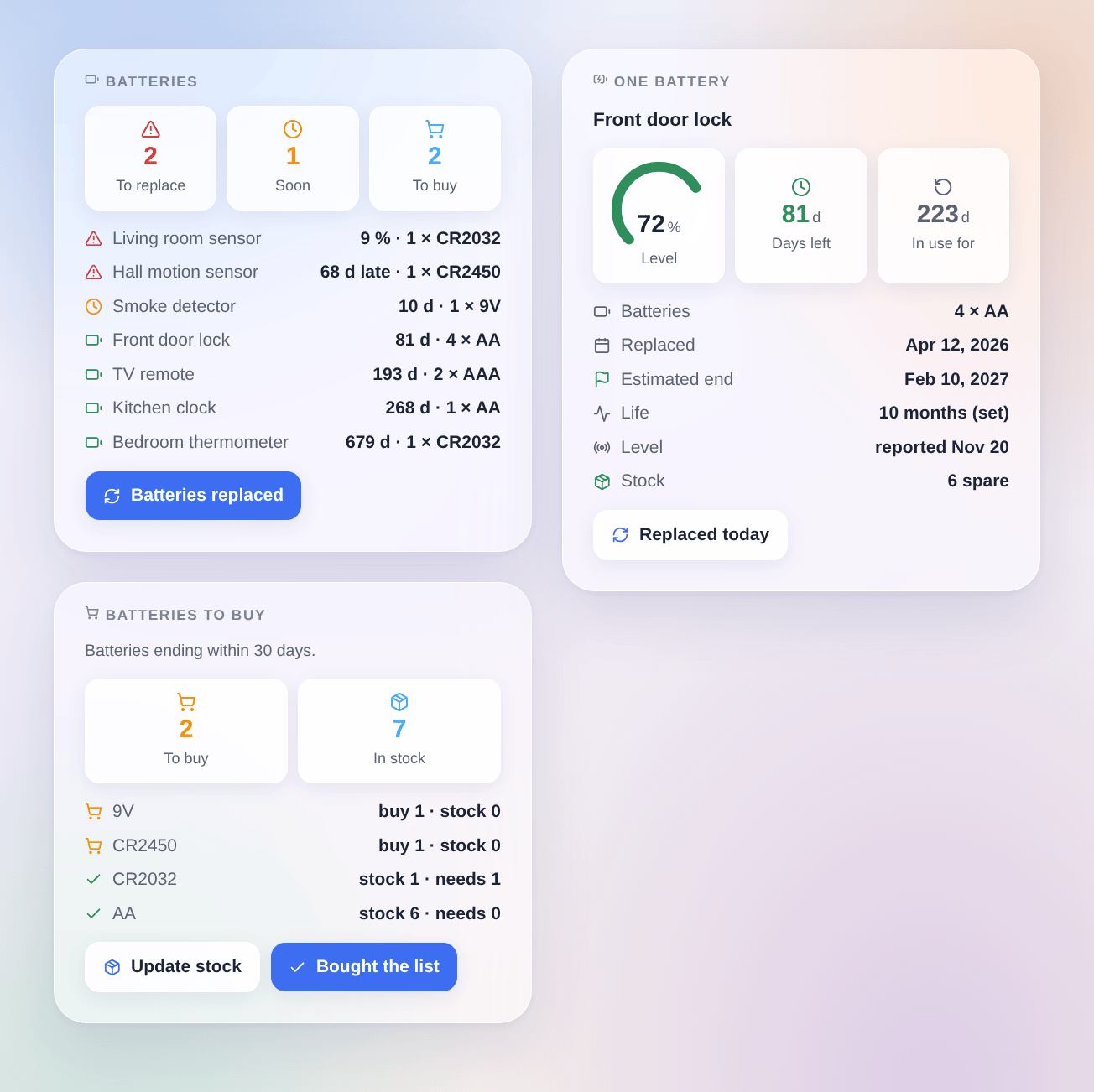
- Three dashboard widgets: every battery, one battery, the batteries to buy.
Transport: local. The integration calls no online service: the records stay in the Gladys database (and in its backups).
Prerequisites
- Gladys Assistant 5.3.0 or later.
- Nothing else: no account, no hardware.
An external integration cannot read the devices of the other integrations: the real level of a Zigbee sensor reaches Battery Tracker only through a scene (see "Report the real level" below). Without it, the level is estimated from the age of the batteries.
Configuration
- In Gladys, open Integrations → Battery Tracker → Configuration.
- Choose the Language of the texts first: a device keeps the feature names it is created with.
- Click Add a battery for each device that runs on batteries: a name (what the batteries power), the battery type (written on the battery), the number, and the day they were put in. Leave the type empty and give the manufacturer and the model to look them up in the library.
- Open the Discover tab and add the batteries: each one becomes a device.
| Setting | Default | Meaning |
|---|---|---|
| Language of the texts | Automatic | Feature names, scene texts, messages of the buttons |
| Default life (months) | 12 | Life of a battery with no life of its own and no learned one |
| Warn before the end (days) | 14 | A battery is "to replace soon" this many days before its end |
| Low reported level (%) | 20 | A reported level at or under it makes the battery due |
| Detect replacements from the level | yes | A reported level rising by 25 points or more counts as a replacement |
| Take replacements from the stock | yes | When the type of the battery is in stock |
| Shopping list horizon (days) | 30 | The list covers the batteries ending within this many days |
| Hour of the scene events | 9 | "Replacement due" and "Batteries to buy" start no earlier than this hour |
The other buttons: Record a replacement, Update the stock (add,
remove or set a count per type), List the batteries (with their
numbers), Edit a battery, Undo the last replacement (a button pressed
by mistake), Remove a battery, Find the batteries of a model. A
battery is named by its number in the list (#2) or its exact name.
Usage
The devices
| Feature | Meaning |
|---|---|
| Battery level | The reported level when less than 14 days old, else the estimate (%) |
| Days until replacement | Until the estimated end, negative once passed |
| Days since replacement | Since the last replacement |
| Batteries replaced | Push button: records a replacement today |
| Last replacement | The day of the last replacement |
Life: the life typed on the battery, else the life learned from its replacements (average of the last three intervals), else the default life. The estimated level falls linearly over the life: it tells the age of the batteries, not their chemistry.
Gladys already warns the administrators every Saturday at 9:00 when a battery level is under the threshold of Settings → System: a battery estimated low is included, a sensor reporting its own level as well (its record here then counts twice).
Report the real level
For a sensor that reports its battery level, create a scene:
- Trigger: the battery level of the sensor changes (device trigger).
- Action: Report a battery level (Battery Tracker), battery = its
device here, level = the value of the trigger, for example
{{triggerEvent.last_value}}.
The level then replaces the estimate; at or under the low level, the battery becomes due. A rise of 25 points or more counts as a replacement (the "Batteries replaced" trigger is not fired then: a scene action never fires a trigger).
Stock and shopping list
Record your spare batteries with Update the stock or the widget. Each replacement takes its batteries from the stock of its type; Undo the last replacement gives them back. The shopping list counts, for each type, the batteries ending within the horizon minus the stock; "Bought the list" puts it all in stock at once.
Scenes
- Triggers: Battery replacement due (once per battery, filter by battery and reason), Batteries replaced (device button, widget or configuration), Batteries to buy (once per type until restocked).
- Actions: Report a battery level, Record a battery replacement, Get the battery report (a text: batteries to replace, all of them, or the shopping list).
Examples:
- Replacement due → send
{{triggerEvent.data.name}}: {{triggerEvent.data.quantity}} × {{triggerEvent.data.battery_type}}to your phone. - Every Saturday at 10:00 → Get the battery report (shopping list) → send its text in a message before going shopping.
- Batteries replaced on the smoke detector → press its test button through its own integration.
Widgets
- Batteries: counters (to replace, soon, to buy), one row per battery from the most urgent, a "Batteries replaced" button with a form (which battery, which day).
- One battery: level gauge, days left and in use, type, dates, life (typed, learned or default), stock, "Replaced today" button.
- Batteries to buy: what to buy per type, the stock, "Update stock" and "Bought the list" buttons.
Troubleshooting
- The device does not appear: open the Discover tab after adding the battery; a removed battery also needs its device deleted in Gladys.
- The feature names are in the wrong language: Gladys never renames the features of a created device. Change the language, delete the device, then add it again from the Discover tab.
- "Report a battery level" fails: the level must be a number from 0 to
100; check the variable of the scene (
{{…}}) in the scene logs. - A replacement recorded by mistake: Undo the last replacement.
- The library finds several models: give the exact model or model id, or type the battery type yourself.
- Logs: Integrations → Battery Tracker → Logs, with
DEBUG=gladys-integration-sdkfor the details of the SDK. Report a problem on GitHub with the versions of Gladys and of the integration.
Configuration settings
These are the settings Battery Tracker asks for in its configuration screen in Gladys.
| Setting | Type | Required | Description |
|---|---|---|---|
| Your batteries | section | No | How it works: 1. Choose the “Language of the texts” below first: a device keeps the feature names it is created with. 2. Declare each device that runs on batteries with “Add a battery” (the library can find the type from the model). 3. Open the Discover tab and add it: it becomes a device with its level, its days left and a “Replaced” button. 4. Optional: report the real level of a sensor with the scene action “Report a battery level”, and record your spare batteries with “Update the stock”. Nothing leaves your Gladys: the integration calls no online service. |
| Language of the texts | select | No | Feature names (given when the device is added), scene texts and messages of the buttons. Automatic: the language of the dashboard once a widget was shown. |
| Default life (months) | number | No | For a battery with no life of its own, until its replacements teach a better one. |
| Warn before the end (days) | number | No | A battery is “to replace soon” this many days before its estimated end. |
| Low reported level (%) | number | No | A level reported by a scene at or under it makes the battery due, whatever its age. |
| Detect replacements from the level | boolean | No | A reported level rising by 25 points or more counts as a replacement. |
| Take replacements from the stock | boolean | No | When the type of the battery is in stock. |
| Shopping list horizon (days) | number | No | The list covers the batteries ending within this many days, minus the stock. |
| Hour of the scene events | number | No | “Replacement due” and “Stock short” start no earlier than this hour (0-23), so that no notification wakes you up at midnight. |
How to install Battery Tracker in Gladys
- In Gladys, open Integrations: Battery Tracker appears in the catalog, next to the native integrations, with a community badge.
- Click Install. Gladys pulls the Docker image (
ghcr.io/william-de71/gladys-battery-tracker:0.1.0), starts it in a sandbox isolated from the core, and generates the integration's interface (devices, discovery and configuration). - Open the Configuration screen of the integration, fill in the settings, and save.
- You can also install it directly from its repository URL: https://github.com/William-De71/gladys-battery-tracker.
Battery Tracker requires Gladys >=5.3.0. The catalog inside Gladys refreshes every hour, so a new version becomes available at most one hour after its release.
Not running Gladys yet? It is free and open source: follow the installation guide to get started.
About external integrations
Battery Tracker is an external integration: a community integration packaged as a Docker container and published on GitHub, that Gladys installs in one click and runs in a sandbox isolated from its core. It is published and maintained by William-De71, not by the Gladys core team.
- Browse all integrations, native and community
- Build and publish your own external integration
- Source code on GitHub — source of this documentation