Automate Pulse Hub v2 smart home integration, free and open source
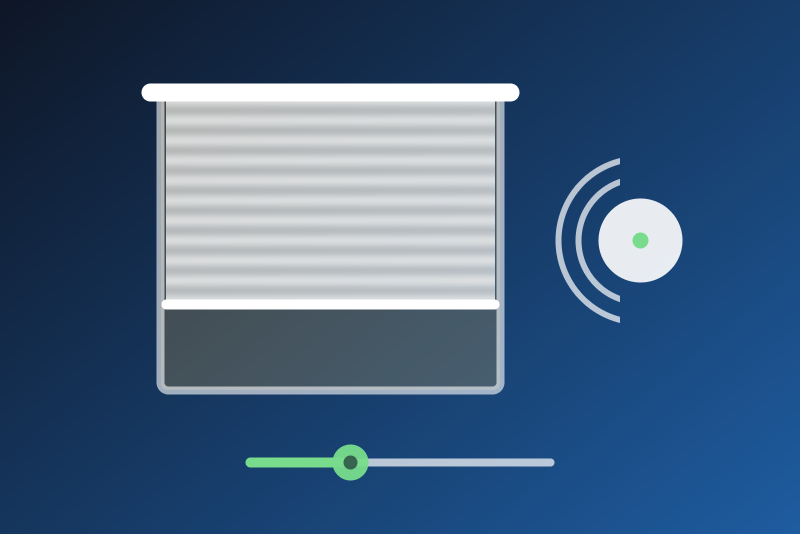
Rollease Acmeda Automate shades through the Pulse Hub v2, on the local network. Unofficial.
Published by LM1LC3N7
- Devices
- Version 0.1.2
- Requires Gladys >=5.1.0
- ★ 0
This integration brings the Rollease Acmeda Automate shades paired with a Pulse Hub v2 into Gladys. Each shade becomes a shutter of the Discovery tab: open, close, stop, its position, and the battery level of battery motors. Everything stays on your local network; the cloud of Rollease Acmeda is not used. Unofficial, not affiliated with Rollease Acmeda.
Development version. This integration has never been tested with a real hub: only with a simulated hub. The local protocol of the hub is not documented by Rollease Acmeda; it comes from the aiopulse2 library (the Home Assistant integration). Feedback is welcome in the GitHub issues.
Before you start
- Set up the hub and its shades in the Automate Pulse 2 app, and name the shades there: Gladys takes their names from the hub.
- Give the hub a fixed IP address in your router (DHCP reservation).
- The Pulse Hub v1 is not supported (another protocol).
Configuration
- Address of the hub: its IP address, like
192.168.1.50. - Certificate fingerprint (optional): the hub uses a self-signed TLS certificate. Empty, the certificate met at the first connection is kept; if another one shows up later (a new hub, a reset, or another machine at this address), everything stops and the status shows its SHA-256 fingerprint. If it is your hub, press Trust the new certificate twice (within 60 s), or type that fingerprint in this field.
- Read interval: how often the state of the shades is asked (10 s by default, 5 to 300 s). After a command the shade is also read at 1.5, 4, 10, 25 and 50 s.
- Language of the feature names.
Then open the Discovery tab and add the shades.
What you get
| Feature | Gladys | Notes |
|---|---|---|
| Open / close | shutter, state | open, close, stop |
| Position | shutter, position | 0 closed .. 100 open |
| Battery | battery, % | battery motors only, an estimate from the voltage (as the app) |
A shade is never a switch: a "turn everything off" never moves it.
How the commands behave
- A move is sent within 3.5 s of your click or refused (nothing sent). It is "accepted" only when the hub then reports a change the order caused: the shade still before and now moving, a position closer to the one asked, or that position. Otherwise (a shade that was already moving proves nothing), Gladys says "sent, without confirmation" and reads the shade again. The position is confirmed only when the hub reports it; a position not reached at the end shows on the badge.
- Stop never waits for a queue nor for a pause asked by the hub. On an open connection it goes at once; without one, it opens one (one try, at most every 5 s, within its 3.5 s). It is refused when the certificate of the hub changed. It cancels a move not sent yet, and for a minute it is sent again while the hub still reports the shade moving (also first thing on the next connection if the connection dropped).
- The battery and the motor type come from the hub rarely: they are asked for at most once an hour per shade, so the battery may appear after you added the shade: then press Update on it in the Discovery tab.
- The state of all the shades is asked from the hub at most once a second, however many shades a scene moves.
Limits
- One hub per integration in this version.
- The names of the shades are read on the second port of the hub (TCP 1487); if it does not answer, a shade is named after its id ("Shade ABC"). That port is plain TCP, without TLS nor the certificate check: only the names go through it, never a command.
- A hub that refuses connections (HTTP 429 or 5xx) is left alone 1 minute to 6 hours; other failures are retried after 10 s, 30 s, 1, 2 and 5 minutes, never sooner than the read interval, a restart included.
- Nothing is a secret here: the hub has no password.
Configuration settings
These are the settings Automate Pulse Hub v2 asks for in its configuration screen in Gladys.
| Setting | Type | Required | Description |
|---|---|---|---|
| Your Automate shades in Gladys | section | No | Each shade paired with your Pulse Hub v2 becomes a shutter in the Discovery tab: open, close, stop, position, and the battery of battery motors. Everything stays on your local network (the WebSocket of the hub, which is not documented by Rollease Acmeda); the cloud is not used. Set up the hub and its shades in the Automate Pulse 2 app first. Never tested with a real hub yet. Unofficial, not affiliated with Rollease Acmeda. |
| Address of the hub | string | Yes | The local IP address of your Pulse Hub v2, like 192.168.1.50. Give it a fixed address in your router (DHCP reservation). |
| Certificate fingerprint (optional) | string | No | The hub uses a self-signed certificate. Empty: the certificate met at the first connection is kept, and another one later stops everything until you vouch for it (its fingerprint is then shown in the status). Or type its SHA-256 fingerprint here. |
| Read interval (s) | number | No | How often the state of the shades is asked from the hub (5 to 300 s). After a command, the shade is also read a few times while it moves. |
| Language of the feature names | select | No | Used for the names of the features of the shades added from now on. |
How to install Automate Pulse Hub v2 in Gladys
- In Gladys, open Integrations: Automate Pulse Hub v2 appears in the catalog, next to the native integrations, with a community badge.
- Click Install. Gladys pulls the Docker image (
ghcr.io/lm1lc3n7/gladys-automate-pulse:0.1.2), starts it in a sandbox isolated from the core, and generates the integration's interface (devices, discovery and configuration). - Open the Configuration screen of the integration, fill in the settings, and save.
- You can also install it directly from its repository URL: https://github.com/LM1LC3N7/gladys-automate-pulse.
Automate Pulse Hub v2 requires Gladys >=5.1.0. The catalog inside Gladys refreshes every hour, so a new version becomes available at most one hour after its release.
Not running Gladys yet? It is free and open source: follow the installation guide to get started.
About external integrations
Automate Pulse Hub v2 is an external integration: a community integration packaged as a Docker container and published on GitHub, that Gladys installs in one click and runs in a sandbox isolated from its core. It is published and maintained by LM1LC3N7, not by the Gladys core team.
- Browse all integrations, native and community
- Build and publish your own external integration
- Source code on GitHub — source of this documentation