Atag One smart home integration, free and open source
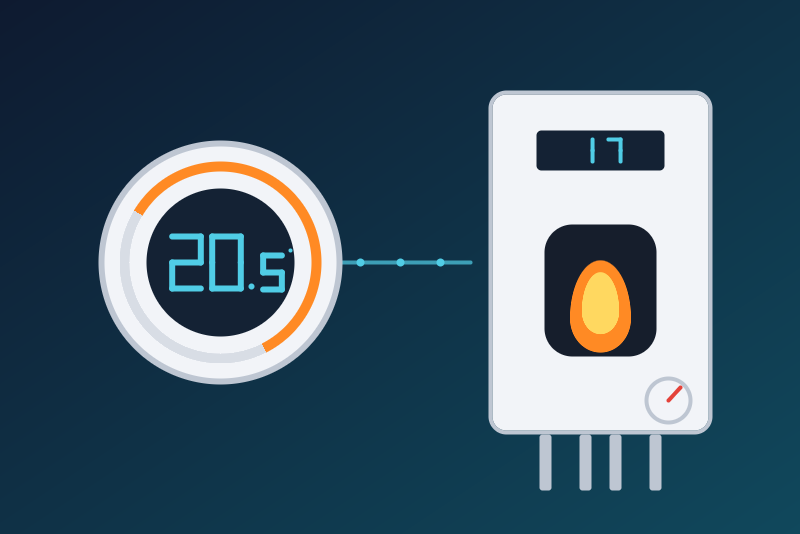
Atag One thermostat on your network: room temperature, setpoint, mode, boiler, hot water, pressure.
Published by LM1LC3N7
- Devices
- Version 0.1.3
- Requires Gladys >=5.1.0
- ★ 0
Your Atag One thermostat (Atag boilers) in Gladys, through its local interface on your network (port 10000), without any cloud:
- the thermostat becomes a Gladys device: room temperature, setpoint, control mode (Heating, or Auto following the weather), heating, program (manual, schedule, vacation, extend, fireplace), outside temperature (and its average), weather;
- the boiler becomes another: flow and return temperatures, water pressure (bar), burner on, burner modulation (%), hot water temperature, hot water setpoint, hot water production, hot water mode (Comfort / Eco), burner running hours and its status in words (standby, heating, hot water).
This integration has never been tested on a real thermostat. This first version was written from the pyatag library and the atag integration of Home Assistant, and tested only against a fake thermostat. Tell on the Gladys forum what works and what does not.
Unofficial integration, not affiliated with Atag.
Configuration
- Thermostat address: its IP address on your network (
192.168.1.20); a port may follow (192.168.1.20:10000, 10000 by default). Prefer the IP address: a.local(mDNS) name does not resolve inside the container of the integration. Give it a fixed address in your router. The thermostat only speaks plain http on this port: anhttps://address is refused with a clear message. No user name or password: the thermostat knows Gladys by the pairing below. - Pairing: Gladys reads the thermostat first; when it answers that Gladys
is not (or no longer) accepted, Gladys sends a pairing request in the name
of "Gladys", which you confirm on the screen of the thermostat. Without a
confirmation, the request is sent again after 1 min, then 2, 4, 8, 15 min,
8 requests at most; then Gladys sends none by itself and the status
tells you to press Test the connection (or save the configuration) to
send one again. A plain read every hour (no request on the screen) sees a
pairing confirmed late. This count is kept across a restart. The identity Gladys
gives the thermostat is drawn at random once and kept in the data of the
integration (
/data):- no file yet (first start): a fresh identity is drawn and written;
- a file that cannot be read (permissions, disk, damaged content): Gladys does not rewrite it and sends nothing to the thermostat (no pairing request with a new identity); the status says so and the file is read again every minute. If it lasts, uninstall then reinstall the integration: uninstalling erases its data, and a new pairing will be asked on the screen of the thermostat;
- a file that cannot be written: the integration works, but the status warns that a restart will ask for the pairing again.
- Commands: three options, all off by default (see Commands).
- Hot water cap (°C): the highest hot water setpoint Gladys may send, 65 °C by default and 65 °C at most (a value outside 30 to 65 °C is said in the status, and nothing is read or sent until it is corrected).
- Language of the devices: French (default) or English, for the device names and the program, weather, hot water mode and status texts.
Then open the Discovery tab and create the thermostat and the boiler. The Test the connection button reads the configuration again, asks the pairing again if needed, reads the thermostat when the last read is at least one minute old, and reports.
Commands
By default Gladys only reads. Each option, once ticked, lets the dashboard, the scenes, the voice assistants (Siri / HomeKit...) and the Thermostat service of Gladys change one single thing:
- Room setpoint (
Allow changing the room setpoint): from 4 to 27 °C (the range of the dial of the Atag One), by half degrees; a value outside is refused, not clamped. - Control mode (
Allow changing the control mode): Heating (regular control, value 1) or Auto (weather-dependent, value 3). The known local interface of the Atag One (pyatag, Home Assistant) offers no off: the Off value (0), sent for instance by the Thermostat service or a voice assistant, is refused with a message. To heat less from Gladys, lower the setpoint (down to 4 °C, option ticked); to stop the heating, do it on the thermostat. The program (manual, vacation...) is read only. - Hot water setpoint (
Allow changing the hot water setpoint): between the minimum and the maximum the thermostat announces (dhw_min_set,dhw_max_set, read again at each command) and under the cap of the configuration (65 °C by default, 65 °C at most); a value outside is refused, not clamped. Not offered on a thermostat set to Fahrenheit: whether its hot water values follow that unit is not known yet (they are not published either).
No feature is a switch: "turn everything off" does not act on the boiler nor on the hot water.
Just before acting, Gladys reads the thermostat again. Nothing is sent in the following cases, each with its message:
- the option of the command is unticked (checked when the command arrives and again just before sending);
- the value is not a number, or is out of its bounds (for the hot water: the thermostat's, read again, under the cap);
- the integration has no valid address, or its data (
/data) cannot be read; - the pairing is not confirmed (known from an earlier read, or told by the read of the command);
- the read fails, or the command can no longer leave within 3.5 s of its arrival;
- the thermostat has not answered the previous request or command yet (a message says so; try again a few seconds later);
- another thermostat answers at the address;
- the configuration changed meanwhile;
- hot water is asked on a thermostat in Fahrenheit, or the thermostat gives no usable hot water bounds;
- more than 6 setpoint raises (or mode changes) were sent within the last minute (a scene in a loop); lowering a setpoint is not held back;
- the value is already the one asked: the command then succeeds without sending.
Once the command has left (at most 3.5 s after its arrival), the thermostat has 10 s to answer; Gladys gets its answer 4.3 s after the command at the latest. Three outcomes:
- the thermostat answered: success;
- it has not answered yet at 4.3 s: success "sent, no answer yet", the rest is logged;
- the connection is cut or stays without an answer before 4.3 s: failure "sent, no answer from the thermostat" — the command may have been applied; an HTTP refusal of the thermostat gives "refused".
Whenever the command has left, the thermostat is read again 5 s later: only that read changes the value shown. When it does not show the value asked, the log and the status say so. A command is never sent again. Commands run one after the other, and the requests to the thermostat are at least one second apart (it drops faster callers).
Refresh and limits
- The loop reads the thermostat every 60 seconds. The states are thus up
to one minute late; only the values that change are sent to Gladys (and
each one at least every 30 minutes). The test button, Discovery, a
reconnection to Gladys and a restart of the integration do not read sooner
than 60 s after the last read (its time is kept in
/dataat every read). A command adds its fresh read and its confirming read 5 s later. - A value read more than 2 minutes ago is not published again (for instance when Gladys comes back after a long absence): the next read, made at once when it is due, publishes the values of the moment.
- Every report of the thermostat carries its own time (
report_time). When it stops moving for more than 2 hours, the values are no longer published, the badge of the devices turns "degraded" and the status says so; everything resumes as soon as the report moves. That time is kept across a restart. A thermostat that gives no such time cannot be checked this way. - A value outside the bounds of its feature (a missing probe, an aberrant answer) is not published. The setpoints read are published over a wider range than the commands' (room 0 to 40 °C, hot water up to 100 °C): a setpoint set on the thermostat itself stays visible.
- The water and outside temperatures are probes: Gladys keeps them out of the temperature of the room the thermostat is in.
- A thermostat set to Fahrenheit: room, outside and heating water temperatures converted to °C, room setpoint sent in °F; hot water neither published nor commanded (see above).
- The thermostat is known by its identifier (
status.device_id), not by its address: when another thermostat answers at the address, the created devices turn unreachable and the new one shows up in Discovery.
Connection problems
- Pairing to confirm: see Configuration.
- Thermostat unreachable: every device shows unreachable; a new try after 1 min, then more and more rarely up to every 10 min. A connection the thermostat closes during a read is tried again (3 tries); a command is not sent again.
- The thermostat answers with HTTP error N: it answers, but refuses; the same retry pace.
- This address does not answer like an Atag One: check the address and the port (10000 by default).
- The configuration of Gladys is not read yet: the integration asks again after 30 s, 1, 2, 4, 8 min then every 10 min, without end, and the status says so.
- The logs carry no text of the answers of the thermostat, only codes (HTTP 500, no connection...), nor the pairing identity.
Limits
- One thermostat per integration; the address is typed in (no automatic discovery on the network).
- The program (manual, vacation...) and the hot water mode (Comfort / Eco) are read only.
- Never tested on a real thermostat.
Configuration settings
These are the settings Atag One asks for in its configuration screen in Gladys.
| Setting | Type | Required | Description |
|---|---|---|---|
| How it works | section | No | Gladys reads your Atag One thermostat every minute on your local network (port 10000), without any cloud. The thermostat asks you once to confirm the pairing of "Gladys" on its screen (asked again 8 times at most, then with the button below). The thermostat becomes a Gladys device (Discovery tab): room temperature, setpoint, control mode, heating, program, outside temperature, weather; the boiler becomes another: flow and return temperatures, pressure, burner, modulation, hot water temperature and setpoint, hot water production and mode, running hours, status. Unofficial integration, not affiliated with Atag. Never tested on a real thermostat: see the documentation. |
| Thermostat address | string | Yes | The IP address (or name) of the Atag One on your network; a port may follow (10000 by default). Give it a fixed address in your router. Plain http: the thermostat has no https on this port. |
| Commands | section | No | By default Gladys only reads. Each option below lets the dashboard, the scenes, the voice assistants (Siri / HomeKit...) and the Thermostat service of Gladys change one thing: the room setpoint (4 to 27 °C), the control mode (Heating or Auto: the local interface of the Atag One offers no "off"; to heat less, lower the setpoint), the hot water setpoint (under the cap below; not on a thermostat set to Fahrenheit). No feature is a switch: "turn everything off" cannot act on the boiler. |
| Allow changing the room setpoint | boolean | No | |
| Allow changing the control mode | boolean | No | |
| Allow changing the hot water setpoint | boolean | No | |
| Hot water cap (°C) | number | No | The hot water setpoint Gladys may send at most: 65 °C by default (scalding risk above), never above 65 °C whatever is entered here; the thermostat's own limits apply too. |
| Language of the devices | select | No | Names of the devices and features, program, weather, hot water mode and status texts. |
How to install Atag One in Gladys
- In Gladys, open Integrations: Atag One appears in the catalog, next to the native integrations, with a community badge.
- Click Install. Gladys pulls the Docker image (
ghcr.io/lm1lc3n7/gladys-atag:0.1.3), starts it in a sandbox isolated from the core, and generates the integration's interface (devices, discovery and configuration). - Open the Configuration screen of the integration, fill in the settings, and save.
- You can also install it directly from its repository URL: https://github.com/LM1LC3N7/gladys-atag.
Atag One requires Gladys >=5.1.0. The catalog inside Gladys refreshes every hour, so a new version becomes available at most one hour after its release.
Not running Gladys yet? It is free and open source: follow the installation guide to get started.
About external integrations
Atag One is an external integration: a community integration packaged as a Docker container and published on GitHub, that Gladys installs in one click and runs in a sandbox isolated from its core. It is published and maintained by LM1LC3N7, not by the Gladys core team.
- Browse all integrations, native and community
- Build and publish your own external integration
- Source code on GitHub — source of this documentation