Aqara smart home integration, free and open source
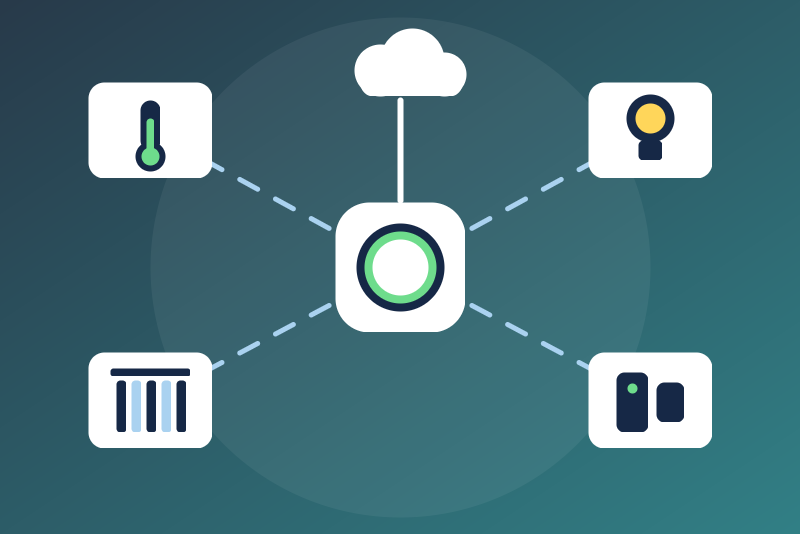
Aqara hubs and their devices through the Aqara Open API (cloud).
Published by LM1LC3N7
- Devices
- Version 0.1.1
- Requires Gladys >=5.1.0
- ★ 0
Brings the devices of your Aqara account into Gladys: the hubs (M2, M3, M1S…) and what is paired behind them — temperature, humidity and pressure sensors, door and window sensors, leak, presence, smoke and CO detectors, plugs, lights and curtains. Through the official Aqara Open API (the cloud), with a developer project of your own. Unofficial integration, not affiliated with Aqara. It was never tested with a real device: please report what works and what does not.
1. Create a developer project
- Sign in on https://developer.aqara.com/ with an Aqara account (it may be the one of your Aqara Home app).
- Console, Project Management, New project; wait until it is approved.
- In the details of the project: the App ID; in Key Management: the Key ID and the App Key.
Copy the three values into the configuration and pick the server of your Aqara account (Europe, United States, China mainland, South Korea, Russia, Singapore: the one chosen in the Aqara Home app). The App Key is kept by Gladys in its database, never shown again; it only signs the requests (MD5 signature of the documentation) and never leaves the integration itself.
2. Authorize your Aqara account
- Enter the e-mail address or the phone number of the Aqara account that owns the devices, and save.
- Click Send the verification code: Aqara sends a verification code to that account (e-mail or SMS), valid 10 minutes. A code is asked only when you click, never at start nor by a read, and never twice within a minute.
- Enter the code in the Authorize button and click it. The two tokens (access and refresh) are filled in the configuration by the integration.
The access token is asked for 7 days and renewed with the refresh token a day before it expires (or when Aqara says it expired); the renewed tokens are saved in the configuration of Gladys. If Aqara refuses the renewal (the refresh token expired after 30 more days without any read, or was revoked), the status says "authorize again": nothing is sent with these tokens any more until you authorize again.
The keys, the tokens, the account and the code are never written in the
logs, the status or /data.
Devices
Discovery offers each device that has at least one value below, built from the "trait" description Aqara gives of its model:
| Aqara trait | Gladys | Commanded |
|---|---|---|
| OnOff of a light | light on/off | yes |
| CurrentLevel of a light (%) | light brightness 0-100 | yes |
| OnOff of an outlet or a switch | switch on/off | yes |
| CurrentPositionPercentage | curtain position (read only, direction to confirm) | no |
| CurrentTemperature (°C), CurrentHumidity (%), CurrentPressure (kPa) | sensors | no |
| CurrentIlluminance (lux), CO2Density (ppm), PM2.5Density (µg/m³), VOCDensity (ppb) | sensors | no |
| BatPercentRemaining (%) | battery | no |
| CurrentPower (W), CurrentVoltage (V), CircuitCurrent (A) | power, voltage, current | no |
| ContactSensorState | opening sensor | no |
| LeakState, Occupancy, SmokeDetected, CODetected | leak, presence, smoke, CO | no |
A value in another unit than the one listed, out of its range, or a text, is unknown: it is never published (never as 0). An offline device (Reachable false) publishes nothing. A measurement is published once per source date, never when older than 2 hours (a value without a source date is published while the device is online); on/off, positions and detectors are published as the current state.
Read only in this version: curtain positions (for every device type), locks, cameras, doorbells, garage doors, valves, pumps, window openers, heating (including a hearth), air conditioning and cooking appliances: a device of one of these types is never written, even its other values (a lock is never opened). The energy counter (CumulativeEnergyConsumption), colours and colour temperature, buttons and cubes (events only) are not handled yet.
Directions to confirm on a real device (the Aqara documentation defines neither; HomeKit, whose names Aqara uses, and Matter are opposite):
- curtain position: shown as Aqara gives it, assumed 0 = closed, 100 = open (HomeKit); never written until a tester confirms it;
- contact sensor: "true" is taken as open (HomeKit "contact not detected"), unless Aqara's description of the model names the values (Open / Close).
Commands
- Turning off (on/off 0, brightness 0) is sent at once, during a pause
asked by Aqara, beyond the daily budget, while a token renewal is due or in
progress (with the current token), before the device list is read again
(right after a restart, the device params of Gladys say where to write),
and when
/datacannot be read. A read in progress is cut for it. Refusals of a turn off: no configuration yet (kept 2 minutes, sent once it is read), keys or tokens missing, keys or authorization refused by Aqara during this run, a refresh token Aqara refused (never sent again), a value read only, a value not known yet (no read since the start and no device params in Gladys). It is confirmed by the reads 5 s and 20 s later; contradicted (the old value with an older source date), it is sent again, twice at most; changed after it (a newer source date: the Aqara app, a wall switch, an automation) it is not sent again; without a source date, or when no read could show it, it is not sent again and the status says "Not confirmed". A send that could not leave (network, 429, 5xx, device offline, a token refused right after its renewal) is tried again every 10 s, 6 times in 2 minutes. Only a turn off is kept across a restart (2 minutes at most). - Turning on, a brightness are refused during a pause, beyond the budget, when the device list is older than 15 minutes (or two read intervals when longer), when the device is offline or the value read only. They are checked again right before they leave; one not gone by the 3 s answer ("nothing sent") is cut and never leaves later. Sent, they are confirmed the same way (reads 5 s and 20 s later). A command queued before a turn off of the same endpoint never leaves after it: a turn off cuts every turn on of its endpoint not gone yet (a connection in progress included, checked again at its first byte); one already gone that reaches Aqara after the turn off never counts as a newer change: the turn off is sent again.
Reads and quota
Every read costs one call per 50 values, plus the device list every 10 minutes and the descriptions of the new models. Default every 120 s (60 s at least). The daily budget (3000 calls by default, UTC day) is counted before each call and kept across restarts: once spent, reads stop until the next day; turning off still goes. Set it below the quota of your project. A 429, or a busy server during a read (codes 100, 104, 5xx), pauses everything but the stops (a 5xx answering one command pauses nothing), 1 minute doubled up to 6 hours (or the Retry-After when longer), kept across restarts. One read request at a time.
Refusals: the keys refused (codes 106 invalid sign, 107 illegal App Key, 2002 App ID or App Key illegal) stop everything until you change them or click Test the connection (which always tries them); a permission refused on one route (403, 2008, 2012, 2013, 2014, 2022…) is never taken for a refusal of the keys. A refused renewal (2006, 2007) ends the authorization: authorize again. An access token refused right after Aqara renewed it is not read, spaced (doubled up to an hour), never the end of the authorization; while it is spaced, no renewal is asked (a turn off is sent with the current token and tried again later).
Troubleshooting
- "refused the keys of the project": check App ID, Key ID, App Key and the server; a project not approved yet is refused too. Code 106 (signature): check the App Key, and the Key ID exactly as the console shows it.
- "Aqara refused the date of the request": the clock of the Gladys host is wrong.
- "a permission refused (an IP restriction of the project?)": the IP settings of the project only allow other addresses.
Configuration settings
These are the settings Aqara asks for in its configuration screen in Gladys.
| Setting | Type | Required | Description |
|---|---|---|---|
| Getting started | section | No | Reads the devices of your Aqara account (sensors, plugs, lights, curtains behind a hub M2, M3…) through the official Aqara Open API, with a developer project you create on developer.aqara.com. Turning off is never held. Curtain positions, locks, cameras, valves, garage doors and heating stay read only. Unofficial, not affiliated with Aqara; never tested with a real device. |
| Aqara server | select | No | The server of your Aqara account (the one chosen in the Aqara Home app). |
| Developer project | section | No | On developer.aqara.com, create a project (Console, Project Management); once it is approved, its details show the App ID, and Key Management the Key ID and the App Key. |
| App ID | string | No | |
| Key ID | string | No | |
| App Key | secret | No | Kept by Gladys in its database, never shown again, used only to sign the requests sent to Aqara (the key itself never leaves). |
| Authorization | section | No | Enter the e-mail address or the phone number of your Aqara account and save. Then click "Send the verification code": Aqara sends a code to that account (valid 10 minutes). Enter it with the "Authorize" button: the two tokens below are filled in by the integration. A code is sent only when you click. |
| Aqara account (e-mail or phone) | string | No | |
| Access token (filled in by "Authorize") | secret | No | Kept by Gladys in its database, never shown again, sent only to Aqara. |
| Refresh token (filled in by "Authorize") | secret | No | Kept by Gladys in its database, never shown again, sent only to Aqara. |
| Reads and quota | section | No | Each read costs one call per 50 values (plus the device list every 10 minutes). The integration stops reading when the daily budget below is spent (UTC day); turning off is still sent. |
| Read interval (s) | number | No | How often the values are read: 60 s at least. |
| Daily budget of API calls | number | No | Set it below the quota of your developer project. |
How to install Aqara in Gladys
- In Gladys, open Integrations: Aqara appears in the catalog, next to the native integrations, with a community badge.
- Click Install. Gladys pulls the Docker image (
ghcr.io/lm1lc3n7/gladys-aqara:0.1.1), starts it in a sandbox isolated from the core, and generates the integration's interface (devices, discovery and configuration). - Open the Configuration screen of the integration, fill in the settings, and save.
- You can also install it directly from its repository URL: https://github.com/LM1LC3N7/gladys-aqara.
Aqara requires Gladys >=5.1.0. The catalog inside Gladys refreshes every hour, so a new version becomes available at most one hour after its release.
Not running Gladys yet? It is free and open source: follow the installation guide to get started.
About external integrations
Aqara is an external integration: a community integration packaged as a Docker container and published on GitHub, that Gladys installs in one click and runs in a sandbox isolated from its core. It is published and maintained by LM1LC3N7, not by the Gladys core team.
- Browse all integrations, native and community
- Build and publish your own external integration
- Source code on GitHub — source of this documentation