Alpha ESS smart home integration, free and open source
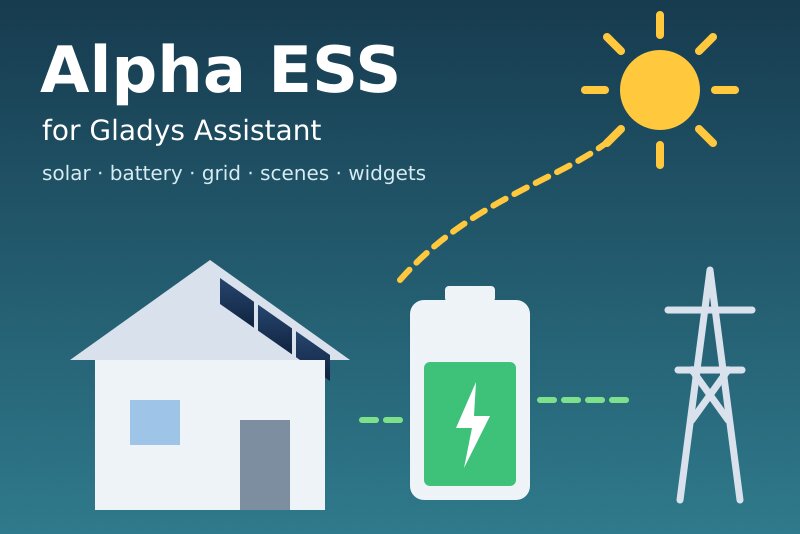
Alpha ESS inverters and batteries: solar, battery, grid, energy and scene control.
Published by William-De71
- Devices
- Version 0.1.1
- Requires Gladys >=5.1.0
- ★ 0
Overview
This integration brings the Alpha ESS hybrid inverters, batteries and EV chargers of your account into Gladys, through the official Alpha ESS Open API and your own developer account. It is not affiliated with Alpha ESS.
- One device per system: solar power, battery level, battery charge and discharge power, grid power (import +, export −), house consumption, energies of the day and energy indexes.
- One device per Alpha ESS EV charger: connector status, charging state, power.
- Three dashboard widgets: energy flow now, today (with the power curve of the day), battery schedule.
- Scene triggers: battery full, battery at its cut-off, export or import started, system offline or back, EV charger state, access refused.
- Scene actions: charge from the grid, discharge time control, start or stop the EV charger (all off unless you allow them), energies of today.
Transport: cloud. Your AppID, the serial numbers of your systems and the settings your scenes change go to the Alpha ESS cloud (openapi.alphaess.com); the AppSecret never leaves Gladys (only a signature of each request does).
Prerequisites
- Gladys Assistant 5.1.0 or later.
- An Alpha ESS system that sends its data to the Alpha ESS cloud (it shows in the Alpha ESS app).
- A developer account (free) on open.alphaess.com. Under Development Management → Developer Information, copy the Developer ID (AppID) and the Developer Secret (AppSecret).
- Your system bound to the AppID: on the portal, add the system with its serial number (SN) and its CheckCode, both on the label of the inverter (or given by your installer). If the portal never sends the confirmation e-mail, use the binding buttons of the configuration (see below).
The pace: Alpha ESS asks for 10 seconds at least between two requests and answers "too fast" (6053) otherwise. The integration sends one request at a time, 10 seconds apart, and slows down by itself when Alpha ESS asks.
Configuration
| Field | Meaning |
|---|---|
| AppID (Developer ID) | The Developer ID of the portal, starts with alpha |
| AppSecret (Developer Secret) | The Developer Secret of the portal (a secret, never shown again nor written to the logs) |
| Allow the scenes to control the inverter | Off by default; on, the scene actions may change the battery settings and the EV charger |
| Reading of the power | Every 30 s, 1 min (default), 2 min or 5 min; spaced out with several systems |
| Language of the texts | Feature names, scene texts and errors; automatic follows the language of the last widget |
Buttons:
- Test the connection lists the systems bound to the AppID (serial number, model, solar power, battery size).
- Request a binding code (serial number + CheckCode): Alpha ESS e-mails a verification code to the owner of the system. Bind the system (serial number + code) binds it to your AppID. Its device then comes on the Discover screen.
- Diagnostic writes the state of the integration to its logs, without the secret.
Usage
Devices
Open Discover and add your systems. A system device has:
- Solar production (W), House consumption (W), Grid power (W, positive when importing, negative when exporting);
- with a battery: Battery level (%), Battery charge power and Battery discharge power (W, both positive);
- Solar production today and House consumption today (kWh);
- indexes (kWh): solar production, grid import, grid export and, with a battery, battery charge and discharge.
The Open API gives the energies of each day, not the meter of the inverter: the integration adds the days up itself. The indexes start at 0 the first day the integration runs, never go down, and are corrected after midnight with the end of the day before. They are history indexes: none of them is counted as the consumption of your house, so a Linky or another meter keeps feeding the energy dashboard alone, without double counting.
An EV charger device has its Connector status, its Charging state and its Charging power (W).
Dashboard widgets
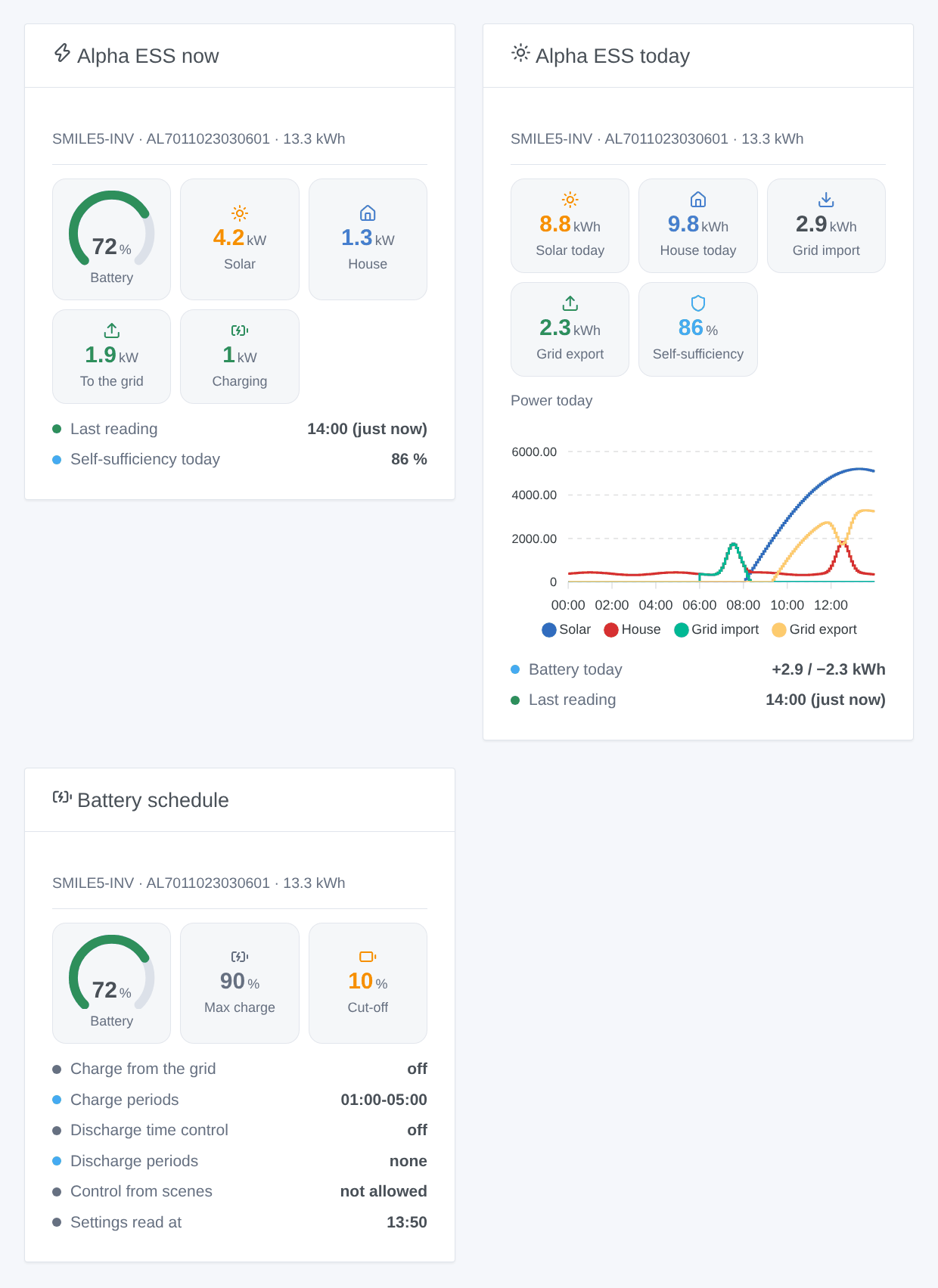
- Alpha ESS now: battery level, solar, house, grid (to or from), battery (charging or discharging), when it was read and the self-sufficiency of the day; "offline since…" in red when Alpha ESS says the system is offline.
- Alpha ESS today: solar, house, grid import and export of the day, self-sufficiency, the power curve of the day (read only while the widget is shown), the battery charged and discharged.
- Battery schedule: the charge from the grid (on or off, periods, up to which SOC) and the discharge time control (on or off, periods, cut-off SOC) stored on the cloud, and whether your scenes may change them.
Choose the system in the settings of the widget (empty: the first one).
Scenes
Triggers (once per change, never at the first reading):
- Alpha ESS: battery full: the battery reaches 100 % (again once it went under 95 %).
- Alpha ESS: battery at its cut-off: the battery reaches the cut-off SOC of the discharge (+1 point).
- Alpha ESS: export to the grid started / import from the grid started: 200 W or more, two readings in a row.
- Alpha ESS: system offline (10 minutes) / system back online.
- Alpha ESS: EV charger state changed: plugged in, charging, paused, finished, fault; filter on the new state.
- Alpha ESS: access refused: AppID or AppSecret refused, clock of the host off, IP not allowed, or a system not bound.
Actions (the first three need Allow the scenes to control the inverter):
- Alpha ESS: charge from the grid: on, off or unchanged, two periods like
01:00-05:00(quarter hours,offto clear one), the SOC it stops at (10 to 100). Empty fields keep their value. The current setting is read first and the whole setting written; nothing is sent when nothing changes. - Alpha ESS: discharge time control: the same for the discharge, with its cut-off SOC.
- Alpha ESS: start or stop the EV charger.
- Alpha ESS: energies of today: solar, house, import, export, battery charged and discharged, self-sufficiency, battery level and a sentence, without any request.
Alpha ESS documents the two battery settings as changeable about once a day: a second change the same day may be refused. On some recent inverters (SMILE-G3) the app keeps its schedule elsewhere and these settings may be ignored: check the result in the Alpha ESS app before relying on it.
Examples:
- Every day at 22:00, if the battery is under 40 % → Alpha ESS: charge from the grid on, period
01:00-05:00, up to 80 %; at 06:00 → off. - When Alpha ESS: export to the grid started → turn on the water heater; when import from the grid started → turn it off.
- When Alpha ESS: system offline → send a notification "The inverter is offline for {{triggerEvent.data.minutes_offline}} min".
- Every evening at 21:00 → Alpha ESS: energies of today → send a message with its
summaryoutput.
Troubleshooting
- "Alpha ESS refuses the AppID or the AppSecret" (6007): copy both again from Developer Information; no space before or after.
- "System … is not bound to this AppID" (6005): bind it on the portal, or with Request a binding code then Bind the system.
- "The clock of the Gladys host is more than 5 minutes off" (6006): set the time of the machine (NTP).
- "The IP allow-list of the developer account is on" (6009): add the public address of your Gladys, or turn the list off.
- "Alpha ESS asked to slow down" (6053): another app (Home Assistant…) may use the same AppID; the readings resume after a minute.
- "Control is off": tick Allow the scenes to control the inverter.
- A setting changed but the inverter does nothing: Alpha ESS accepted it on the cloud; on some models the app schedule wins. Check it in the Alpha ESS app.
- "Alpha ESS does not give the battery settings of this system" (6017): your model or account has no access to them through the Open API.
- Report a problem on GitHub with the versions of Gladys and of the integration, the model of the inverter, the message of Test the connection and the lines written by Diagnostic. Never paste your AppSecret.
Configuration settings
These are the settings Alpha ESS asks for in its configuration screen in Gladys.
| Setting | Type | Required | Description |
|---|---|---|---|
| Alpha ESS Open API | section | No | Create a free developer account on open.alphaess.com. Under Development Management → Developer Information, copy the Developer ID (AppID) and the Developer Secret (AppSecret). The data travel to the Alpha ESS cloud. This integration is not affiliated with Alpha ESS. |
| AppID (Developer ID) | string | Yes | |
| AppSecret (Developer Secret) | secret | Yes | |
| Bind your system to the AppID | section | No | Only the systems bound to the AppID are seen. On the portal, add the system with its serial number (SN) and its CheckCode, both on the label of the inverter (or given by the installer). If the portal never sends the e-mail, use the buttons below: "Request a binding code" e-mails a code to the owner of the system, "Bind the system" uses it. |
| Control of the inverter | section | No | Off by default. Once allowed, the scene actions can change the charge from the grid and the discharge time control of the battery, and start or stop an Alpha ESS EV charger. Alpha ESS documents these battery settings as changeable about once a day, and on some recent models (SMILE-G3) the schedule lives elsewhere and these settings may be ignored: check the result in the Alpha ESS app. |
| Allow the scenes to control the inverter | boolean | No | Writes to the battery settings and the EV charger. Read only when off. |
| Reading of the power | select | No | How often the power now is read. Alpha ESS asks for 10 seconds at least between two requests: with several systems the reading is spaced out. |
| Language of the texts | select | No | Feature names, scene texts and errors. Automatic: the language of the last widget shown. |
How to install Alpha ESS in Gladys
- In Gladys, open Integrations: Alpha ESS appears in the catalog, next to the native integrations, with a community badge.
- Click Install. Gladys pulls the Docker image (
ghcr.io/william-de71/gladys-alpha-ess:0.1.1), starts it in a sandbox isolated from the core, and generates the integration's interface (devices, discovery and configuration). - Open the Configuration screen of the integration, fill in the settings, and save.
- You can also install it directly from its repository URL: https://github.com/William-De71/gladys-alpha-ess.
Alpha ESS requires Gladys >=5.1.0. The catalog inside Gladys refreshes every hour, so a new version becomes available at most one hour after its release.
Not running Gladys yet? It is free and open source: follow the installation guide to get started.
About external integrations
Alpha ESS is an external integration: a community integration packaged as a Docker container and published on GitHub, that Gladys installs in one click and runs in a sandbox isolated from its core. It is published and maintained by William-De71, not by the Gladys core team.
- Browse all integrations, native and community
- Build and publish your own external integration
- Source code on GitHub — source of this documentation