Aldes smart home integration, free and open source
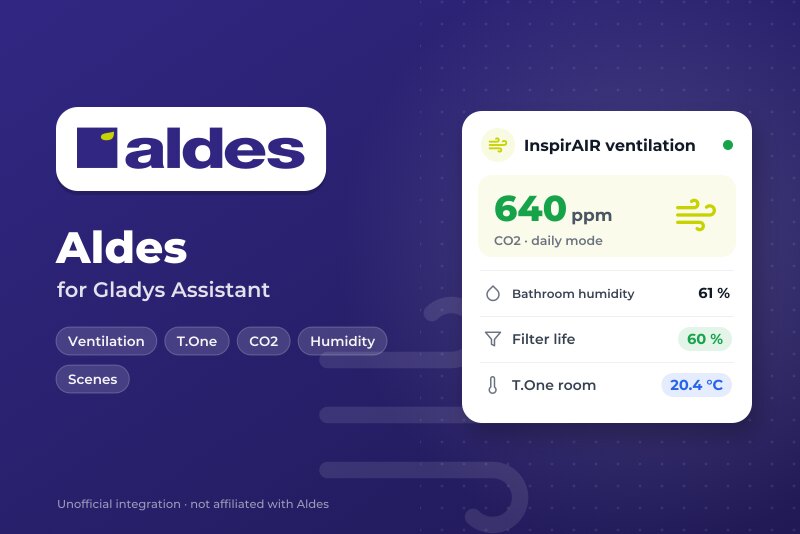
Aldes ventilation (InspirAIR, EasyHOME) and T.One heat pumps: modes, CO2, rooms, scenes.
Published by William-De71
- Devices
- Version 0.1.0
- Requires Gladys >=5.3.0
- ★ 0
Overview
This integration brings into Gladys the Aldes products linked to the AldesConnect app: the ventilation units (InspirAIR Home, EasyHOME PureAIR Compact Connect / Premium, Dee Fly Cube) and the T.One AIR / AquaAIR heat pumps with their room thermostats. It signs in with the e-mail and the password of your AldesConnect account, as the app does.
- A ventilation unit: its mode (daily, boost, guests, holidays, schedule), the CO2 level, the temperature and humidity of the kitchen and of each bathroom, the remaining life of the filter — each value when the unit reports it.
- A T.One heat pump: its air mode (off, heating comfort / eco / program A or B, cooling comfort / boost / program C or D), on an AquaAIR the hot water mode (on, boost, off) and the hot water available, the main temperature.
- A thermostat per room of a T.One: its setpoint (whole degrees) and the room temperature.
- Scene triggers (mode changed, offline, filter due, holiday) and scene actions (ventilation mode, timed boost, air mode, hot water, holiday, read now).
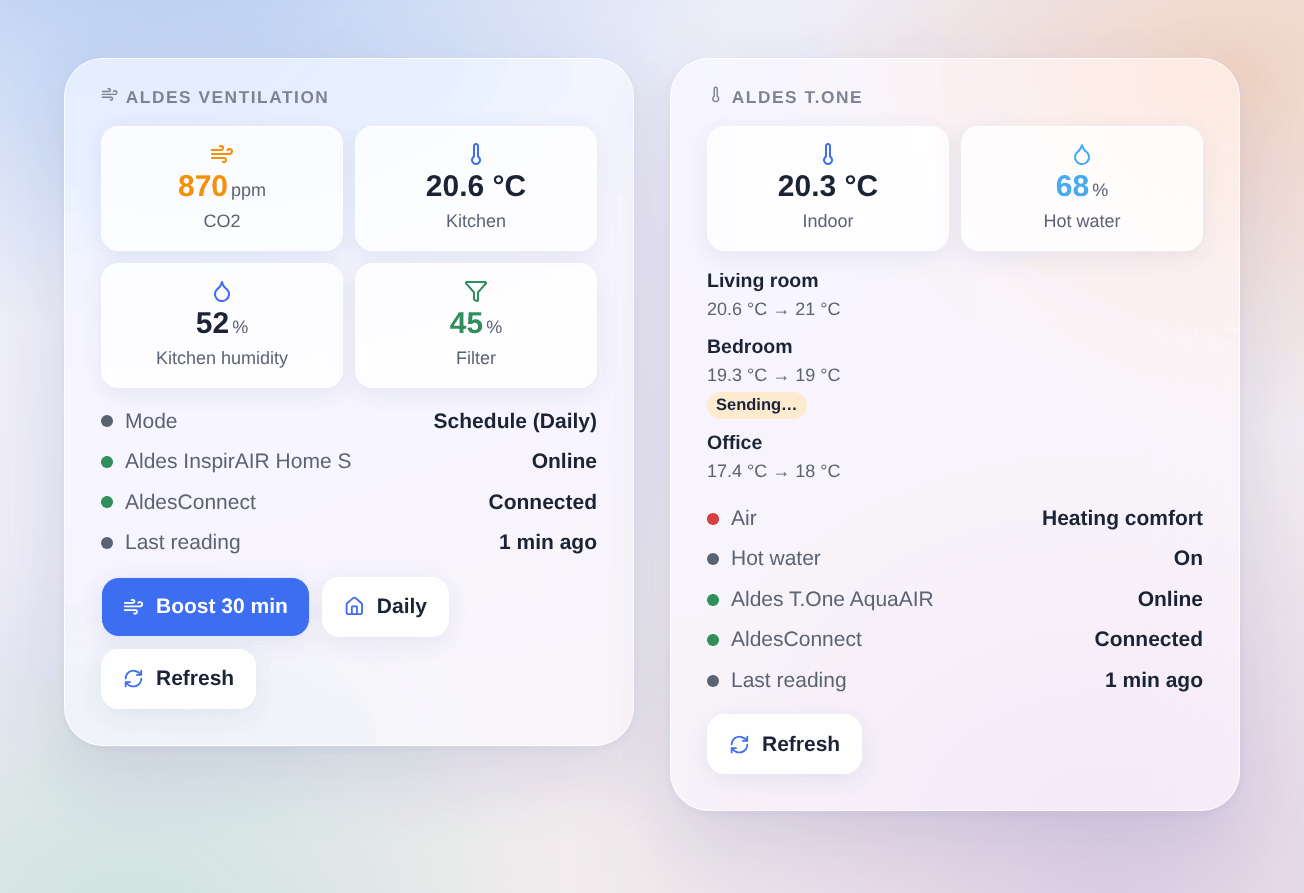
- Two dashboard widgets: the ventilation unit and the T.One.
Transport: cloud. Gladys never talks to your products directly: it reads and writes the Aldes cloud, which passes the commands to the product. A change made in Gladys shows at once and is confirmed a few seconds later; a change made in the app, by the schedule or on the product reaches Gladys at the next reading. Your data leaves your home (it already does with the app).
Not affiliated with Aldes. The service used is the one of the AldesConnect app; Aldes does not document it and may change it without notice. The requests are the ones the community projects use: the Aldes integrations for Home Assistant (guix77/homeassistant-aldes, saniho/homeassistant-aldes), the Homebridge plugins and aldes2mqtt. Not tried on a real account yet: tell us what works and what does not.
Requirements
- Gladys Assistant 5.3.0 or newer.
- An Aldes ventilation unit or T.One already installed and shown in the AldesConnect app.
- The AldesConnect account: check that you can sign in to the app with your e-mail and password. Aldes offers no separate access for third parties: the integration uses the password of your account.
Configuration
In Gladys, open Integrations → Aldes:
| Field | Description |
|---|---|
| The e-mail of your AldesConnect account. | |
| Password | Its password: sent to Aldes only, kept in memory, never shown again nor logged. |
| Reading interval | Every 1, 2, 5 or 10 minutes (2 by default). One request reads every product. |
| Language of the device texts | Names of the features and modes, messages of the button; automatic by default. |
Click Test the connection: the integration signs in and lists the products and room thermostats found, and the products it does not handle. Then open the Discover tab and add the devices you want: nothing is created without you.
Usage
Devices
| Device | Features | Notes |
|---|---|---|
| Ventilation unit | Mode, CO2, kitchen and bathroom temperature and humidity, filter life | Each sensor appears only when the unit reports it (a CO2 of 0 means no sensor). "Holidays" in the mode list keeps the holiday mode until another mode is chosen. |
| T.One heat pump | Air mode, hot water mode, hot water available, main temperature | Hot water: a T.One AquaAIR only. The air mode list holds the nine modes of the app. |
| Room thermostat | Setpoint, room temperature (and humidity when measured) | Whole degrees, within the heating bounds (or cooling bounds) Aldes gives for the T.One. |
A product Aldes reports offline refuses the commands: the cloud would accept them, but the product would never get them.
The filter life is computed from the wear Aldes reports (100 % − wear). The field is not documented: compare it with the app the first time.
Dashboard widgets
- Aldes ventilation: the CO2 (green below 800 ppm, orange below 1,200, red above), the kitchen temperature and humidity, the filter life, the mode (and the mode running under the schedule), the end of a boost, the connection. Boost 30 min boosts and goes back to the previous mode after 30 minutes, Daily goes back to daily ventilation, Refresh reads now. Choose the unit in the widget settings.
- Aldes T.One: the main temperature, the hot water available, the rooms with their temperature and setpoint, the air and hot water modes, the holiday, the connection, a Refresh button. Choose the T.One in the widget settings.
Scenes
Triggers (each one can be limited to one product):
- The mode of an Aldes product changes: in the app, by its schedule or on the product (never a change Gladys asked for); filter on the new mode. The new and the previous modes are variables.
- An Aldes product goes offline or back online with the Aldes cloud (filter on either).
- An Aldes filter is due: its remaining life goes down to 10 % or less; once, until the filter is changed.
- An Aldes holiday starts or ends: the holiday mode set in the app (never by the action of the integration); for a T.One, the end date is a variable.
Actions:
- Set the Aldes ventilation mode: daily, boost, guests or schedule, for one unit or all.
- Boost the Aldes ventilation: boost for a number of minutes (30 by default, 0 = until another mode), then back to the previous mode. Output: the end time. Gladys keeps the timer: if the integration restarts meanwhile, the boost stays on.
- Set the T.One air mode: one of the nine modes.
- Set the T.One hot water: on, boost or off (AquaAIR).
- Set an Aldes holiday: from now on for a number of days, or 0 to cancel.
- Read Aldes now: the mode, CO2, temperature, humidity, hot water, filter life and connection of a product (−1 when unknown).
Examples:
- When the humidity of the bathroom goes above 75 % → boost the ventilation for 20 minutes.
- When the filter is due → send a notification "Filter of the ventilation: {{triggerEvent.data.filter_life}} %".
- When leaving on holiday → holiday mode for 7 days; when coming back → set the holiday to 0 days.
Transport
The catalog shows the cloud badge: every request goes to aldesiotsuite-aldeswebapi.azurewebsites.net, the service of the AldesConnect app, with your account. The app offers no local access.
Troubleshooting
- "Aldes refused the e-mail or the password": check them in the AldesConnect app. The integration tries again every 30 minutes, or as soon as you change them.
- Connected, but no product: the account has no ventilation unit nor T.One, or only products the integration does not handle yet (a T.Flow water heater, for example): "Test the connection" lists them.
- A command is refused because the product is offline: check the Wi-Fi of the product and its connection in the app.
- A command is undone after a few minutes: Aldes did not apply it; the dashboard goes back to what the cloud says.
- A sensor is missing: the unit does not report it, or reports 0 (no sensor).
- The boost did not stop: the integration restarted during the boost; choose another mode.
- Nothing works any more after an update of the app: the undocumented service may have changed; report it.
- Report a problem on GitHub with your Gladys version, the version of the integration, the model of the product and the result of "Test the connection".
Configuration settings
These are the settings Aldes asks for in its configuration screen in Gladys.
| Setting | Type | Required | Description |
|---|---|---|---|
| Aldes | section | No | How to connect: 1. Check that your ventilation unit or T.One works in the AldesConnect app. 2. Enter below the e-mail and the password of the AldesConnect app. 3. In the Discover tab, add your ventilation unit, your T.One and its room thermostats. The integration uses the service behind the AldesConnect app, which Aldes does not document: it may change without notice. Commands go through the Aldes cloud, and a change made in the app reaches Gladys at the next reading. |
string | Yes | The e-mail of your AldesConnect account. | |
| Password | secret | Yes | The password of your AldesConnect account. Sent to Aldes only, kept in memory, never shown again. |
| Reading interval | select | No | One request reads every product of the account. |
| Language of the device texts | select | No | Names of the features and modes, messages of the button below. Automatic: the language of the dashboard once a widget is shown. |
How to install Aldes in Gladys
- In Gladys, open Integrations: Aldes appears in the catalog, next to the native integrations, with a community badge.
- Click Install. Gladys pulls the Docker image (
ghcr.io/william-de71/gladys-aldes:0.1.0), starts it in a sandbox isolated from the core, and generates the integration's interface (devices, discovery and configuration). - Open the Configuration screen of the integration, fill in the settings, and save.
- You can also install it directly from its repository URL: https://github.com/William-De71/gladys-aldes.
Aldes requires Gladys >=5.3.0. The catalog inside Gladys refreshes every hour, so a new version becomes available at most one hour after its release.
Not running Gladys yet? It is free and open source: follow the installation guide to get started.
About external integrations
Aldes is an external integration: a community integration packaged as a Docker container and published on GitHub, that Gladys installs in one click and runs in a sandbox isolated from its core. It is published and maintained by William-De71, not by the Gladys core team.
- Browse all integrations, native and community
- Build and publish your own external integration
- Source code on GitHub — source of this documentation