AirTouch 5 smart home integration, free and open source
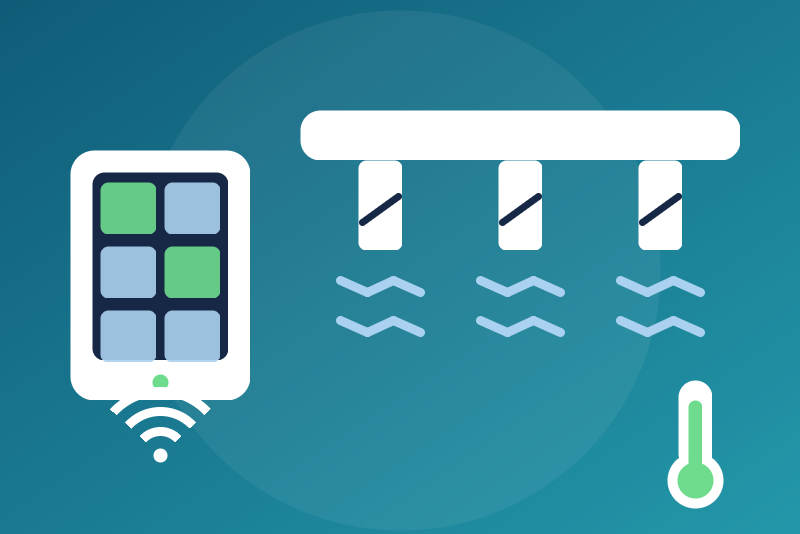
Ducted air conditioning and its zones through an AirTouch 5 console (Polyaire), locally.
Published by LM1LC3N7
- Devices
- Version 0.1.1
- Requires Gladys >=5.1.0
- ★ 0
Unofficial Gladys integration for the AirTouch 5 consoles of Polyaire, which drive a ducted air-conditioning system (one or more air conditioners and their zones, each behind a motorised damper). Common in Australia and New Zealand. The integration speaks the local protocol of the console (the "AirTouch 5 Communication Protocol" published by Polyaire), on your network (TCP port 9005), without any cloud.
Never tested with a real device: the integration follows the protocol as the airtouch5py library (used by Home Assistant) reads and writes it, and the sample frames of the Polyaire document. Not affiliated with Polyaire.
What you get
One Gladys device per air conditioner (AC), with:
- On/off;
- Mode and Fan speed: only the values the console lists for that AC (automatic, cooling, heating, drying, fan only; automatic, quiet, low, medium, high, turbo). The "powerful" speed has no Gladys value: it is neither offered nor shown;
- Setpoint: bounded to the limits read on the console (the intersection of its cooling and heating limits, to the degree);
- Temperature read by the AC.
One Gladys device per zone, with:
- On/off of the zone;
- Damper opening (0 to 100 %);
- for a zone with a sensor: Setpoint (bounded to the limits of its AC) and Temperature.
The names of the ACs and zones are those of the console. Temperatures are in °C.
Setup
- Give the console a fixed IP address in your router.
- In Gladys, open the AirTouch 5 integration, enter the IP address of the
console (add
:portonly if it is not 9005) and save. - The ACs and zones show up in the Discovery tab: add them.
- To switch them on and set them from Gladys, turn on Allow the commands. Without it, only stops are sent.
Refresh interval: 60 s by default (30 to 600 s). The console also sends its changes by itself: they show as they come. One connection to the console is open at a time.
Identity of the console
At every connection, the integration asks the console for its id in UDP (port
49005, at the address entered only; the request leaves from port 49005, where
the Polyaire document says the console answers; when that port is taken, the
status says so). The devices are named after that id,
chosen the first time and kept in /data. If the console does not answer that
request the first time, the devices follow the address entered (fallback id
a-<address>), for good. The choice is made only once written to /data:
while it cannot be, nothing is shown and only stops are sent.
Once the id is known, it is checked at every connection: while the console does not give it, or when another console answers at this address, its states are not shown and only stops are sent. The status of the integration says so.
A console replaced by another one (a new id at the same address) stays "another console": to adopt it, delete the integration's data (uninstall and install it again) and add its devices from the Discovery tab.
Security
The protocol of the console has no password: any machine of your network can drive it. Keep it on a trusted network, never exposed to the Internet.
Stops
Switching an AC or a zone off is a stop. A stop:
- leaves even when commands are not allowed, before the first read, during a
read or another command, right after a restart, and even before Gladys gives
the configuration (the address is kept in
/data); - leaves even when the AC or zone is already off;
- goes before the reads and the commands; a read that has received nothing for a second is cut to let it through;
- cancels the commands of the same AC or zone that had not left yet;
- is kept in
/datauntil a read shows it applied; when it could not leave (console unreachable), it is tried again for 250 ms, then at every connection (every 10 s, 30 s, then every minute), first; - is confirmed only by a state read after it was sent that shows the device off (the status the console sends back may confirm it); otherwise Gladys shows "Stop sent, without confirmation" and each read written after it that shows the device on (5 s and 20 s later, then the periodic reads) sends it again, 3 times at most;
- once confirmed, it is lifted when the device is read on twice in a row (switched on from the console or the app); confirmed or not, it is lifted by switching the device on from Gladys (always written then, even when the device already reads on); never by the time. While a stop of a zone is not seen applied, its damper and setpoint are refused.
A stop is refused in two cases only: the value or the device is not recognised, or the device belongs to another console than the one whose id is kept for this address.
Other commands
- off by default (Allow the commands option), checked again right before the write;
- refused while the identity of the console is not checked, during a stop of
the same AC or zone, or when
/datacannot be written (a stop could not be kept there); - decided on the state read right before (never on a state kept); a setpoint outside the limits read on the console, a mode or a speed the console does not list are refused, never brought into range;
- sent within 3 s of the click, otherwise refused with nothing sent; the commands that arrive together (a scene) share one read and one write of their kind (ACs or zones), so a slow console still gets them all (the settings of one AC clicked together go in one entry);
- confirmed only when the console shows the value asked (a state equal to the one before is no confirmation), by 3.5 s; otherwise "Sent, without confirmation" and the console is read again 5 s and 20 s later;
- one at a time per AC or zone, in the order of the clicks.
Troubleshooting
The status of the configuration page tells the state of the connection, of the identity and of the stops waiting. The Test the connection button reads the console when its read is due (never sooner than the interval) and shows the result.
A failed read is tried again after 30 s, 1, 2, then 5 min, never sooner than the interval.
Configuration settings
These are the settings AirTouch 5 asks for in its configuration screen in Gladys.
| Setting | Type | Required | Description |
|---|---|---|---|
| Your AirTouch 5 console | section | No | Shows in Gladys the air conditioners and the zones of a ducted system driven by an AirTouch 5 console of Polyaire, through its local protocol (TCP port 9005, identity in UDP port 49005), without any cloud: on/off, mode, fan speed, setpoint, damper opening and temperatures. Enter the IP address of the console (give it a fixed address in your router), save, then add the devices from the Discovery tab. Stops (switching off) need no option; other commands are sent only if you allow them below. The protocol has no password: keep the console on a trusted network. Never tested with a real device. Not affiliated with Polyaire. |
| IP address of the console | string | Yes | An IPv4 address or a host name; port 9005 unless you add one. |
| Allow the commands | boolean | No | Off by default: only stops (an AC or a zone switched off) are sent. On: Gladys may also switch them on and change the mode, fan speed, setpoint (within the limits the console gives) and damper opening. |
| Refresh interval (s) | number | No | How often the console is read, in seconds. It also sends its changes by itself. |
| Language of the feature names | select | No | Used for the names of the devices and features added from now on, for the options and for the command errors. |
How to install AirTouch 5 in Gladys
- In Gladys, open Integrations: AirTouch 5 appears in the catalog, next to the native integrations, with a community badge.
- Click Install. Gladys pulls the Docker image (
ghcr.io/lm1lc3n7/gladys-airtouch5:0.1.1), starts it in a sandbox isolated from the core, and generates the integration's interface (devices, discovery and configuration). - Open the Configuration screen of the integration, fill in the settings, and save.
- You can also install it directly from its repository URL: https://github.com/LM1LC3N7/gladys-airtouch5.
AirTouch 5 requires Gladys >=5.1.0. The catalog inside Gladys refreshes every hour, so a new version becomes available at most one hour after its release.
Not running Gladys yet? It is free and open source: follow the installation guide to get started.
About external integrations
AirTouch 5 is an external integration: a community integration packaged as a Docker container and published on GitHub, that Gladys installs in one click and runs in a sandbox isolated from its core. It is published and maintained by LM1LC3N7, not by the Gladys core team.
- Browse all integrations, native and community
- Build and publish your own external integration
- Source code on GitHub — source of this documentation