Airly smart home integration, free and open source
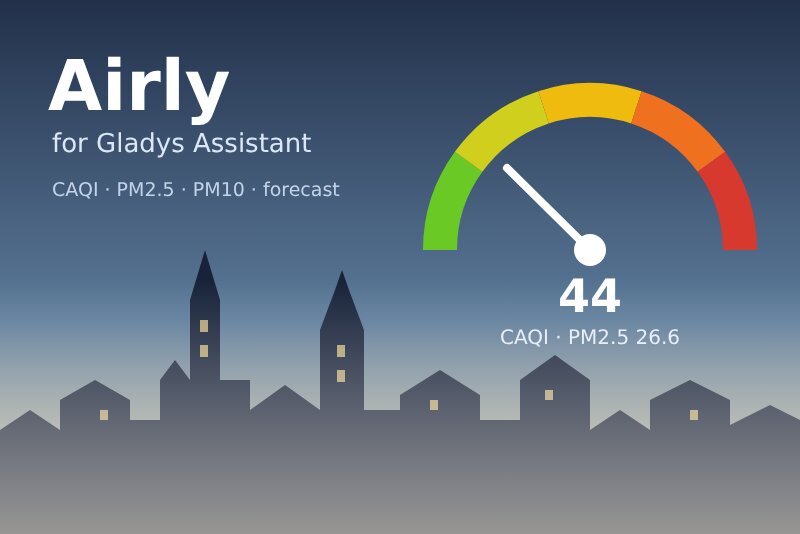
Airly air quality: CAQI, PM1, PM2.5, PM10, weather and 24-hour forecast for your places.
Published by William-De71
- Devices
- Version 0.1.0
- Requires Gladys >=5.2.0
- ★ 0
Overview
Airly runs a network of thousands of air quality sensors, mostly in Poland and across Europe. Each sensor measures particulate matter (PM1, PM2.5, PM10), most of them the weather (temperature, humidity, pressure), some of them gases (NO₂, O₃, SO₂, CO). Airly computes from them the CAQI (Common Air Quality Index, the European index) and a forecast of the next 24 hours.
This integration brings it into Gladys for up to three places, each a house of Gladys or an Airly sensor: one device per place, scene triggers when the air quality changes, when pollution is expected or when a WHO guideline value is exceeded, a scene action, and two dashboard widgets.
The CAQI goes from 0 to 100 and beyond: very good (0-25), good (25-50), moderate (50-75), poor (75-100), very poor (100 and more). The level always comes from the value.
Prerequisites
- Gladys Assistant 5.2.0 or later (the house picker of the configuration). Older instances cannot install the integration.
- A free Airly API key (below).
- A place covered by Airly: a house with Airly sensors within a few kilometres (the Airly map shows them), or the number of a sensor.
Get an API key
- Open the Airly developer portal and create an account.
- Choose the free plan: your API key is shown on the API keys page of the portal. Copy it.
A free key allows 100 requests a day (the keys made before 2020: 1,000), counted per day in UTC. One reading of a place is one request: the integration shares them among your places by itself.
Find the number of a sensor
On the Airly map, click a sensor: the number of the installation usually ends the address of the page (…,i204 for the installation 204). Paste the number, or the whole address, in the field of a place.
Configuration
| Field | What to enter |
|---|---|
| API key | The key of your Airly account. Stored as a secret, never shown again nor logged. |
| House (place 1, 2, 3) | A house of Gladys: its location (Settings → Houses) locates the place. The integration asks for this access. |
| Or an Airly sensor number | The number of an Airly installation: 204. It wins over the house of the same place. |
| Air quality of a house | At the location of the house (Airly interpolates the sensors around it), or the nearest sensor (3 km at most). |
| Language of the texts | Device names and the texts given to scenes. Automatic: the language of the last widget shown. |
Two buttons complete the screen: Read now (checks the key, locates the places and reads them at once) and Diagnostic (the state of the integration in its logs, without the key nor the coordinates).
Usage
Devices
Open the Discover tab of the integration and create one device per place ("Airly Home", "Airly Kraków, Mikołajska"):
- Air quality index (CAQI) and Air quality, its level as text;
- PM2.5 and PM10, in µg/m³;
- Highest CAQI within 24 h and Air quality forecast: "Highest within 24 h: 62, Moderate, at 6:00 PM";
- once the place gave them: Outdoor temperature, Outdoor humidity, Atmospheric pressure, Nitrogen dioxide (NO₂), Ozone (O₃), Sulfur dioxide (SO₂).
A value Airly did not give keeps its last one: no 0 is invented. A feature, once offered, never goes away. PM1 and CO have no category in Gladys: they are in the widget and the scene action.
Every place is read in the same round, as often as the daily limit of the key allows: every 30 minutes with one place, 35 with two, 50 with three, with a free key. Ten requests a day stay in reserve for Read now, the Refresh button and the scene action.
Dashboard widgets
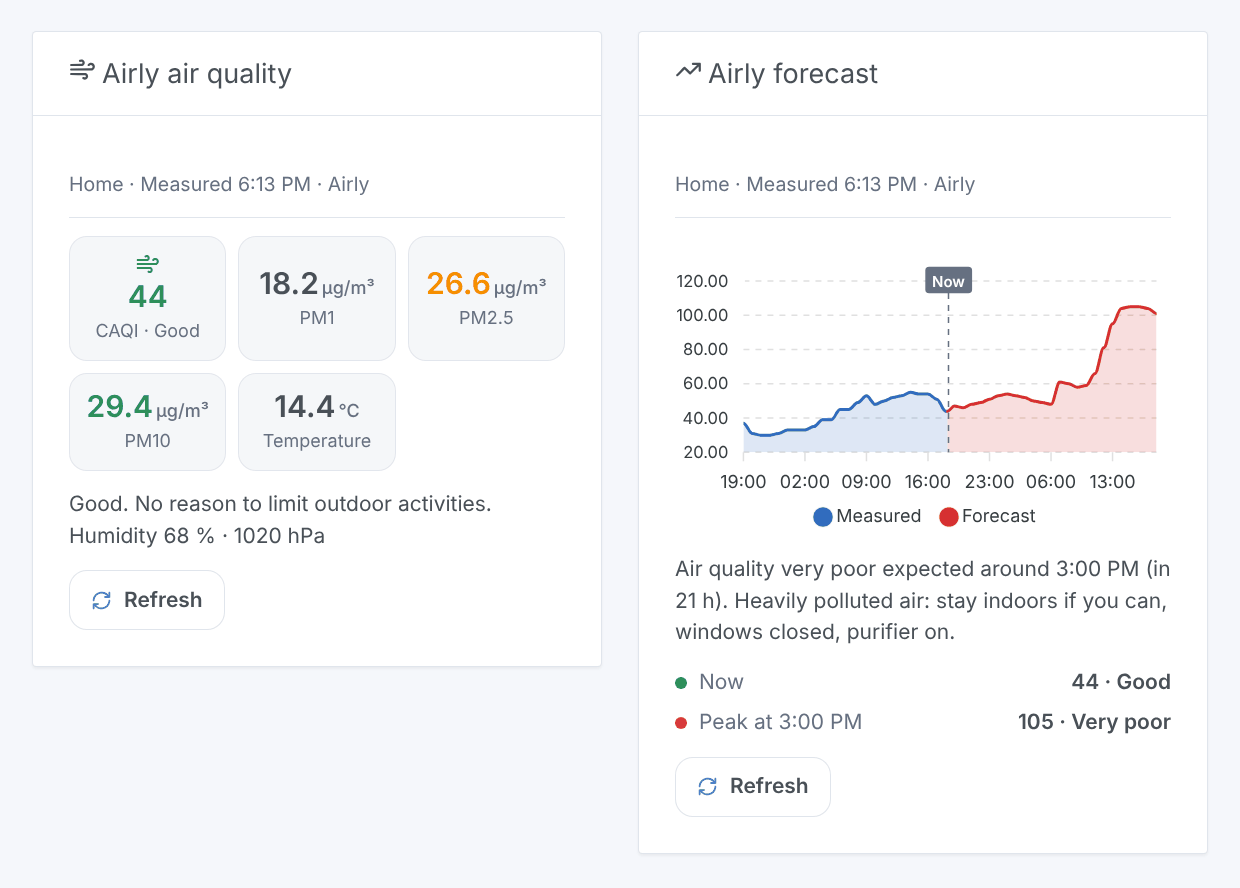
- Airly air quality: the CAQI in the color of its level, PM1, PM2.5 and PM10 (green under the WHO guideline value, orange up to twice it, red beyond), the temperature, an advice, humidity and pressure.
- Airly forecast: the CAQI of the last 24 hours and of the next 24 hours on one chart, the value now, the peak expected, and a warning when it reaches a poor level.
Both have a setting Place (the first place by default) and a Refresh button, which reads again only past 15 minutes. A widget never spends a request on its own: it shows the last reading.
Scenes
Triggers:
- Airly: air quality changed: the CAQI level changes. Filters: place, new level (one or several), direction (worse, better). Variables:
caqi,level,level_name,previous_level,direction,pm25,pm10,name. - Airly: pollution expected: the forecast of the next 24 hours reaches a poor or very poor level; once per episode, again if it gets worse. Filters: place, level. Variables:
caqi,level_name,time,hours,current_caqi. - Airly: WHO guideline exceeded: PM2.5, PM10, NO₂ or ozone of the last hour goes over the WHO guideline value; again only once back below it. Filters: place, pollutant. Variables:
pollutant_name,value,limit,percent.
Action: Airly: read the air quality of a place: the CAQI and its level, PM1, PM2.5, PM10, the weather, the WHO percentages, the forecast peak, and a ready-made summary sentence.
Examples:
- When the air quality becomes poor or very poor → close the windows and turn the air purifier on.
- When pollution is expected → send
Air quality {{triggerEvent.data.level_name}} expected around {{triggerEvent.data.time}}to your phone. - Every morning at 7:00 → read the air quality and have the
summaryspoken before the run.
Transport
Cloud ("transports": ["cloud"]): the integration contacts airapi.airly.eu over HTTPS with your key (in a header) and, per place, the number of the sensor or the coordinates of the house (rounded to about 10 m). Nothing else leaves your network. The readings and the requests of the day are kept in the /data volume of the integration, so a restart reads nothing that is still fresh.
Troubleshooting
- Airly refused the API key: copy it again from the developer portal (no space), then save the configuration: the readings resume at once.
- No sensor near a place: Airly has nothing within reach of the house. Choose the mode "Nearest sensor", the number of a sensor, or another place.
- The daily limit of the key is reached: the readings resume after midnight UTC. With three places and many Refresh presses, the reserve runs out sooner.
- The house has no location: set it in Settings → Houses, then press Read now.
- No forecast: Airly forecasts only part of its sensors; the widget says so.
- Still stuck: press Diagnostic, then open an issue on GitHub with the versions of Gladys and of the integration, and the "Airly diagnostic" lines of the logs (add
DEBUG=gladys-integration-sdkin developer mode).
Data provided by Airly. This community integration is not affiliated with Airly.
Configuration settings
These are the settings Airly asks for in its configuration screen in Gladys.
| Setting | Type | Required | Description |
|---|---|---|---|
| Airly API key | section | No | Airly runs a network of air quality sensors, mostly in Poland and across Europe: PM1, PM2.5, PM10, often the weather, sometimes gases, and a 24-hour forecast. Its API needs a free key (100 requests a day): create an account on the Airly developer portal, then copy the key of the Free plan. The integration shares the requests among your places by itself. |
| API key | secret | Yes | |
| Place 1 | section | No | A house of Gladys (its location), or the number of an Airly sensor, which wins over the house. |
| House | select | No | |
| Or an Airly sensor number | string | No | |
| Place 2 | section | No | A house of Gladys (its location), or the number of an Airly sensor, which wins over the house. |
| House | select | No | |
| Or an Airly sensor number | string | No | |
| Place 3 | section | No | A house of Gladys (its location), or the number of an Airly sensor, which wins over the house. |
| House | select | No | |
| Or an Airly sensor number | string | No | |
| Options | section | No | The integration reads every place in one round, as often as the daily limit of the key allows: every 30 minutes with one place, 35 with two, 50 with three (free key). A few requests stay in reserve for the Read now button, the Refresh button of the widgets and the scene action. |
| Air quality of a house | select | No | Airly can interpolate the air quality at the location of the house from the sensors around, or give the values of the nearest sensor (3 km at most). |
| Language of the texts | select | No | Names of the devices and texts of the scenes. Automatic: the language of the dashboard. |
How to install Airly in Gladys
- In Gladys, open Integrations: Airly appears in the catalog, next to the native integrations, with a community badge.
- Click Install. Gladys pulls the Docker image (
ghcr.io/william-de71/gladys-airly:0.1.0), starts it in a sandbox isolated from the core, and generates the integration's interface (devices, discovery and configuration). - Open the Configuration screen of the integration, fill in the settings, and save.
- You can also install it directly from its repository URL: https://github.com/William-De71/gladys-airly.
Airly requires Gladys >=5.2.0. The catalog inside Gladys refreshes every hour, so a new version becomes available at most one hour after its release.
Not running Gladys yet? It is free and open source: follow the installation guide to get started.
About external integrations
Airly is an external integration: a community integration packaged as a Docker container and published on GitHub, that Gladys installs in one click and runs in a sandbox isolated from its core. It is published and maintained by William-De71, not by the Gladys core team.
- Browse all integrations, native and community
- Build and publish your own external integration
- Source code on GitHub — source of this documentation