AI-on-the-edge smart home integration, free and open source
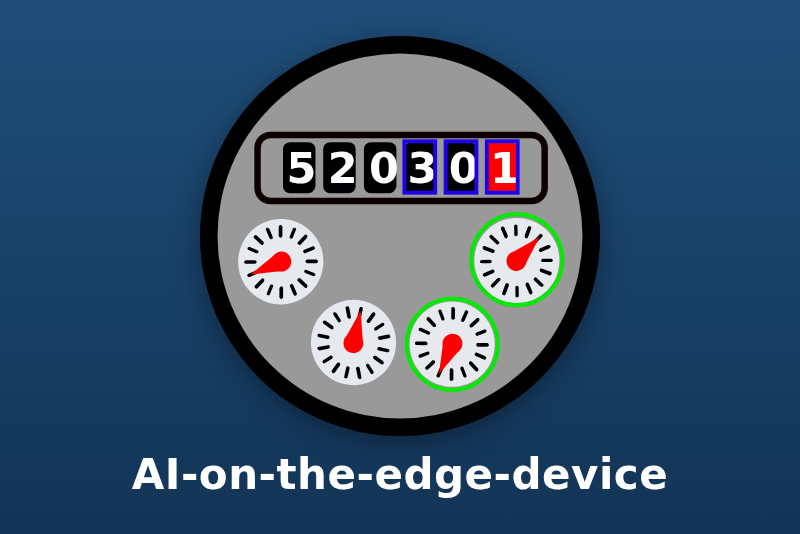
Water, gas and electricity meters read by an ESP32-CAM with AI-on-the-edge-device.
Published by guim31
- Devices
- Version 1.0.0
- Requires Gladys >=5.1.0
- ★ 0
Reads your water, gas or electricity meter in Gladys with AI-on-the-edge-device: an ESP32-CAM photographs the meter and reads its digits with a neural network. The integration gets the readings over MQTT or from the REST API of the device.
Developed without the hardware: the formats come from the firmware sources and its documentation. Feedback welcome on the Gladys forum.
What you get
- One meter device per number read by an ESP32-CAM: its index (m³, L or kWh), the flow (L/h) or the power (kW), a Probable leak alarm (water and gas), a reading error flag, the reading status and the time of the last valid reading.
- One camera device per ESP32-CAM: online, Wi-Fi signal, CPU temperature and, over REST, the flow status.
- A Meters dashboard widget, a Meter reading scene action and a Check the connection button.
Before you start
- An ESP32-CAM running AI-on-the-edge-device (version 15 or later recommended), set up and reading your meter correctly in its own web interface.
- MQTT (recommended): in the MQTT page of the device, set the broker and note the
MainTopic (
watermeterby default). The device publishes after each round (every 5 minutes by default). The broker installed by Gladys works: its credentials are on the MQTT page of Gladys. - REST: the device must be reachable from Gladys over HTTP. Nothing to set on the device.
Configuration
- MQTT broker address, User name, Password: the broker the device publishes to. Leave the address empty to use REST only.
- Main topics: the MainTopic of each device, separated by commas (
watermeter, gasmeter). One device per topic. - Device addresses: for REST, the IP address or name of each device, separated by commas. Web interface user name and password only if the web interface is protected.
- Read every: the REST pace. Match the round interval of the devices: reading more often brings nothing new.
- Meter type:
water_m3(water, m³),water_l(water, L),gas_m3(gas, m³) orelectricity_kwh(electricity, kWh). Type per number sets another type for one number of a device reading several meters:main=water_m3, elec=electricity_kwh. - Probable leak after: from 1 to 24 hours, or never.
- Language of the texts: feature names, reading status, scene sentences.
Devices
Open the Discovery tab of the integration once a device has published a round (or been read over REST), and add the devices you want. The meter type must be chosen before adding a meter: it sets the feature and the unit of the index.
- Index: for electricity, an Index in kWh, the energy meter feature Gladys knows. For water and gas, a volume sensor in m³ or L: Gladys 5 has no energy dashboard for them yet.
- Flow (L/h) or Power: from the rate the firmware computes between two valid readings.
- Reading error and Reading status: OK, an unreadable digit, a decreasing value or a too big step refused by the plausibility checks of the firmware. The index keeps its last valid value.
- Online: the LWT of the device over MQTT (or three rounds without news), the device answering over REST.
Probable leak
Water and gas only. When the index goes up at every round for the chosen time, the Probable leak feature goes to 1: a tap left open, a leaking toilet, a pipe. One round without a visible change is tolerated (a small flow moves the last digit slowly); the alarm stops once the index has not moved for three rounds. Use it as a scene trigger, like any leak sensor.
Scenes
- Trigger: any feature, as usual, for example Probable leak at 1 or Reading error at 1.
- Action Meter reading: the last index of a meter as a sentence ready for a message
(
watermeter main: 1,234.568 m³, 10 L/h.) and as values:index,flow,reading_error,leak.
Dashboard
The Meters widget lists the meters added to Gladys with their index, in red for a probable leak and in orange when the last reading failed. Show the flow or power hides the second value.
Check the connection
The Check the connection button tells whether the broker answers, how many main topics were heard, and how many REST devices answer.
Limits
- Developed without an ESP32-CAM: tested against the exact message formats of the firmware, a real Mosquitto broker and a fake device serving the REST answers.
- The firmware has no MQTT message for the flow status: the Flow status feature exists over REST only.
- The leak detection depends on the resolution of the meter (the last digit read) and on the round interval of the device.
- Changing a main topic or a device address creates new devices in Gladys.
- Not affiliated with the AI-on-the-edge-device project.
Troubleshooting
- Nothing in the Discovery tab: wait for a round (5 minutes by default), check the MainTopic and that the device uses the same broker; over REST, that Gladys reaches the device address.
- Reading error often at 1: fix the alignment and the digits in the web interface of the device; the integration only reports what the firmware reads.
- The broker refuses the user name or the password: check the credentials of the MQTT page of Gladys or of your broker.
Configuration settings
These are the settings AI-on-the-edge asks for in its configuration screen in Gladys.
| Setting | Type | Required | Description |
|---|---|---|---|
| Connect AI-on-the-edge-device | section | No | An ESP32-CAM photographs the meter and reads its digits with a neural network. Gladys gets the readings over MQTT (preferred: the device publishes after each round) or by polling its REST API. Fill in one of the two, or both for different devices. |
| MQTT broker address | string | No | The broker set in the MQTT page of the device: mqtt:// (port 1883) or mqtts:// (port 8883). Leave empty to use REST only. |
| User name | string | No | Leave empty if the broker accepts anonymous clients. |
| Password | secret | No | |
| Accept a self-signed certificate | boolean | No | mqtts:// only: the certificate of the broker is then not checked. |
| Main topics | string | No | The MainTopic of each device (MQTT page of the device), separated by commas: one device per topic. |
| REST API | section | No | Without MQTT, the integration asks each device for its readings (/json, /rssi, /cpu_temperature, /statusflow) at the chosen pace, one request after the other. |
| Device addresses | string | No | IP address or name of each device, separated by commas. Leave empty to use MQTT only. |
| Web interface user name | string | No | Only if the web interface of the devices is protected by a password. |
| Web interface password | secret | No | |
| Read every | select | No | Match the round interval of the devices (5 minutes by default): reading more often brings nothing new. |
| Meters | section | No | Each number read by a device becomes a meter in Gladys. Its type sets the feature and the unit of its index: choose it before adding the meter. |
| Meter type | select | No | |
| Type per number | string | No | Optional, for a device reading several meters: number=type, separated by commas. Types: water_m3, water_l, gas_m3, electricity_kwh. |
| Probable leak after | select | No | Water and gas: the index going up without a pause for that long sets the Probable leak feature. |
| Language of the texts | select | No | Feature names when a device is added, reading status, scene sentences and action messages. |
How to install AI-on-the-edge in Gladys
- In Gladys, open Integrations: AI-on-the-edge appears in the catalog, next to the native integrations, with a community badge.
- Click Install. Gladys pulls the Docker image (
ghcr.io/guim31/gladys-ai-on-the-edge:1.0.0), starts it in a sandbox isolated from the core, and generates the integration's interface (devices, discovery and configuration). - Open the Configuration screen of the integration, fill in the settings, and save.
- You can also install it directly from its repository URL: https://github.com/guim31/gladys-ai-on-the-edge.
AI-on-the-edge requires Gladys >=5.1.0. The catalog inside Gladys refreshes every hour, so a new version becomes available at most one hour after its release.
Not running Gladys yet? It is free and open source: follow the installation guide to get started.
About external integrations
AI-on-the-edge is an external integration: a community integration packaged as a Docker container and published on GitHub, that Gladys installs in one click and runs in a sandbox isolated from its core. It is published and maintained by guim31, not by the Gladys core team.
- Browse all integrations, native and community
- Build and publish your own external integration
- Source code on GitHub — source of this documentation