Wolf ISM8 Smart-Home-Integration, kostenlos und Open Source
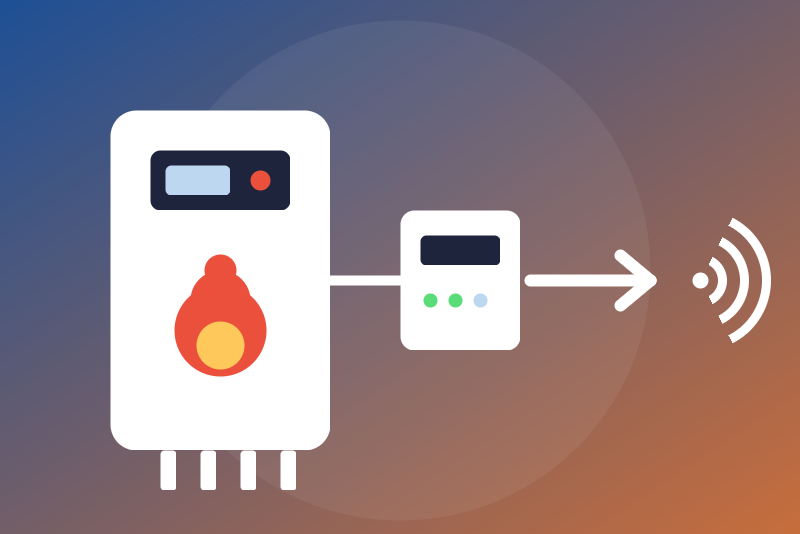
Wolf heating through the ISM8i module: temperatures, states, programs, locally.
Veröffentlicht von LM1LC3N7
- Geräte
- Version 0.1.1
- Erfordert Gladys >=5.1.0
- ★ 0
Die Dokumentation dieser Integration wird von ihrem Autor geschrieben und ist bisher nur auf Englisch verfügbar.
This integration shows in Gladys the Wolf heating system connected to an ISM8i (or ISM8) module: gas and oil boilers, heat pumps, direct and mixer circuits, cascade module, solar module, CWL ventilation, BM-2 control unit. Everything stays on your local network, without any cloud nor Wolf account.
Unofficial integration, not affiliated with Wolf. Never tested with a real ISM8i: it follows the ISM8 interface description published by Wolf and the wolf_ism8 library (MIT) of the Home Assistant integration. Your feedback with a real module is welcome.
What you get
One Gladys device per Wolf element the ISM8i reports, with one feature per value received:
- temperatures (boiler, flow, return, hot water, outdoor, flue gas, solar collector, room...), in °C;
- power of the heat pumps and of the solar module, in kW;
- states (burner, pumps, valves, fault, outputs), read only;
- operating states and programs as texts (never published as a measure 0), the last fault code;
- the system pressure, in Pa (the unit of the Wolf interface);
- percentages (burner, modulation, ventilation), setpoint corrections (K) and flows (l/h) as plain values, the unit in the name;
- the hot water setpoint and the heating and hot water programs of the direct circuit and of the mixer circuits 1 to 3, which can be changed (see below).
A device shows in the Discovery tab once the ISM8i sent one of its values. Not shown in this version: dates and times, the energy counters of the solar module, the air flows of the ventilation, the detection bit fields of the BM-2.
How the ISM8i reaches Gladys
The ISM8i opens the connection (TCP) itself, towards the server typed in its
web page; Gladys does not poll the module. So the integration starts a small
receiver next to it (the ism8-link container), whose port Gladys publishes
on the machine.
- Give the ISM8i a fixed IP address in your router.
- In the Configuration screen of the integration, type that address and save. Nothing listens before: the receiver starts only once a valid address is saved, and stops if you clear it.
- Reload the screen: the "How the ISM8i reaches Gladys" section shows the port Gladys chose (a free port, kept afterwards). The ISM8i uses 12004 by default: replace it with this port.
- In the web page of the ISM8i, set the server address to the IP address of the Gladys machine on your network, and this port.
- The status of the integration turns to "ISM8i connected" at the first connection; the ISM8i then sends every value by itself.
The network: what was checked
The Gladys core runs on the host network of the machine
(network_mode: host), but integrations run in isolated containers, on a
private Docker network: they cannot listen on the machine themselves. The
ism8-link receiver is a sub-container declared in the manifest, whose TCP
port 12004 Gladys publishes on every address of the machine
(0.0.0.0:<chosen port>). The ISM8i therefore reaches
<IP address of the Gladys machine>:<port shown>.
Checked in a test Gladys running in Docker (2026-10-28): nothing listens before the address is saved; once saved, the port is published, a connection from another address of the network arrives with its real source address (Docker keeps it for traffic coming from the network) and gets its acknowledgement; a connection started on the Gladys machine itself arrives with the address of the Docker gateway instead.
Hence:
- if your machine has a firewall, allow this TCP port;
- the Check the sender option (on by default) accepts only the address of the ISM8i; another address is refused before any byte is read, and the status shows the address seen. With Docker Desktop (Mac, Windows) or rootless Docker, Docker may replace the source address: the status then shows connections refused from an internal address; turn the option off in that case only: any machine of the network can then take the place of the ISM8i (the ISM8i is disconnected), send false values, receive the writes meant for the boiler, stops included, and confirm or contradict them;
- through Gladys Plus or a proxy, the address your browser shows is not the one the ISM8i must reach: use the local address of the machine.
- the receiver is started again only when it stopped or when the address or the sender check changes (each start drops the connection of the ISM8i). When the integration itself restarts (update, Gladys restart), Gladys restarts the receiver too: the ISM8i reconnects by itself, and the integration found the receiver again within 20 to 50 s in the test (the time Docker takes to forget the old container), up to about a minute.
Changing settings
Off by default. With Allow changing the settings:
- hot water setpoint: whole degrees, from 20 °C to the hot water ceiling (65 °C by default, adjustable from 20 to 65 °C, never above 65 °C whatever is typed); a value above is refused, and the ceiling is checked again right before sending;
- heating program: automatic, heating (comfort), eco, standby;
- hot water program: automatic, continuous, standby.
A command leaves only if the option is on when it arrives and right before sending, if the ISM8i is connected, and if the current value was received during its current connection. It is said applied only when the ISM8i reports the new value back (it reports every change by itself, and every value is asked again about 5 s after the write, one request for several writes); otherwise "sent, without confirmation". The outcome shows in the status of the integration.
Never written: power and temperature presets of the boilers, time programs, the one-off hot water charge, ventilation, and any other value.
The stop (standby program) is never blocked
Choosing Standby (off, the frost protection of the Wolf controller
staying active) for the heating or the hot water of a circuit is always accepted:
option off, ceiling, value not read yet, another command running,
configuration not yet read from Gladys, nothing holds it. It is kept in
/data and:
- leaves at once when the ISM8i is connected, never held by the limits of the receiver (they do not apply to it);
- otherwise leaves at the next connection of the ISM8i, without waiting for the configuration (after a restart of the integration too, as soon as the ISM8i is back on the receiver);
- is confirmed by a value read: the ISM8i reports it, and every value is asked again once its 20 s of quiet are over;
- is sent again when nothing confirmed it 35 s after sending (3 s when it left less than 10 s after a request for every value), or 5 s apart when a value read contradicts it, 3 sendings at most in all; beyond that, the status asks you to check the boiler.
The only cases where it does not leave at once: the ISM8i is not connected,
its connection changed at that very moment (the stop then leaves at once on
the new one), the receiver is not running (address not saved yet), or the
receiver runs but does not answer the integration (it is then started again
after 3 minutes, at most every 10 minutes). It then waits in /data and the status says "stop kept", never "sent". No
"request all" is sent within 20 s of a stop not yet confirmed. Once
confirmed it is never sent again: a program changed later on
the boiler or in the Wolf app, read twice in a row, lifts the stop without
being fought. Choosing another program in Gladys (option on) lifts it too.
Time alone never lifts it.
While a stop of a circuit is not confirmed, every other change of that circuit is refused (its hot water setpoint, its other program); choosing another program for the stopped one stays allowed (it lifts the stop).
Security
- The ISM8 protocol has no password and travels in clear: keep the ISM8i and Gladys on a trusted network.
- The receiver accepts 4 connections at most, one ISM8 session at a time (a new connection of the ISM8i replaces the old one), frames of 2048 bytes and 300 values at most, checked whole; a malformed frame, a frame incomplete for 5 s or a flood of more than 1000 frames in 10 s closes the connection (a full dump is about 300); a value of 0 or more than 4 bytes is skipped.
- The receiver writes to the ISM8i only the hot water setpoints (20 to 65 °C) and the program codes offered here, whatever it is asked.
- The channel between the receiver and the integration goes through the private network of the integration, with a mutual proof of a secret the integration generates.
The "Read every value again" button
Asks the connected ISM8i to send every value again (at most every 30 s, never within 20 s of a stop not yet confirmed). The integration also asks when Gladys reconnects (fresh values), after writes and stops (grouped, see above) and when a new connection brought no value within 2 s; otherwise the ISM8i sends every value when it connects and each change afterwards.
Troubleshooting
- "Waiting for the ISM8i": check the server address and the port in the page of the ISM8i, the firewall of the Gladys machine, and that the ISM8i is on the same network.
- "connection(s) refused from ...": the address seen is not the one typed; fix the address, or see above (Docker hiding the address).
- A value is missing: the ISM8i only sends what your installation has; a value outside its plausible range is never published.
- Odd pressure: the pressure is published in Pa as the Wolf interface says; tell us if a real module sends bar instead.
Credits
Protocol and table of values ported from
wolf_ism8 and
home-assistant-wolf_ism8
by Marc Schmiedchen (MIT license), see THIRD_PARTY_NOTICES.md.
Konfigurationseinstellungen
Diese Einstellungen fragt Wolf ISM8 in seinem Konfigurationsbildschirm in Gladys ab.
| Einstellung | Typ | Pflichtfeld | Beschreibung |
|---|---|---|---|
| Your Wolf heating, through its ISM8i module | section | Nein | Temperatures, states, faults and programs of the Wolf boilers, heat pumps, circuits and ventilation the ISM8i (or ISM8) module reports, on your local network, without any cloud. The ISM8i connects to Gladys by itself. Give it a fixed IP address in your router. Never tested with a real ISM8i. Unofficial integration, not affiliated with Wolf. |
| Address of the ISM8i | string | Ja | The IP address of the ISM8i module (the one of its web page), without a port. Nothing listens before it is saved. |
| How the ISM8i reaches Gladys | section | Nein | The ISM8i opens the connection itself. In its web page, set the server address to the IP address of the Gladys machine on your network and the port to {{port:ism8}} (chosen by Gladys, replacing the 12004 of the ISM8i). The port exists once the address of the ISM8i is saved: save, then reload this screen. Allow this port in the firewall of the Gladys machine if it has one. |
| Check the sender | boolean | Nein | Accept the connection only from the address of the ISM8i. Turn it off only if the status says connections come from another address because Docker hides the real one on this machine: then any machine of your network can take the place of the ISM8i, send false values, receive the writes meant for the boiler (stops included) and confirm or contradict them. |
| Changing settings | section | Nein | The hot water setpoint and the heating and hot water programs of the direct circuit and of the mixer circuits can be changed from Gladys once allowed below (off by default). The standby program (off, frost protection kept) is always allowed: stopping is never blocked. The ISM8 protocol has no password: keep it on a trusted network. |
| Allow changing the settings | boolean | Nein | Off: only the standby program can be selected; any other change is refused. |
| Hot water ceiling (°C) | number | Nein | A hot water setpoint above it is refused. 20 to 65 °C; never above 65 °C, whatever is typed. |
| Language of the names and messages | select | Nein |
So installierst du Wolf ISM8 in Gladys
- Öffne in Gladys Integrationen: Wolf ISM8 erscheint im Katalog neben den nativen Integrationen, mit einem Community-Badge.
- Klicke auf Installieren. Gladys lädt das Docker-Image (
ghcr.io/lm1lc3n7/gladys-wolf-ism8:0.1.1) herunter, startet es in einer vom Kern isolierten Sandbox und erzeugt die Oberfläche der Integration (Geräte, Erkennung und Konfiguration). - Öffne den Bildschirm Konfiguration der Integration, fülle die Einstellungen aus und speichere.
- Du kannst sie auch direkt über die URL ihres Repositorys installieren: https://github.com/LM1LC3N7/gladys-wolf-ism8.
Wolf ISM8 benötigt Gladys >=5.1.0. Der Katalog in Gladys wird stündlich aktualisiert, eine neue Version ist also spätestens eine Stunde nach ihrer Veröffentlichung verfügbar.
Du nutzt Gladys noch nicht? Es ist kostenlos und Open Source: folge der Installationsanleitung, um loszulegen.
Über externe Integrationen
Wolf ISM8 ist eine externe Integration: eine Community-Integration, die als Docker-Container verpackt und auf GitHub veröffentlicht wird. Gladys installiert sie mit einem Klick und führt sie in einer vom Kern isolierten Sandbox aus. Sie wird von LM1LC3N7 veröffentlicht und gepflegt, nicht vom Gladys-Kernteam.
- Alle Integrationen durchsuchen, native und aus der Community
- Deine eigene externe Integration bauen und veröffentlichen
- Quellcode auf GitHub — Quelle dieser Dokumentation