Trello Smart-Home-Integration, kostenlos und Open Source
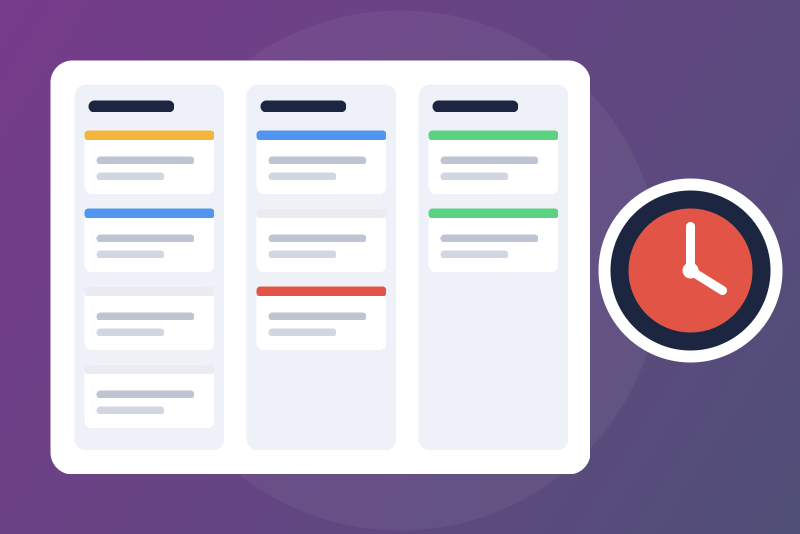
Unofficial: Trello cards due and overdue, cards created and moved from your scenes.
Veröffentlicht von LM1LC3N7
- Geräte
- Version 0.1.1
- Erfordert Gladys >=5.1.0
- ★ 0
Die Dokumentation dieser Integration wird von ihrem Autor geschrieben und ist bisher nur auf Englisch verfügbar.
Unofficial integration, not affiliated with Atlassian (the makers of Trello).
Never tested with a real Trello account: the requests and the answer format come
from the official REST API reference (developer.atlassian.com/cloud/trello/rest,
read on 2026-11-15). The 401 and 400 answers used by the tests are the real
answers of api.trello.com; the rest is made up.
Your Trello cards in Gladys: the cards overdue and due soon on the dashboard, scene triggers when a card reaches its due date or changes list, and scene actions to create or move a card.
What you need
- A Trello account (a free one is enough).
- An API key and a token: Trello gives them for a "Power-Up" you create yourself (it is installed on no board, it only serves to get the key).
- Gladys 5.1.0 or later.
Getting the key and the token
- Open the Power-Ups admin and click New. Any name (for example "Gladys"), pick your workspace, an email address, then Create.
- API key tab: Generate a new API key. Copy the API key (32 characters). The "secret" shown next to it is not used here.
- On the same page, click the Token link ("manually generate a token") to
the right of the key, check that the access asked is read and write, then
Allow. Copy the token shown (it usually starts with
ATTA).
The token opens all your boards, like your account: keep it for Gladys only. You can revoke it at any time in your Trello account settings (Applications).
Configuration
Configuration tab of the integration:
- API key of the Power-Up and Token: paste them. They are kept by Gladys
in its database, never shown again, sent only to Trello (in the
Authorizationheader, never in an address, never in the logs). - Boards followed: board names as in Trello, or their links, separated by commas (10 at most). Empty: every open board, the first 10 by name. A name matching no board, or several, is said in the status (use the board's link then).
- Reading interval: 5 minutes by default (2 to 60).
- "Due soon": a card whose due date comes within 24 h (1 to 168 h) is "due soon".
- Time zone of the dates shown:
Europe/Parisby default. Trello gives instants; this zone only serves to write the dates of the widget and of the scene texts. A name Node does not know is replaced by the default, and the status says so.
The Test the connection button reads your account and shows your open boards, the boards followed and the number of cards overdue and due soon.
What is read, and when
At each reading (every 5 minutes by default):
- your account and the list of your open boards, once an hour (it is also the credentials check);
- then each followed board: its open lists and open cards (name, list, due date, "complete", labels, link). Archived cards and the cards of archived lists are left out; past 1,000 open cards a board is cut (the status says so).
A restart of the integration waits for the end of the interval under way (the time of the last attempt is kept in /data); a reconnection to Gladys starts no reading. A configuration change (credentials, boards) is read at once.
Pace: one request at a time, 300 ms at least between two, 30 requests per 10 seconds at most (Trello allows 100 per token). With 3 boards, that is about 4 requests every 5 minutes.
Dashboard
Widget Trello cards due: two tiles (overdue, due soon) and up to 8 cards, overdue first, then by due date, with their board and list; each opens its Trello card. Optional setting: one board only. The widget reads the last reading (no request; older than 3 intervals, 30 min at least, it shows "Trello data out of date" with the age of the last reading); it is refreshed when what it shows changes.
An "overdue" card has a due date in the past and is not marked complete in Trello (the due date checkbox), whatever its list.
Scene triggers
- Trello card due: a card of a followed board reaches its due date and is not marked complete. Checked every minute, without a request, on the last reading when it is at most two intervals and a minute old (a board failing longer, or credentials refused, fires nothing). Once per card and due date (a due date moved later fires again at the new date). A due date already past by more than an interval and a minute when the card is first read (first start, a board unread for a while, a card created late) fires nothing: never a stale event. The dues announced are kept in /data (3 days): a restart does not send them again.
- Trello card moved: a card of a followed board went to another list between two readings. The first reading fires nothing; the moves made by the "Move a Trello card" action do not fire it (no scene loop); once a reading shows the card in that list, a later real move there fires again. A reading older than 3 intervals (30 min at least) is not compared: the moves of a long failure do not fire.
Filters: the board name and the list name, exactly as in Trello (Gladys compares the texts as they are; empty: any).
Variables: card (name), board, list, due date (due, ISO 8601 in UTC, and
due_local, for example 2026-11-15 18:00 in the configured zone), link to the
card, labels (due) or the list it left (moved). At most 20 events of each kind
per reading or per minute: the dues beyond wait for the next minute, the moves
beyond 20 in one reading are not sent.
Scene actions
- Create a Trello card: board (name or link), list, name, optional
description, due in N minutes (0 or empty: no due date), position at the top
or the bottom. Outputs:
created,result(createdorunconfirmed),id,url,name,board,list. The card is never sent twice: when Trello does not answer,createdis false andresultisunconfirmed(the card may have been created: check before running it again); the board is read back 5 seconds later. - Move a Trello card: board, card (its link, else its name: case and accents
ignored, else the only card containing it), destination list, position. The
card is looked for in a reading less than a minute old (the board is read
again first otherwise). Outputs:
moved,result(moved,alreadywhen it was there,not_appliedwhen Trello answers with the card still in its list,unconfirmedwhen Trello did not answer),name,from_list,list,url.movedis true only when Trello's answer shows the card in the new list. - Read the Trello cards due: the cards overdue and due soon (or one of the
two), of a board or a list if you like, from the last reading (no request;
older than 3 intervals, 30 min at least, the action fails and says the data
is out of date).
Outputs:
count,overdue_count,soon_count,list(one card per line with board, list and due date),next_name,next_due.
When nothing can leave (credentials refused, pause asked by Trello, board, list or card not found or ambiguous, too many requests in 10 seconds, scene deadline almost over), the action fails with a message starting with "Nothing sent to Trello" and the cause; the scene goes on. A request Trello refuses (400) fails with "Trello refused the request". Each action answers within 25 seconds.
Refused credentials, pauses, failures
- Key or token refused: a 401 from Trello on the account reading that names the key or the token ("invalid key", "invalid token", an expired or revoked token). Nothing more is asked to Trello with these credentials, even after a restart, until they change or Test the connection succeeds. Only 8 bits of a salted hash are kept in /data to know it, never the key nor the token.
- A 401 on a board (access to that board removed) is never a refusal of the credentials: that board is read again later (interval doubled at each failure, 1 h at most) and the others go on. When it answers "invalid token", the account is read at the next reading to decide.
- Too many requests (429): every request stops for the time Trello asks
(
Retry-After, else 60 s, then doubled), between 60 seconds and 6 hours; the pause is kept in /data and holds after a restart. - Server error (5xx): on the account, the same pause as a 429; on a board, only that board is spaced.
- Bounded answers: 4 MB for a board, 1 MB for the account, 15 s per background request.
- /data unreadable: nothing is asked to Trello, tried again every 10 s, the file is not overwritten. Configuration not read from Gladys: asked again for ever (10 s, then doubled up to 5 min).
Limits
- Never tested with a real account (see the top).
- No "card added" trigger and no "mark complete" action in this version.
- A "card moved" trigger is seen at the next reading (5 minutes by default), not in real time (Trello offers webhooks, not used here).
- 10 boards followed at most, 1,000 open cards read per board.
Data and privacy
The cards do not leave Gladys: they are kept in memory (the last reading); /data holds only the time of the last reading, a pause if any, the ids of the cards whose due date was announced, and, after a refusal, 8 bits of a salted hash. Nothing from Trello ships in this repository nor in the Docker image.
Konfigurationseinstellungen
Diese Einstellungen fragt Trello in seinem Konfigurationsbildschirm in Gladys ab.
| Einstellung | Typ | Pflichtfeld | Beschreibung |
|---|---|---|---|
| Trello boards | section | Nein | Unofficial integration, not affiliated with Atlassian (the makers of Trello). It reads your Trello boards through the official REST API (api.trello.com) with the API key of a Power-Up you create and a token you generate for it: open the Power-Ups admin page, create a Power-Up (any name, for example Gladys), generate its API key, then click the "Token" link next to the key and allow the access (read and write). You get the cards due and overdue on the dashboard, the scene triggers "card due" and "card moved", and the scene actions create a card, move a card and read the cards due. The boards are read every 5 minutes by default: a few requests, far below the 100 requests per 10 seconds Trello allows per token. |
| API key of the Power-Up | secret | Ja | 32 characters, on the "API key" page of your Power-Up. Kept by Gladys in its database, never shown again, sent only to Trello. |
| Token | secret | Ja | Generated through the "Token" link next to the API key (read and write access). Kept by Gladys in its database, never shown again, sent only to Trello. |
| Boards followed (empty: every open board, 10 at most) | string | Nein | Board names as in Trello, or their links, separated by commas. 10 boards at most. |
| Reading interval (minutes) | number | Nein | How often the boards are read (one request per board). A change made through Gladys is applied at once. |
| "Due soon": within how many hours | number | Nein | A card whose due date comes within this many hours is "due soon" (widget and scene action). |
| Time zone of the dates shown | string | Nein | IANA name, for example Europe/Paris (the default) or America/Montreal. Used for the dates in the widget and the scene texts. |
So installierst du Trello in Gladys
- Öffne in Gladys Integrationen: Trello erscheint im Katalog neben den nativen Integrationen, mit einem Community-Badge.
- Klicke auf Installieren. Gladys lädt das Docker-Image (
ghcr.io/lm1lc3n7/gladys-trello:0.1.1) herunter, startet es in einer vom Kern isolierten Sandbox und erzeugt die Oberfläche der Integration (Geräte, Erkennung und Konfiguration). - Öffne den Bildschirm Konfiguration der Integration, fülle die Einstellungen aus und speichere.
- Du kannst sie auch direkt über die URL ihres Repositorys installieren: https://github.com/LM1LC3N7/gladys-trello.
Trello benötigt Gladys >=5.1.0. Der Katalog in Gladys wird stündlich aktualisiert, eine neue Version ist also spätestens eine Stunde nach ihrer Veröffentlichung verfügbar.
Du nutzt Gladys noch nicht? Es ist kostenlos und Open Source: folge der Installationsanleitung, um loszulegen.
Über externe Integrationen
Trello ist eine externe Integration: eine Community-Integration, die als Docker-Container verpackt und auf GitHub veröffentlicht wird. Gladys installiert sie mit einem Klick und führt sie in einer vom Kern isolierten Sandbox aus. Sie wird von LM1LC3N7 veröffentlicht und gepflegt, nicht vom Gladys-Kernteam.
- Alle Integrationen durchsuchen, native und aus der Community
- Deine eigene externe Integration bauen und veröffentlichen
- Quellcode auf GitHub — Quelle dieser Dokumentation