Switcher Smart-Home-Integration, kostenlos und Open Source
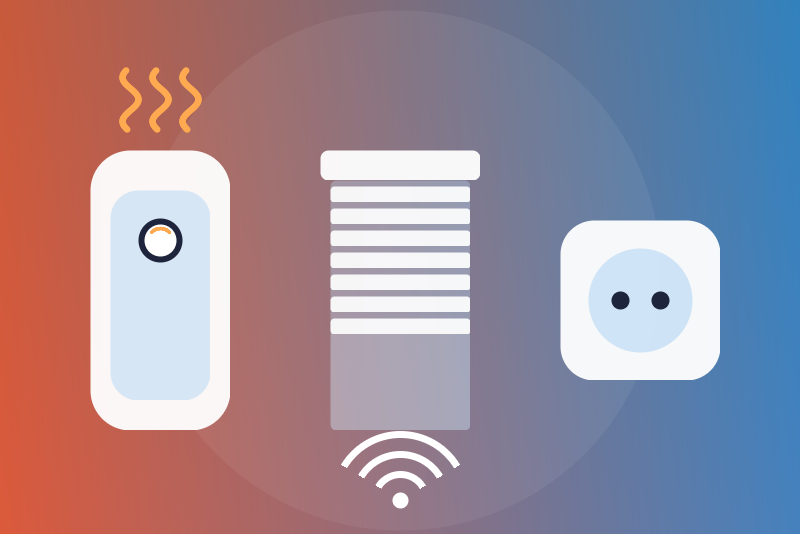
Switcher water heaters, plugs, Runner shutters and Breeze air conditioners, locally.
Veröffentlicht von LM1LC3N7
- Geräte
- Version 0.1.1
- Erfordert Gladys >=5.1.0
- ★ 0
Die Dokumentation dieser Integration wird von ihrem Autor geschrieben und ist bisher nur auf Englisch verfügbar.
Unofficial Gladys integration for the Switcher devices of your local network: water heaters (V2, V4, Mini, Touch), Power Plug, Runner and Runner Mini shutters, Breeze air conditioners. The integration speaks the local protocol of the devices, without any cloud: they announce themselves in UDP broadcast (captured by Gladys), then are read and driven over TCP (ports 9957 and 10000).
Never tested with a real device: the integration follows the protocol as the aioswitcher library (used by Home Assistant) reads and writes it, and the frames its tests recorded. Not affiliated with Switcher.
What you get
- Water heaters: on/off, power drawn (W), time left of the current run.
- Power Plug: on/off, power drawn (W).
- Runner, Runner Mini: position (0 closed, 100 open), open, close, stop.
- Breeze: state (on/off), room temperature, setpoint and mode (read only), switching off.
Not supported: the models that need the token of the Switcher account (Runner S11, Runner S12, Lights SL01/SL02/SL03, Heater). The token is asked for on the vendor's website, but using it means decoding it with a key taken from the Switcher app, which amounts to imitating the app. These devices are named in the status and by the "Search the devices" button, never driven.
Setup
- Give each device a fixed IP address in your router (advised; an address that changes is followed by the scans).
- Install the integration, then open the Discovery tab and scan: Gladys listens to the announcements of the devices for a few seconds.
- Add the devices found.
- If you wish, tick the commands allowed (all off by default):
- Allow switching the water heaters on, with the run length (1 to 150 minutes, 60 by default);
- Allow switching the plugs on;
- Allow moving the shutters (open, close, position).
Each device added is read every 30 seconds (10 to 600), not more often, restarts included (the time of each read is kept in /data before it), except after a command or a stop: the device is then read again 5 and 20 seconds later. A scan runs every 5 minutes: a device is driven (stops aside) only while a scan saw it at its address within the last 15 minutes, and is no longer read once the scans that work have not heard it for 15 minutes (failing scans do not stop it).
Stops
Switching off a water heater, a plug or a Breeze, and stopping a shutter depend on no option, no read first, nor on the configuration of Gladys (the devices known and the stops are kept in /data); they leave even towards a device no recent scan saw (to its last known address; when a scan saw that address taken by another device, the stop is kept and leaves as soon as a scan finds it again). A stop goes before the reads and the commands, cancels the commands of the same device still waiting, and cuts the session in progress with it.
A stop that cannot leave (device unreachable) is tried again for 3 seconds, then kept: tried again 10 and 30 seconds later, then every minute, and before every read. Gladys shows it as an error ("the stop is kept and sent as soon as it answers") and the status says so. A stop sent is confirmed by a read made after it; while such a read shows the device on, it is sent again, 3 answered sends at most. A send the device did not answer does not count: a stop never answered is sent again at each read that shows the device on, without end (the status says so): read 5 and 20 seconds after the first send of a click, then at the periodic reads only. An answer received on the session counts, even when its check sum differs. A resend may hit a switch-on or a move started meanwhile from the app or the remote (it stops it: the safe side). It stays kept (in /data) until a read shows the device off or a switch-on from Gladys has left; time alone does not lift it.
A stop is refused in these cases only:
- a Breeze whose remote has no plain "off" code (a toggle remote, where the same code switches on and off, or an unknown remote): its state is shown read only;
- a device the integration does not know (neither from a scan nor from the params of the device created in Gladys).
A shutter stop is a momentary command: kept in memory only, it is tried again for 3 minutes (the travel time of a shutter), then dropped, and it is never replayed after a restart (it would stop a movement started since).
Other commands
Switching a water heater or a plug on, and moving a shutter:
- refused when the option is not ticked, when the configuration is not read yet, when the address of the device is not confirmed by a recent scan, when /data cannot be written, or while a stop of the same device is being sent;
- the option, the deadline and the cancellation are checked again right before the write; a command that did not leave within 3 seconds is refused ("nothing was sent");
- a command that left is confirmed only by a read made after it showing the value asked; otherwise the device shows "Command sent, without confirmation yet" until a read shows it.
Every switch-on of a water heater carries the timer of the device (the run length configured): it stops by itself at its end. If a read still shows it on 2 minutes after the end of that run, the integration switches it off itself, unless the device proves it was switched on again meanwhile (its time on, once checked during a run, is shorter than the run) (a stop like the others); that run is kept in /data and followed after a restart. Switching a Breeze on is not supported by this version.
Check sum (CRC)
The frames of the water heaters and the plug were never checked on a real device: a frame whose check sum alone differs is read all the same, and the device shows "check sum not verified, please report it". For the Runner and the Breeze (proven on captures), an announcement whose check sum differs is refused, and the status and the "Search the devices" button name it. A stop leaves whatever the check sum of the login answer. Once a frame of a water heater or a plug passed the check sum, its later frames that fail it are refused (they can neither lift a stop nor end a run).
Security
The local protocol of Switcher has no password: any device of your network can drive your Switcher devices. Keep them on a trusted network. The integration keeps no secret.
Troubleshooting
- "No Switcher device found": the devices must be on the same local network as Gladys (UDP broadcast does not cross routers).
- "The network scan of Gladys is not available": a Gladys version that offers network discovery to the integrations is needed (5.1 or later).
- A device "unreachable": check its address and that no firewall blocks TCP ports 9957 (water heaters, plug) and 10000 (Runner, Breeze).
Konfigurationseinstellungen
Diese Einstellungen fragt Switcher in seinem Konfigurationsbildschirm in Gladys ab.
| Einstellung | Typ | Pflichtfeld | Beschreibung |
|---|---|---|---|
| Your Switcher devices | section | Nein | Shows in Gladys the Switcher devices of your local network, without any cloud: water heaters (V2, V4, Mini, Touch: on/off, power, time left), Power Plug (on/off, power), Runner and Runner Mini shutters (position, stop) and Breeze air conditioners (on/off state, room temperature, setpoint, mode). The devices announce themselves on the network: open the Discovery tab and scan, then add them. Stopping (switching off, stopping a shutter) needs no option; switching on and moving are sent only if you allow them below. Models that need the token of the Switcher account (Runner S11/S12, Lights, Heater) are not supported. The protocol has no password: keep the devices on a trusted network. Never tested with a real device. Not affiliated with Switcher. |
| Read interval (s) | number | Nein | How often each device is read, in seconds (10 to 600). |
| Allow switching the water heaters on | boolean | Nein | Off by default. Each switch-on carries the device timer below: the water heater stops by itself at its end. Switching off never depends on this option. |
| Water heater run (minutes) | number | Nein | Length of every switch-on of a water heater from Gladys, 1 to 150 minutes. |
| Allow switching the plugs on | boolean | Nein | Off by default. Switching off never depends on this option. |
| Allow moving the shutters | boolean | Nein | Off by default: open, close and position. Stopping a shutter never depends on this option. |
So installierst du Switcher in Gladys
- Öffne in Gladys Integrationen: Switcher erscheint im Katalog neben den nativen Integrationen, mit einem Community-Badge.
- Klicke auf Installieren. Gladys lädt das Docker-Image (
ghcr.io/lm1lc3n7/gladys-switcher:0.1.1) herunter, startet es in einer vom Kern isolierten Sandbox und erzeugt die Oberfläche der Integration (Geräte, Erkennung und Konfiguration). - Öffne den Bildschirm Konfiguration der Integration, fülle die Einstellungen aus und speichere.
- Du kannst sie auch direkt über die URL ihres Repositorys installieren: https://github.com/LM1LC3N7/gladys-switcher.
Switcher benötigt Gladys >=5.1.0. Der Katalog in Gladys wird stündlich aktualisiert, eine neue Version ist also spätestens eine Stunde nach ihrer Veröffentlichung verfügbar.
Du nutzt Gladys noch nicht? Es ist kostenlos und Open Source: folge der Installationsanleitung, um loszulegen.
Über externe Integrationen
Switcher ist eine externe Integration: eine Community-Integration, die als Docker-Container verpackt und auf GitHub veröffentlicht wird. Gladys installiert sie mit einem Klick und führt sie in einer vom Kern isolierten Sandbox aus. Sie wird von LM1LC3N7 veröffentlicht und gepflegt, nicht vom Gladys-Kernteam.
- Alle Integrationen durchsuchen, native und aus der Community
- Deine eigene externe Integration bauen und veröffentlichen
- Quellcode auf GitHub — Quelle dieser Dokumentation